

Ergotron DS100 Manual
PDF manual · 5 Pages
English



Quick check
Incorrect answer, please try again.
Chat with your Ergotron DS100 manual using AI
Get instant AI answers from your Ergotron DS100 manual
Ask anything about the Ergotron DS100. Answers come from this manual, with the pages they are based on.
Ask a Question
Do you recommend DS100?
Yes NoFrequently Asked Questions
The main function is to support two LCD monitors in a horizontal desk configuration while allowing adjustable tilt angles to improve ergonomics and viewing comfort for the user during daily tasks.
Is this answer helpful?
Check the pivot markings where the wide end has a plus sign and the narrow end has a minus sign. This difference determines the tilt, which equals four degrees per pivot end selection.
Is this answer helpful?
You need M4 x 10mm screws to attach the monitors to the pivots. You also need to ensure your monitor is compatible with either 75x75mm or 100x100mm VESA mounting patterns.
Is this answer helpful?
Yes, you can configure the monitors to tilt toward each other horizontally. This is one of the three primary viewing effects supported by the different pivot options included in the kit.
Is this answer helpful?
You can find warranty details by visiting the official Ergotron website. The support resources are available online for local customer care and international service inquiries.
Is this answer helpful?
It is designed for most modern LCD displays that adhere to standard VESA mounting patterns. You should verify the mount plate size and screw compatibility before installation.
Is this answer helpful?
The three options are tilting toward each other horizontally, tilting upward, or tilting downward. Each option helps achieve a desired viewing effect based on user preference.
Is this answer helpful?
Advantages and Disadvantages
Advantages

- Supports two monitors simultaneously for improved multitasking efficiency
- Offers flexible tilt options including inward, upward, and downward angles
- Uses M4 x 10mm screws for secure and reliable mounting connections
- Compatible with standard VESA mounting patterns of 75x75 and 100x100mm
- Helps reduce neck strain by maintaining a neutral viewing posture
Disadvantages

- Tilt increments are fixed and limited to 4 degrees per pivot adjustment
- Requires specific screw sizes that must be sourced if lost
- Mounting is restricted to horizontal desk setups primarily
- Assembly requires attention to pivot markings for correct tilt direction
- Capacity is limited to only two monitors per stand unit
Product Specification
Type
Table
Number of Monitors
2
Screen Size
up to 24 inches
Mobility
swivel (360 degrees)
Max Load
61.73 lbs
VESA
75x75, 100x100
Shelves
0
Features
Cable Management
Color
black
Product Description
Transforming Your Digital Workspace with Ergonomic Precision
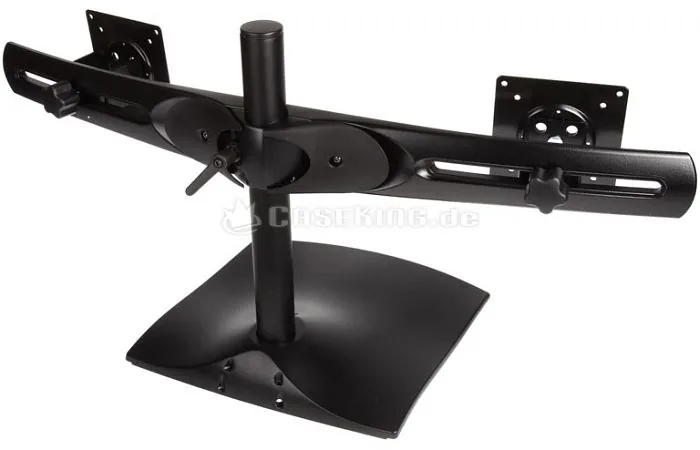
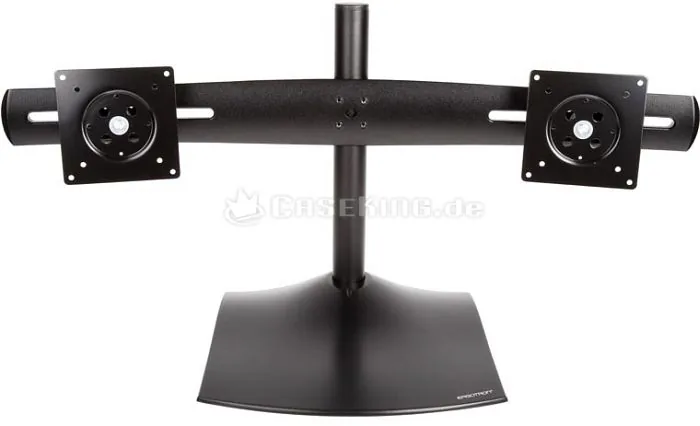
Creating an efficient office environment requires the right tools to support focus and comfort. The Ergotron DS100 Stand for 2 Monitors horizontal Manual offers comprehensive guidance for users looking to upgrade their monitor arrangement. This dual monitor desk stand is engineered to accommodate two screens simultaneously, ensuring that critical information is always within easy view. By optimizing screen placement, workers can reduce physical strain and improve overall workflow efficiency significantly.
Ergonomic Design Benefits
The primary advantage of this system lies in its adjustable viewing angles. Unlike standard fixed arms, this stand allows you to tilt displays in multiple directions. You can configure the monitors to tilt toward each other horizontally, angle them upward, or incline them downward based on your preferred posture. These options help maintain a neutral neck position, which is essential for preventing long-term repetitive strain injuries during extended computer usage sessions.
Pivot Mechanics Explained
Understanding the pivot mechanism is vital for correct assembly. Each LCD pivot features distinct markings indicating tilt capacity. The wide end of the pivot is marked with a plus sign, while the narrow end bears a minus sign. This design choice is not merely cosmetic; the physical difference in size equals exactly four degrees of tilt. Being aware of these markings allows users to achieve the specific viewing effect required for their specific task requirements without guesswork.
Installation Hardware Overview
Secure mounting relies on the included hardware components. The process utilizes M4 x 10mm screws to connect the monitors firmly to the pivots. Furthermore, the stand supports standard VESA mounting patterns found on most modern display units. Specifically, you may encounter 100 mm x 100 mm or 75 mm x 75 mm mounting plate requirements. Ensuring the correct plate and screw combination is used guarantees that the heavy dual load remains stable and safe on the desk surface.
Long Term Workspace Health
An active workstyle is supported by equipment that adapts to your needs. By following the setup instructions, you ensure the hardware remains functional for years. Regular adjustments to screen height and angle allow you to take breaks from fixed neck positions. This flexibility encourages movement and promotes better circulation while working. Ergonomic practices combined with quality hardware like this stand create a healthier work environment that prioritizes physical well-being alongside productivity goals.
Conclusion
Ultimately, this stand represents a significant investment in professional comfort. Following the guidelines ensures safe operation and maximum utilization of the adjustable features. Users are encouraged to check local support lines for further assistance or warranty information. Proper installation leads to a safer desktop landscape and enhanced visual clarity for all daily tasks.
Search for 67,732 Manuals online


Type-in Brand or Model