
Equip 245450 Manual
PDF manual · 7 Pages
English



Quick check
Incorrect answer, please try again.
Chat with your Equip 245450 manual using AI
Get instant AI answers from your Equip 245450 manual
Ask anything about the Equip 245450. Answers come from this manual, with the pages they are based on.
Ask a Question
Do you recommend 245450?
Yes NoFrequently Asked Questions
Attach the clip holder to the back of your monitor based on its thickness. Connect the USB-A to Type-C cable from the light bar to your computer's USB port.
Is this answer helpful?
It runs on USB DC 5V power supplied via the included USB-A to Type-C cable connected to a computer or charging adapter.
Is this answer helpful?
Yes, use the touch control switch on the top of the bar to change the CCT (color temperature) and adjust brightness levels easily.
Is this answer helpful?
No, you must keep the device away from water, humidity, fire, or hot environments to prevent damage or electrical hazards.
Is this answer helpful?
The package contains the LED lamp, a USB-A to C cable, a multi-language quick installation guide, and the clip holder assembly.
Is this answer helpful?
Advantages and Disadvantages
Advantages

- Intuitive touch controls allow instant adjustment of brightness and color temperature
- Easy tool-free installation with adjustable clip holder for various monitor thicknesses
- Compact and slim design prevents obstruction of the screen view
- Safe low-voltage DC 5V operation minimizes heat and energy consumption
Disadvantages

- Requires a free USB port or compatible power adapter for operation
- Cannot be opened for repairs as doing so causes short-circuit risks
- Not waterproof and must be kept away from moisture and liquids
Product Specification
Color Temperature
2800/3200/4000/4500/6000/6500K
Light Source
Dimmable
Connections
1x USB-C (female via detachable cable, 4.92ft cable length, to USB-A)
Energy Efficiency Class (A to G)
F
Dimensions
15.75x4.25x0.93in (WxDxH)
Weight
1.41oz
Color
Black
Product Description
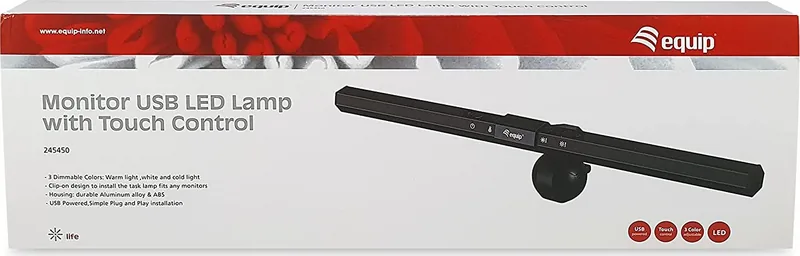
Enhance Your Workspace with the Equip 245450 Monitor USB LED Light
Transform your daily computing experience by introducing the Equip 245450 Monitor USB LED Light. This sleek lighting solution is designed specifically to reduce eye strain and improve visibility in dimly lit environments. By clipping directly onto your monitor, it provides a focused beam of light that illuminates your desk without causing glare on your screen.
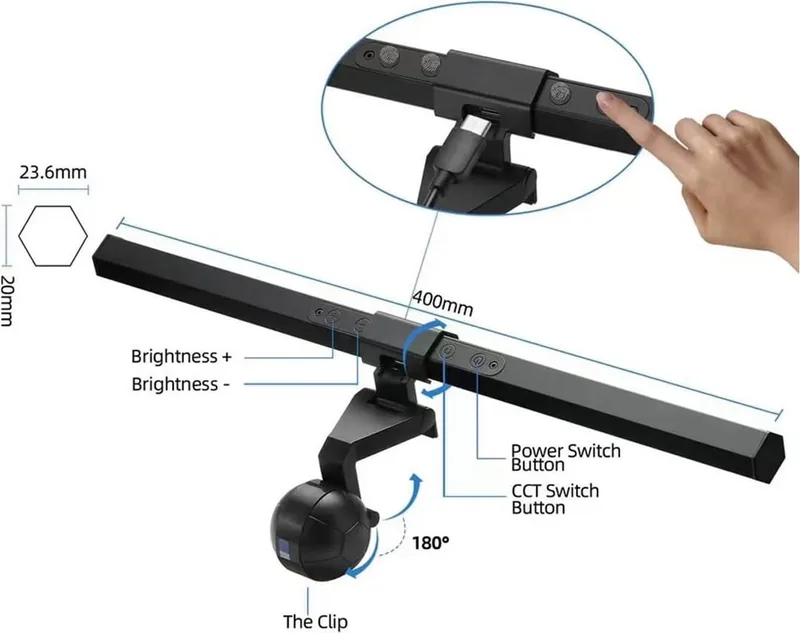
The device features an intuitive touch control interface located on the top of the light bar. With a simple tap, you can power the unit on or off, adjust the color temperature (CCT) to suit your mood or time of day, and fine-tune the brightness levels. Whether you need a warm glow for evening reading or a cool white light for intense focus during work hours, this lamp adapts to your needs instantly.
Installation is straightforward and requires no tools. The package includes a versatile clip holder that fits monitors of various thicknesses. Simply attach the clip assembly to the back of your screen, connect the included USB-A to Type-C cable to your computer or a power bank, and you are ready to go. The compact dimensions of 400mm in length make it suitable for almost any standard display setup.
Safety is a priority with this product. It operates on a safe low voltage DC 5V input, ensuring minimal heat generation. However, users should keep the device away from water, humidity, and hot environments to maintain longevity. Never attempt to open the casing, as this voids safety protections and may cause short circuits. The multi-language quick guide included ensures that users worldwide can set up their new light quickly and correctly.
Key Features
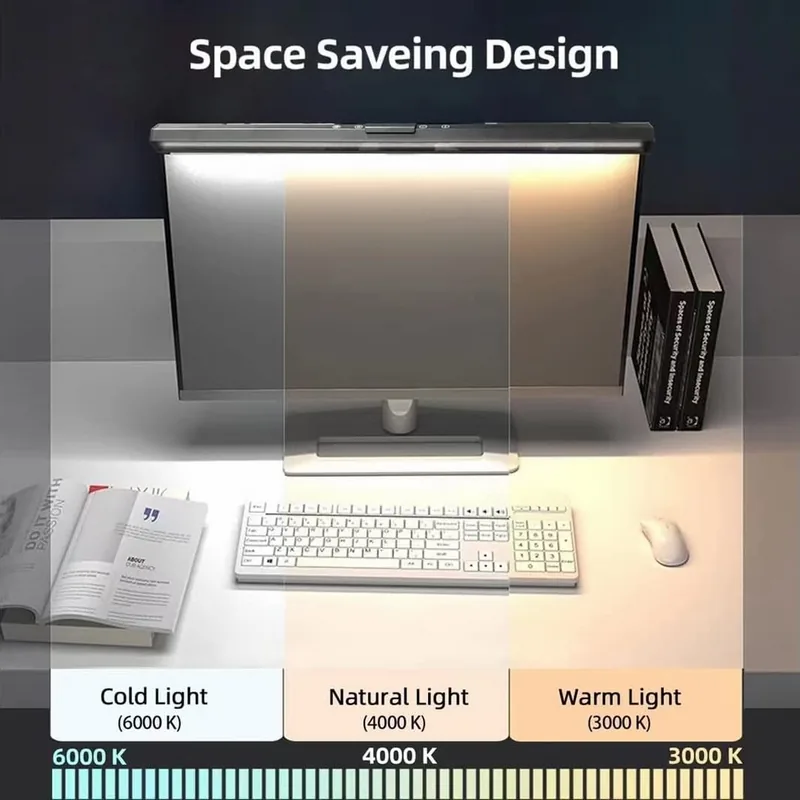
This monitor light bar combines functionality with modern design. Its slim profile adds a professional touch to any workstation while delivering practical illumination. The ability to switch between different color temperatures helps regulate circadian rhythms, making it an excellent choice for remote workers and gamers alike.
Important Notes
- Always ensure the Type-C port faces upward for easy access to controls.
- Use only standard USB 5V power sources to prevent damage.
- Clean the surface gently with a dry cloth to avoid scratching.
Search for 67,732 Manuals online


Type-in Brand or Model