
Epson WorkForce ES-60W Manual
PDF manual · 87 Pages
English


Quick check
Incorrect answer, please try again.
Chat with your Epson WorkForce ES-60W manual using AI
Get instant AI answers from your Epson WorkForce ES-60W manual
Ask anything about the Epson WorkForce ES-60W. Answers come from this manual, with the pages they are based on.
Ask a Question
Do you recommend WorkForce ES-60W?
Yes NoVideo Manual
Epson WorkForce ES-60W USB Setup Windows Laptop, Scanning Test Video.
Frequently Asked Questions
Its lightweight body, battery support, and wireless connectivity make it easy to scan almost anywhere. You can connect by USB, Wi-Fi, or Wi-Fi Direct, which is ideal for travel or shared workspaces.
Is this answer helpful?
Yes. It can scan receipts, envelopes, business cards, plastic cards, and long paper. With a Carrier Sheet, it can also handle irregular or delicate originals more safely.
Is this answer helpful?
Epson ScanSmart is the main scanning app for saving, organizing, and sharing scans. Epson DocumentScan supports smart devices, and EpsonNet Config helps with network setup.
Is this answer helpful?
Yes. Wi-Fi Direct mode lets the scanner connect directly to a computer or smart device without using a wireless router. That is helpful when no network is available.
Is this answer helpful?
Clean the scanner regularly, use the calibration sheet when images become blurred or colors shift, and place originals straight into the input slot. These steps help maintain clear results.
Is this answer helpful?
Check the Wi-Fi settings, confirm the correct SSID, restart the scanner and router if needed, and make sure no USB connection is taking priority over the wireless connection.
Is this answer helpful?
Advantages and Disadvantages
Advantages

- Compact and lightweight, making it easy to carry and store.
- Supports Wi-Fi, Wi-Fi Direct, and USB for flexible connections.
- Handles receipts, cards, envelopes, and long originals.
- Epson ScanSmart streamlines saving, naming, and sharing scans.
Disadvantages

- Single-sheet feeding may not suit heavy batch scanning.
- Some wireless setup steps can be tricky for first-time users.
- Regular cleaning and calibration may be needed for best quality.
- Battery performance and charging depend on temperature and use conditions.
Product Specification
Type
mobile document scanner
Resolution
600x600dpi
Speed
15/15 ppm (B/W/Color)
Paper/Film Format
A4
Paper/Film Feed
single sheet
Ports
1x USB 3.0
Wireless
Wi-Fi 4 (WLAN 802.11a/b/g/n), Wi-Fi Direct
Display
N/A
Dimensions
10.71x1.34x1.85in
Weight
0.66 lb
Special Features
LED lighting, Battery (Li-Ion)
Manufacturer Warranty
5 years (after registration)
Product Description
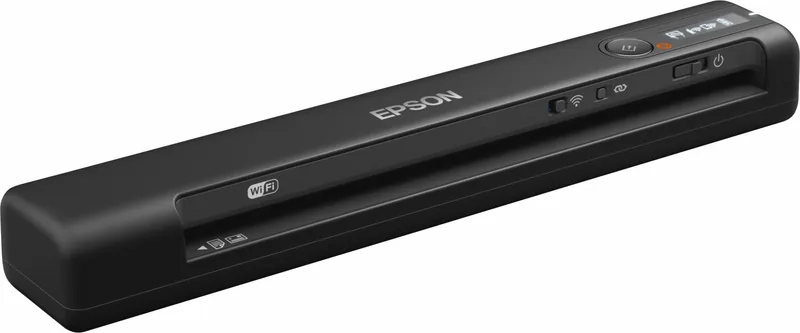
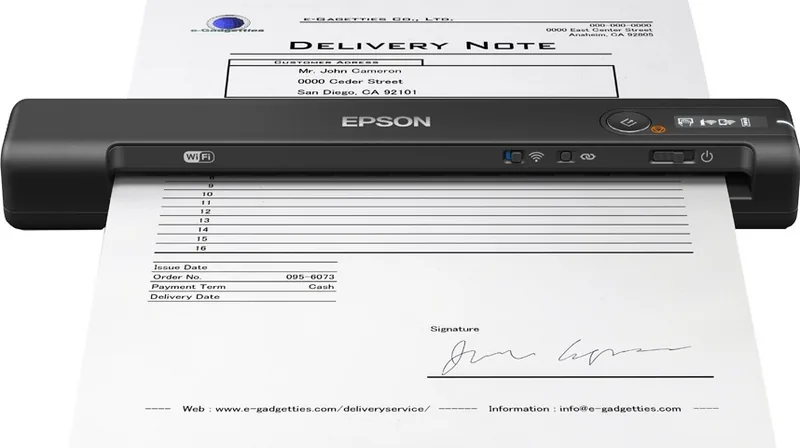
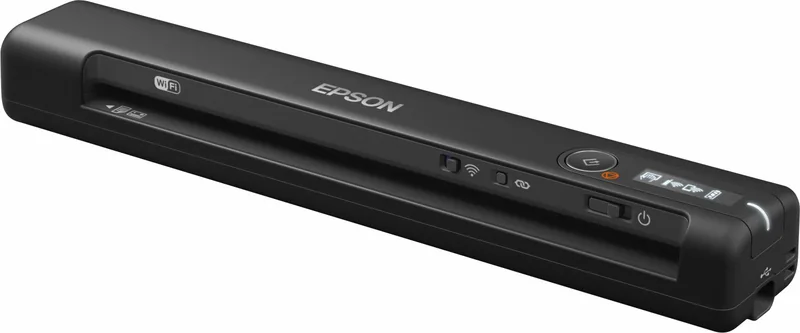
Epson WorkForce ES-60W: A Compact Scanner for Fast, Flexible Work
The Epson WorkForce ES-60W is built for people who need reliable scanning without the bulk of a traditional desktop setup. This slim portable scanner combines speed, wireless convenience, and battery power in a design that fits easily into a home office, workspace, or travel bag. If you are looking for practical guidance, the Epson WorkForce ES-60W Manual highlights a device made to keep everyday scanning simple and mobile.
Designed for mobility and everyday use
One of the strongest advantages of the ES-60W is its flexibility. It supports both USB and Wi-Fi connectivity, so you can scan directly to a computer, smart device, or wireless network. It also includes Wi-Fi Direct mode, allowing direct connection without a router. That makes it especially useful in shared offices, field work, and temporary setups where fast access matters.
Smart scanning for different types of originals
This scanner is not limited to standard sheets. It can handle receipts, envelopes, business cards, plastic cards, long paper, and even irregular-shaped originals when used with the Carrier Sheet. That gives it a practical edge for users who manage mixed paperwork and want a single tool for many tasks. Automatic Feeding Mode also makes it easier to scan one item after another with less interruption.
Simple software and helpful workflow features
Epson ScanSmart is the main companion app, and it is designed to reduce steps while organizing scans. You can save files, create searchable PDFs, send scans to cloud services, or export to editable Microsoft Office formats. Epson DocumentScan adds support for smartphones and tablets, giving the ES-60W a modern workflow that works across devices.
Built for maintenance and long-term use
The scanner also includes useful maintenance tools such as cleaning sheets and calibration support to help preserve image quality. Battery charging, power-saving settings, firmware updates, and troubleshooting guidance are all covered clearly, making the ES-60W a thoughtful choice for users who want dependable results over time.
Notes
- Best for mobile professionals and light office scanning
- Supports both wireless and USB-based workflows
- Works well with receipts, cards, and long originals
- Regular cleaning helps maintain scan quality
- The battery and Wi-Fi features add real portability
Search for 67,732 Manuals online


Type-in Brand or Model