
Epson WorkForce DS-1660W Manual
PDF manual · 92 Pages
English


Quick check
Incorrect answer, please try again.
Chat with your Epson WorkForce DS-1660W manual using AI
Get instant AI answers from your Epson WorkForce DS-1660W manual
Ask anything about the Epson WorkForce DS-1660W. Answers come from this manual, with the pages they are based on.
Ask a Question
Do you recommend WorkForce DS-1660W?
Yes NoVideo Manual
Epson Workforce DS-1630 Flatbed Scanner Unboxing & Installation | Step-by-Step Setup Guide
Frequently Asked Questions
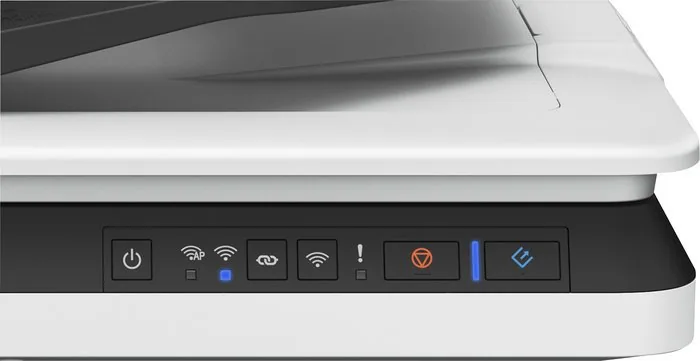
The DS-1660W supports USB and wireless (Wi‑Fi) connections, plus NFC for one-touch mobile pairing. It can operate in standard Wi‑Fi mode (connected to an access point) or AP mode for direct device connections.
Is this answer helpful?
Yes. Searchable PDFs require the Epson OCR component to perform text recognition during scanning. Document Capture Pro can convert scans to Microsoft Office formats (Word, Excel, PowerPoint) when the OCR component is installed.
Is this answer helpful?
The ADF accepts plain, fine, and recycled papers 50–120 g/m². Single-sided scans support sizes up to 215.9 × 3,048 mm (8.5 × 120 in); double-sided scanning supports up to 215.9 × 297 mm. Stack thickness is limited (about 5 mm / ~50 sheets at 80 g/m²).
Is this answer helpful?
Follow the manual’s jam-removal steps: remove originals, open the ADF cover, clear jammed sheets, and clean the ADF rollers. If multiple feeds persist, fan and separate sheets before loading, reduce batch size, and clean the ADF feed path.
Is this answer helpful?
Use Epson Scan 2’s Advanced Settings: enable Descreening for printed materials, adjust Brightness/Contrast/Gamma, and try Text Enhancement. For stubborn artifacts, experiment with resolution changes and preview before final scans.
Is this answer helpful?
Yes. Jobs/presets created in Document Capture Pro (Windows) or Document Capture (macOS) can be assigned to the scanner button, but launching assigned jobs from the button requires a USB connection.
Is this answer helpful?
Install Epson DocumentScan on your mobile device, enable NFC and touch the device’s NFC antenna to the scanner’s tag to auto-connect, or connect the mobile device to the scanner’s SSID in AP mode or to the same Wi‑Fi network as the scanner.
Is this answer helpful?
Advantages and Disadvantages
Advantages

- Dual connectivity: USB and Wi‑Fi with NFC support for quick mobile scanning.
- Robust image-enhancement tools: text enhancement, descreening, unsharp mask, and skew correction.
- Fast ADF handling for mixed-size batches and long-document scanning up to 120 inches (with resolution limits).
- Software ecosystem: Epson Scan 2 and Document Capture Pro provide OCR, job presets, cloud/FTP/email outputs.
- Compact, energy-saving design with clear maintenance procedures and recovery options for firmware updates.
Disadvantages

- Certain advanced functions (OCR, Document Capture Pro full features) require additional components or Windows-only modules.
- Button-based job launching requires USB connection; limited when used over wireless.
- ADF has restrictions: photos, stapled, very thin/transparent, or heavily damaged originals must use the glass.
- Long-document high-resolution scans are limited (600 dpi max for certain lengths), affecting very fine-detail capture.
- Some network setups (multi-SSID, privacy separators) may require admin adjustments for proper connectivity.
Product Specification
Type
Flatbed scanner
Resolution
1200x1200dpi
Speed
25/25 ppm (B/W/Color)
Paper/Film format
A4
Paper/Film feed
50 sheets RADF, Duplex unit
Connections
1x USB 3.0
Wireless
Wi-Fi 4 (WLAN 802.11b/g/n)
Display
monochrome, 5-line
Software
OCR software
Dimensions
17.76x4.72x12.40 in
Weight
8.60 lb
Special features
LED lighting
Manufacturer's warranty
1 year
Product Description
Epson WorkForce DS-1660W — Compact, Reliable Document Scanning
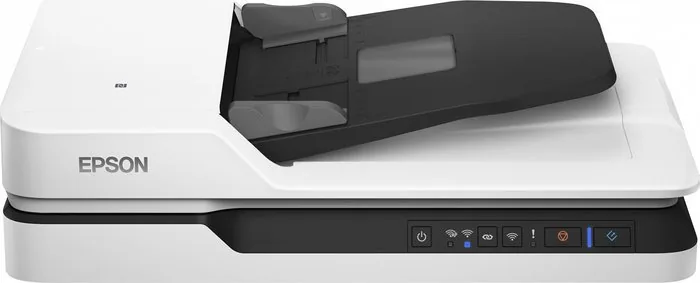
The Epson WorkForce DS-1660W is a versatile desktop scanner designed for small offices and mobile professionals who need fast, accurate digital capture. With both USB and wireless connectivity, the DS-1660W supports a variety of workflows: single- and double-sided scanning via its Automatic Document Feeder (ADF), direct scans from mobile devices using NFC and the Epson DocumentScan app, and integration with Epson software tools like Epson Scan 2 and Document Capture Pro for advanced processing.
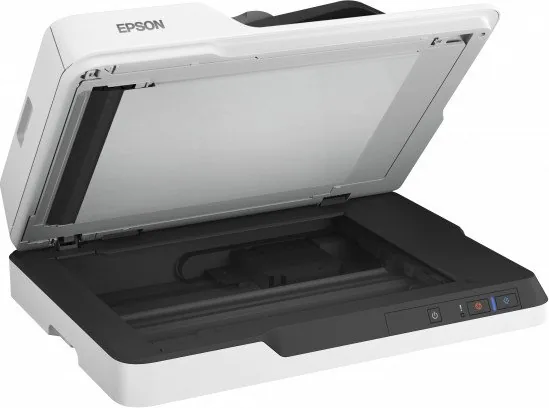
Built to handle mixed batches of documents, the DS-1660W accepts standard paper sizes up to letter/A4 and long documents up to 120 inches (with resolution limits for very long scans). It supports typical office paper types (50–120 g/m²) and can process stacks up to around 5 mm thick in the ADF. For delicate, thick, or non-standard originals it provides a flatbed/scanner-glass option.
Epson’s software suite lets you preview, adjust, and optimize images using features such as text enhancement, descreening, unsharp mask, auto area segmentation, dropout/color enhancement, brightness/contrast/gamma control, skew correction, and edge-fill. These tools help create clean search-capable PDFs (OCR support available via the Epson OCR components) and Office-format outputs (Word/Excel/PowerPoint) using Document Capture Pro. Jobs and presets can be created, assigned to the scanner button for quick one-touch operations (USB only), and routed to folders, email, cloud services, FTP, or printers.
Network flexibility is a highlight: connect via a home/office Wi‑Fi network, use AP mode for direct device-to-scanner links, or set up using WPS (push-button or PIN). Web Config and EpsonNet Config allow administrators to manage network settings and firmware updates. Maintenance is straightforward: the manual details ADF and glass cleaning, replacing network settings, energy-save timers, and safe transport procedures.
Error indicators and diagnostic guidance are built into the scanner and documentation, covering paper jams, double-feeds, network errors, and recovery for firmware updates. The manual also describes safety and legal considerations (e.g., restrictions on copying currency and sensitive items), plus system requirements and regulatory approvals.
Notes:
- Ideal for busy desks that need reliable batch scanning, searchable PDFs, and mobile device integration.
- Best results come from following Epson’s guidance on original placement, paper type limits, and routine cleaning.
- Some advanced features (OCR, Document Capture Pro) require optional software components or platform-specific versions (Windows vs macOS).
Search for 67,706 Manuals online


Type-in Brand or Model