
Epson LabelWorks LW-Z700FK Manual
PDF manual · 58 Pages
English


Quick check
Incorrect answer, please try again.
Chat with your Epson LabelWorks LW-Z700FK manual using AI
Get instant AI answers from your Epson LabelWorks LW-Z700FK manual
Ask anything about the Epson LabelWorks LW-Z700FK. Answers come from this manual, with the pages they are based on.
LabelWorks LW-Z700FK Maintenance Schedule
Wipe dirt with a soft cloth. Use a damp, well-wrung cloth for heavy soiling. Never use chemicals or solvents like gasoline, thinner, alcohol, or chemical dust removers.
Clean the printhead with a cotton swab. Do not touch the printhead directly with fingers as static electricity may damage it.
Ask a Question
Do you recommend LabelWorks LW-Z700FK?
Yes NoFrequently Asked Questions
It supports dedicated LK tape cassettes in 4 mm, 6 mm, 9 mm, 12 mm, 18 mm, and 24 mm widths. The best width depends on the label purpose, available space, text size, and required readability.
Is this answer helpful?
Yes. It includes dedicated formats for cable wrap labels, cable flag labels, self-laminating wrap labels, patch panels, terminal blocks, Block-66 labels, and faceplate labels. These formats help create structured identification for technical installations.
Is this answer helpful?
Yes. Supported barcode types include EAN-8, EAN-13, CODE128, CODE39, QR Code, ITF, CODABAR, UPC-A, and UPC-E. Up to two barcodes can be inserted in one label, depending on the selected layout.
Is this answer helpful?
The printer can use a dedicated lithium-ion battery pack, six AA alkaline batteries, or the supplied AC adapter. The dedicated battery can be charged in the printer and has an estimated charging time of about three hours.
Is this answer helpful?
Yes. Connect the printer to a computer using USB and use Epson Label Editor to create and transfer label data. Transferred cable label data can later be recalled and printed from the printer.
Is this answer helpful?
Up to 100 frequently used label designs can be stored in the printer. This is useful for recurring labels such as cable IDs, inventory markers, panel references, and equipment names.
Is this answer helpful?
Check that the cassette is correctly installed and that the tape end is inserted into the tape outlet. Clean the cassette recognition label and printer sensor gently with a soft cloth if dirt is present.
Is this answer helpful?
Advantages and Disadvantages
Advantages

- Supports LK label tapes from 4 mm to 24 mm for compact cable markers and wider equipment labels.
- Built-in QWERTZ keyboard and display enable standalone label design without a computer.
- Dedicated templates support cable wraps, cable flags, panels, terminal blocks, sequential labels, and more.
- USB connectivity and Label Editor support transferring prepared cable labels and custom symbols.
- Supports rechargeable lithium-ion power, AA alkaline batteries, and AC adapter operation.
Disadvantages

- Only dedicated LK tape cassettes are supported.
- Some tape types may not support automatic cutting or half-cut functions.
- The lithium-ion battery cannot be charged while printing.
- Continuous printing on alkaline batteries requires a cooling break after 30 minutes.
- Barcode and layout options can be limited by the selected label type and tape width.
Product Specification
Type
Handheld device, professional labeling system, thermal transfer printing
Print resolution
180 dpi
Tape width
0.16 in, 0.24 in, 0.35 in, 0.47 in, 0.71 in, 0.94 in
Print lines
8
Print length
1.18-15.75 in
Print height
0.35 in
Print speed
1.18 in/s
Font sizes
5
Font styles
6
Template memory
100
Print functions
automatic numbering (2-99), multiple printing (2-99), flag printing, frame printing, mirror printing, vertical printing
Display
monochrome, 1-line
Keyboard
QWERTZ
Ports
USB
Power supply
rechargeable battery (Li-ion) or 6 x AA
Power consumption
12 W (typical), 0.8 W (standby), 0.21 W (off)
Dimensions
5.43 x 3.54 x 11.73 in
Weight
2.43 lb
Consumables
LK-1, LK-2, LK-3, LK-4, LK-5, LK-6
Special features
automatic cutter
Manufacturer warranty
3 years
Product Description
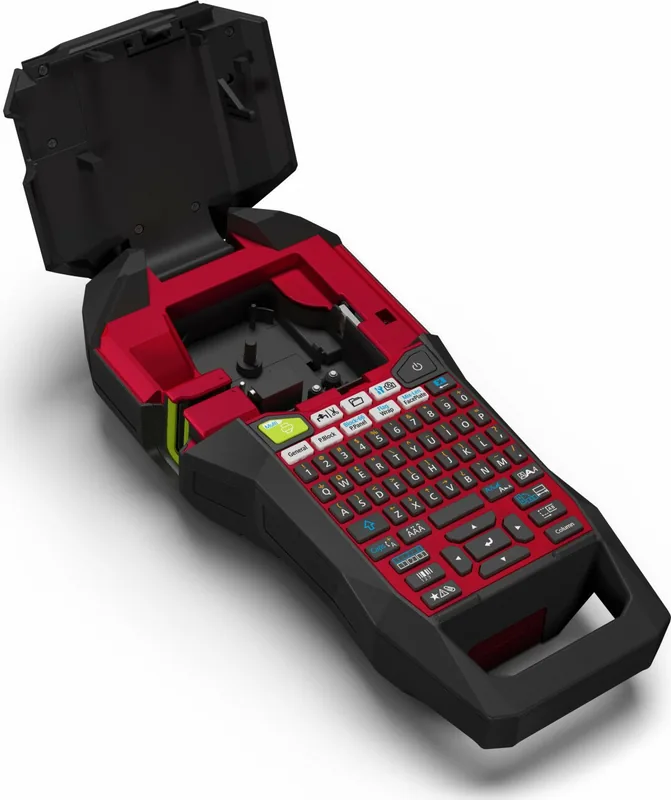
Epson LabelWorks LW-Z700FK QWERTZ, EU Manual: Professional Labeling Made Practical
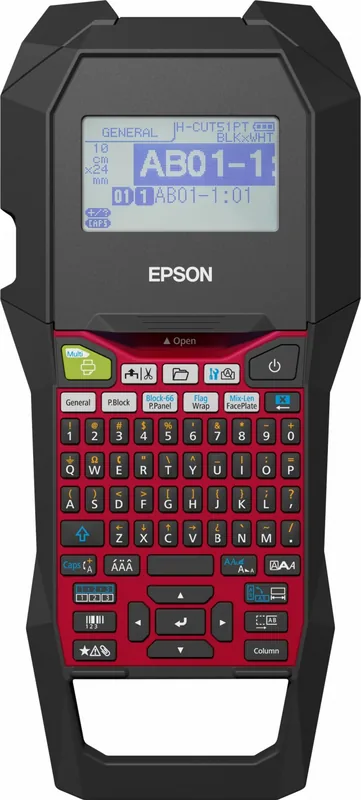
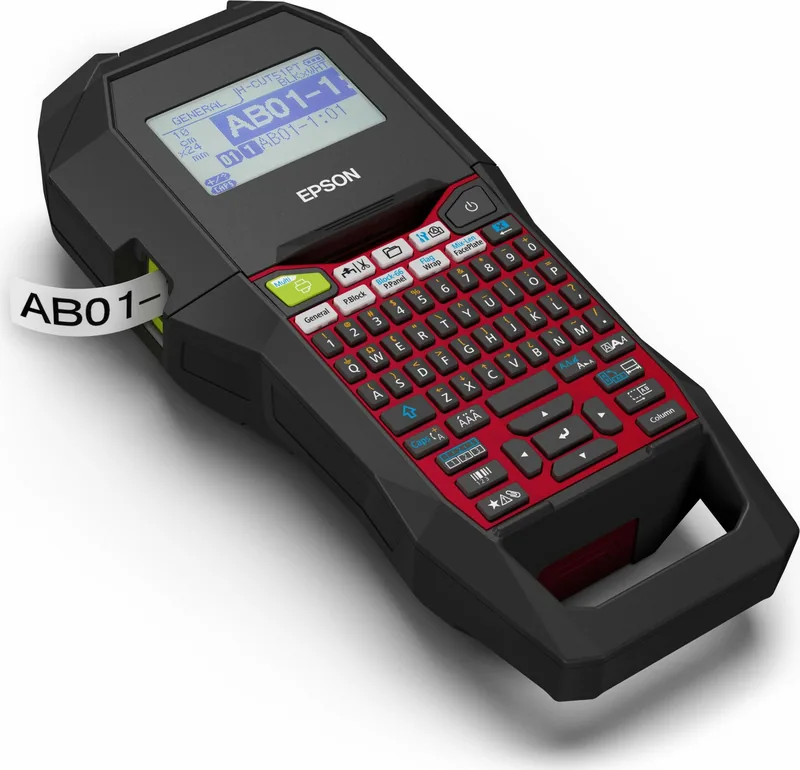
The Epson LabelWorks LW-Z700FK QWERTZ, EU is a versatile label printer designed for organized workplaces, technical environments, and demanding labeling tasks. It combines a built-in QWERTZ keyboard, a clear display, and dedicated label creation functions in a portable format. Whether you need to identify cables, panels, storage areas, equipment, or electrical connections, this model helps create clear, durable labels directly at the device.
Flexible Labels for Technical Work
A key strength of the Epson LabelWorks LW-Z700FK QWERTZ, EU is its support for LK tape widths from 4 mm to 24 mm. This allows users to choose compact labels for small cables or wider formats for front panels and larger identification tasks. The printer supports specialized layouts for cable wraps, cable flags, patch panels, terminal blocks, faceplates, Block-66 installations, sequential numbering, symbols, and barcodes.
The dedicated functions simplify repetitive work. Sequential numbering can automatically increase values across multiple prints, while block numbering helps organize structured wiring and connection points. Barcode support includes QR Code, EAN, CODE128, CODE39, ITF, CODABAR, UPC-A, and UPC-E formats, making the device useful for inventory, asset management, and equipment identification.
Convenient Standalone and Computer-Based Operation
The integrated keyboard and display make it possible to design labels without a computer. Users can adjust font size, font style, margins, alignment, frames, tables, character spacing, and label length before printing. A preview function helps check the layout before tape is used.
For larger projects, the printer can connect to a computer by USB. Epson Label Editor software can be used to prepare cable labels and transfer them to the printer. Saved data can then be recalled and printed later without keeping the computer connected. Up to 100 frequently used label designs can be stored, helping teams repeat common tasks efficiently.
Power Options and Everyday Handling
The Epson LabelWorks LW-Z700FK QWERTZ, EU can operate with its dedicated rechargeable lithium-ion battery pack or six AA alkaline batteries. It also supports use with the supplied AC adapter. The lithium-ion battery charges in approximately three hours, while the automatic power-off feature helps conserve energy during idle periods.
The device includes tape feed and feed-and-cut functions, plus automatic cutting and half-cut options where compatible tape is used. Regular cleaning with a soft cloth and careful cleaning of the print head can help maintain dependable label quality.
Note: Use dedicated LK tapes, keep the tape sensor clean, and avoid pulling tape during printing. Check label adhesion on the intended surface before applying labels permanently.
The Epson LabelWorks LW-Z700FK QWERTZ, EU is a capable solution for users who need organized, readable, and customizable labeling in the office, workshop, IT room, or industrial setting.
Search for 67,706 Manuals online


Type-in Brand or Model