
Epomaker EK21 Manual
PDF manual · 36 Pages
English


Quick check
Incorrect answer, please try again.
Chat with your Epomaker EK21 manual using AI
Get instant AI answers from your Epomaker EK21 manual
Ask anything about the Epomaker EK21. Answers come from this manual, with the pages they are based on.
Ask a Question
Do you recommend EK21?
Yes NoFrequently Asked Questions
Toggle the switch to the left for wireless mode. Hold Fn plus 1, 2, or 3 for 3-5 seconds until the indicator flashes blue. Turn on your device and search for Epomaker EK21-1/2/3 to connect.
Is this answer helpful?
Yes, it supports VIA for QMK customization. You must download the correct JSON file depending on your mode, install the VIA application, and import the layout to configure keys.
Is this answer helpful?
Yes, it features a hot-swappable PCB. Use the included switch puller tool to remove switches carefully. Ensure pins are straight before installing new switches to avoid damage.
Is this answer helpful?
The device contains a 1000mAh battery. It charges in any mode as long as the Type-C cable is plugged in. Low battery is indicated by a flashing red Fn light.
Is this answer helpful?
Epomaker provides a 1-year warranty for factory defects. This applies only if purchased from official stores. Modifications or damage from normal wear void the warranty.
Is this answer helpful?
Wired and 2.4G modes offer 1000Hz polling rates. Bluetooth mode operates at 125Hz, which is suitable for standard typing tasks requiring wireless convenience.
Is this answer helpful?
To reset the device to factory settings, press Fn plus 0 and hold for 3 seconds. This clears any custom settings you may have applied during previous usage.
Is this answer helpful?
Advantages and Disadvantages
Advantages

- Triple connectivity modes allow seamless switching between Bluetooth, 2.4G, and wired connections.
- Hot-swappable switches enable easy customization without soldering.
- VIA programmability offers extensive macro and lighting control options.
- Compact and portable design fits easily into travel bags.
- High polling rate up to 1000Hz ensures low latency for critical inputs.
Disadvantages

- Warranty coverage is limited to official stores only.
- 1000mAh battery capacity is average for heavy wireless users.
- Stabilizers may require additional lubing for better feel.
- Risk of damaging pins if switches are not aligned during installation.
- 2.4G dongle can be easily lost without proper storage.
Product Specification
Type
Numpad
Compatibility
PC, macOS
Keys
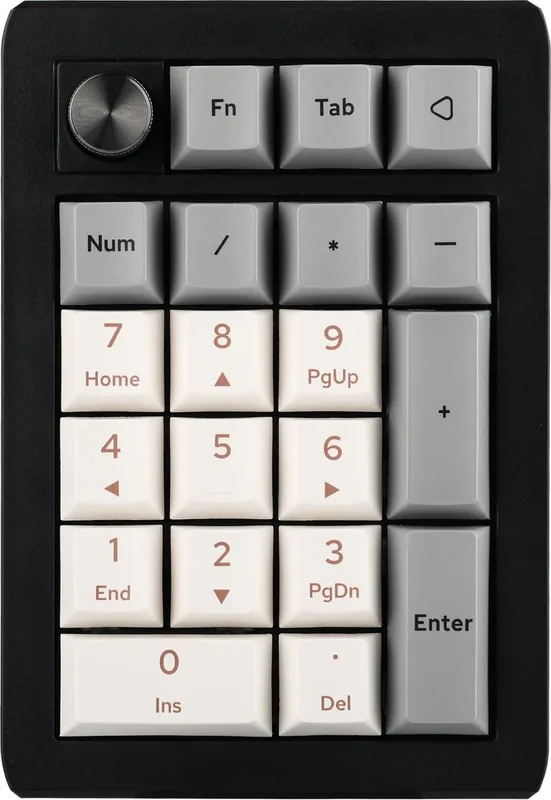
21 (total), 20 (mechanical), 1 (knob)
Analog Sticks
N/A
D-Pad
N/A
Backlight
Multi-Color (RGB), each key individually
Key Height
High
Key Shape
Concave
Wrist Rest
N/A
Housing
Plastic
Connection
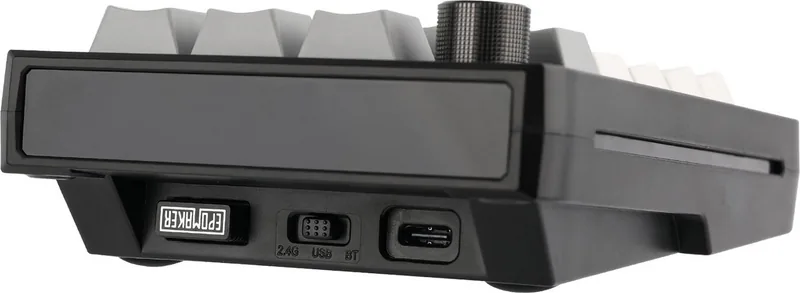
Wireless (2.4 GHz, Bluetooth 5.0 LE) or Wired (5.91 ft), USB-A 2.0
Power
Battery (built-in, 1000mAh)
Dimensions (WxHxD)
3.78x1.26x5.55 in
Weight
0.97 lbs
Features
20 programmable keys, 1x rotary knob (clickable and programmable), detachable USB cable (USB-C), Hot-Swap switches, VIA support, PBT keycaps
Product Description
Boost Your Productivity with the Epomaker EK21 Wireless Numpad Manual
Finding the right peripheral for data entry can significantly improve your daily efficiency. Many professionals seek a reliable add-on that integrates seamlessly with their existing hardware setups. The Epomaker EK21 Wireless Numpad Manual highlights a product that stands out in terms of connectivity and utility. This device is designed to streamline your workflow by providing a dedicated area for numbers and advanced functions, keeping your main keyboard free for other creative tasks.
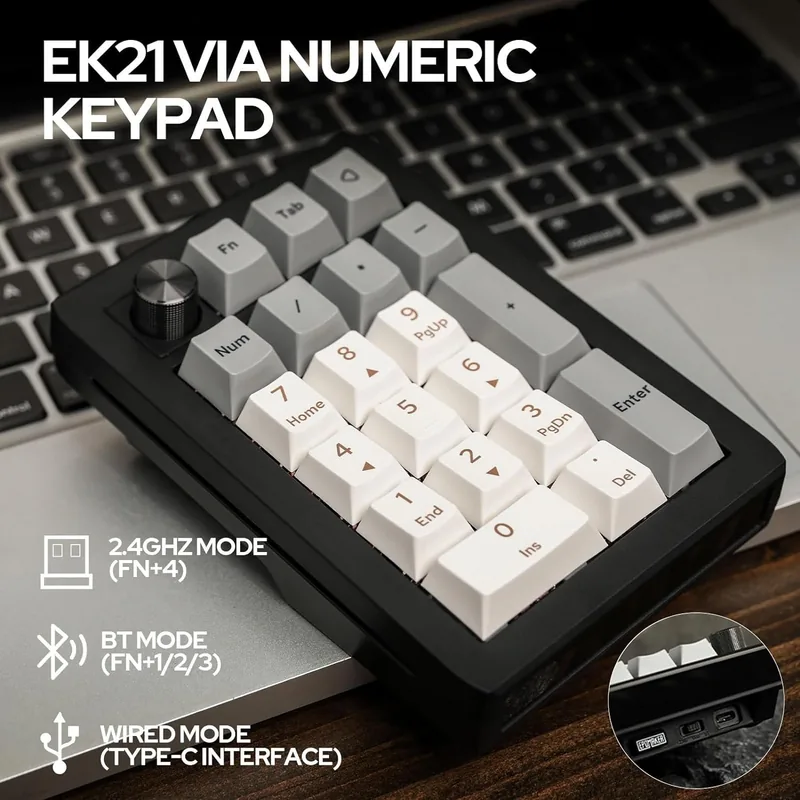
One of the standout features is the triple mode connectivity. You can toggle between Bluetooth, 2.4 GHz wireless, and a wired connection instantly. This flexibility means you can switch between multiple devices seamlessly. The internal 1000mAh battery ensures you do not have to charge it constantly during long work sessions. When fully connected, the unit supports a polling rate of 1000Hz in wired and wireless modes, delivering instant response times. In Bluetooth mode, it operates at 125Hz, which is sufficient for standard typing and office applications.
Customization is another major selling point of this hardware. Hot-swappable sockets allow you to change switches without any soldering required. The included tools make this process user-friendly and safe for beginners. VIA support is crucial for enthusiasts who want to map their keys exactly as they prefer. You can download the necessary JSON files to control macro behavior and lighting effects fully. The RGB backlighting is bright and vibrant, with various color and speed options controlled via function keys.
Technical Specifications and Usage Details
The compact size of 93mm by 138mm makes it highly portable for travel. It weighs approximately 0.2kg, fitting easily into any backpack or bag. The stabilizers are plated-mounted for a consistent typing feel. The rotary knob adds vertical scrolling or volume control options easily. Function key combinations allow you to reset the device, adjust brightness, or toggle effects. Remember to align the switch pins carefully during installation to prevent permanent damage.
Regarding warranty, direct support is available for one year if purchased from official stores only. Modifications or internal changes may void this coverage immediately. The product supports Windows and Mac systems without driver issues. If you encounter connection issues, check the pairing indicators which flash blue or green depending on the mode used.
Essential Considerations for Users
Always read the instructions regarding the switch puller included in the box. Applying too much force can bend the pins permanently. The Num Lock indicator remains lit even when backlights are turned off to ensure status visibility. The package includes specific tools for keycap and switch removal.
The device features 20 keys plus a rotary knob for total flexibility. Full NKRO anti-ghosting ensures every keystroke is registered even during intense bursts. This reliability is vital for gaming or rapid data input scenarios where missing a key is not an option.
Final Thoughts on This Peripherals
Investing in high-quality peripherals improves daily productivity significantly. The Epomaker EK21 Wireless Numpad Manual serves as a guide to understanding the full capabilities of this unit. With its robust build and extensive programmability, it is an excellent choice for power users seeking efficiency and style.
Search for 67,732 Manuals online


Type-in Brand or Model