
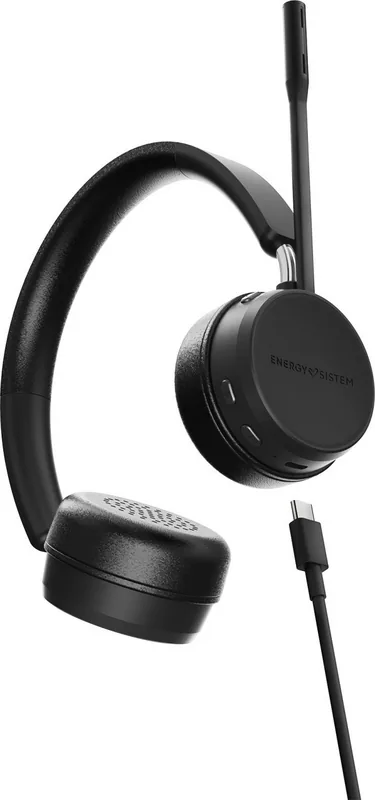
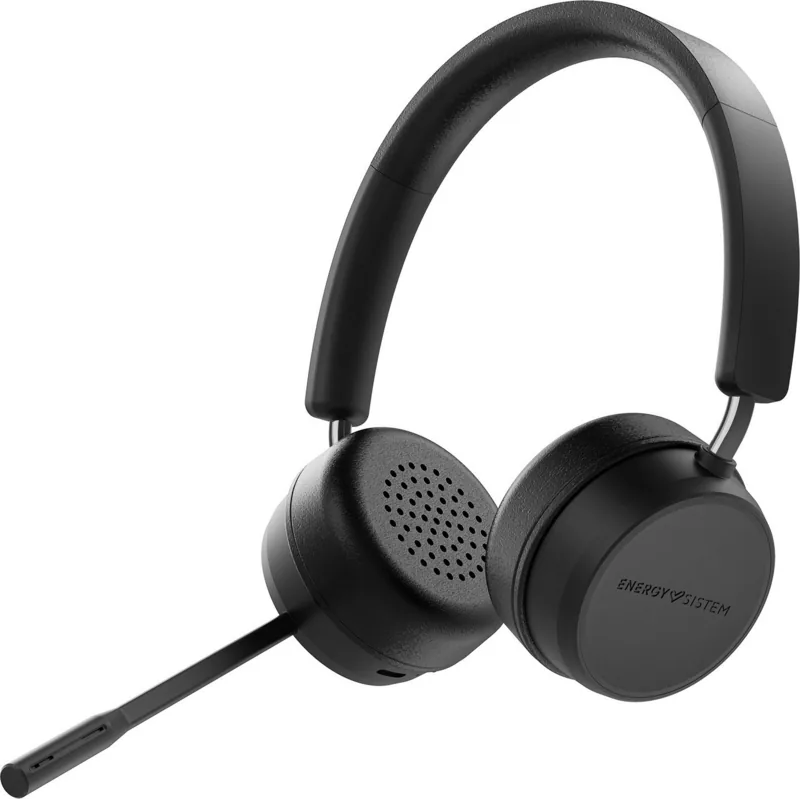
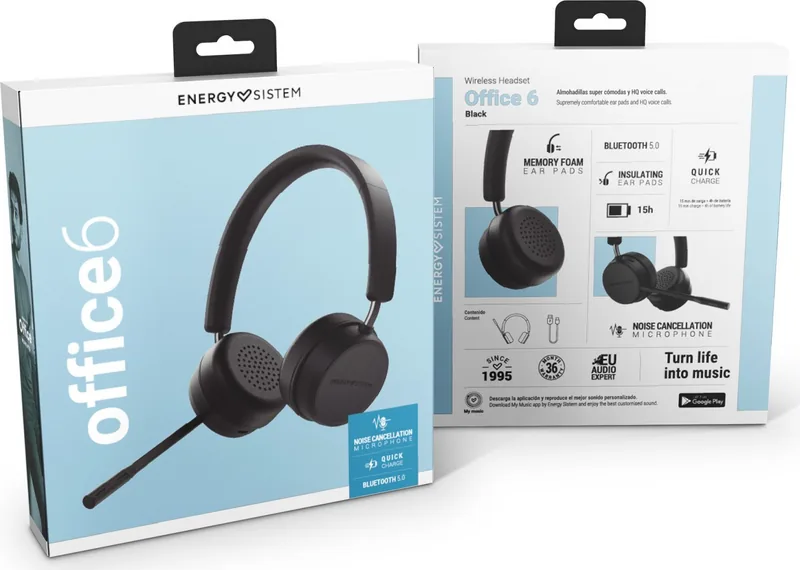
Energy Sistem Wireless Headset Office 6 Manual
PDF manual · 12 Pages
English



Quick check
Incorrect answer, please try again.
Chat with your Energy Sistem Wireless Headset Office 6 manual using AI
Get instant AI answers from your Energy Sistem Wireless Headset Office 6 manual
Ask anything about the Energy Sistem Wireless Headset Office 6. Answers come from this manual, with the pages they are based on.
Ask a Question
Do you recommend Wireless Headset Office 6?
Yes NoFrequently Asked Questions
Hold the On/Off button for two seconds until the LED flashes white. Then select the device from your Bluetooth settings menu to complete the pairing process automatically.
Is this answer helpful?
No, for safety reasons the headset powers off when plugged in and cannot be used while charging. You must wait until the battery is full before using it again.
Is this answer helpful?
The headset offers approximately 15 hours of talk time or music playback at medium volume levels. Short charges provide significant usage time quickly.
Is this answer helpful?
Yes, the microphone can be moved over the headband to sit on the left or right side, depending on which hand you prefer to use or your personal comfort.
Is this answer helpful?
Yes, the headset is fully compatible with Windows 10. Ensure your Bluetooth drivers are updated for the best performance and stability during connections.
Is this answer helpful?
Press the dedicated Mute/Unmute button located on the ear pad. An audible tone will confirm if the mic is active or muted.
Is this answer helpful?
The package contains the Wireless Headset Office 6, a USB Type-C charging cable, and a quick guide manual for setup instructions.
Is this answer helpful?
Advantages and Disadvantages
Advantages

- Long battery life of up to 15 hours on a single charge
- Adjustable microphone fits left or right sides for user preference
- Fast charging provides 4 hours of use from a 15-minute charge
- Compatible with a wide range of devices including PC, Mac, and smartphones
- Stable Bluetooth 5.0 connection with a 20-meter range
Disadvantages

- Battery warranty is only 24 months compared to the 36-month product warranty
- Volume control during video calls is limited to the headset buttons only
- Cannot charge and use the headset simultaneously due to safety limits
- Microphone mute function may sometimes conflict with third-party software
- Audio in mono mode during video calls reduces stereo separation
Product Specification
Type
Headphones (On-Ear)
Form Factor
Headband
Microphone
Boom microphone
Wireless
Bluetooth 5.0
Cable
Single-sided, detachable
Controls
Volume control, Mute button
Battery Life
15h
Battery
USB-C charging port, 1.5h charge time, Quick charge feature (15min for 4h battery life)
Frequency Range
20Hz-20kHz (headphones), 100Hz-10kHz (microphone)
Impedance
32 Ohm
Drivers
40mm
Software Features
Voice assistant (Apple Siri, Google Assistant)
Weight
4.94 oz
Product Description
Experience Seamless Communication with the Energy Sistem Wireless Headset Office 6
The Energy Sistem Wireless Headset Office 6 is designed for professionals who demand clarity and comfort during long workdays. This headset combines robust audio performance with versatile connectivity options, making it an ideal companion for video conferences, music listening, and daily office tasks. Whether you are working from a home office or a corporate environment, this device ensures your voice is heard clearly while delivering crisp sound quality.
Equipped with Bluetooth 5.0 technology, the headset offers a stable wireless connection up to 20 meters away. The adjustable MEMS microphone allows users to position it on either side of the headband, ensuring optimal voice pickup regardless of handedness. With a battery life of up to 15 hours on medium volume, you can work through an entire week without needing a charge. The fast charging capability means just 15 minutes of power provides four hours of usage, keeping interruptions to a minimum.
Comfort is a top priority with its on-ear design and adjustable headband. The neodymium drivers deliver a wide frequency response, ensuring rich bass and clear highs. The device supports multiple profiles including HSP, HFP, A2DP, and AVRCP, allowing seamless integration with smartphones, tablets, and computers running Windows or Mac OS. Muting the microphone is as simple as pressing a dedicated button, accompanied by an audible tone to confirm the status.
Important Usage Notes
Ensure you keep the headset away from moisture and extreme temperatures to maintain longevity. Always use the provided USB Type-C cable for charging, as the device cannot be used while connected to power due to safety regulations. For the best experience on Windows PCs, ensure your Bluetooth drivers are updated regularly via the Intel website.
Pros and Cons
Pros
- Long battery life of up to 15 hours on a single charge.
- Adjustable microphone fits left or right sides for user preference.
- Fast charging provides 4 hours of use from a 15-minute charge.
- Compatible with a wide range of devices including PC, Mac, and smartphones.
- Stable Bluetooth 5.0 connection with a 20-meter range.
Cons
- Battery warranty is only 24 months compared to the 36-month product warranty.
- Volume control during video calls is limited to the headset buttons only.
- Cannot charge and use the headset simultaneously due to safety limits.
- Microphone mute function may sometimes conflict with third-party software.
- Audio in mono mode during video calls reduces stereo separation.
Frequently Asked Questions
How do I pair the headset with my device? Hold the On/Off button for two seconds until the LED flashes white. Then select the device from your Bluetooth settings menu to complete the pairing process automatically.
Can I use the headset while it is charging? No, for safety reasons the headset powers off when plugged in and cannot be used while charging. You must wait until the battery is full before using it again.
What is the battery life of this headset? The headset offers approximately 15 hours of talk time or music playback at medium volume levels. Short charges provide significant usage time quickly.
Is the microphone adjustable? Yes, the microphone can be moved over the headband to sit on the left or right side, depending on which hand you prefer to use or your personal comfort.
Does it work with Windows 10? Yes, the headset is fully compatible with Windows 10. Ensure your Bluetooth drivers are updated for the best performance and stability during connections.
How do I mute the microphone? Press the dedicated Mute/Unmute button located on the ear pad. An audible tone will confirm if the mic is active or muted.
What is included in the box? The package contains the Wireless Headset Office 6, a USB Type-C charging cable, and a quick guide manual for setup instructions.
Search for 67,706 Manuals online


Type-in Brand or Model