
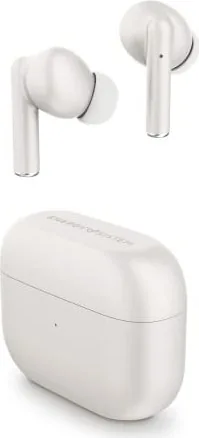
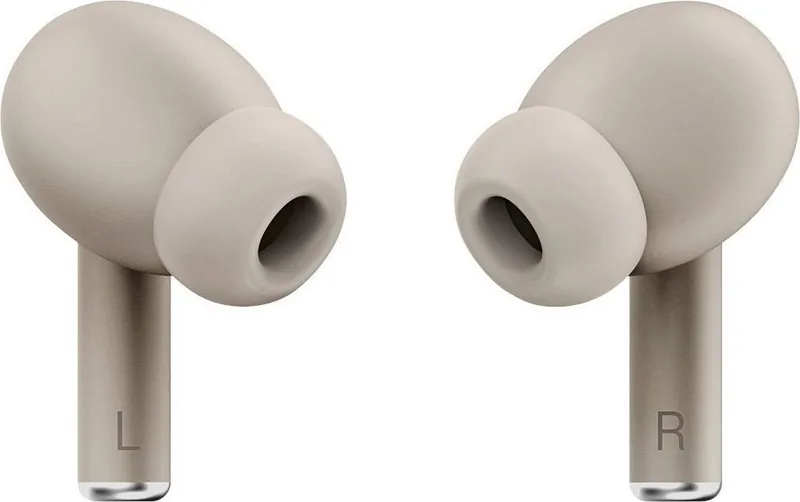
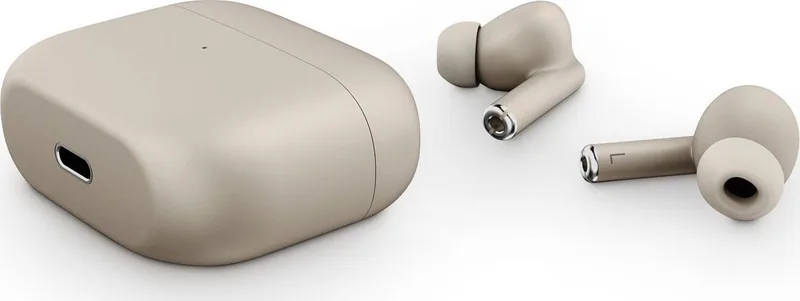
Energy Sistem Style 2 True Wireless Manual
PDF manual · 9 Pages
English



Quick check
Incorrect answer, please try again.
Chat with your Energy Sistem Style 2 True Wireless manual using AI
Get instant AI answers from your Energy Sistem Style 2 True Wireless manual
Ask anything about the Energy Sistem Style 2 True Wireless. Answers come from this manual, with the pages they are based on.
Style 2 True Wireless Maintenance Schedule
We advise charging the battery at least once a month if the device is not in use.
It is recommended to dry the earphones well before placing them in their case after practicing any exercise.
Free maintenance reminders
Timed to your purchase date. Always free, unsubscribe anytime.
Ask a Question
Do you recommend Style 2 True Wireless?
Yes NoFrequently Asked Questions
Take both earbuds out of the case to turn them on. They will sync automatically. Then, select 'Earphones True Wireless Style 2' from your phone's Bluetooth list to connect immediately.
Is this answer helpful?
You get approximately 5 hours of playback from the earbuds themselves and an additional 15 hours from the charging case, totaling 20 hours of listening time.
Is this answer helpful?
Yes, you can activate Google or Siri by tapping the left multifunction button three times in a row until you hear a confirmation sound.
Is this answer helpful?
Turn on the earbuds, then tap either one six times consecutively. They will turn off, requiring you to unpair and re-pair them with your device.
Is this answer helpful?
No, you should avoid getting water or liquids into the charging ports. Clean the exterior with a dry or slightly damp cloth but keep the connectors dry.
Is this answer helpful?
It takes approximately 1.5 hours to fully charge the charging case using the included USB Type-C cable and a 5V power source.
Is this answer helpful?
Advantages and Disadvantages
Advantages

- Extended 20-hour total battery life with compact charging case
- Bluetooth 5.1 ensures stable connection up to 20 meters
- Deep Bass audio technology with 8mm dynamic drivers
- USB Type-C port allows for fast and modern charging
- Compatible with Google and Siri voice assistants
Disadvantages

- Battery life varies significantly based on volume levels
- Not suitable for use while driving due to safety risks
- Sensitive to moisture and requires careful cleaning methods
- Requires manual removal of protective stickers before first use
- Charging case LED flashes red only when below 10% capacity
Product Specification
Type
In-Ear Headphones
Form Factor
True Wireless, Neckband-Free
Principle
Closed-Back
Microphone
Integrated
Control
Touch Control
Battery Life
5h, 20h (with charging case)
Driver
8mm
Software Features
Voice Assistant (Apple Siri, Google Assistant)
Weight
0.21oz (per earbud), 1.20oz (charging case)
Product Description
Energy Sistem Style 2 True Wireless: Experience Premium Sound on the Go
The Energy Sistem Style 2 True Wireless earphones represent a perfect blend of convenience, durability, and high-fidelity audio performance. Designed for users who demand quality without compromise, these earbuds deliver powerful Deep Bass sound through 8 mm dynamic drivers, ensuring every note is crisp and clear across the full frequency range from 20 Hz to 20 kHz.
Equipped with advanced Bluetooth 5.1 connectivity, the Style 2 ensures a stable connection up to 20 meters away, eliminating lag and dropouts during calls or music playback. The auto-pairing feature means you can instantly sync with your smartphone simply by taking the earbuds out of the compact charging case. Whether you are commuting, working out, or relaxing at home, the stereo call functionality and built-in microphone allow for crystal-clear hands-free conversations.
Battery life is a standout feature, offering up to 5 hours of continuous playback on a single charge, with an additional 15 hours provided by the portable charging case. This totals 20 hours of listening time, making it ideal for long days without needing to search for a power outlet. The device supports USB Type-C charging, allowing for fast and convenient recharging in just 1.5 hours. The earbuds also integrate seamlessly with voice assistants like Google Assistant and Siri via a simple triple-tap gesture.
Safety and care are prioritized in the design. Users are advised to avoid exposure to humidity, dust, and extreme temperatures. Cleaning should be done gently with a dry wipe or a cloth slightly dampened with hand sanitizer, avoiding direct contact with the internal mesh or charging ports. It is crucial not to disassemble the unit and to store the device properly when not in use to maintain battery health.
Important Usage Notes
- Always remove protective blue stickers from the charging pins before first use.
- Do not leave the earbuds or case with empty batteries for extended periods; charge at least once a month.
- Avoid using the headphones while driving to ensure personal safety.
- To reset the device, tap either earbud six times in a row after turning them on.
- The LED indicators provide visual feedback: white for fully charged and red flashing for low battery in the case.
Search for 67,706 Manuals online


Type-in Brand or Model