
Energy Sistem Power Radio Manual
PDF manual · 8 Pages
English



Quick check
Incorrect answer, please try again.
Chat with your Energy Sistem Power Radio manual using AI
Get instant AI answers from your Energy Sistem Power Radio manual
Ask anything about the Energy Sistem Power Radio. Answers come from this manual, with the pages they are based on.
Power Radio Maintenance Schedule
Do not leave the battery completely discharged for a long period of time to optimize battery life.
Keep headphones clean and free of dust using a soft, dry cloth. Do not use corrosive or abrasive cleaning products.
Do not expose headphones to impacts, dust, humidity or high temperatures.
Free maintenance reminders
Timed to your purchase date. Always free, unsubscribe anytime.
Ask a Question
Do you recommend Power Radio?
Yes NoFrequently Asked Questions
Press and hold the Multifunction button for 2 seconds until the LED flashes white. Select the device from your Bluetooth menu to connect.
Is this answer helpful?
The battery provides approximately 45 hours of playback at medium volume when Bluetooth is active.
Is this answer helpful?
Yes, the device supports Micro SD cards up to 128 GB capacity supporting MP3 and WAV files.
Is this answer helpful?
Press and hold Volume Plus and Volume Minus buttons simultaneously to force shutdown and disconnect.
Is this answer helpful?
Yes, pressing the Multifunction button twice activates the smartphone voice assistant like Siri or Google Assistant.
Is this answer helpful?
Yes, there is a built-in microphone to answer or reject calls when paired with a phone.
Is this answer helpful?
Advantages and Disadvantages
Advantages

- Up to 45 hours of battery life in Bluetooth mode for extended listening
- Built-in FM radio tuner with auto-search capability
- Supports Micro SD cards up to 128 GB for music playback
- Bluetooth 5.1 ensures stable connectivity up to 20 meters
- Built-in hands-free microphone for convenient calls
Disadvantages

- Wired playback requires controlling music from the connected device
- Fast charging adapters are not supported due to voltage risks
- Battery life varies based on volume and usage type
- Voice assistant requires activation on paired smartphone
- Resetting requires specific button combination simultaneously
Product Specification
Type
Headphones (Over-Ear)
Form Factor
Headband
Principle
Closed-back
Microphone
Integrated
Connection
3.5mm Jack, Card Reader (microSD)
Wireless
Bluetooth 5.1
Cable
Single-sided, detachable
Controls
3-button remote control
Battery Life
45h
Battery
USB-C Charging Port, 4h Charging Time
Frequency Response
20Hz-20kHz (Headphones), 100Hz-10kHz (Microphone)
Impedance
32 ohms
Driver
1.57 inches
Device Features
Swivel ear cups, foldable, Audio Player, FM Radio
Software Features
Voice Assistant (Apple Siri, Google Assistant)
Color
Black
Weight
6.21 oz
Product Description
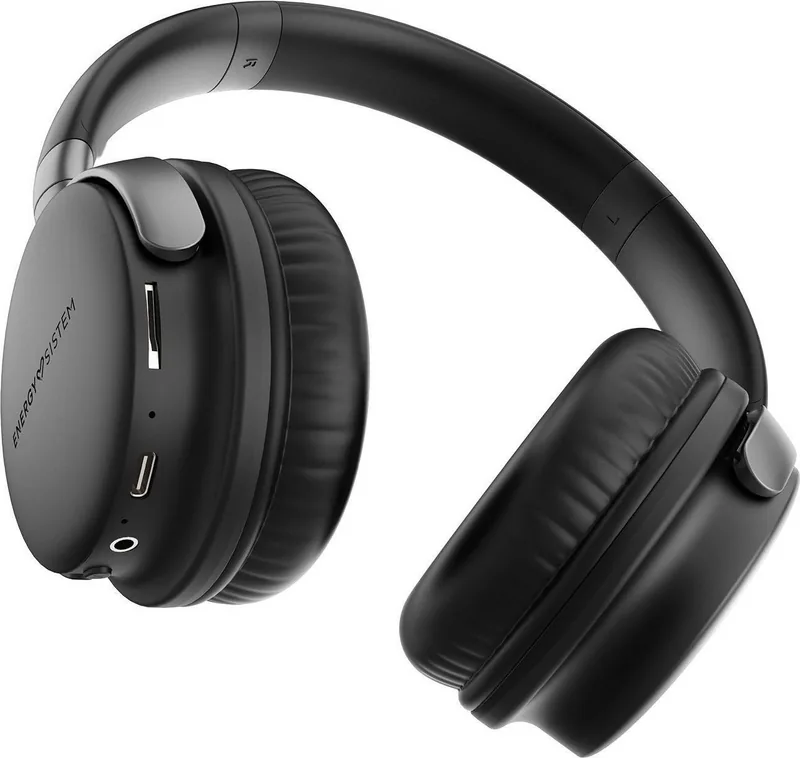
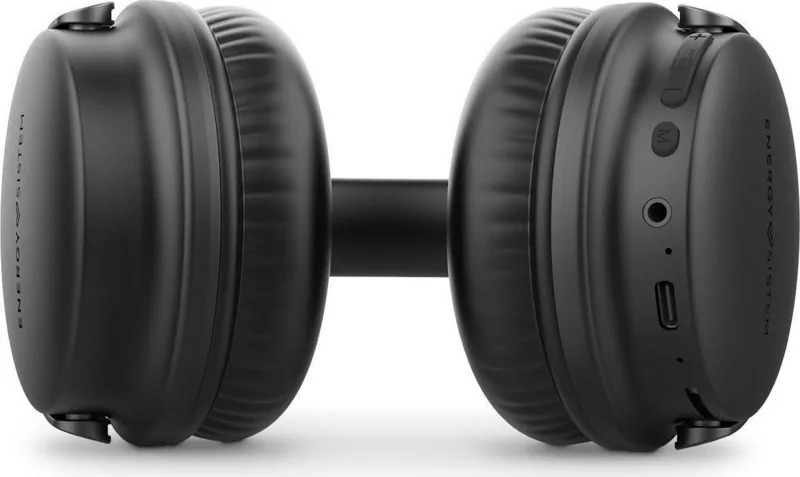
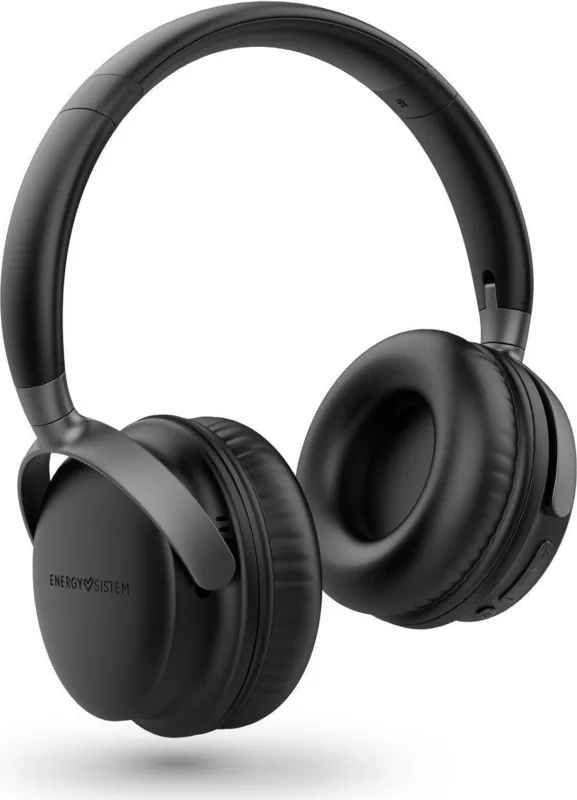
Discover the Energy Sistem Power Radio Headphones
Immersive Audio Experience
Listen to your favorite tracks with high fidelity sound using the Studio Plus Power Radio Headphones. The over-ear design provides excellent comfort for extended listening sessions. Inside 40 mm dynamic drivers ensure rich bass and clear highs. The frequency response spans from 20 Hz to 20 kHz to capture every detail of your music library. This design aims to deliver a premium listening experience regardless of where you are located globally.
Wireless Connectivity
Modern listening requires stability and range for true freedom. Bluetooth 5.1 wireless technology allows a connection range up to 20 meters without significant interference. Compatibility is broad with HSP HFP A2DP and AVRCP profiles for various devices. You can also activate Siri or Google Assistant with a simple button press. Voice assistant activation requires double pressing the multifunction button to enable digital commands easily.
Multiple Playback Sources
Music flexibility is key for on-the-go lifestyles where internet access varies. The built-in FM radio tuner covers 87.5 MHz to 108 MHz with auto-search capabilities included. You can also insert a Micro SD card to play MP3 or WAV files directly from storage. The device supports up to 128 GB capacity with exFAT and FAT file systems for extensive libraries. Shuffle mode allows random track selection via double button press. If wireless fails or drains power a 3.5 mm jack cable allows wired audio input for steady playback.
Long-Lasting Battery Life
Power is essential for uninterrupted enjoyment throughout your day. A 1200 mAh lithium-polymer battery powers the device for up to 45 hours in Bluetooth mode at medium volume. FM radio usage yields 20 hours while Micro SD mode offers 35 hours of continuous play. Charging is convenient via USB Type-C and takes roughly four hours to full capacity. A red LED light warns when levels drop below ten percent. Fast charging adapters should not be used as they exceed safe voltage limits above 5V.
Call Control and Resetting
Answer incoming calls directly with the built-in headphone microphone. One press answers while a long press rejects calls during Bluetooth mode. If issues arise press Volume Plus and Volume Minus simultaneously to reset the unit. This forces the headphones to disconnect from the last paired device for troubleshooting. Always keep the device clean and free of dust using a soft dry cloth to maintain performance.
Care and Maintenance
Avoid exposing your headphones to impacts dust humidity or high temperatures. Do not use corrosive or abrasive cleaning products on any surface. All repair works should be carried out exclusively by qualified staff of the manufacturer. Do not leave the battery completely discharged for long periods as this damages life. Store the device carefully to ensure years of reliable performance without degradation or failure.
Search for 67,706 Manuals online


Type-in Brand or Model