
Energy Sistem Headset Office 3 Manual
PDF manual · 8 Pages
English



Quick check
Incorrect answer, please try again.
Chat with your Energy Sistem Headset Office 3 manual using AI
Get instant AI answers from your Energy Sistem Headset Office 3 manual
Ask anything about the Energy Sistem Headset Office 3. Answers come from this manual, with the pages they are based on.
Ask a Question
Do you recommend Headset Office 3?
Yes NoFrequently Asked Questions
Plug the USB adapter into a free USB Type-A port. Ensure the 3.5 mm plug is inserted into the adapter. Wait a few seconds for detection, then restart the computer so necessary drivers install. If issues occur, unplug and replug the adapter and restart again.
Is this answer helpful?
Yes. Connect the 3.5 mm TRRS plug to your smartphone’s combined audio jack. If your phone lacks a jack, use the phone manufacturer’s Type-C or lightning adapter to connect the headset.
Is this answer helpful?
Use the M button on the USB adapter to mute/unmute the microphone. The Muted mic indicator LED glows red when the microphone is muted.
Is this answer helpful?
For calls the headset outputs mono so side orientation is less critical, but for music you’ll get stereo sound. Follow the Right/Left markings on the ear cups for correct stereo listening.
Is this answer helpful?
Avoid impacts, dust, humidity and high temperatures. Do not use corrosive or abrasive cleaners. Do not disassemble the headset; repairs should be performed by qualified service personnel.
Is this answer helpful?
The pop filter reduces popping sounds caused by air blasts when speaking. Use it if your mouth is closer than 5 cm to the microphone to minimize plosives and improve captured voice clarity.
Is this answer helpful?
Ensure the adapter is fully connected and selected in your system’s audio settings. Replug the adapter and restart the computer to reinstall drivers. Verify the headset is chosen as both input (microphone) and output (headphones) in sound settings.
Is this answer helpful?
Advantages and Disadvantages
Advantages

- Versatile connectivity: 3.5 mm TRRS plug plus included USB-A adapter for computers.
- Clear voice capture: adjustable flexible microphone with pop filter reduces plosives.
- Simple in-line controls: volume up/down, mute/unmute mic and sound on/off via USB adapter.
- Balanced audio: 40 mm drivers with 20 Hz–20 kHz response suitable for calls and media.
- Comfortable fit: adjustable headband and reversible microphone orientation for convenience.
Disadvantages

- On-ear closed design may cause heat buildup during long sessions for some users.
- No active noise cancellation or advanced microphone noise reduction features.
- Wired connection limits mobility compared with wireless headsets.
- Mono output during calls might be unexpected for users accustomed to full stereo conferencing.
- USB adapter requires driver reinstallation/restart in some systems if not recognized immediately.
Product Specification
Design Type
Headphones (On-Ear)
Form Factor
Headband
Microphone
Boom Microphone
Connection
3.5mm Jack, USB-A
Wireless
no
Cable
4.92 ft, single-sided
Controls
Volume Control, Mute Button
Frequency Range
20Hz-20kHz (Headphones), 100Hz-10kHz (Microphone)
Impedance
32 Ohm
Driver
1.57 in
Weight
0.30 lb
Product Description
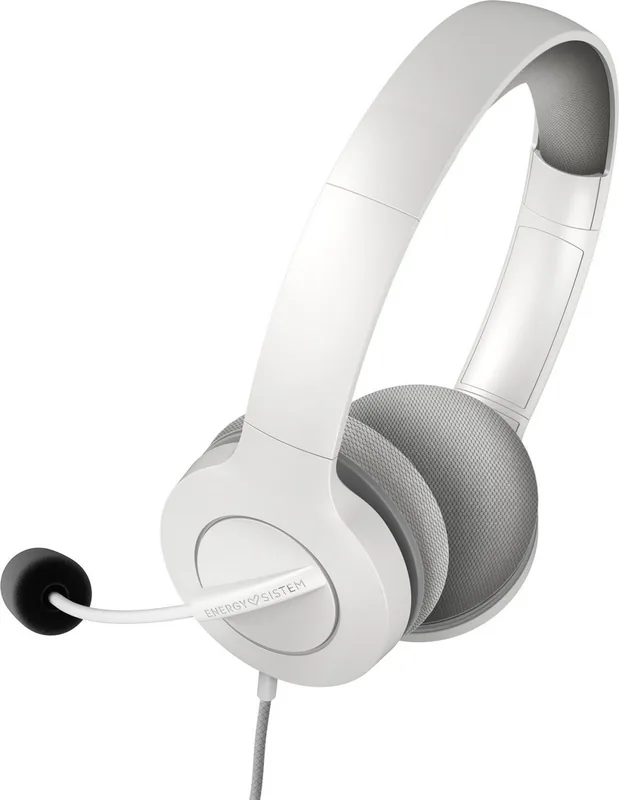
Energy Sistem Headset Office 3 — Comfortable, Clear Communication
The Energy Sistem Headset Office 3 is a wired on-ear headset designed for everyday office use, video calls and basic multimedia. It combines a 40 mm dynamic driver and a closed on-ear design to deliver a balanced frequency response (20 Hz–20 kHz) and clear voice playback at an affordable price. The 32-ohm impedance makes it easy to drive from most laptops, desktops and mobile devices.
Featuring a flexible, adjustable microphone with a -42 dB ±3 dB sensitivity and a 100 Hz–10 kHz response, the headset is tailored for clear speech capture during meetings and calls. A removable pop filter helps reduce plosive sounds when speaking close to the mic, improving clarity on conference calls.
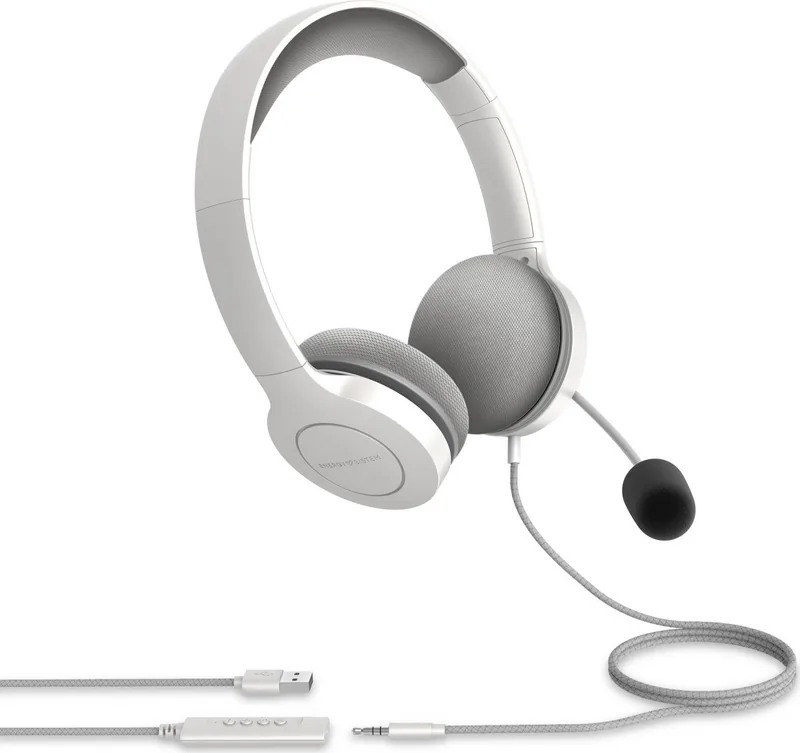
Connectivity is versatile. The headset includes a 150 cm cable terminating in a 3.5 mm TRRS plug for direct connection to smartphones, tablets and computers with combined audio jacks. For desktop PCs or systems lacking a combined jack, a USB Type-A adapter with a 50 cm cable is included. The USB adapter provides on-cable controls for volume up/down, mute/unmute microphone and a sound on/off function. A red LED indicator shows when the microphone is muted. When connected by 3.5 mm to a computer with separate jacks, users should select the headset as both input (microphone) and output (headphones) in system settings.
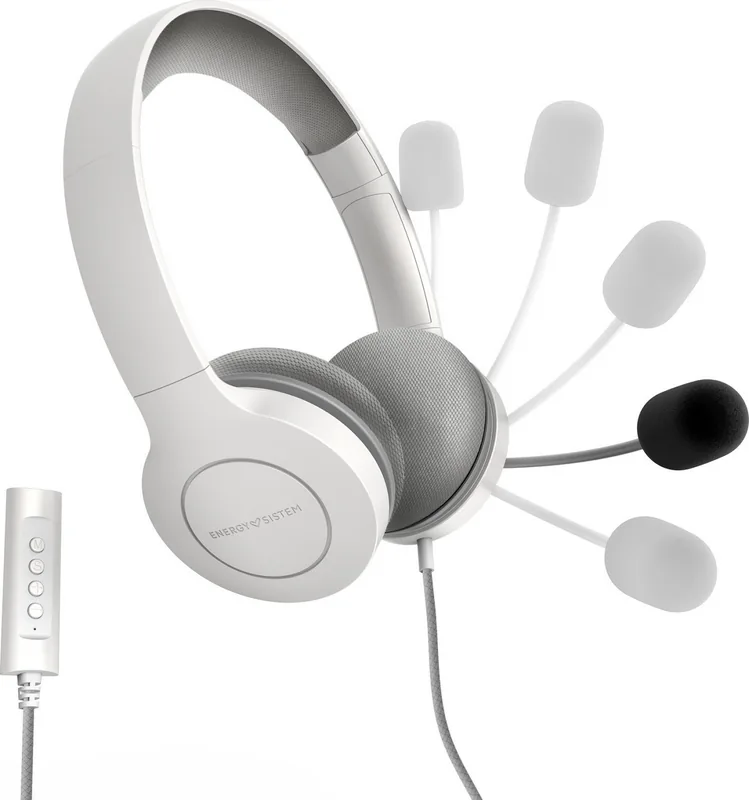
Comfort and adjustability are practical priorities. The headband is adjustable and the microphone can be mounted on either side and rotated to position the capsule close to the mouth. The headset outputs mono audio during calls and stereo for music playback; users should follow Right/Left markings for correct orientation. The product bundle includes the headset, USB adapter, pop filter and a quick guide.
Durability and care are straightforward: avoid impacts, dust, humidity and high temperatures; do not use corrosive cleaners or disassemble the unit. The headset is compliant with relevant EU directives and was manufactured for Energy Sistem Technology, S.A.
Notes
- Use the pop filter when the mic is within 5 cm of your mouth to reduce plosives.
- If the USB adapter is not recognized, reconnect the adapter and restart the computer to reinstall drivers.
- For smartphones without a 3.5 mm jack, use the device’s Type-C or lightning adapter as required.
Search for 67,706 Manuals online


Type-in Brand or Model