
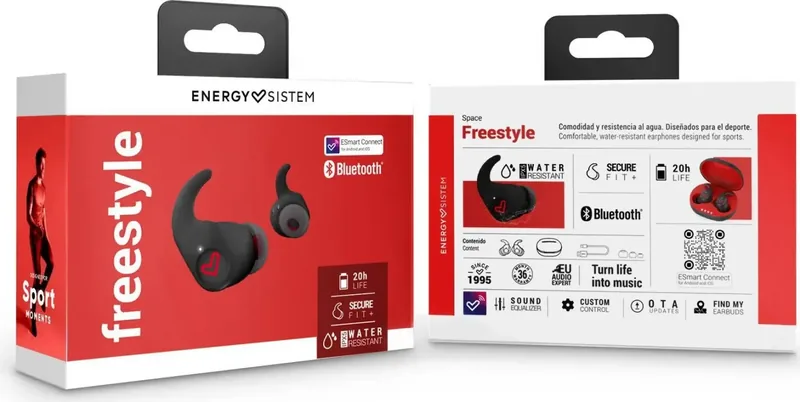
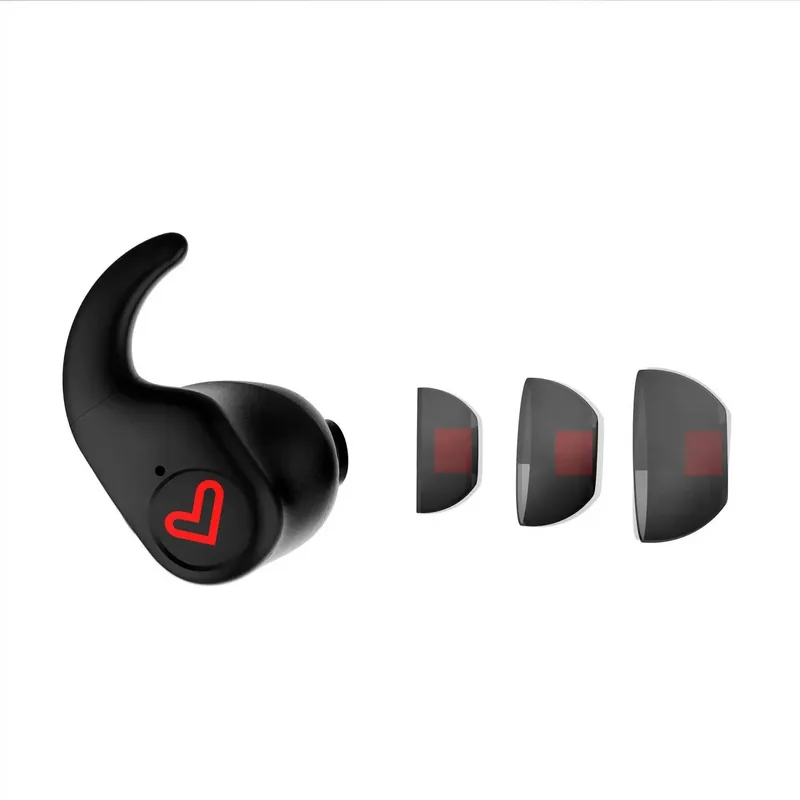
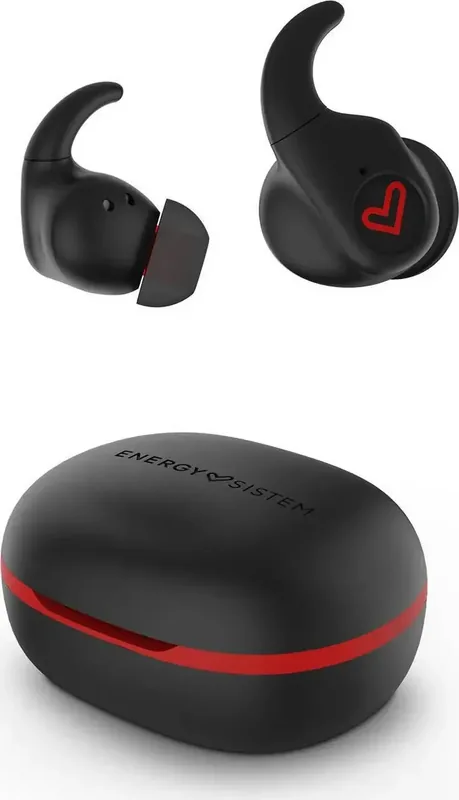
Energy Sistem Freestyle Manual
PDF manual · 25 Pages
English



Quick check
Incorrect answer, please try again.
Chat with your Energy Sistem Freestyle manual using AI
Get instant AI answers from your Energy Sistem Freestyle manual
Ask anything about the Energy Sistem Freestyle. Answers come from this manual, with the pages they are based on.
Ask a Question
Do you recommend Freestyle?
Yes NoFrequently Asked Questions
To pair with Android, first enable GPS on your phone for security. Download the ESmart Connect application. Open the app, sign up or log in, then tap on Add device. Ensure your earphones are out of the case. The app will search for them automatically. Tap the Add button when visible. The device will pair via the app interface.
Is this answer helpful?
The earbuds provide five hours of playback on a single charge at medium volume. The charging case offers an additional fifteen hours of extra battery life. This results in a total of twenty hours of listening time. The case must be charged via USB Type-C cable for 1.5 hours to replenish its capacity fully.
Is this answer helpful?
Yes, the Earphones True Wireless Sport are IPX5 certified. This rating means they are protected against water jets from any direction. You can safely wear them while exercising in light rain or during intense sweaty workouts. However, do not submerge them in water or expose them to high pressure jets for extended periods to avoid damage.
Is this answer helpful?
To reset the device, disable Bluetooth on your source device. Remove earphones from the case and wear them. Tap the touch button on the earbuds ten times in a row simultaneously. You will hear a sound confirming they are off. Place them back in the case and reconnect normally to your Bluetooth device.
Is this answer helpful?
The app is not strictly necessary for basic audio playback, but it is required for full customization via touch controls. You can set volume, skip tracks, and manage calls. The touch functions are programmable within the app for left and right earbuds. Changes save to the chip, so they persist even when disconnected from the app.
Is this answer helpful?
Clean the external surface with a clean cloth and hand sanitiser. Do not use abrasive or corrosive products. Do not clean the ear tips or internal mesh with these chemicals. Avoid getting liquid into charging ports. Store in the case when not in use. Charge the battery at least once a month if unused for long periods.
Is this answer helpful?
If you lose your devices, open the ESmart Connect application. Navigate to the Find my earbuds section to see where they were last connected. If they are paired, tap the Click to play button. This will make the earbuds beep at full volume so you can locate them easily within your home.
Is this answer helpful?
Advantages and Disadvantages
Advantages

- Bluetooth 5.3 connectivity allows stable connection up to 20 meters range for reliable wireless audio
- IPX5 rating prevents water and sweat damage for use during intense sports activities safely
- ESmart App includes customizable equalizer settings allowing ten octaves of audio adjustment
- Five hours earbud playtime plus fifteen hours in case extends total battery usage significantly
- USB Type-C charging port enables fast recharging for both earbuds and case in 1.5 hours
Disadvantages

- Reset procedure requires specific button taps while earphones are worn to force restart
- iOS device requires manual Bluetooth pairing for app configuration due to security reasons
- Latency of 100 ms may affect competitive gaming performance on some devices
- Battery life varies significantly based on selected volume levels and type of music played
- App setup requires GPS enabled on phone for initial pairing process on Android devices
Product Specification
Type
Headphones (In-Ear)
Form Factor
True Wireless, Ear Fins (Removable), Stemless
Design Type
Closed-back
Microphone
Integrated
Wireless
Bluetooth 5.3, AAC
Controls
Touch Control
Battery Life
5h, 20h (with Charging Case)
Battery & Charging
USB-C Charging Port, Charging Case (300mAh), 1.5h Charging Time
Frequency Response
20Hz-20kHz (Headphones), 100Hz-10kHz (Microphone)
Impedance
32 Ohm
Drivers
0.39 in
Device Features
Water-Resistant (IPX5)
Software Features
Voice Assistant (Apple Siri, Google Assistant), Equalizer Presets, Custom Equalizer, App Control
Color
Black, Red
Weight
1.20 oz (Charging Case)
Product Description
Unboxing Your Energy Sistem Freestyle Experience
Welcome to the complete overview for your new wireless audio device. The Energy Sistem Freestyle delivers high performance in a compact sport design. Whether you exercise outdoors or travel, reliable connection is key. This review reflects the core information found in the Energy Sistem Freestyle Manual to assist you immediately.
Superior Audio Performance
Inside the earbuds are 10mm dynamic drivers powered by neodymium magnets. This setup ensures clear highs and deep bass within a range of 20 Hz to 20 kHz. Frequency response ensures all details are audible during sessions. The system maintains low latency of 100 ms for gaming or videos. Bluetooth 5.3 ensures stability within a 20 meter range. You can stream SBC or AAC codecs with minimal interference for true fidelity. Neodymium magnet provides strong magnetic force for driver movement.
Battery and Charging Details
Play music for five hours continuously on one charge. The case provides an extra fifteen hours of power to extend your day. Both the earbuds and the case take approximately 1.5 hours to fully recharge. You connect using the USB Type-C port included in the box. This fast charging technology keeps you listening longer without lag. We recommend charging the battery once a month if unused. Ensure the fit is secure to maintain active lifestyle stability.
Intelligent App Controls
The ESmart Connect application unlocks full customization. You can adjust the equalizer to five presets or ten custom octaves. Rename the device to avoid confusion with other gadgets. Voice assistants work seamlessly for quick commands. The touch controls are entirely programmable to match your specific habits. Find your lost earbuds using the dedicated app feature to beep them at full volume. Voice assistant compatible with Google and Siri for interaction.
Safety and Maintenance Guidelines
Proper care extends the life of your investment. Do not use corrosive products when wiping connectors. Avoid exposing the electronics to moisture or high heat. Always turn the device off when not in use to preserve battery health. Do not listen at high volumes for extended periods to protect your hearing. Keep children away from the packaging to prevent choking hazards. This ensures durability during your active lifestyle.
Final Recommendations
Pairing is automatic when leaving the case. Android users should enable GPS for instant configuration. iOS users may need to connect manually via Bluetooth settings first. Reset the device if issues persist by tapping buttons ten times while wearing. Check the warranty terms online for support coverage. Enjoy your premium sound with confidence using these tips for daily use. Ensure you follow all guidelines for longevity.
Search for 67,706 Manuals online


Type-in Brand or Model