
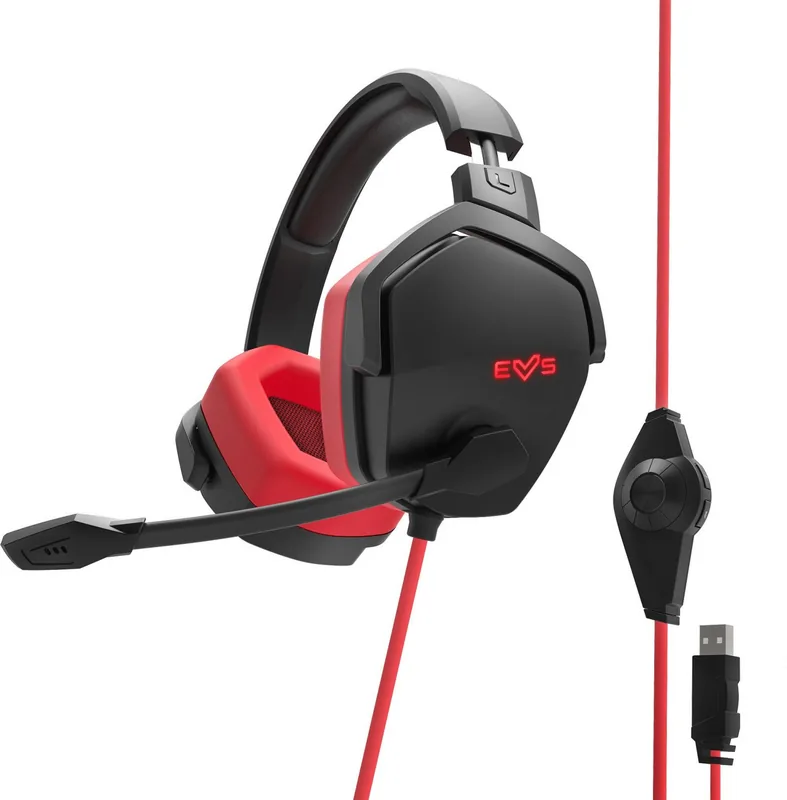
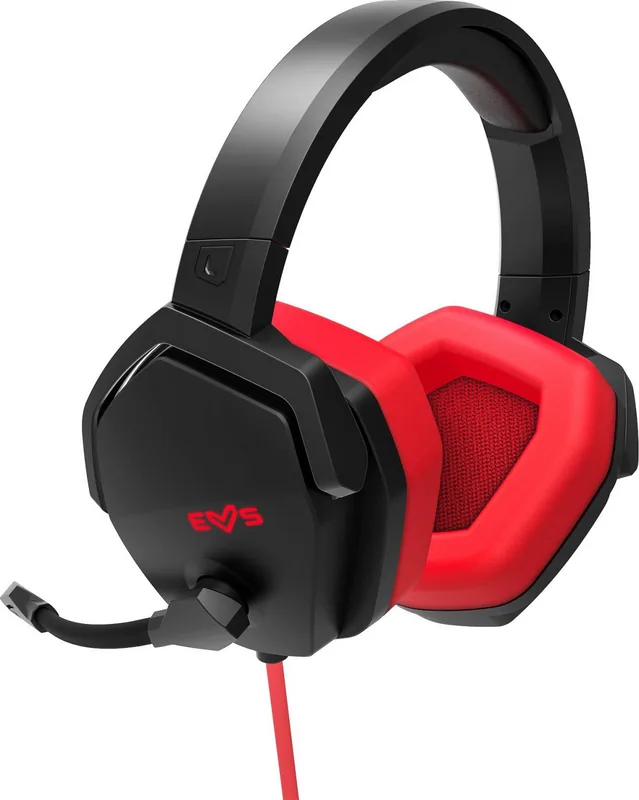
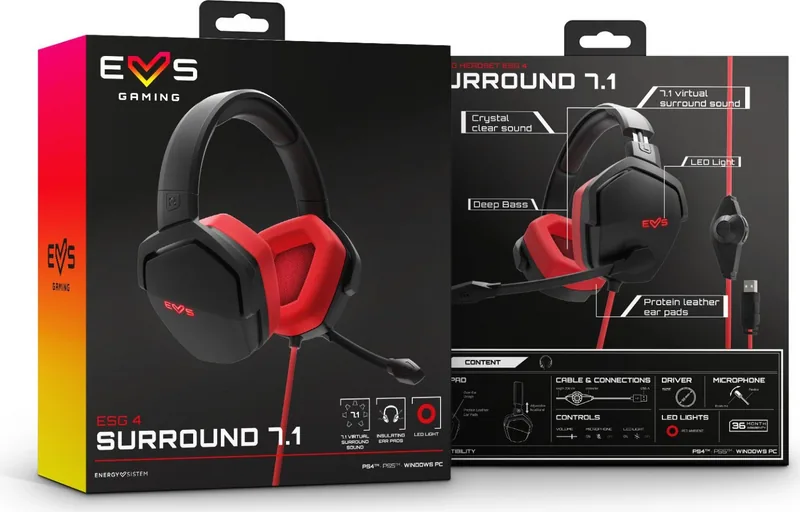
Energy Sistem ESG 4 Surround 7.1 Manual
PDF manual · 8 Pages
English



Quick check
Incorrect answer, please try again.
Chat with your Energy Sistem ESG 4 Surround 7.1 manual using AI
Get instant AI answers from your Energy Sistem ESG 4 Surround 7.1 manual
Ask anything about the Energy Sistem ESG 4 Surround 7.1. Answers come from this manual, with the pages they are based on.
Ask a Question
Do you recommend ESG 4 Surround 7.1?
Yes NoFrequently Asked Questions
Yes, the Energy Sistem ESG 4 Surround 7.1 is fully compatible with the PS5 console via its USB connection, providing audio output and microphone functionality.
Is this answer helpful?
No, the 7.1 virtual surround sound feature requires specific software that is exclusively available for Windows PC. Other platforms receive standard stereo audio.
Is this answer helpful?
You can toggle the LED lights on or off using the dedicated button located on the cable near the volume control slider.
Is this answer helpful?
The headset comes with a 200 cm long cable, which provides sufficient reach for most desk setups and allows comfortable movement.
Is this answer helpful?
Yes, the directional boom microphone allows for clear communication with teammates. Ensure you maintain about 5 cm between your lips and the mic.
Is this answer helpful?
It uses dynamic drivers with a diameter of 50 mm, offering a frequency response from 20 Hz to 20 kHz for a wide range of audio reproduction.
Is this answer helpful?
Advantages and Disadvantages
Advantages

- 7.1 virtual surround sound creates immersive spatial audio for competitive gaming.
- Deep bass and crystal clear sound deliver high-quality audio fidelity.
- Protein leather ear pads ensure comfort during extended use sessions.
- Compatible with PC, PS4, PS5, Mac, and Nintendo Switch (Dock Station).
- Built-in LED lights add a stylish visual element to the gaming setup.
Disadvantages

- 7.1 surround sound software is exclusively available for Windows PC only.
- Non-detachable cable limits portability and potential replacement options.
- Microphone sensitivity requires specific distance for optimal performance.
- USB connection may limit usage on consoles without compatible adapters.
- No native Bluetooth connectivity restricts wireless freedom.
Product Specification
Type
Headphones (Over-Ear)
Form Factor
Headband
Principle
closed
Microphone
Boom Microphone
Connection
USB
Wireless
no
Cable
2 ft, single-sided
Controls
Volume Control, Mute Button
Frequency Range
20Hz-20kHz (Headphones), 100Hz-10kHz (Microphone)
Impedance
32 Ohm
Drivers
1.97 in
Device Features
LED Lighting
Software Features
Virtual 7.1 Surround
Weight
0.75 lbs
Product Description
Experience Immersive Gaming with Energy Sistem ESG 4 Surround 7.1
Elevate Your Audio Adventure
The Energy Sistem ESG 4 Surround 7.1 is designed for gamers who demand precision and power in their audio experience. This headset delivers a rich, detailed soundscape through its exclusive 7.1 virtual surround sound technology, which is optimized for Windows PC to provide optimal sound positioning during intense gaming sessions. Whether you are tracking footsteps or feeling the roar of an engine, the deep bass and crystal clear sound ensure every detail resonates.
Comfort Meets Performance
Designed for long gaming marathons, this headset features over-ear protein leather ear pads that offer maximum isolation and unparalleled comfort. The adjustable headband ensures a perfect fit for all users. A standout feature is the built-in LED lighting design, allowing players to stand out while playing video games or listening to music. The flexible directional boom microphone captures your voice with clarity, complete with volume and mute controls directly on the device.
Versatile Connectivity
Beyond PC compatibility, the ESG 4 Surround 7.1 offers broad support across multiple platforms including PS4, PS5, Mac, and Nintendo Switch when used with a dock station. The 200 cm cable provides ample reach, ending in a USB Type-A plug for easy connection. Users can control volume, microphone muting, and LED lights effortlessly without needing external software for basic functions.
Important Notes
Always adjust volume gradually to protect hearing. Keep the device away from dust and humidity. Do not attempt to disassemble the unit; repairs should only be handled by qualified staff.
Search for 67,706 Manuals online


Type-in Brand or Model