
Elvie Trainer Manual
PDF manual · 22 Pages
English



Quick check
Incorrect answer, please try again.
Chat with your Elvie Trainer manual using AI
Get instant AI answers from your Elvie Trainer manual
Ask anything about the Elvie Trainer. Answers come from this manual, with the pages they are based on.
Ask a Question
Do you recommend Trainer?
Yes No
AssumendaQuo76
5 months ago
I am concerned about connectivity issues with the app. How reliable is the Bluetooth connection during training?

Sarah M
5 months ago
Does the Elvie trainer require a smartphone to function, and are there any common Bluetooth connectivity issues?

Manual.ly
5 months ago
Yes, the Elvie pelvic floor trainer requires a smartphone app to operate and track progress. Most users report that the Bluetooth connection is generally quick and reliable. However, some users have experienced occasional interruptions during setup. To resolve this, we recommend keeping your phone close to the device (such as resting it on your lap) and ensuring you follow the in-app instructions carefully for initial calibration. If issues persist, please check your phone's Bluetooth settings or contact our support team.
Hans Weber
7 months ago
I am not very tech-savvy. Is this device difficult to use without an app?
Sophia Ellis
6 months ago
Do I need a smartphone and the app to use the Elvie pelvic floor trainer, and is the Bluetooth connection reliable?
Manual.ly
6 months ago
Yes, the trainer is operated through the free smartphone app, which guides workouts, tracks progress, and can provide reminders. Bluetooth performance may depend on phone placement; keeping the phone close to your body can help maintain a stable connection. The app is available in German and training can be done lying down or standing.
amckenzie38
6 months ago
Do I need a smartphone and app to use the Elvie pelvic floor trainer, and is Bluetooth reliable?
Manual.ly
6 months ago
Yes, the trainer requires the companion smartphone app for guided workouts, feedback, progress tracking, and reminders. It connects via Bluetooth. For a more stable connection, keep your phone close to the device during training. If pairing drops, check that Bluetooth is enabled, restart the app, and keep the phone nearby.
naomi67
5 months ago
Do I need a smartphone and the app to use the pelvic floor trainer, and how does it connect?
Manual.ly
5 months ago
Yes. The trainer is used with the free smartphone app, which connects via Bluetooth and guides the workouts, tracks progress, and can provide reminders. For the most reliable connection, keep your phone close to you during training. The device is USB rechargeable in its storage case, and its silicone surface can be cleaned with water and soap.
lewis47
6 months ago
Do I need a smartphone to use the Elvie pelvic floor trainer, and how does the app help with training?
Manual.ly
5 months ago
Yes. The trainer is designed to be used with the free smartphone app via Bluetooth. The app guides you through short, progressive exercises, provides feedback on whether you are contracting correctly, tracks progress, and can send workout reminders. For the most reliable Bluetooth connection, keep your phone nearby during a session. The device can be cleaned with mild soap and water and recharged by USB in its storage case.
Ethan James
4 months ago
Do I need a smartphone and app to use the Elvie pelvic floor trainer, and is Bluetooth connection reliable?
Manual.ly
4 months ago
Yes. The trainer is operated through the free smartphone app, which provides guided exercises, progress tracking, and optional reminders. Bluetooth connection is generally straightforward, but keeping your phone close to your body during training may help if the signal drops. The app is therefore essential, which may be less convenient for users who do not use a smartphone.
Frequently Asked Questions
It is a smart trainer designed to support pelvic floor exercises. It connects to the Elvie app and provides visual feedback during guided workouts, helping users practice controlled pelvic floor contractions.
Is this answer helpful?
The trainer connects through Bluetooth. For initial pairing, gently squeeze it for at least three seconds, open the app, and follow the on-screen steps. Keep the phone nearby during training for the most reliable connection.
Is this answer helpful?
Wash the trainer before and after use with warm water and mild soap, rinse it thoroughly, and allow it to dry completely. Do not boil, sterilize, microwave, machine-wash, or use harsh cleaning products.
Is this answer helpful?
Yes. The optional cover may help users who feel the trainer moves or slips during exercise. Try training with and without it to determine which fit feels most comfortable. Remove the cover before charging.
Is this answer helpful?
Avoid holding your breath or tightening your stomach, buttocks, and thighs. Breathe deeply, relax, and gently draw the pelvic floor inward and upward as you exhale.
Is this answer helpful?
People with persistent pain, recent childbirth within six weeks, recurring vaginal discharge, severe prolapse, or any condition affecting pelvic floor health should seek professional guidance before use. Pregnant users should also consult a clinician if unsure.
Is this answer helpful?
Advantages and Disadvantages
Advantages

- App-guided workouts provide visual feedback during pelvic floor contractions.
- Short training sessions can support a consistent exercise routine.
- Charging case doubles as a storage and transport solution.
- Optional cover offers an alternative fit for users who want extra stability.
- Bluetooth connection and battery information are managed through the app.
Disadvantages

- Requires a compatible smartphone with Bluetooth Low Energy support.
- The optional cover must be removed before charging.
- Connection quality can be affected if the external section is heavily covered.
- Not suitable for everyone, including some users after recent childbirth or with pelvic health concerns.
- Requires careful cleaning, drying, and storage after every use.
Product Specification
Type
Pelvic floor trainer
Material
Silicone
Color
Green
Surface
Smooth
Use
Vaginal
Special features
USB charging port
Smart home
App control
Dimensions
1.38 x 1.38 in (L x Dia.)
Package contents
USB charging cable
Product Description
Elvie Beckenbodentrainer - Read, Download & Print Free
The Elvie Beckenbodentrainer is a smart pelvic floor training device designed to help women build awareness, consistency, and confidence during pelvic floor exercises. Created with an app-guided approach, it combines a compact silicone trainer with real-time visual feedback on a compatible smartphone. The goal is simple: make pelvic floor workouts easier to understand and more engaging to follow.
Guided Training With Real-Time Feedback
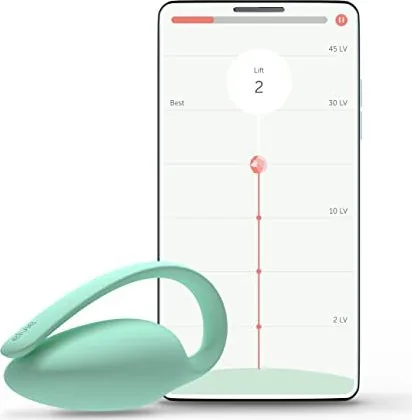
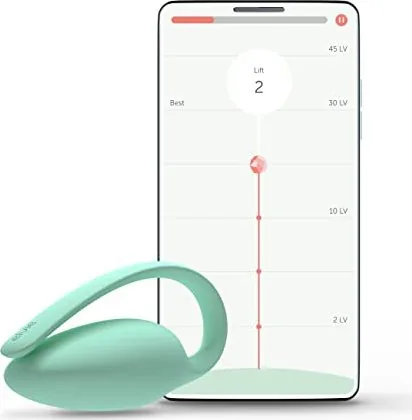
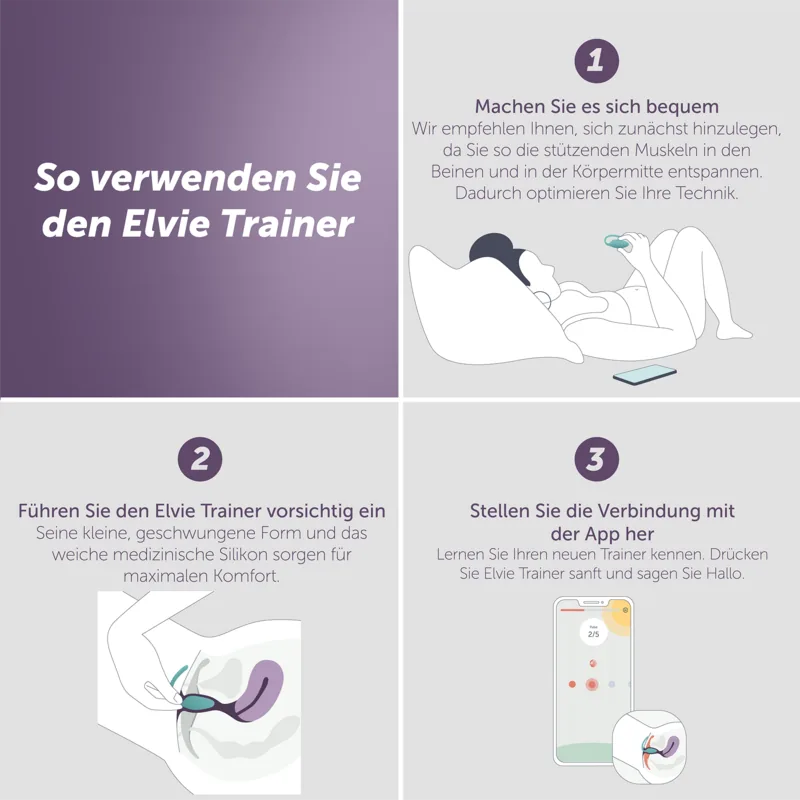
After connecting the trainer through Bluetooth, users can follow short workouts in the Elvie app. A visual indicator on the screen responds to each contraction, helping users recognize whether they are lifting and relaxing their pelvic floor muscles effectively. This interactive feedback can make a five-minute session feel more focused than performing exercises without guidance.
The trainer is intended to be inserted with the elongated section remaining outside the body and facing forward. Some users may prefer the included optional cover for a more secure fit. Training can be completed standing with feet apart or lying down, depending on comfort. Keeping a consistent position may help produce more comparable workout feedback over time.
Designed for Everyday Convenience
Elvie comes with a charging case that also supports clean storage and transport, plus a Micro-USB cable. The charging light indicates when power is being supplied, while the app can show the device battery status and notify users when charging is needed. For a reliable connection, keep the phone nearby and avoid covering the external portion of the trainer too heavily during a workout.
The product is made from body-safe silicone and should be cleaned before and after use with warm, soapy water, then rinsed and dried completely. It should not be boiled, sterilized, placed in a microwave, machine-washed, or used in a bath or shower. The charging case should only hold the trainer once it is fully dry.
A Supportive Approach to Pelvic Floor Exercise
Pelvic floor training involves gently drawing the muscles inward and upward while breathing normally. Users should avoid tightening the stomach, buttocks, or thighs, and should not hold their breath. The app provides additional technique guidance, helping beginners establish a calm, controlled routine.
Elvie is a fitness tracker for pelvic floor muscle training rather than a treatment for a medical condition. It is designed for personal use only and should not remain inserted for more than one continuous hour. Anyone experiencing persistent discomfort, recent childbirth, pelvic health concerns, or uncertainty about use should seek advice from a qualified healthcare professional.
Notes
- Clean and dry the trainer before returning it to its charging case.
- Remove the optional cover before charging.
- Compatible phones require Bluetooth Low Energy support.
- A limited one-year manufacturer warranty applies to material or workmanship defects.
Search for 67,706 Manuals online


Type-in Brand or Model
Paula Griffiths
5 months ago
Does the Elvie Trainer require a smartphone to operate, and is it suitable for older users who might struggle with apps?
Manual.ly
5 months ago
Yes, the Elvie Trainer requires a smartphone via Bluetooth to function as it connects to the companion app for tracking workouts and progress. While the device itself is easy to use, the reliance on an app may present challenges for older users or those less familiar with technology. We recommend ensuring you are comfortable using the app before purchase, though the interface is designed to be intuitive and supports multiple languages.