
Elsner KNX Touch One Style Manual
PDF manual · 152 Pages
English



Quick check
Incorrect answer, please try again.
Chat with your Elsner KNX Touch One Style manual using AI
Get instant AI answers from your Elsner KNX Touch One Style manual
Ask anything about the Elsner KNX Touch One Style. Answers come from this manual, with the pages they are based on.
Ask a Question
Do you recommend KNX Touch One Style?
Yes NoFrequently Asked Questions
It is a wall-mounted KNX touch controller for a single room. It provides centralized operation of lighting, shading, windows, ventilation, climate control, scenes, timers, sensor values, and configurable KNX functions.
Is this answer helpful?
Yes. It includes sensors for indoor temperature and relative humidity. Their values can be displayed and used for room climate functions. Installation location should be selected carefully to avoid measurement errors from sun, drafts, or nearby pipes.
Is this answer helpful?
The controller supports up to six blinds, four awnings, four shutters, and two windows, depending on ETS configuration. Automatic control can consider time, brightness, sun position, temperature, wind, rain, and frost conditions.
Is this answer helpful?
Yes. Up to eight lighting functions can be configured for switching, dimming, brightness values, scheduling, and automatic modes. Controls can be placed on the start screen or within the universal menu.
Is this answer helpful?
The universal menu offers eight pages with up to eight functions per page. This allows up to 64 configurable controls, displays, or value-entry fields for KNX communication.
Is this answer helpful?
Yes. The unit is designed for fixed flush or cavity-wall installation. Electrical installation, testing, commissioning, and troubleshooting should be performed by a qualified electrician in accordance with applicable electrical standards.
Is this answer helpful?
Advantages and Disadvantages
Advantages

- 5.7-inch color touchscreen centralizes room control and sensor information.
- Integrated temperature and humidity sensor supports responsive climate automation.
- Controls lighting, blinds, awnings, shutters, windows, fans, scenes, and timers.
- Eight universal pages provide up to 64 configurable display and control functions.
- Weather-based safety functions can react to wind, rain, frost, brightness, and temperature.
Disadvantages

- Requires KNX planning and ETS configuration for full functionality.
- Installation, commissioning, and fault work must be completed by a qualified electrician.
- Weather-dependent automation needs compatible KNX weather data.
- Integrated sensor readings can be affected by poor mounting location.
- Optional Remo 8 wireless remote control is not included.
Product Specification
Type
Control unit hardware
Standard
KNX
Function
Control, ventilation control, heating control, blind control
Topology
Tree/bus
Special features
IP20, display (8.4 in), touchscreen
Product Description
Elsner KNX Touch One Style Single Room Controller, Control Element
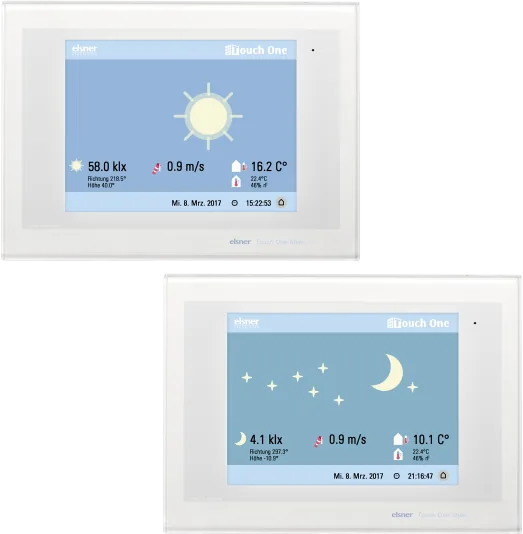
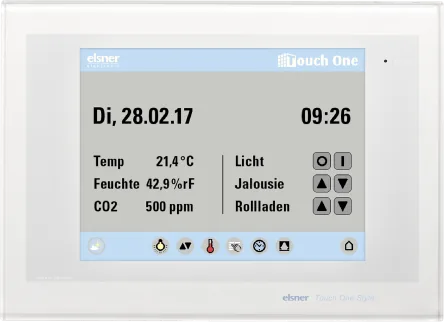
The Elsner KNX Touch One Style Single Room Controller, Control Element brings comprehensive KNX room control into one elegant, wall-mounted touch panel. Its 5.7-inch color touchscreen provides a clear central interface for managing lighting, shading, ventilation, temperature, scenes, schedules, and selected KNX functions. Designed for fixed indoor installation, it combines everyday convenience with flexible configuration for modern smart-home and commercial-room environments.
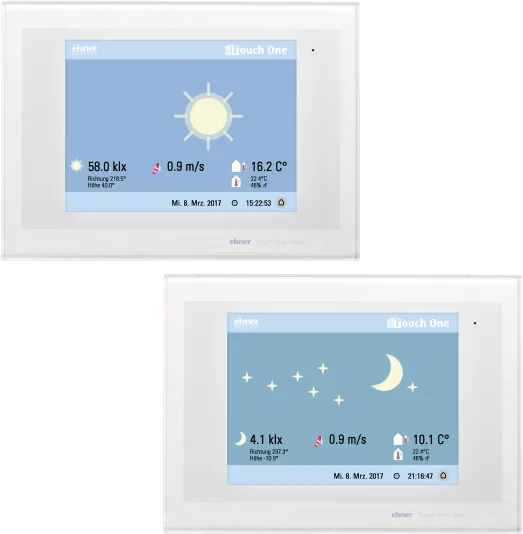
An integrated temperature and humidity sensor helps the controller respond to actual room conditions. It can support heating, cooling, and ventilation control, while sensor values remain visible directly on the display. The system can also receive external weather information such as brightness, wind, rain, and outdoor temperature, allowing automatic responses that improve comfort and help protect connected equipment.
Control Lighting, Shading, and Climate
Lighting functions can be switched, dimmed, timed, and linked to automatic routines. For solar protection and privacy, the controller supports blinds, awnings, shutters, and windows with configurable positions, delays, and safety responses. Wind, rain, frost, temperature, and brightness conditions can be used to trigger appropriate actions. This makes the Elsner KNX Touch One Style Single Room Controller, Control Element a practical hub for rooms where comfort and building protection must work together.
The climate control capabilities include heating and cooling changeover, night setback, temporary day-mode extension, and frost or heat protection. Automated ventilation can respond to schedules, temperature, humidity, or CO2 data received through KNX. Users can still make manual adjustments at the display whenever needed.
Flexible Daily Operation
The customizable start screen offers space for frequently used values and controls. Eight universal menu pages can each hold up to eight functions, creating room for up to 64 individually arranged displays, buttons, and input fields. Scenes provide fast access to preferred room settings, while the internal timer supports up to 16 time periods for recurring routines.
Four binary inputs allow conventional push buttons, switches, or window contacts to be connected. The controller can also learn an optional Remo 8 eight-channel wireless remote control. Password protection can be applied to settings and automation menus to limit unauthorized changes.
Installation and Care Notes
The unit is intended for flush or cavity-wall mounting in dry interior spaces and should be installed, commissioned, and serviced by a qualified electrician. Sensor placement matters: direct sunlight, drafts, heating pipes, and other local influences can affect temperature and humidity readings. Use a soft, slightly damp or microfiber cloth for the touchscreen and avoid abrasive or aggressive cleaners.
Note: Reliable time and weather data on the KNX bus are important for schedules, weather-based displays, and many automatic functions.
Search for 67,732 Manuals online


Type-in Brand or Model