
Elsner KNX TH-UP Touch Manual
PDF manual · 58 Pages
English



Quick check
Incorrect answer, please try again.
Chat with your Elsner KNX TH-UP Touch manual using AI
Get instant AI answers from your Elsner KNX TH-UP Touch manual
Ask anything about the Elsner KNX TH-UP Touch. Answers come from this manual, with the pages they are based on.
Ask a Question
Do you recommend KNX TH-UP Touch?
Yes NoFrequently Asked Questions
It measures indoor temperature and relative humidity, calculates dew point temperature, and can output absolute humidity in g/kg and g/m3. It can also receive external temperature and humidity values over KNX and combine them with its own readings.
Is this answer helpful?
Yes. Its integrated PI controller supports one or two-stage heating and cooling. It can use separate or base setpoints and supports Comfort, Standby, Eco, and building protection modes. It can also support a shared control value for suitable HVAC arrangements.
Is this answer helpful?
The two touch buttons can adjust room setpoints and switch HVAC modes. Alternatively, they can be configured as KNX controls for switching, dimming, blinds, shutters, awnings, windows, value transmission, or scene activation.
Is this answer helpful?
The unit can operate one-stage or two-stage dehumidification, or combined humidification and dehumidification. Setpoints, dead zones, output behavior, lock objects, delays, and PI control settings can be configured through KNX ETS.
Is this answer helpful?
Yes. The sensor calculates dew point and can monitor a received cooling-medium temperature against a threshold based on dew point plus a configurable offset. A switching output can provide a warning or initiate a protective KNX action.
Is this answer helpful?
The display can show internal, external, or combined climate values, current setpoints, dew point, absolute humidity, time, date, received KNX values, and text messages. It supports two-line, three-line, or permanent temperature-control display modes.
Is this answer helpful?
Advantages and Disadvantages
Advantages

- Measures temperature, relative humidity, absolute humidity, and calculates dew point for detailed room climate monitoring.
- Built-in PI control supports one or two-stage heating, cooling, ventilation, humidification, and dehumidification.
- Two touch buttons can control setpoints and modes or act as flexible KNX controls for lighting, shading, scenes, and values.
- Includes comfort-zone monitoring, dew-point-based cooling protection, thresholds, logic gates, and value comparators.
- Configurable display can show sensor readings, KNX values, date, time, messages, and temperature-control information.
Disadvantages

- Commissioning and configuration require KNX ETS 5 or later and suitable KNX system knowledge.
- Installation and electrical troubleshooting must be performed by an authorized electrical professional.
- The broad set of parameters, objects, control modes, and logic functions can make setup time-consuming.
- The device is intended for fixed indoor installation and depends on KNX bus infrastructure.
Product Specification
Type
Control unit hardware
Standard
KNX
Function
Control, temperature, humidity, ventilation control, heating control
Topology
Bus/star
Dimensions
2.17 x 2.17 x 1.38 in
Features
IP20, display
Product Description
Elsner KNX TH-UP Touch Manual: Smart Indoor Climate Control
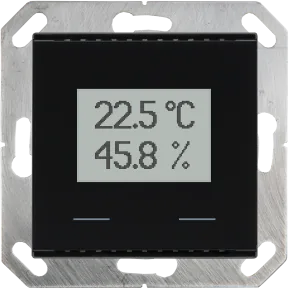
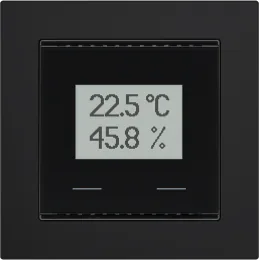
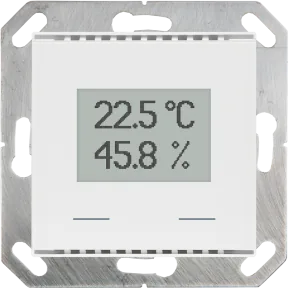
The Elsner KNX TH-UP Touch is a wall-mounted indoor combination sensor designed for KNX building automation. Available in black and pure white, it combines climate monitoring, room control, and configurable touch operation in a compact unit that can be matched with the switch-frame range used in the room. Its integrated display provides a clear view of essential room information while helping users make simple comfort adjustments directly at the wall.
Climate measurement and room comfort
The device measures room temperature and relative humidity, calculates dew point temperature, and can also provide absolute humidity values. It supports external temperature and humidity inputs through KNX, allowing internal and external readings to be combined into weighted total values. This is useful where a room climate decision should reflect more than one measurement location.
Configurable temperature and humidity thresholds can trigger KNX switching outputs, with hysteresis, delays, lock functions, and flexible sending behavior available. The sensor can also evaluate a comfort zone based on temperature, relative humidity, and absolute humidity. This helps a KNX installation identify conditions that may feel uncomfortable and respond through connected HVAC equipment.
Integrated HVAC and humidity control
A major strength of the Elsner KNX TH-UP Touch is its built-in PI control. It can manage one or two heating stages, one or two cooling stages, or combined heating and cooling applications. Configurable modes include Comfort, Standby, Eco, and building protection for frost or heat protection. Users can raise or lower the temperature setpoint with the touch buttons, change modes, or temporarily extend Comfort mode from Eco operation.
Humidity control supports dehumidification, two-stage dehumidification, or combined humidification and dehumidification. Dew point monitoring can be used with cooling-medium temperature supervision to help reduce condensation risks in cooling systems. The device can issue warnings or trigger protective actions when the cooling-medium temperature approaches a dew-point-based limit.
Flexible display, buttons, and automation logic
The display can show two or three lines of measured values, KNX data, date, time, or text messages. Alternatively, it can operate as a dedicated temperature-control display with setpoint and bargraph options. Display contrast, backlight brightness, and timeout behavior are configurable.
Two touch buttons can be assigned to temperature control or used as freely programmable KNX controls. They can operate switching, dimming, blinds, shutters, awnings, windows, value transmission, and scene recall. For advanced automation, the unit includes 16 logic inputs, four AND gates, four OR gates, and two value comparators that can output minimum, maximum, or average values.
Note: Installation, commissioning, testing, and troubleshooting should be completed by an authorized electrical professional. Configuration requires KNX ETS software, version 5 or later.
Note: The Elsner KNX TH-UP Touch Manual keyword is especially relevant for planners and installers configuring thresholds, controllers, display behavior, and button functions in ETS.
Search for 67,732 Manuals online


Type-in Brand or Model