
Elsner Corlo Touch KNX Manual
PDF manual · 148 Pages
English



Quick check
Incorrect answer, please try again.
Chat with your Elsner Corlo Touch KNX manual using AI
Get instant AI answers from your Elsner Corlo Touch KNX manual
Ask anything about the Elsner Corlo Touch KNX. Answers come from this manual, with the pages they are based on.
Ask a Question
Do you recommend Corlo Touch KNX?
Yes NoFrequently Asked Questions
Yes, it is designed specifically for the KNX bus system ecosystem.
Is this answer helpful?
It features a 320 by 240 pixel resolution on a 3.5-inch diagonal screen.
Is this answer helpful?
Yes, it has four inputs for temperature or binary contact sensors.
Is this answer helpful?
Yes, the WL model offers Wi-Fi connectivity for network content.
Is this answer helpful?
Use the service menu or the ETS download reset option available.
Is this answer helpful?
Support for light, shading, window, and temperature regulation logic.
Is this answer helpful?
Yes, through SD cards for screen savers and symbols.
Is this answer helpful?
Advantages and Disadvantages
Advantages

- Touch-sensitive glass surface allows intuitive control
- KNX bus integration supports centralized home automation
- Built-in proximity sensor activates screen automatically
- Configurable ambient RGB lighting adds aesthetic value
- Wireless WL variant enables Wi-Fi for network content
Disadvantages

- Installation requires KNX certified authorized personnel
- Resolution is lower than standard tablet devices
- Configuration primarily managed via ETS software
- Glass surface is susceptible to finger marking
- Wireless range can be affected by mounting location
Product Specification
Type
Hardware Control Unit
Standard
KNX
Function
Control, Ventilation Control, Heating Control, Blind Control
Topology
Bus
Dimensions
3.15x2.80x1.93in
Features
IP20, Display (3.5", 320x240 pixels), microSD slot, USB, 4x Analog/Digital Input, Touchscreen
Product Description
Elsner Corlo Touch KNX Room Controller Overview
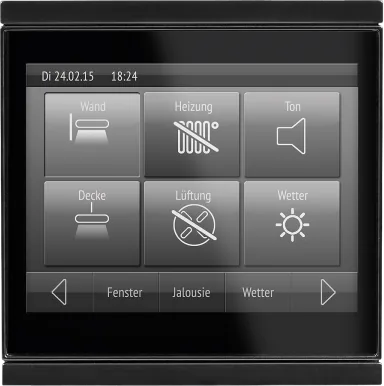
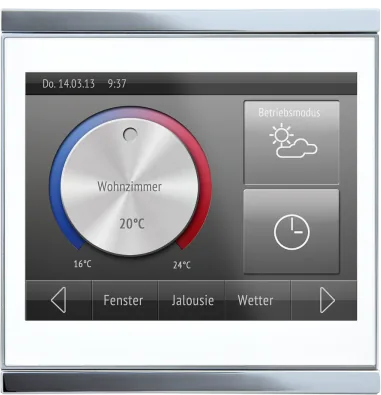
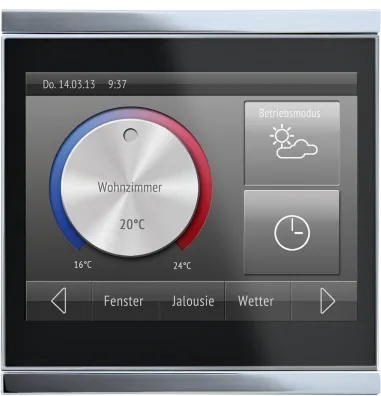
Experience precise control with the Elsner Corlo Touch KNX Room Controller. This advanced home automation device features a high-resolution 3.5-inch touch-sensitive glass surface. It allows users to operate switches, view sensor data, and manage complex automation tasks easily. The unit integrates seamlessly into KNX ecosystems, enabling centralized management of lighting, shading, and HVAC systems. Configuration is typically completed using ETS software, providing deep customization options. Users can reference the Elsner Corlo Touch KNX Room Controller Manual for optimal setup procedures. The display supports multiple pages with customizable areas for switches, sliders, and visual content. Ambient lighting adds aesthetic value, featuring adjustable RGB colors behind the frame. Proximity sensors activate the screen automatically upon approach, offering a seamless user experience. The WL variant includes Wi-Fi capabilities for network content display like web pages or camera feeds. Installation requires standard mounting boxes and KNX bus connection following DIN standards. Technical specifications include resistance to environmental factors within specific temperature ranges for indoor use. Regular maintenance involves careful cleaning to preserve the glass finish without harsh chemicals. This controller stands out for its versatility in smart home applications. It supports scene control, built-in timers, and audible alarms directly on the unit. Visual feedback ensures users understand system status at a glance with clear icons. Custom graphics can be added via SD card slot for personalized images. Logic functions allow complex interactions between binary inputs and outputs including AND and OR gates. Security zones and alarms are configurable for enhanced safety within the building. The interface remains intuitive despite powerful backend capabilities available to integrators. Energy efficiency is maintained through smart power management modes and standby states. Whether for new builds or retrofits, this unit offers modern control solutions for residential or commercial spaces. Installation must be performed by authorized personnel to ensure safety compliance and warranty validity. The hardware includes analog inputs for external temperature sensors. Digital inputs allow connection of conventional switches. Display brightness adjusts automatically via internal light sensors. Language settings support multiple options for international markets. Reset functions allow restoration to factory defaults easily. System status can be monitored through the integrated service menu. Connectivity options ensure reliable communication across the KNX bus network. Advanced users can program specific reaction times for automation logic. The device serves as a central hub for room-level control strategies. Automatic functions manage shading based on sun position and wind speed. Windows can open to ventilate based on room CO2 levels or humidity. Heating and cooling regulation is supported with distinct comfort and eco modes. Frost protection and heat protection cycles activate as needed. Time switches control daily routines for lighting scenarios. The touch interface supports long press and short press actions. Users can define specific actions for five-minute inactivity periods. Background colors and icons enhance the user interface significantly. This product represents a high standard in building electronics technology.
Notes
Installation requires authorized personnel only. Standard maintenance keeps the glass clean.
Search for 67,732 Manuals online


Type-in Brand or Model