
Elsner Cala Touch KNX T Manual
PDF manual · 118 Pages
English



Quick check
Incorrect answer, please try again.
Chat with your Elsner Cala Touch KNX T manual using AI
Get instant AI answers from your Elsner Cala Touch KNX T manual
Ask anything about the Elsner Cala Touch KNX T. Answers come from this manual, with the pages they are based on.
Ask a Question
Do you recommend Cala Touch KNX T?
Yes NoFrequently Asked Questions
The Cala Touch KNX T measures room temperature. It can also receive an external temperature value over KNX and combine it with its internal measurement using a configurable weighting.
Is this answer helpful?
Yes. Its integrated PI temperature controller supports one- or two-stage heating and cooling. It can use separate target values or a base target temperature and can also support Fan Coil control.
Is this answer helpful?
Depending on ETS configuration, the display can provide controls for temperature, up to three lights, up to three drives, scenes, RGB lighting, color temperature, HCL, weekly schedules, universal values, and information messages.
Is this answer helpful?
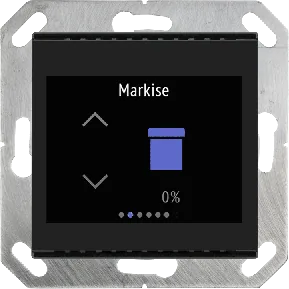
Yes. Up to three drive control pages can be configured for shading devices or windows. Controls may include up and down buttons, position feedback, position sliders, and slat-position adjustment where supported.
Is this answer helpful?
No. The Cala Touch KNX T is the temperature-focused model. Humidity sensing is available with the Cala Touch KNX TH, while temperature, humidity, and CO2 sensing are available with the Cala Touch KNX AQS/TH.
Is this answer helpful?
Installation, testing, commissioning, and fault resolution should be performed by an authorized electrical professional. KNX configuration and addressing are completed using ETS software, version 5 or later.
Is this answer helpful?
Advantages and Disadvantages
Advantages

- Integrated temperature sensor with optional weighted mixing of external KNX temperature values.
- Built-in PI control supports one- or two-stage heating, cooling, and Fan Coil applications.
- Color touch display can control lighting, blinds, windows, scenes, timers, RGB, tunable white, and HCL functions.
- Four inputs, logic gates, calculation modules, and comparators enable flexible local KNX automation.
- Customizable screen settings, home page, menus, and switch-series frame support user-friendly integration.
Disadvantages

- Professional installation and ETS 5 or later are required for setup, addressing, and configuration.
- The T variant measures temperature only; humidity and CO2 sensing require TH or AQS/TH models.
- Many display functions depend on KNX programming and compatible connected actuators.
- Advanced logic and control options can increase commissioning time for complex installations.
Product Specification
Type
Hardware control unit
Standard
KNX
Function
Control, temperature, brightness, dimming function, blind control
Topology
Bus/star
Dimensions
2.17 x 2.17 x 1.38 in
Special features
IP20, display, touchscreen
Product Description
Elsner Cala Touch KNX T Room Controller with Temperature Sensor - Read, Download & Print Free
The Elsner Cala Touch KNX T room controller with temperature sensor is a refined control point for KNX smart buildings. Combining a color touch display, integrated temperature measurement, and flexible automation functions, it provides a practical way to manage comfort and connected room functions from one wall-mounted interface. Its clean design can be paired with a frame from the building's existing switch range for a coordinated interior finish.
Temperature Control Made Personal
At its core, the Cala Touch KNX T measures room temperature and can combine its internal reading with an external KNX value to create a weighted overall measurement. Configurable temperature limits support responsive automation, while the built-in PI controller can manage one- or two-stage heating and cooling. It also supports Fan Coil control, making it suitable for rooms that need responsive HVAC operation.
Users can adjust target temperatures directly on the display when enabled in the KNX configuration. Available modes include Comfort, Standby, Eco, and building protection. A temporary comfort extension can keep a preferred setting active for longer, which is useful when occupancy changes unexpectedly.
Touch Control Beyond Climate
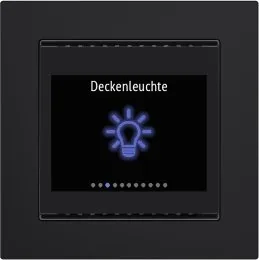
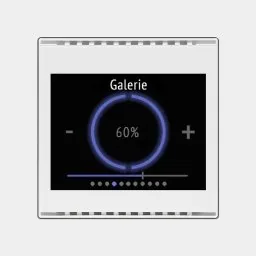
The vivid touch display can be configured with pages for up to three lighting zones and three drives, such as blinds, shutters, awnings, or windows. Lighting can be switched or dimmed, while drive controls can include position sliders and slat-position feedback for Venetian blinds. The controller can also manage RGB lighting, tunable-white color temperature, and Human Centric Lighting sequences when these functions are connected within the KNX installation.
Further convenience features include four scene slots, a weekly timer with up to eight schedules, universal value displays, and two information pages for text messages received from the bus. Screen brightness, screen saver behavior, home page selection, and touch feedback sound can be personalized to suit the room and user preferences.
Flexible KNX Logic and Integration
The Cala Touch KNX T is designed for more than simple room control. Four inputs can accept binary contacts or T-NTC temperature sensors. Eight AND gates, eight OR gates, eight multifunction calculation modules, and four value comparators allow integrators to create local automation logic without relying on separate components for every task. Summer compensation can also adjust cooling setpoints according to outdoor temperature.
Note: Installation, commissioning, addressing, and troubleshooting should be completed by an authorized electrical professional. Configuration requires KNX ETS software, version 5 or later.
For homeowners, planners, and integrators seeking a capable interface, the Elsner Cala Touch KNX T room controller with temperature sensor - Read, Download & Print Free highlights how one compact unit can unite climate control, lighting, shading, schedules, and custom KNX logic.
Search for 67,732 Manuals online


Type-in Brand or Model