
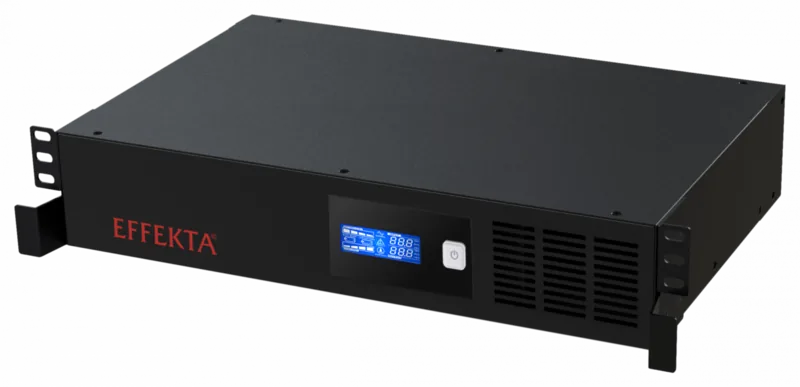
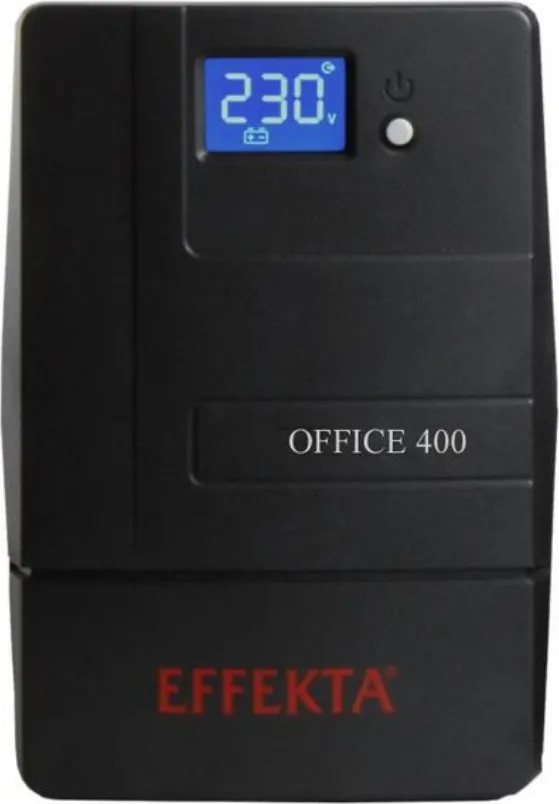

Effekta Office Series Manual
PDF manual · 48 Pages
English



Quick check
Incorrect answer, please try again.
Chat with your Effekta Office Series manual using AI
Get instant AI answers from your Effekta Office Series manual
Ask anything about the Effekta Office Series. Answers come from this manual, with the pages they are based on.
Office Series Maintenance Schedule
Connect the UPS to mains for about 24 hours to prevent deep discharge and irreversible battery damage.
Verify that the remaining autonomy time is sufficient. Replace the batteries if it is no longer sufficient.
If runtime testing cannot be performed due to local conditions or directives, have the batteries replaced to reduce the risk of insufficient runtime.
Free maintenance reminders
Timed to your purchase date. Always free, unsubscribe anytime.
Ask a Question
Do you recommend Office Series?
Yes NoFrequently Asked Questions
The Office-Series uses a line-interactive topology with automatic voltage regulation (AVR). In normal mains operation it corrects minor voltage variations; on major mains faults it switches to inverter (autonomous) mode with a typical transfer time of 4–6 ms (max 10 ms).
Is this answer helpful?
Standard models include a USB communication port for monitoring and graceful shutdown. RS variants provide an RS232 serial interface. Optional accessories include SNMP adapters for network management and remote access; accompanying PowerShut software supports logging, scheduled tasks and event-based notifications.
Is this answer helpful?
Backup time depends on the model and battery capacity. Office-Series units are intended for short autonomous durations sufficient for orderly shutdowns or bridging brief outages. Exact runtime varies by load and battery (e.g., 1x 7 Ah or 2x 9 Ah configurations); measure runtime under expected load or consult the technical data for estimates.
Is this answer helpful?
Regular inspection (every 6–12 months) of battery condition and ventilation is recommended. Batteries are wear parts; service life depends on temperature and usage—typically several years under ideal conditions. If backup time decreases, batteries should be tested and replaced by qualified service personnel. Recharging after tests and proper disposal of old batteries are required.
Is this answer helpful?
Yes, LSP variants include an RJ11 surge protection port for data/telephone lines. This protects connected lines from surges such as lightning-induced transients; RS variants omit this feature in favor of the serial communication port.
Is this answer helpful?
No. They are intended for well-ventilated, non-hazardous environments free from excessive dust, moisture, explosive or chemically contaminated atmospheres. Observe specified ambient temperature ranges and maintain clearance for ventilation to ensure reliable operation and battery longevity.
Is this answer helpful?
If overload or error occurs, remove nonessential loads and restart the UPS after correcting the cause. Persistent errors or battery/deep-discharge warnings require contacting authorized service. Never attempt internal repairs; only trained personnel should replace batteries or key components.
Is this answer helpful?
Advantages and Disadvantages
Advantages

- Line-interactive topology with AVR corrects voltage fluctuations and provides fast inverter support (4–10 ms) during outages.
- Compact, plug-and-play design with USB/optional RS232 communication and management software for graceful shutdowns and logging.
- Models from 400–2000 VA cover a range of office needs; optional SNMP and external bypass increase flexibility.
- Clear front-panel touch display plus audible alarms for status, load and battery condition; easy to monitor on-site.
- Integrated protections (overload, deep discharge, overcharge) and data-line surge (RJ11) on applicable variants.
Disadvantages

- Limited autonomy for extended outages; battery capacity yields short back-up times primarily for orderly shutdowns.
- Battery life sensitive to ambient temperature; recommended replacement and maintenance required.
- Higher-power models use fans and generate more noise; not ideal for ultra-quiet environments.
- Not suitable for explosive, highly dusty, humid or chemically contaminated atmospheres.
- Replacement/major service must be performed by authorized personnel, increasing service dependency.
Product Specification
Type
Tower
Classification
VI (Line-Interactive)
Voltage
230V
Input
C14
Outputs
4x C13
Interfaces
USB
Data Line Protection
2x RJ-11
Charging Time
8h (90%)
Features
LCD
Manufacturer Warranty
two years
Product Description
Effekta Line-Interactive Office-Series UPS/USV Manual
The Effekta Line-Interactive Office-Series UPS offers compact, dependable power protection for small offices and sensitive electronics. Designed for models ranging from 400 VA to 2000 VA, these units deliver automatic voltage regulation (AVR), line-interactive topology, and seamless inverter support when mains power is disrupted. With plug-and-play connections, USB or optional RS232 communication, and RJ11 surge protection for data lines, the Office-Series balances essential features with easy installation.
Key product highlights
The Office-Series UPS operates primarily in mains mode, correcting minor voltage fluctuations via AVR and instantly switching to inverter (autonomous) mode during significant mains faults. Battery configurations (12 V or 24 V banks depending on power rating) provide several minutes of backup time suitable for orderly shutdowns, brief continued operation, or bridging short outages. Front-panel touch display and audible alarms present status, load, and battery information; integrated protection covers overload, deep discharge and overcharge.
Installation is straightforward: standard C14/C13 power connections, compact housings, and fan-cooled higher-power units (1500/2000 VA). Communication software enables logging, remote notifications, scheduled shutdowns, and graceful OS shutdown integration. Optional SNMP or external bypass accessories add network management or maintenance flexibility.
Designed for office and IT equipment, these UPS units are intended for non-hazardous, ventilated environments and require periodic battery maintenance. Ambient temperature, ventilation clearance, and correct earthing are essential for reliable operation and battery life. The manufacturer recommends charging routines and periodic autonomy testing; service or battery replacement should be performed by authorized personnel.
Practical uses
From workstations and POS systems to network devices and small servers, the Effekta Office-Series protects against brownouts, spikes, frequency variation and short outages. Its compact footprint and standard sockets make it suitable for desktop or small-rack placement where simple, dependable UPS protection is required.
Notes:
- Models cover 400–2000 VA with 230 VAC nominal output and automatic switching within 4–10 ms.
- Communication via USB standard; RS232 available on RS variants.
- Data-line surge protection (RJ11) available on LSP variants.
- Batteries are wear items; observe replacement intervals and recycling rules.
Search for 67,706 Manuals online


Type-in Brand or Model