
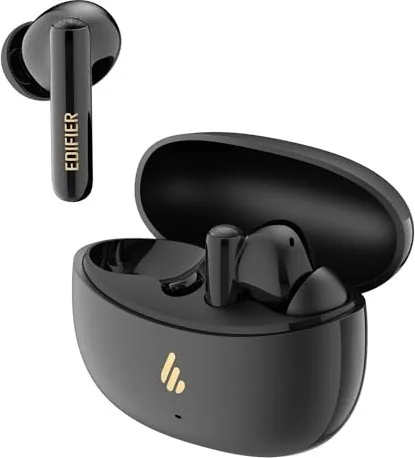
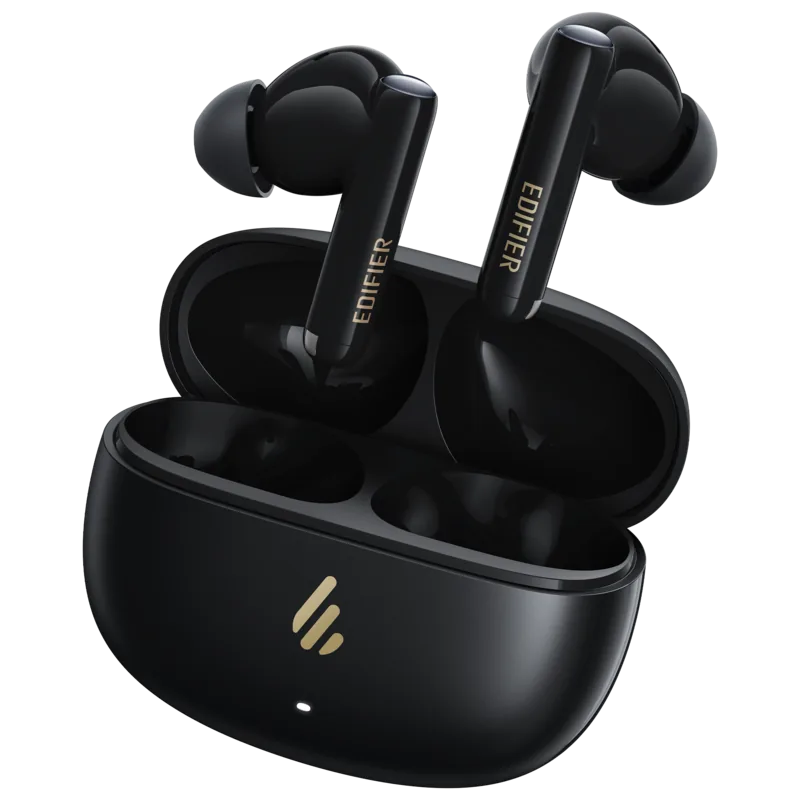

Edifier X5 Pro Manual
PDF manual · 7 Pages
English



Quick check
Incorrect answer, please try again.
Chat with your Edifier X5 Pro manual using AI
Get instant AI answers from your Edifier X5 Pro manual
Ask anything about the Edifier X5 Pro. Answers come from this manual, with the pages they are based on.
Ask a Question
Do you recommend X5 Pro?
Yes NoFrequently Asked Questions
Place the earbuds in the open case, press and hold the case button for 3 seconds until the white and red LEDs blink, then select 'EDIFIER X5 Pro' in your device settings to connect.
Is this answer helpful?
Try resetting the earbuds by placing them in the open case and pressing the case button three times until the white LED blinks, then re-pair them with your device.
Is this answer helpful?
Yes, the default sound control includes an ambient sound mode that lets you hear surrounding noises while wearing the earbuds for added situational awareness.
Is this answer helpful?
No, you must never charge the earbuds if there is sweat or liquid inside the charging port, as this can cause permanent damage to the internal components.
Is this answer helpful?
Yes, once paired, the earbuds will automatically connect to the last used device whenever you open the case to turn them on.
Is this answer helpful?
Advantages and Disadvantages
Advantages

- Active Noise Cancellation effectively blocks out distracting background noise for immersive listening.
- Automatic pairing and memory function connect instantly to previously used devices for convenience.
- Ambient sound mode allows users to hear their surroundings safely without removing earbuds.
- Simple reset feature via three button presses resolves most connectivity issues quickly.
- Efficient charging system with clear voltage specifications ensures safe and fast battery replenishment.
Disadvantages

- Charging ports must be completely dry before insertion to avoid potential internal liquid damage.
- Images in documentation may differ slightly from the actual physical product appearance.
- Default sound control requires manual adjustment if specific modes like ambient sound are not preferred initially.
- Reset procedure requires keeping the case open and holding buttons, which might be less intuitive for some.
- Technical specifications and features are subject to change without prior notice due to system upgrades.
Product Specification
Type
In-Ear Headphones
Form Factor
True Wireless, Neckband-free
Principle
Closed-back
Microphone
Integrated
Wireless
Bluetooth 5.3, AAC
Control
Touch Control
Battery Life
5h (with ANC), 7h (without ANC), 22h (with charging case)
Battery
USB-C Charging Port, Charging Case, Fast Charging (15min for 1h Battery Life)
Frequency Range
20Hz-20kHz
Sensitivity
94dB
Drivers
10mm
Device Features
Active Noise Cancellation (ANC), Ambient Mode, Water Resistant (IP55)
Software Features
Equalizer Presets, App Control
Product Description
Experience Crystal Clear Sound with the Edifier X5 Pro
The Edifier X5 Pro True Wireless Earbuds represent a significant leap in personal audio technology, designed for those who demand high fidelity and seamless connectivity. These earbuds feature Active Noise Cancellation, allowing you to immerse yourself in your music without the distraction of external noise. Whether you are commuting, working out, or relaxing at home, the Edifier X5 Pro adapts to your environment effortlessly.
Seamless Connectivity and Control
Connecting your devices has never been easier. Upon opening the charging case, the earbuds power on automatically and enter Bluetooth pairing mode instantly. Simply select "EDIFIER X5 Pro" from your device settings to establish a stable connection. For new devices, a simple three-second hold on the case button initiates the pairing process, indicated by blinking white and red LEDs. The earbuds also remember your last connected device, ensuring you can resume listening immediately after use.
Intelligent Features and Battery Life
The Edifier X5 Pro offers versatile sound control options including noise cancellation, ambient sound mode, and an off setting, all accessible through intuitive touch controls. Charging is efficient and safe; the earbuds require 5V 200mA while the case supports 5V 1A. A crucial safety note is to ensure the charging ports are dry before placing the earbuds inside to prevent liquid damage. If you ever encounter connection issues, a quick reset involving three presses of the case button restores factory settings and re-initiates pairing.
Why Choose the Edifier X5 Pro?
This product combines style with substance, offering a robust build quality that withstands daily wear. The active noise cancellation creates a personal sanctuary of sound, while the ambient mode keeps you aware of your surroundings when needed. With its user-friendly interface and reliable performance, the Edifier X5 Pro stands out as a top choice for modern audio enthusiasts seeking quality and convenience in a compact package.
Search for 67,706 Manuals online


Type-in Brand or Model