
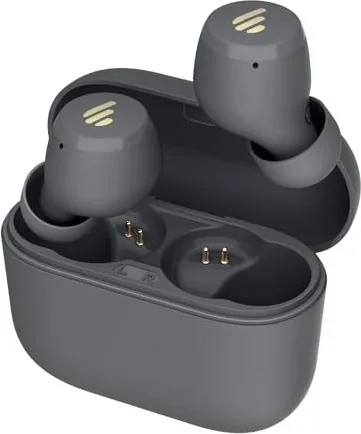
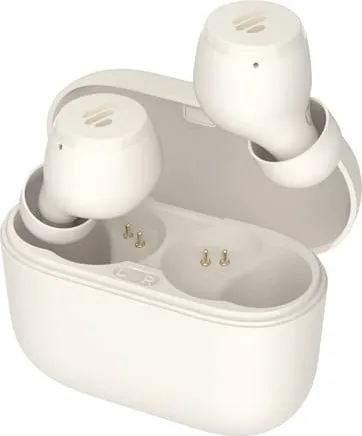
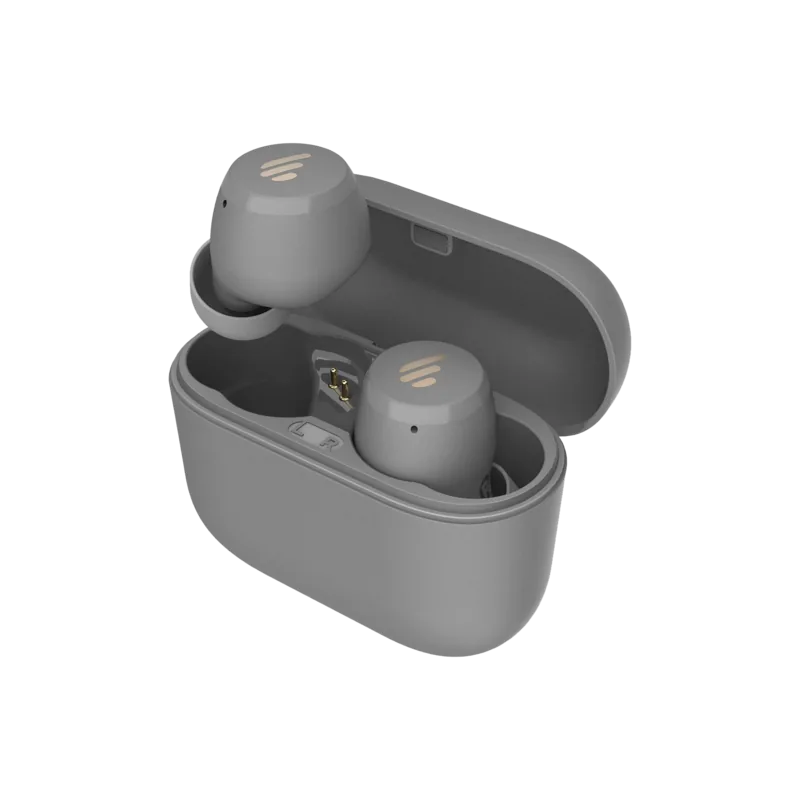
Edifier X3 Lite Manual
PDF manual · 7 Pages
English



Quick check
Incorrect answer, please try again.
Chat with your Edifier X3 Lite manual using AI
Get instant AI answers from your Edifier X3 Lite manual
Ask anything about the Edifier X3 Lite. Answers come from this manual, with the pages they are based on.
Ask a Question
Do you recommend X3 Lite?
Yes NoFrequently Asked Questions
Take them out of the case and disconnect from Bluetooth. Press and hold the touch panel on either earbud for around eight seconds until the red LED blinks six times. This clears pairing records. Place them back in the case and take them out again to reconnect.
Is this answer helpful?
White and red blinking alternately indicates pairing mode. A steady red light means the device is charging. Two white blinks in five seconds confirm successful Bluetooth connection to your phone or tablet device.
Is this answer helpful?
Remove earbuds from the case and open Bluetooth settings on your device. Select EDIFIER X3 Lite from the list. The white LED will blink twice to confirm. Ensure TWS connection is made by tapping touch panels five times if needed before searching.
Is this answer helpful?
No, please do not charge the earbuds when there is sweat or other liquids inside the charging pocket which may damage the unit. Charge the case with Type C cable separately when the battery is low.
Is this answer helpful?
If there is no Bluetooth connection for ten minutes after powered on, the earbuds will power off automatically to save energy. For subsequent use they will automatically connect to the device used last time without needing manual setup again.
Is this answer helpful?
Yes, downloading Edifier Connect App allows for more customizable control settings including button mapping and equalizer tweaks. Refer to the manual for download links on major platforms like iOS and Android systems.
Is this answer helpful?
The product information indicates it was printed in China. The address listed is in Hong Kong for distribution support. Please visit the official website for localized support channels in your region.
Is this answer helpful?
Advantages and Disadvantages
Advantages

- Automatic power on off with case
- Intuitive touch panel controls
- Clear LED indicator system
- Standard Type C charging port
- Auto reconnect to last device
Disadvantages

- Reset requires precise eight second hold
- Moisture warning for charging ports
- Low battery relies on audible tone
- Touch sensitivity may vary between units
- No explicit waterproof rating listed
Product Specification
Type
Earbuds (In-Ear)
Form Factor
True Wireless, Hook-Free
Design
Closed-Back
Microphone
Built-in
Wireless
Bluetooth 5.3, aptX
Controls
Touch Controls
Battery Life
6h, 24h (with charging case)
Battery
USB-C Charging Port, Charging Case
Frequency Range
20 Hz - 20 kHz
Sensitivity
94 dB
Driver Size
0.24 inches
Features
Water Resistant (IP55)
Software Features
Equalizer Presets, App Control
Weight
0.14 oz (each earbud)
Product Description
Discover the Ultimate Wireless Audio Experience with the Edifier X3 Lite
Dive into high-quality sound without the tangles of wires using the Edifier X3 Lite wireless earbuds. These compact audio devices are designed for active lifestyles, offering reliable Bluetooth connectivity and comfortable wear. To fully understand the capabilities of this hardware, many enthusiasts refer to detailed technical guidance similar to an Edifier X3 Lite Manual during initial setup. The user-friendly design prioritizes ease of access, allowing music lovers to focus on their favorite tunes rather than complex configurations. Automatic power management ensures the earbuds switch on when removed from the case and turn off instantly upon reinsertion. This feature preserves battery longevity significantly for extended listening sessions throughout your day.
Connection procedures are simple yet effective for modern users. Upon removal, the white and red LEDs blink alternately to signal pairing readiness for your smartphone. Navigate to your mobile device settings and search specifically for EDIFIER X3 Lite. A double blink confirms success immediately. Left and right synchronization happens by tapping the touch panels five times slowly to engage TWS mode. Once linked, the earbuds function as a true stereo pair delivering immersive soundscapes. The tactile response allows for volume adjustments and track skipping without reaching for your phone constantly during workouts.
Maintenance involves charging via a standard Type-C cable provided in the box for easy access globally. Both the case and the buds feature red LEDs that stay lit while charging and vanish once capacity reaches maximum efficiency. Caution is advised against charging wet units as moisture inside the ports can cause internal damage over time. Should pairing issues occur, a hard reset resolves conflicts effectively by clearing memory. Hold the touch sensor for eight seconds until the red light flashes six times consistently to erase old connections completely. This prevents interference from previously paired devices causing audio lag.
Physical construction withstands minor humidity but requires dry storage conditions to maintain integrity. Low battery tones alert users to recharge before silence occurs unexpectedly. Indicator lights remain steady red during power supply and vanish once capacity reaches maximum charge levels. These visual cues prevent accidental discharge during crucial moments like meetings or travel. Additional features are accessible via the Edifier Connect App for those wanting deeper customization settings. Product models adhere to Hong Kong manufacturing standards indicated on the label clearly visible on the box base.
Regularly checking for firmware updates ensures optimal operation according to manufacturer guidelines. This summary covers the essentials needed for daily enjoyment and long-term satisfaction with your audio gear. Enjoy your music anywhere you go today without worry. Future system upgrades may change behavior subtly so staying informed is key for best performance outcomes with this versatile equipment.
Search for 67,706 Manuals online


Type-in Brand or Model