
Edifier WH950NB Manual
PDF manual · 7 Pages
English



Quick check
Incorrect answer, please try again.
Chat with your Edifier WH950NB manual using AI
Get instant AI answers from your Edifier WH950NB manual
Ask anything about the Edifier WH950NB. Answers come from this manual, with the pages they are based on.
Ask a Question
Do you recommend WH950NB?
Yes NoFrequently Asked Questions
With headphones on and disconnected, press and hold the designated buttons for 6 seconds until the light blinks white. They will enter pairing mode automatically afterwards.
Is this answer helpful?
Yes, dual-device connection is supported. Connect the first, then restart and pair the second. Repair from the first device to complete the setup.
Is this answer helpful?
Android devices version 6.0 or higher can use Fast Pair for effortless connection via the pop-up window notification automatically.
Is this answer helpful?
Switch between Music, Game, and Theatre modes to adjust audio profiles to match your current activity or personal preference.
Is this answer helpful?
Blue lights show battery status such as power on or charging while red lights indicate Bluetooth status for connection states.
Is this answer helpful?
Yes, use the Edifier Connect App to customize controls for a personalized experience and adjust settings beyond physical buttons.
Is this answer helpful?
Advantages and Disadvantages
Advantages

- Active Noise Cancellation offers high, ambient, and off modes for versatile use cases.
- Dual-device connection allows simultaneous pairing with multiple Bluetooth sources easily.
- Sound modes include Music, Game, and Theatre to match different activities perfectly.
- Fast Pair support simplifies setup for Android users with version 6.0 or higher.
Disadvantages

- Resetting requires holding specific physical buttons simultaneously which may be tricky.
- Bluetooth and battery status rely on colored LED lights that need interpretation.
- Custom controls depend entirely on the Edifier Connect App for full functionality.
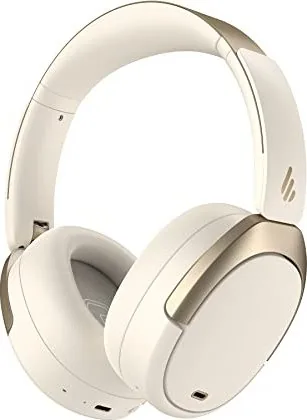
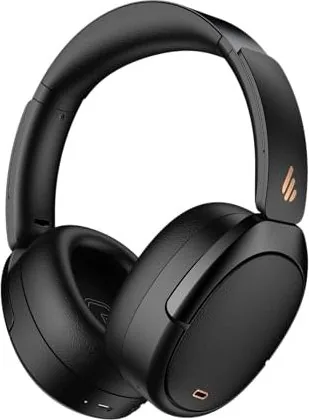
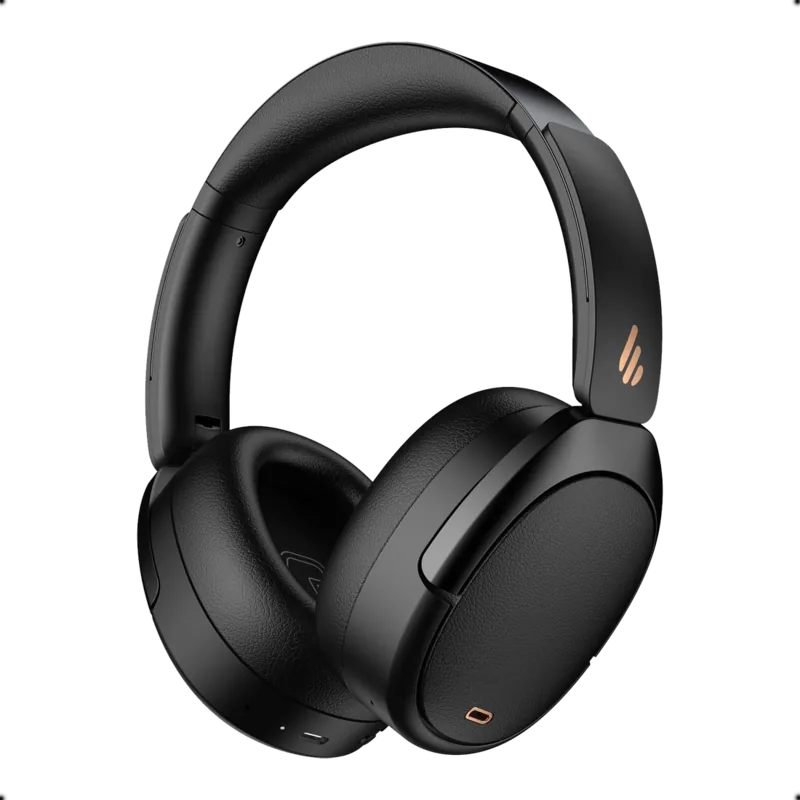
- Product images are for reference and hardware details may vary slightly from photos.
Product Specification
Type
Headphones (Over-Ear)
Design
Headband
Acoustic Design
Closed
Microphone
Built-in
Connection
3.5mm Jack
Wireless
Bluetooth 5.3, LDAC, Google Fast Pair, Multipoint
Cable
Single-sided, Detachable
Battery Life
34h (with ANC), 55h (without ANC)
Battery
USB-C Charging Port, 1.5h Charging Time, Fast Charging (10 min for 7 h usage)
Frequency Range
20Hz-40kHz
Sensitivity
91dB
Drivers
1.57in
Device Features
Active Noise Cancellation (ANC), Ambient Mode, Rotating Ear Cups, Foldable
Software Features
Equalizer Presets, Custom Equalizer, App Control, Volume Limit (85dB)
Weight
0.65 lbs
Product Description
Exploring the Edifier WH950NB High Fidelity Audio Experience
A New Standard for Wireless Listening
The Edifier WH950NB headphones represent a significant leap forward in personal audio technology. Designed for both work and leisure, these over-ear wireless noise cancellation headphones deliver high fidelity sound with exceptional clarity. Users seeking to block out ambient noise will appreciate the adjustable active noise cancellation system. This feature allows you to switch between high noise cancellation, ambient sound, or turn the function off. Whether you are traveling or focusing on deep work, the ability to control your acoustic environment makes the listening experience truly immersive and distraction-free.
Seamless Connectivity and Smart Features
Connecting your device is straightforward and designed for efficiency. The headphones support dual-device connection, a feature often missing in cheaper models. You can connect to one device while another connects automatically upon restart. Fast pair technology simplifies this for Android users with version 6.0 or higher. The Bluetooth status is indicated by lights, ensuring you know when you are connected. Sound modes are another highlight, offering specific configurations for Music, Game, and Theatre usage. Gamers benefit from low latency, while movie watchers enjoy the enriched soundscapes provided for cinema viewing.
Battery Management and System Updates
Monitoring battery life is intuitive through the LED indicator system. Blue light durations and blinking patterns communicate the remaining power and connection status. Resetting the system for connectivity issues is simple if you follow the standard procedure for six seconds. Customized controls are available through the dedicated Edifier Connect App, giving listeners granular control. It is important to note that product specifications may change for technical improvements. Always consult the official Edifier WH950NB Manual for the most accurate troubleshooting steps and setup instructions. Regular software updates ensure optimal performance over time.
Comfort and Design Philosophy
Comfort is central to the design philosophy of this audio device. The ear cups are designed for long-term wear without fatigue. The build quality suggests durability for daily use. Images of the hardware may differ slightly from illustrations, but the actual unit delivers on the promise of robust construction. This device is a versatile addition to any tech enthusiast collection. By utilizing the included information effectively, owners maximize the utility of the hardware. It stands as a testament to modern engineering and user-centric design.
Pairing and Customization
Pairing the headphones for the first time ensures a smooth connection right out of the box. Once powered on, the device enters pairing mode automatically. You simply select the model name in your device settings to initiate the sync. The status light blinks blue to indicate readiness. If issues arise, the reset function clears all previous pairing data. This ensures a fresh start for new connections. The app provides access to further customization not available through physical buttons alone. This flexibility ensures the headphones adapt to your specific preferences immediately.
Final Summary
The Edifier WH950NB headphones are a robust choice. The combination of hardware and software support makes them a top contender. Users should register their product for warranty support if needed. The global support network ensures assistance is available. Enjoy the premium sound quality provided by this exceptional audio system today.
Search for 67,706 Manuals online


Type-in Brand or Model