
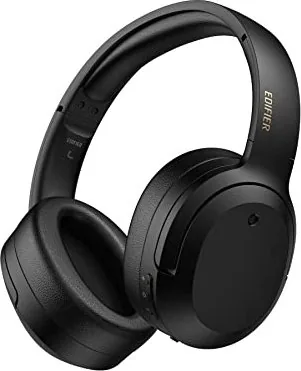
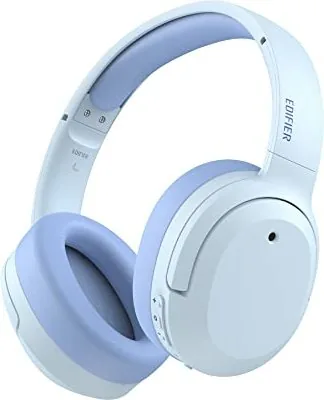
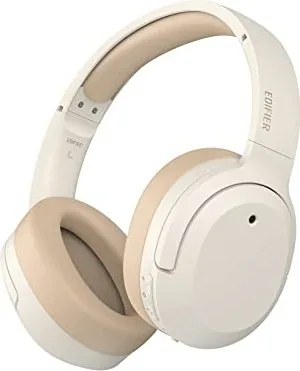
Edifier W820NB Plus Manual
PDF manual · 8 Pages
English



Quick check
Incorrect answer, please try again.
Chat with your Edifier W820NB Plus manual using AI
Get instant AI answers from your Edifier W820NB Plus manual
Ask anything about the Edifier W820NB Plus. Answers come from this manual, with the pages they are based on.
Ask a Question
Do you recommend W820NB Plus?
Yes NoFrequently Asked Questions
Press and hold the main button for three seconds while powered off until the blue and green LED blink alternately. Select EDIFIER W820NB Plus in your device settings to finish connecting.
Is this answer helpful?
If Bluetooth remains disconnected for five minutes after turning on, the device powers off automatically. If ANC is active without connection, it turns off after four hours.
Is this answer helpful?
Simultaneously hold two keys for about five seconds while powered on. The LED will blink blue six times rapidly to confirm the reset was successful.
Is this answer helpful?
Yes, you can connect the included USB cable to the PC USB-A port. This allows you to listen, talk, and charge the headphones simultaneously.
Is this answer helpful?
Orange LED is steady lit when charging. Green LED is steady lit when the battery is fully charged.
Is this answer helpful?
You can download the Edifier Connect App for more customizable control settings beyond the standard default sound control modes.
Is this answer helpful?
Advantages and Disadvantages
Advantages

- Advanced active noise cancelling technology blocks background noise effectively.
- User friendly wireless pairing with clear LED visual feedback indicators.
- Versatile wired mode supports simultaneous listening and charging via PC.
- Customizable sound settings available through the Edifier Connect App.
- Long lasting power management with efficient charging via USB-C port.
Disadvantages

- Device powers off automatically if Bluetooth disconnects after five minutes.
- ANC mode shuts down unit after four hours without connection detection.
- Charging is not safe if liquid is present inside the charging port.
- Included USB cable recommended to avoid compatibility issues with other cables.
- Automatic reset of connection memory requires specific key combination hold.
Product Specification
Type
Headphones (Over-Ear)
Form Factor
Headband
Principle
Closed-back
Microphone
Integrated
Wireless
Bluetooth 5.2, LDAC
Controls
3-button remote control
Battery Life
33h (with ANC), 49h (without ANC)
Battery
USB-C charging port, 1.5h charging time
Frequency Range
20Hz-40kHz
Sensitivity
91dB
Drivers
1.57 inches
Device Features
Active Noise Cancellation (ANC), Ambient Mode
Software Features
Equalizer presets, individual Equalizer, App control
Weight
0.49 lbs
Product Description
Discover Superior Audio Quality
When you search for the perfect pair of wireless headphones, you need reliable information to guide your purchase. The Edifier W820NB Plus Manual provides a foundation for understanding this specific device fully. These noise cancellation over-ear headphones are designed for comfort and long-lasting performance during daily use. They feature advanced active noise cancelling technology that effectively blocks out unwanted background noise. This allows you to focus entirely on your music or calls without any external distractions interfering with your experience.
Connecting Your Device Seamlessly
Pairing is straightforward and user friendly for most consumers today. You can initiate wireless pairing by holding the main button for three seconds while powered off. The LED indicators provide clear visual feedback during this critical connection process. Select EDIFIER W820NB Plus in your device settings to connect wirelessly without issues. If you need to reset the connection memory for security, hold two keys simultaneously for five seconds. This clears all pairing records for a fresh start without data retention issues. You can also connect via wired mode using the USB cable plugged into a PC. This enables you to listen, talk, and charge simultaneously while maintaining audio quality.
Battery and Power Management Efficiency
Power management is efficient with this unit available for purchase. Charging via the USB-C port takes time but offers significant longevity for travel. During charging, the LED illuminates a specific color to indicate current status. Orange means charging is active while green means the battery is fully charged. Do not charge with liquid inside the port as this may cause damage over time. An important note involves automatic power settings designed to save energy. If Bluetooth remains disconnected for five minutes after turning on, the device powers off. ANC mode turns off the unit after four hours without a connection to prevent battery drain.
User Experience and Custom Controls
Controls are intuitive for daily use and ease of operation. Press and hold buttons for specific actions to change modes easily. The default sound control includes noise cancellation and ambient sound mode for flexibility. For deeper customization, the Edifier Connect App offers more advanced settings for users. Images in guides may differ slightly from the actual product due to variations. Always check the latest updates on the official website for technical improvements. Enjoy the high fidelity audio provided by these premium earphones for years of enjoyment ahead.
Important Notes for Safety
Remember to use the included USB cable for best compatibility. Other cables may cause issues that prevent proper functioning or consistent charging reliability. Contact support for further assistance if needed regarding specific product models.
Search for 67,706 Manuals online


Type-in Brand or Model