
Edifier TO-U7 Pro Manual
PDF manual · 7 Pages
English



Quick check
Incorrect answer, please try again.
Chat with your Edifier TO-U7 Pro manual using AI
Get instant AI answers from your Edifier TO-U7 Pro manual
Ask anything about the Edifier TO-U7 Pro. Answers come from this manual, with the pages they are based on.
Ask a Question
Do you recommend TO-U7 Pro?
Yes NoFrequently Asked Questions
Open the case, select EDIFIER TO-U7 Pro in device settings, and watch the LED blink once upon success.
Is this answer helpful?
Earbuds turn off after ten minutes automatically to save power if no connection is established after powering on.
Is this answer helpful?
Hold case button for 3 seconds, LEDs light up and reset records to restore left and right connection.
Is this answer helpful?
No, do not charge if sweat or liquid is present inside charging port to avoid damaging the earbuds.
Is this answer helpful?
Use double taps on touch panel for default sound control switching between modes on both earbuds.
Is this answer helpful?
Yes, download Edifier Connect App for more customizable control settings and features.
Is this answer helpful?
Input is 5V 200mA for Earbuds and 5V 1A for Charging case to ensure proper power delivery.
Is this answer helpful?
Advantages and Disadvantages
Advantages

- Active noise cancellation provides a quiet listening experience in noisy environments
- Automatic power off conserves battery when idle for ten minutes without connection
- Touch panel controls allow easy switching of audio modes with simple taps
- LED indicators on case display accurate battery charging status visually
- Edifier Connect App enables deep customization of settings for better control
Disadvantages

- Charging port sensitive to liquids may cause permanent damage if ignored
- Single earbud mode limits noise cancellation functionality significantly for one side
- Automatic disconnection after two hours may interrupt long listening sessions unexpectedly
- Resetting requires holding specific button which can be confusing for new users
- Initial pairing process requires keeping case open manually to pair correctly
Product Specification
Type
Headphones (In-Ear)
Form Factor
True Wireless, hookless
Design
Closed
Microphone
Built-in
Wireless
Bluetooth 5.3
Controls
Touch Control
Battery Life
4h (with ANC), 4.5h (without ANC), 16h (with charging case)
Charging
USB-C charging port, charging case, fast charging (10min for 1h battery life)
Frequency Range
20Hz-20kHz
Impedance
32 Ohm
Sensitivity
92dB
Drivers
0.31 inches
Device Features
Active Noise Cancellation (ANC), Ambient Mode, water resistant (IP54)
Software Features
Equalizer Presets, Custom Equalizer, App Control
Color
Black
Product Description
Experience Superior Sound with Edifier TO-U7 Pro
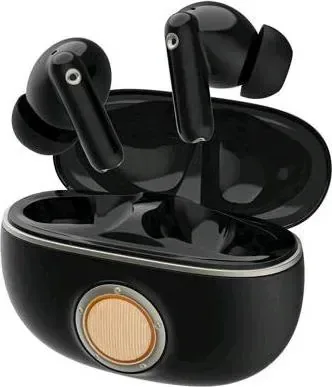
The Edifier TO-U7 Pro True Wireless Noise Cancellation In-Ear Headphones offer an immersive audio experience designed for modern listeners. These sleek devices ensure that you can enjoy your music without external distractions while listening. Whether you are commuting or working from home, the active noise cancellation feature provides a quiet sanctuary amidst the chaos of daily life.
Seamless Connectivity and Pairing
Pairing these earbuds with your favorite device is straightforward and intuitive. When you open the charging case, the earbuds power on automatically. Simply select EDIFIER TO-U7 Pro in your device settings to establish a secure connection. The indicators on the case light up in a clockwise direction and blink to confirm success. If you need to reset the connection, the comprehensive instructions are detailed in the official Edifier TO-U7 Pro Manual. Keeping the case open activates the pairing mode easily for future use. Subsequent connections happen automatically to the last paired device without needing to re-enter codes. The visual feedback is clear enough to track the status continuously.
Smart Controls and Battery Management
The touch panels on the right and left earbuds handle sound control effortlessly. Default settings allow you to switch between noise cancellation, ambient sound, and power off modes using double or triple taps. If you only use a single earbud, the default shifts to ambient sound mode automatically to ensure safety. Battery life is monitored via LED indicators on the charging case while recharging with the included Type-C cable. Input requirements vary between the earbuds and the case for efficiency during charging cycles.
Important Usage Notes and Safety
Safety is paramount for your device longevity and performance over time. Do not attempt to charge the earbuds if there is sweat or liquid inside the charging port, as this may cause significant damage to the internal components. The earbuds will turn off automatically after ten minutes if no Bluetooth connection occurs after power on. Similarly, if disconnected in noise cancellation or ambient sound mode, they power down after two hours to conserve energy effectively. This automated shutoff helps prevent battery drain when not actively in use by the user. This protection mechanism ensures the longevity of the unit despite regular usage conditions.
Enhanced Customization and Support
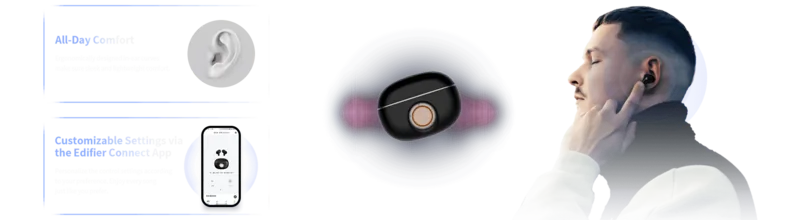
For advanced settings, downloading the Edifier Connect App provides customizable control options beyond standard buttons. This ensures the audio experience remains tailored to your personal preferences over time and usage habits. The build quality reflects Edifier International Limited commitment to quality, printed in China with high standards. Always check the latest updates on their website for system upgrades or information changes regarding the product. The text provided here is just a summary of the capabilities found within the technical specifications. Enjoy great sound with reliable performance using these advanced features every single day. This ensures you get the best performance from your device.
Search for 67,706 Manuals online


Type-in Brand or Model