
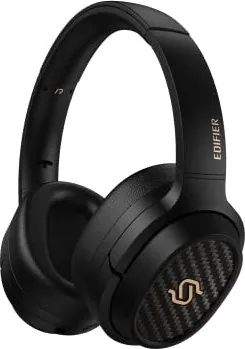
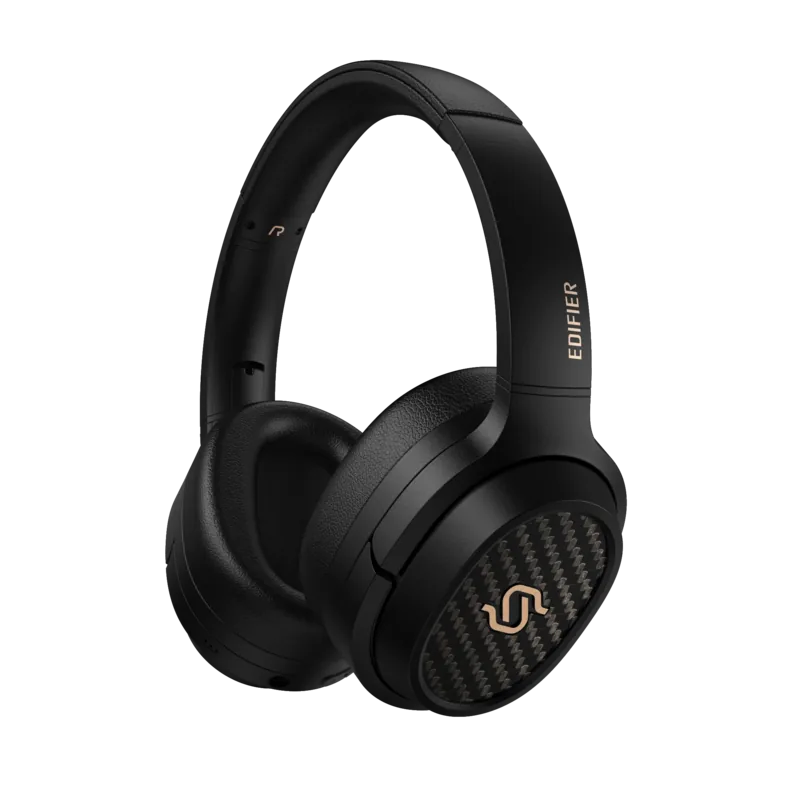
Edifier Stax Spirit S3 Manual
PDF manual · 7 Pages
English



Quick check
Incorrect answer, please try again.
Chat with your Edifier Stax Spirit S3 manual using AI
Get instant AI answers from your Edifier Stax Spirit S3 manual
Ask anything about the Edifier Stax Spirit S3. Answers come from this manual, with the pages they are based on.
Ask a Question
Do you recommend Stax Spirit S3?
Yes NoFrequently Asked Questions
Press and hold the MFB button for 3 seconds while powered off until the red and blue LEDs blink alternately. Then select 'EDIFIER STAX SPIRIT S3' in your device settings to connect.
Is this answer helpful?
Yes, the headphones support dual connectivity. You can pair Device A and Device B, then switch between them by disconnecting one or manually selecting the other.
Is this answer helpful?
Connecting the AUX cable while powered off will not turn the headphones on automatically. You must press and hold the MFB button for 3 seconds to power them up.
Is this answer helpful?
Power on the headphones and ensure they are disconnected from any Bluetooth device. Simultaneously press and hold the '+' and '-' buttons for 5 seconds until the blue LED blinks six times.
Is this answer helpful?
Yes, you can download the Edifier Connect App to access more customizable control settings and adjust your audio preferences directly from your smartphone.
Is this answer helpful?
Advantages and Disadvantages
Advantages

- Dual connectivity allows simultaneous connection to two devices for seamless switching
- High-quality audio drivers deliver deep bass and crisp highs for audiophile experiences
- User-replaceable ear cushions extend the lifespan and comfort of the headphones
- Versatile AUX input option ensures compatibility with all audio sources including non-Bluetooth devices
Disadvantages

- No active noise cancellation feature mentioned in the specifications
- Requires manual pairing for subsequent devices rather than instant auto-connect for new ones
- Charging port must be kept completely dry to prevent potential damage from liquids
- LED indicators may blink rapidly which could be distracting in very dark environments
Product Specification
Type
Headphones (Over-Ear)
Form Factor
Headband
Principle
Closed-back
Microphone
Integrated
Connection
3.5mm Jack, 6.35mm Jack
Wireless
Bluetooth 5.2, AAC, aptX, aptX HD, aptX Adaptive, Multipoint
Cable
Single-sided, detachable
Controls
3-button remote
Battery Life
80h
Battery
USB-C charging port, 2h charge time, Fast charging (10min for 11h operation)
Frequency Range
10Hz-40kHz
Impedance
24 Ohms
Sensitivity
94dB
Drivers
3.5in, planar magnetic
Software Features
Equalizer presets, Custom equalizer, App control
Color
Black
Weight
11.6 oz
Product Description
Experience Premium Sound with the Edifier Stax Spirit S3
The Edifier Stax Spirit S3 represents a pinnacle in wireless audio engineering, designed for audiophiles who demand clarity and depth. This wireless over-ear headphone series utilizes advanced driver technology to deliver a rich listening experience that bridges the gap between analog warmth and digital precision. Whether you are commuting, working from home, or relaxing after a long day, the Stax Spirit S3 offers an immersive escape into your favorite music.
One of the standout features of this device is its versatile connectivity options. Users can enjoy seamless Bluetooth pairing with dual-device support, allowing you to switch effortlessly between your smartphone and laptop without missing a beat. The intuitive Multi-Function Button (MFB) controls make power management simple, requiring just a three-second hold to turn the unit on or off. For those who prefer wired connections, the included AUX cable ensures high-quality sound transmission even when battery life runs low or when connecting to non-Bluetooth sources.
Comfort is paramount in the design of the Stax Spirit S3. The ear cushions are crafted to provide a snug fit while remaining breathable, making them ideal for extended listening sessions. Should wear occur over time, the ear cushions are easily replaceable, ensuring your headphones remain as comfortable as the day you bought them. Charging is straightforward via the provided Type-C cable, with a clear LED indicator showing charging status and full battery levels. The inclusion of the Edifier Connect App further enhances user control, offering customizable settings to tailor the audio profile to your specific preferences.
Search for 67,706 Manuals online


Type-in Brand or Model