
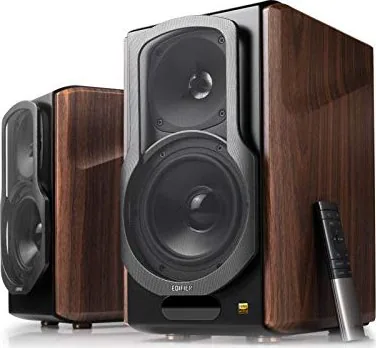
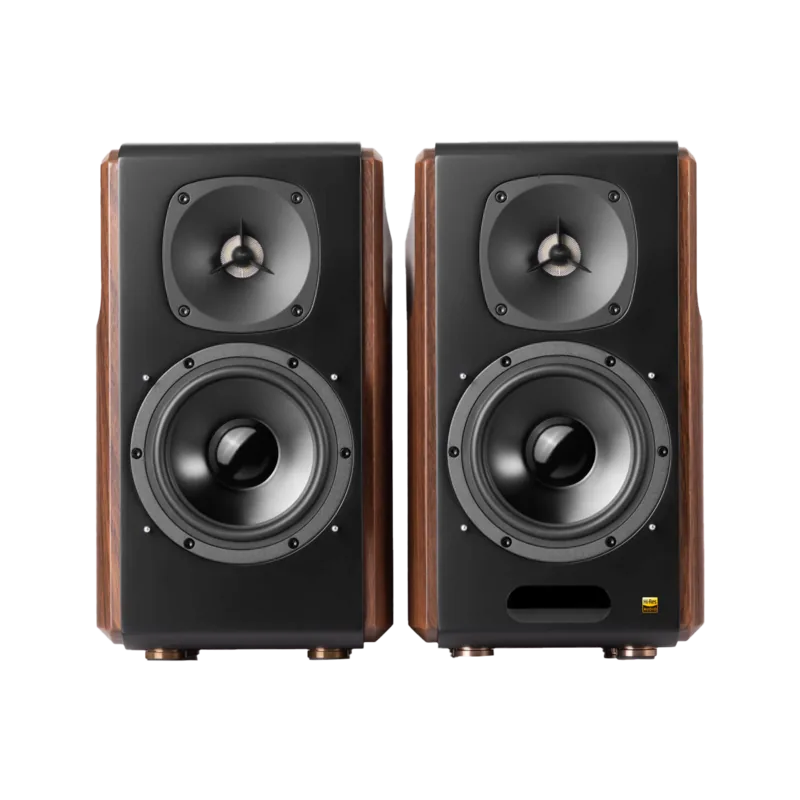
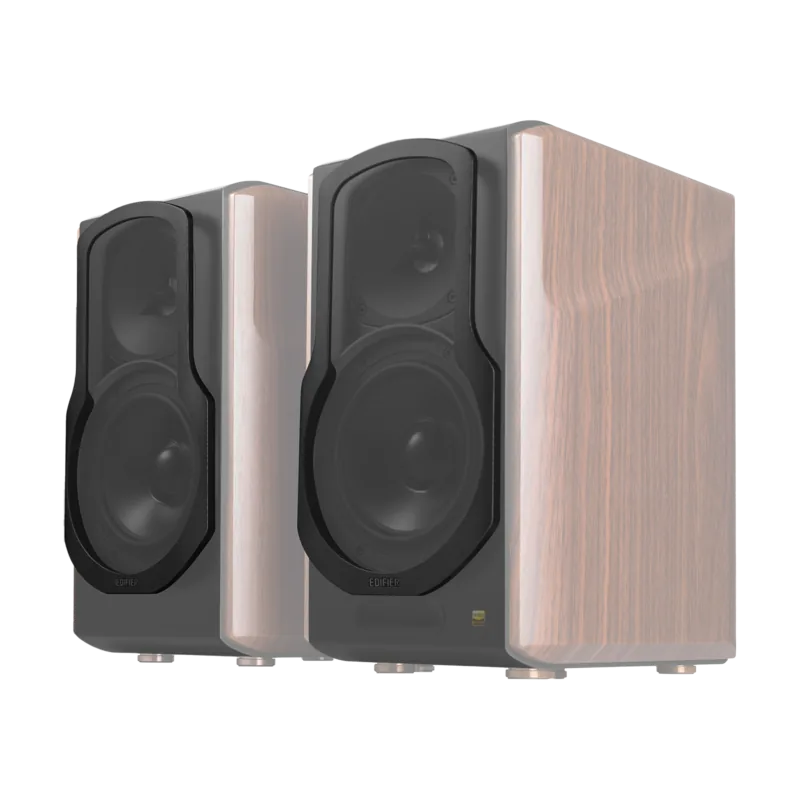
Edifier S2000 MKIII Manual
PDF manual · 74 Pages
English



Quick check
Incorrect answer, please try again.
Chat with your Edifier S2000 MKIII manual using AI
Get instant AI answers from your Edifier S2000 MKIII manual
Ask anything about the Edifier S2000 MKIII. Answers come from this manual, with the pages they are based on.
Ask a Question
Do you recommend S2000 MKIII?
Yes NoFrequently Asked Questions
You can connect audio via the Line In ports using an RCA cable. Select the corresponding input on the speaker or remote. Ensure the computer volume is up to avoid noise.
Is this answer helpful?
Yes, the speakers utilize Qualcomm aptX technology for improved wireless audio quality during Bluetooth streaming from compatible devices like smartphones.
Is this answer helpful?
Excessively loud music may lead to hearing loss. You should keep the volume in a safe range and stop usage if any distortion or discomfort occurs.
Is this answer helpful?
Check if the speaker is ON. Ensure audio cables are firmly connected and input is set correctly on the speakers. Check for signal output from your audio source.
Is this answer helpful?
For safety purposes, unplug the product during lightning storms to prevent damage from electrical surges and protect the internal components of the speaker system.
Is this answer helpful?
Never use strong acid, alkali, gasoline, alcohol, or other chemical solvents to clean the product surface. Use only neutral solvent or clear water for cleaning.
Is this answer helpful?
Advantages and Disadvantages
Advantages

- High power output with separate mid-range and bass drivers for deep sound quality.
- Multiple input options including Optical, Coaxial, Line In, and Bluetooth connectivity.
- Four built-in sound modes like Monitor and Vocal via remote control.
- Robust build quality with wooden enclosure designed for aesthetics and durability.
- Comprehensive connectivity using included RCA cables and fiber optic for easy setup.
Disadvantages

- No USB input port available for direct digital audio playback from flash drives.
- Bluetooth connection range is limited to 10 meters without significant interference.
- Requires minimum 5cm clearance for ventilation which impacts placement flexibility.
- Coaxial audio adapter not included requiring separate purchase for some setups.
- Remote control batteries last only about 6 months under normal usage conditions.
Product Specification
Type
Compact Speaker
System
2-Way
Tweeter
1x
Woofer
1x 5.50"
Frequency Range
45Hz-40kHz
Power
65W RMS
Sensitivity
90dB
Features
Active, Bluetooth 5.0, aptX, aptX HD, Digital Audio In (Coaxial), Digital Audio In (Optical), Stereo Line In (RCA), Remote Control
Color
Black, Brown
Product Description
Discovering the Edifier S2000 MKIII
The Edifier S2000 MKIII is a premium active stereo speaker system designed for audiophiles seeking high fidelity sound in a beautiful wooden enclosure. This unit features a powerful built-in amplifier integrated directly into the passive and active speaker units, ensuring robust output without external amplification gear requiring extra setup space. Users often consult the Edifier S2000 MKIII Pair Manual to understand the diverse connectivity options available for modern streaming devices. From traditional line inputs to wireless Bluetooth streaming, this ecosystem supports a wide array of audio sources seamlessly for both music and media consumption.
Sound Quality and Modes
Sound reproduction is where this system truly shines with its dedicated drivers. With separate tweeters and mid-range bass drivers housed in sturdy cabinets, the frequency response spans from 45Hz to 40KHz continuously. This wide range allows for deep bass impact and crisp highs that do not distort at high volumes. The included remote control offers four distinct audio modes: Monitor, Dynamic, Classic, and Vocal. Each mode adjusts the equalization to favor different genres, ensuring listeners can tailor the frequency curve to their preference instantly. Whether watching movies or listening to classical music, the sound stage remains spacious and detailed regardless of source quality.
Connectivity and Control
Connecting various devices is straightforward thanks to multiple input ports including optical, coaxial, and RCA jacks located on the rear panel. Bluetooth pairing is also fully supported for wireless convenience. The front panel includes essential volume and tone controls, allowing for quick adjustments without reaching for a smartphone. Bluetooth pairing supports standard protocols, with a stated effective range of approximately 10 meters for mobile devices. Physical connections utilize included cables for RCA and fiber optics, though some specialized third-party cables may be required for specific setups involving older equipment.
Power and Performance
Performance is driven by significant power output suitable for larger rooms. The system delivers substantial power per channel, ensuring dynamic range during action-packed scenes. The power supply is efficient but can generate heat during extended play sessions, so ventilation is critical. Users should ensure the mains plug is used as a disconnect device for safety during storms or long periods of non-usage. Maintenance involves keeping the surface free of dust and liquids to preserve the wood finish and electronics inside the chassis.
Safety and Maintenance
Safety is emphasized throughout the device guidelines with clear symbols warning of voltage and indoor use restrictions. Users should maintain at least 5 centimeters of clearance around the back for adequate airflow. Extreme heat or moisture should be avoided to prevent electrical hazards or component failure. Cleaning should be done with a dry cloth and never with solvents that might damage the plastic or wood. For detailed troubleshooting regarding power issues or wiring connections, enthusiasts refer to the official Edifier S2000 MKIII Pair Manual for specific wiring diagrams and error codes.
Conclusion
In summary, the Edifier S2000 MKIII offers exceptional value for home audio enthusiasts looking for quality. The blend of power, style, and versatility makes it a standout choice for desktop or living room setups. By adhering to safety instructions and utilizing all input modes fully, users can maximize the potential of this high-end speaker system for years of enjoyment. Additionally, the support team at www.edifier.com is available for warranty queries regarding specific product failures.
Search for 67,706 Manuals online


Type-in Brand or Model