
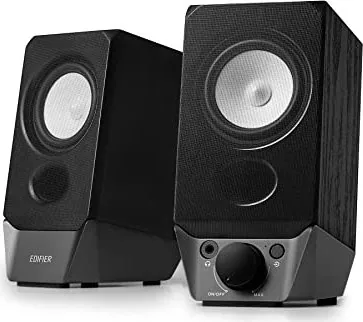
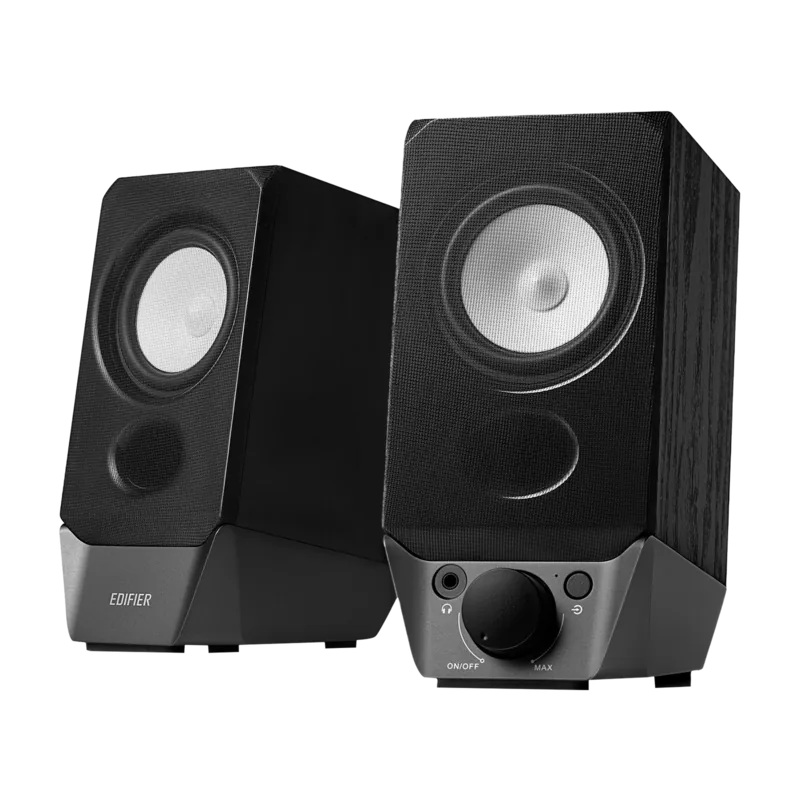
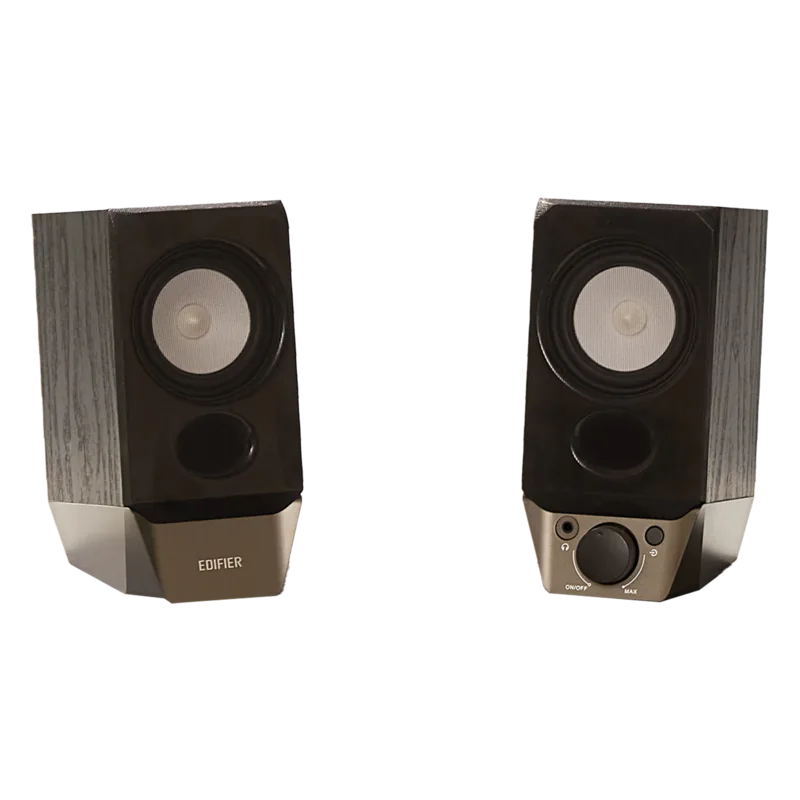
Edifier R19BT Manual
PDF manual · 51 Pages
English



Quick check
Incorrect answer, please try again.
Chat with your Edifier R19BT manual using AI
Get instant AI answers from your Edifier R19BT manual
Ask anything about the Edifier R19BT. Answers come from this manual, with the pages they are based on.
Ask a Question
Do you recommend R19BT?
Yes NoFrequently Asked Questions
Connect the included USB cable to the computer and rotate the knob clockwise to power on. Select the output device in your computer sound settings. Alternatively, use a 3.5mm cable for AUX mode or pair via Bluetooth for wireless audio.
Is this answer helpful?
No, these speakers are designed for indoor use only. Do not expose the product to rain or moisture to prevent fire risk or electric shock. Ensure they are kept in a dry environment away from heat sources.
Is this answer helpful?
Check if the speaker is on and the volume is up. Ensure audio cables are firmly connected and the input is set correctly on the speakers. Verify that there is a signal output from your audio source and that the volume controls on both devices are adjusted.
Is this answer helpful?
Use a dry cloth to clean the product after turning it off and disconnecting the power plug. Never use strong acid, alkali, gasoline, alcohol, or other chemical solvents. Use only a neutral solvent or clear water for cleaning.
Is this answer helpful?
Yes, wireless products may generate shortwave radio frequencies. Do not use the product near a pacemaker within a 20cm range as radio waves may affect its normal operation. Keep medical equipment in safe zones.
Is this answer helpful?
For warranty queries, visit the relevant country page on the company website. Review the section titled Warranty Terms. Contact locations are provided for the USA, Canada, and South America for specific support needs.
Is this answer helpful?
The product must be used at an altitude lower than 2000 meters. This restriction ensures proper functionality and prevents potential damage due to atmospheric conditions at high elevations.
Is this answer helpful?
Advantages and Disadvantages
Advantages

- Dual active and passive speaker configuration for better stereo sound
- Multiple connection options including Bluetooth, USB, and AUX
- Compact design fits easily on desktops without clutter
- Convenient USB power source for laptop integration
- Tactile volume and power controls for easy adjustment
Disadvantages

- Low total power output of 4W may lack volume for large rooms
- Indoor use only, not waterproof or weather resistant
- Bluetooth connection limited to a maximum range of 10 meters
- No volume synchronization feature with computer audio settings
- Can be difficult to pair if mode switch is incorrect
Product Specification
Type
Speaker Set
Channels
2.0
Total Power
4W Peak
Frequency Range
80Hz-19kHz
Audio Connections
AUX In (3.5mm Jack), Headphones (3.5mm Jack)
Additional Connections
USB-A
Wireless
Bluetooth 5.3
Features
USB powered
Color
Black
Consists of
2x Compact Speakers
Product Description
Premium Audio Experience
Welcome to a world of premium audio where clarity meets convenience. The Edifier R19BT stands out as a top-tier multimedia speaker system designed for modern desktops and small home setups. Its compact dual-driver configuration delivers surprising depth despite its small footprint. This kit pairs an active unit with a passive satellite to create a true stereo experience without clutter. The system supports multiple connection paths to suit various devices including phones, tablets, and computers. Users can stream music wirelessly via Bluetooth or connect directly through a USB port for high-quality digital audio output. A standard 3.5mm jack ensures backward compatibility with older gadgets. The connection between satellites requires a dedicated cable.
Setup and Controls
Setup is intuitive for most users. By consulting the Edifier R19BT Manual details, you can quickly learn to toggle between input modes using LED indicators. Blue light signals streaming success, while green denotes cable connections. A central rotary knob manages power and volume levels, offering tactile control without fiddling with software sliders. The design prioritizes safety and longevity. It is crucial to keep the units in dry environments away from heat sources like radiators. Ensuring at least five centimeters of space around the ports allows for proper airflow, protecting the internal electronics from overheating during extended play sessions.
Performance and Power
Power delivery comes from a standard USB plug, making it easy to power off a laptop. The frequency response spans from 80Hz to 19KHz, covering most music and voice content adequately. While the total power output is modest at 4W, it fills small rooms effectively. Troubleshooting guides are built into the experience. If you encounter static or connection drops, checking the Bluetooth pairing distance or reseating the auxiliary cable often resolves the issue quickly. It is an indoor-only appliance. This device balances affordability with reliable performance.
Safety and Maintenance
Safety warnings are essential. Do not leave water-filled objects on top of the speakers. Never attempt to open the casing as it exposes you to dangerous voltage. Keep small parts like screws away from children. Recycle the unit responsibly when it reaches the end of its life. This ensures environmental sustainability. Wireless signals can interfere with medical devices like pacemakers. Maintain a safe distance of 20cm. Airplane mode might be required in flight. For cleaning, always turn off the device first. Use only neutral solvents or clear water.
Notes
- Ensure ventilation clearance.
- Avoid volume extremes for hearing safety.
- Do not disassemble the housing.
- Use only approved accessories.
- Check altitude limits.
- Respect wireless frequency interference zones.
- Keep within 10 meters of Bluetooth connection range.
- Use neutral solvents for cleaning surfaces.
- Turn off power before unplugging cables.
- Adjust volume on both the speaker and computer separately.
- Consult warranty terms on the company website if issues arise.
- Follow return systems for disposal responsibly.
Search for 67,706 Manuals online


Type-in Brand or Model