
Edifier P180 Plus Manual
PDF manual · 9 Pages
English



Quick check
Incorrect answer, please try again.
Chat with your Edifier P180 Plus manual using AI
Get instant AI answers from your Edifier P180 Plus manual
Ask anything about the Edifier P180 Plus. Answers come from this manual, with the pages they are based on.
Ask a Question
Do you recommend P180 Plus?
Yes NoFrequently Asked Questions
Some iPhone models may not support in-line remote volume control because of iOS hardware or system differences. If volume control doesn’t work, adjust audio level directly from the phone.
Is this answer helpful?
Use the multi-function button: single press to pause/play, double press for the next track, triple press for the previous track. A long press activates the voice assistant.
Is this answer helpful?
Yes. The Edifier P180 Plus includes a built-in microphone positioned for hands-free calls and voice commands, providing clear voice pickup for everyday call use.
Is this answer helpful?
They are compatible with most Android devices, but exact remote functions can vary slightly by manufacturer and model. Test functionality on your specific phone to confirm behavior.
Is this answer helpful?
Many Edifier earbuds include multiple ear tip sizes for a better fit, though exact accessory packages may vary by region and production batch; check the package contents when purchasing.
Is this answer helpful?
No. Wired connection delivers effectively zero-latency audio, making them suitable for video, gaming, and live monitoring without Bluetooth delays.
Is this answer helpful?
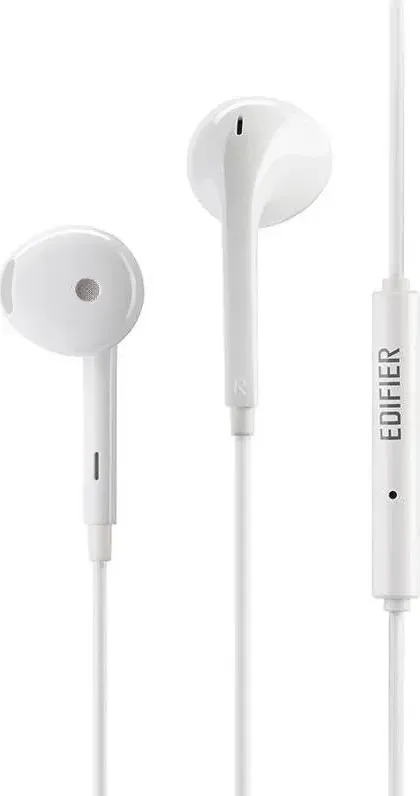
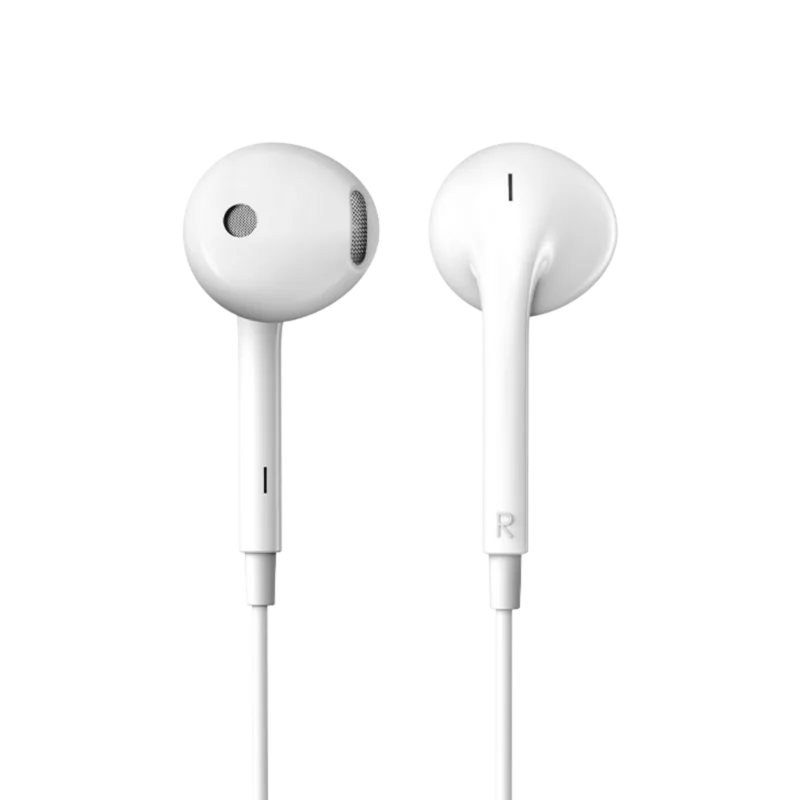
Product images and illustrations may differ slightly from the actual item due to production variations and regional customizations. The shipped product has precedence over promotional images.
Is this answer helpful?
Advantages and Disadvantages
Advantages

- Intuitive multi-function remote with pause/play, track skip, and voice-assistant activation.
- Wired connection provides zero-latency audio and straightforward compatibility.
- Lightweight, portable design suitable for daily commuting and casual listening.
- Built-in microphone enables hands-free calls and voice assistant use.
- Balanced sound signature focused on clear mids and vocal clarity for speech and music.
Disadvantages

- iPhone may not support remote volume control due to system limitations.
- Android behavior can vary by brand; some functions may differ across devices.
- Not positioned as high-end audiophile earbuds; limited bass extension or advanced tuning.
- Product appearance or accessories may vary by region or production batch.
- Wired design lacks wireless freedom and cable management conveniences.
Product Specification
Design
Earbuds
Form Factor
in-ear
Microphone
In-line microphone
Connection
0.14 in jack
Wireless
no
Cable
3.94 ft
Control
3-button remote control
Frequency range
20Hz-20kHz
Impedance
32Ohm
Sensitivity
97dB
Driver
0.56 in
Color
white
Product Description
Edifier P180 Plus — Compact Earbuds with Smart Controls
The Edifier P180 Plus blends straightforward in-line controls, reliable audio performance, and a compact design to deliver a user-friendly earbud experience for everyday listening. Lightweight and easy to carry, these wired earbuds focus on practical functionality: an integrated remote with volume up/down, a multi-function button for playback control, and a built-in microphone for calls and voice assistant access. The controls support single-, double- and triple-press gestures to pause/play, skip forward, or go back, while a long press activates voice assistants for hands-free interaction.
Designed with broad compatibility in mind, the P180 Plus works across mainstream mobile platforms, though behavior can vary by device brand and operating system. iPhones may not support in-line volume control due to iOS hardware/software differences, and certain Android models may show slight variations in how remote functions behave. Visuals and accessory fit can differ slightly from product imagery depending on production versions and regional customizations.
The earbuds are tuned for daily use, offering clear midrange and vocal presence with a balanced overall signature suitable for podcasts, calls, and casual music listening. Their wired connection ensures zero-latency audio, making them a practical choice for commuting, video listening, and voice calls. The in-line microphone is positioned for convenient speech pickup, and the remote’s simple layout keeps operation intuitive without frequent reference to manuals.
Build and comfort focus on practical portability: lightweight housings and standard ear tips support short- to medium-length listening sessions. While these earbuds aren’t marketed as audiophile-grade, they deliver dependable sound, straightforward controls, and solid value for users who prioritize utility and compatibility over premium features.
Notes:
- iPhone users may not be able to adjust volume from the remote due to system limitations; adjust volume on-device if needed.
- Android remote behavior can vary by manufacturer; test functions on your phone to confirm behavior.
- Product images or illustrations may slightly differ from the unit you receive; the actual product takes precedence.
Quick usage tips
- Single press: pause/play or adjust volume (up/down)
- Double press: next track
- Triple press: previous track
- Long press: voice assistant
Who this is for
Mobile users seeking an affordable, fuss-free wired earbud with an integrated mic and simple multi-press remote controls. Ideal for commuters, students, and anyone wanting reliable basic audio and hands-free access without wireless pairing complexities.
Search for 67,706 Manuals online


Type-in Brand or Model