
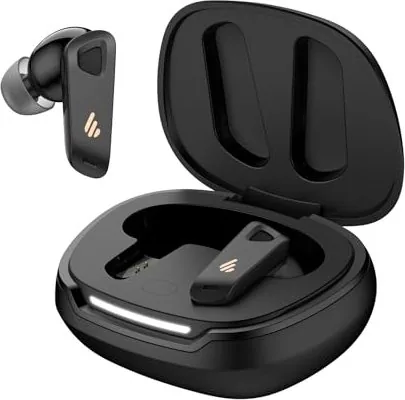
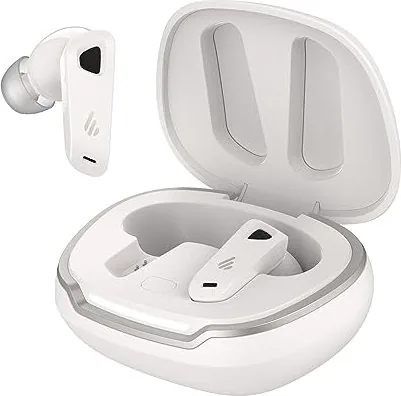
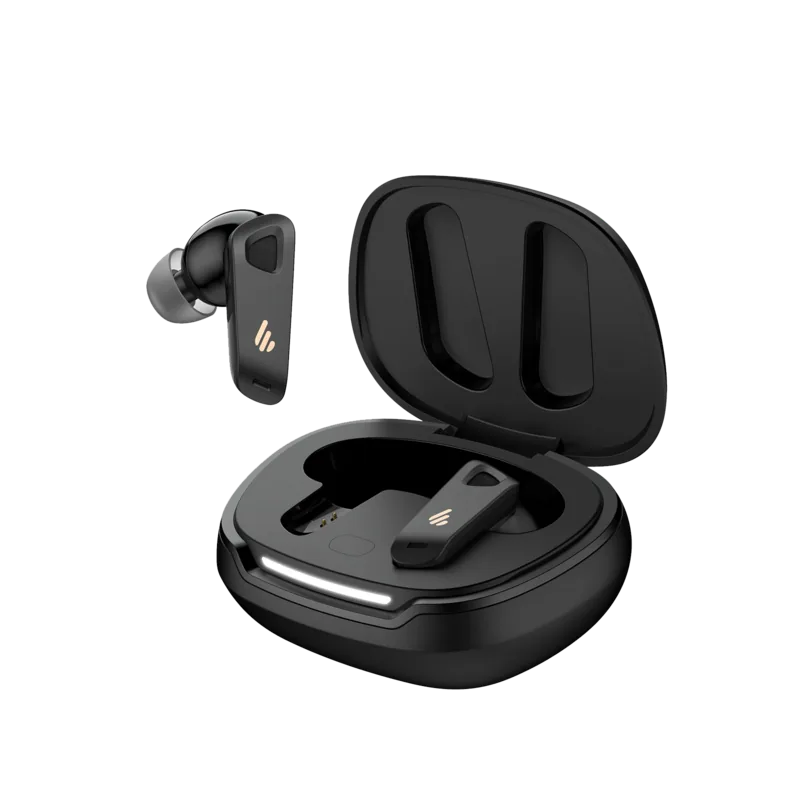
Edifier NeoBuds Pro 2 Manual
PDF manual · 7 Pages
English



Quick check
Incorrect answer, please try again.
Chat with your Edifier NeoBuds Pro 2 manual using AI
Get instant AI answers from your Edifier NeoBuds Pro 2 manual
Ask anything about the Edifier NeoBuds Pro 2. Answers come from this manual, with the pages they are based on.
Ask a Question
Do you recommend NeoBuds Pro 2?
Yes NoFrequently Asked Questions
Press the button on the case three times to reset. The LEDs will light from sides to center, then blink twice. Select Edifier NeoBuds Pro 2 in Bluetooth settings to connect again.
Is this answer helpful?
This function can be disabled or configured in the Edifier Connect App. Check the wearing detection settings to ensure it is enabled for automatic pause functionality.
Is this answer helpful?
Place earbuds in the case with the lid open. Press and hold the case button for about three seconds until LEDs circulate. Select Edifier NeoBuds Pro 2 in device settings to connect.
Is this answer helpful?
The earbuds require 5V 200mA input. The charging case requires 5V 1A input. Always use the included cable for safe charging without damage.
Is this answer helpful?
Yes, the default sound modes include spatial audio for tailored experiences. You can switch between music, game, and spatial audio modes using the touch controls or app.
Is this answer helpful?
If there is no Bluetooth connection for two hours after powering on, the earbuds will power off automatically to save battery power.
Is this answer helpful?
Yes, place earbuds in the charging case and keep the lid closed. The case charges the earbuds when placed inside correctly.
Is this answer helpful?
Advantages and Disadvantages
Advantages

- Effective noise cancellation blocks environmental distractions well.
- Edifier Connect App allows deep customization of control settings.
- Auto pause music works immediately on earbud removal.
- Fast charging support with included Type-C cable.
- Low latency gaming mode improves synchronization for play.
Disadvantages

- Case button reset requires precise three press sequences.
- Charging ports must remain dry during usage to avoid damage.
- Default settings may need App tweaking for specific users.
- No explicit water resistance rating mentioned in manual.
- Inactivity turns power off after exactly two hours.
Product Specification
Type
Headphones (In-Ear)
Form
True Wireless, No Ear Hook
Design
Closed
Microphone
Integrated
Wireless
Bluetooth 5.3, AAC, LHDC 5.0, LDAC, Google Fast Pair
Control
Touch Control
Battery Life
4h (with ANC), 5.5h (without ANC), 16h (with Charging Case)
Battery
USB-C Charging Port, Charging Case, 1h Charging Time, Quick Charge Function (15min for 2h Battery Life)
Frequency Range
20Hz-40kHz
Sensitivity
92dB
Drivers
1x 0.39 in (Dynamic), 1x Balanced Armature
Weight
0.01 lb (per earbud), 0.11 lb (Charging Case)
Product Description
Discover Premium Sound Quality
Experience the Edifier NeoBuds Pro 2 Manual integration with these advanced wireless headphones designed for modern users. This device offers exceptional high noise cancellation for truly immersive listening sessions in noisy environments. You can switch between ambient sound easily when walking outside or needing awareness of your surroundings. The sound modes include music, game, and spatial audio for tailored experiences matching your mood. Default settings prioritize clarity right out of unboxing for immediate enjoyment without configuration. Charging is fast with the included Type-C cable ensuring minimal downtime between usage sessions. LED indicators confirm charge levels accurately so you never guess battery status while traveling. Removing an earbud pauses music automatically for conversation or quick breaks during your day. Reinserting resumes playback instantly without lag or any manual pressing required again. The touch panel controls allow customizable commands for your specific daily habits and preferences. Left and right panels handle taps and holds for playing, pausing, or skipping tracks effortlessly. You can reset connection by pressing the case button three times securely if connection issues arise. Pairing involves opening the case and selecting the device name on your smartphone screen. Quick Pair works on Android 6.0 or higher efficiently for seamless setup without confusion or lag. Download the Edifier Connect App for more advanced settings like EQ tuning and control customization. Avoid charging if liquid is inside the ports to prevent serious damage to internal components. This prevents damage to internal components from sweat or accidental water exposure risks during exercise. The battery turns off after two hours of inactivity to save power while traveling in bags. Comfortable fit ensures long wearing sessions during commutes or long work days efficiently. Clear audio quality suits all music genres from classical to hard rock effectively. Gaming mode reduces latency significantly for competitive play where timing matters greatly. Build quality feels sturdy and durable for daily travel use without worry. Packaging contains the headphones and their protective charging case securely stored inside. Visit the official website for firmware updates and helpful support services for your device. Always check the safety warnings in the documentation before heavy use to maintain longevity. Enjoy your music without interruption on this superior and versatile audio device today. The manufacturer provides support via their official global channels for any inquiries regarding the unit. You can contact them through the website listed on the product packaging for assistance. Their contact details are available for warranty claims or technical support requests. They aim to provide best in class service for all audio enthusiasts worldwide. Ensure you keep the box and charging cable for reference during setup. Keep the manual accessible for future reference regarding the settings. This ensures you get the most out of your purchase over the years. Power input specifications differ between the earbuds and the case unit itself. Earbuds require five volts at two hundred milliamps for proper charging safety. The case requires five volts at one ampere to charge its internal batteries effectively. This ensures both parts receive optimal power levels for longevity over time. Do not charge the case without the earbuds if they are wet inside. Ensure ports are clean and dry before connecting any power source for usage. If the LEDs blink twice after pairing, connection was successful immediately. If they do not, repeat the pairing process as described in the guide. Furthermore, the spatial audio feature creates a wider soundstage for virtual reality content. This is ideal for movies or immersive music tracks at home. Users can adjust the sensitivity of the sensors in the application settings page. This helps prevent accidental pausing if you feel the fit is too loose. The automatic power off function saves significant battery life during storage periods. It prevents draining the battery while you are away from the device. Always ensure the charging case is closed to stop the earbuds from powering on. The LEDs show the status to confirm if the charge is full or low. Check the website periodically for new firmware releases to fix bugs. This helps improve the overall stability of the Bluetooth connection over time. Enjoy the convenience of the Edifier NeoBuds Pro 2 Manual features fully.
Important Notes
- Power input specifications differ between the earbuds and the case unit.
- Earbuds require five volts at two hundred milliamps for charging safety.
- The case requires five volts at one ampere to charge internal batteries.
- Do not charge if ports have liquid or sweat inside.
- Check the website periodically for firmware updates to fix bugs.
Search for 67,706 Manuals online


Type-in Brand or Model