
Edifier MP260 Manual
PDF manual · 51 Pages
English



Quick check
Incorrect answer, please try again.
Chat with your Edifier MP260 manual using AI
Get instant AI answers from your Edifier MP260 manual
Ask anything about the Edifier MP260. Answers come from this manual, with the pages they are based on.
Ask a Question
Do you recommend MP260?
Yes NoFrequently Asked Questions
Turn the speaker on, press the mode button to switch to Bluetooth mode. On your phone, search for EDIFIER MP260 and connect. The icon will show steady on the display when paired successfully, indicating a successful connection to the Bluetooth input source.
Is this answer helpful?
No, the product should never be exposed to rain, moisture, or liquids. Do not immerse it in any liquid. Using it near water may cause electrical shock or damage. Keep it in a dry environment between 0 and 35 degrees Celsius to prevent damage.
Is this answer helpful?
Press and hold the specified button for alarm settings. Use volume buttons to switch AM/PM mode, hours, minutes, or volume levels. Press the button again to exit and save settings. Ensure the product is connected to the power adapter so the alarm activates properly without battery exhaustion.
Is this answer helpful?
Do not disassemble, hit, or squeeze the battery. Do not expose it to fire or heat. Replace only with the same type. If the battery looks swollen or leaks, stop using it immediately. Improper use can lead to explosion or skin burns, so handle with care according to local regulations.
Is this answer helpful?
Yes, the speaker supports USB flash disk inputs for audio streaming. You can also use microSD (TF) cards. Insert the media into the appropriate slot, select the audio source, and playback will begin. The charging port is separate from the audio streaming port.
Is this answer helpful?
The product must be used at an altitude of lower than 2000 meters. Operating above this level may cause issues. Ensure the environment temperature remains within the recommended range to maintain the integrity of the internal components and battery performance during operation.
Is this answer helpful?
Turn off the product and disconnect power before cleaning. Use a dry cloth or neutral solvent and clear water. Never use strong acid, alkali, gasoline, or alcohol. Do not insert objects into ventilation openings or slots to prevent electric shock or fire hazards.
Is this answer helpful?
Advantages and Disadvantages
Advantages

- Powerful 40W Peak Audio Output with clear treble and bass
- Multiple connectivity options including Bluetooth and USB
- Built-in Alarm Clock with useful digital display window
- 10-meter effective Bluetooth transmission range
- Supports playback from microSD and USB storage devices
Disadvantages

- Not water or moisture-proof for outdoor wet conditions
- Alarm clock function requires constant power adapter connection
- Must maintain 5cm clearance for proper ventilation safety
- Battery safety risks if disassembled or exposed to heat
- Radio interference possible near pacemakers or medical devices
Product Specification
Power
20W RMS
Display
LED
Tuner
No
Frequency Range
53Hz-18kHz
Ports
AUX In (3.5mm Jack), USB-A, Cardreader (microSD)
Wireless
Bluetooth 5.0
Power Source
Li-Ion Battery (2500mAh), USB
Features
Clock Display, Alarm
Dimensions
7.60 x 4.45 x 4.53 in (WxHxD)
Product Description
Welcome to the Edifier MP260 Review
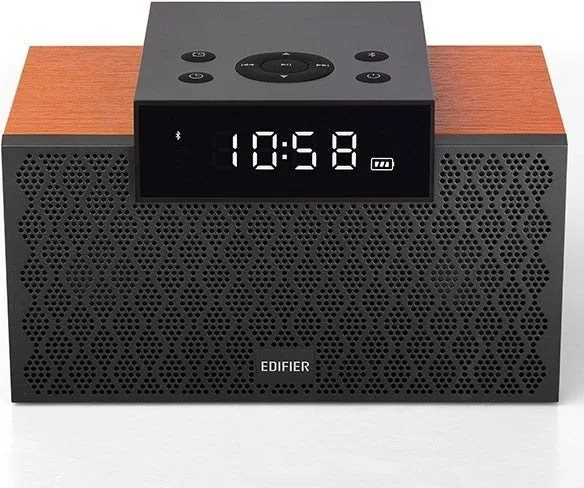
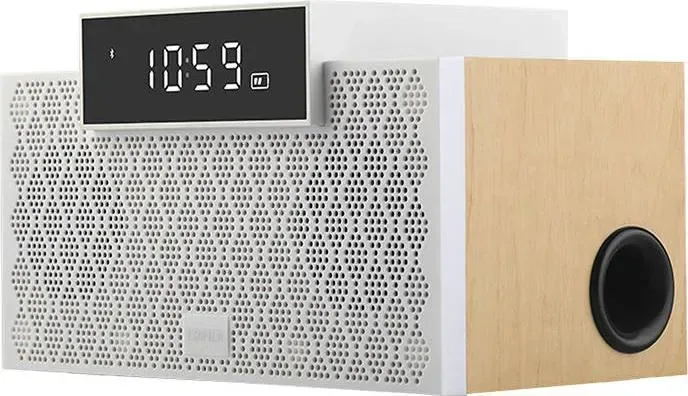
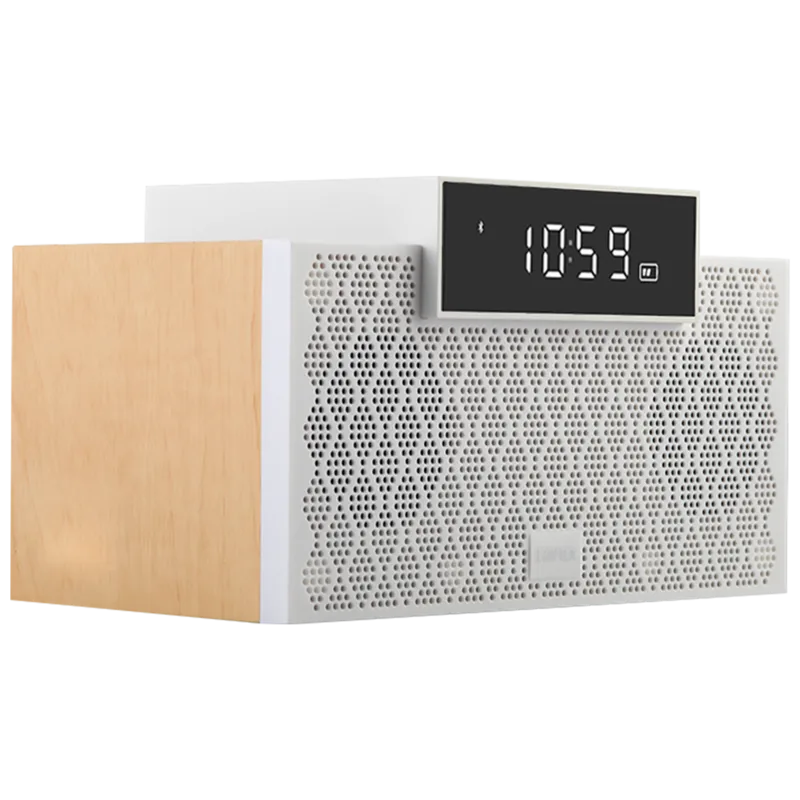
The Edifier MP260 stands out as a versatile portable Bluetooth speaker designed for modern music enthusiasts seeking high-quality sound on the go. This unit delivers a robust audio experience with a peak power output of 40W, ensuring that your tunes fill any room with richness and clarity. At the heart of its design lies a dual-driver system featuring a 1 3/4 inch tweeter and a 2 3/4 inch bass unit. This configuration allows for a frequency response ranging from 53Hz to 18KHz, capturing both deep lows and crisp highs effectively. Connectivity options are extensive, supporting Bluetooth connections alongside auxiliary inputs, microSD card slots, and USB flash disks for direct media playback. USB audio streaming is also supported for convenient file access.
One of the standout features is the built-in alarm clock function, making it a functional addition to nightstands or desks. Users can monitor time via an integrated digital display window, adding convenience during daily routines. Settings for the clock and alarm can be adjusted using specific button combinations to switch between AM and PM modes. Power management is straightforward with a USB charging cable and adapter connectivity. Charging indicators help users monitor battery status effectively. Users must ensure power adapter connection for alarm functionality to prevent failure due to exhaustion. However, safety remains a priority during daily use and storage. The product requires storage in environments between 0 and 35 degrees Celsius to prevent material degradation. Furthermore, water exposure must be avoided completely to prevent internal damage or electrical shock. Do not use near heat sources like radiators. The Edifier MP260 Manual provides essential guidance for safe operation and troubleshooting common issues regarding these conditions.
Many consumers look for the Edifier MP260 Manual to understand battery care protocols and wireless interference warnings. The device supports wireless functionality within a 10-meter range, perfect for moving around freely without dropping sound quality. It is crucial to avoid medical facilities or pacemaker proximity within 20cm due to radio frequency interference. The speaker controls allow easy access to volume levels, track skipping, and source selection with simple button presses. It is important to maintain ventilation around the device, keeping at least 5cm of clearance to prevent overheating during extended sessions. Additionally, altitude should remain below 2000 meters for optimal performance and safety compliance. Cleaning should only be done with neutral solvents.
Bluetooth connection requires pressing the mode button until the device is discoverable. If noise occurs, check background audio levels. Troubleshooting involves checking input settings and cable firmness. In conclusion, this speaker balances performance with practicality and safety standards. Whether used for home entertainment or small gatherings, the Edifier MP260 offers reliable audio streaming and versatile input choices for various digital devices. Proper maintenance ensures longevity, while the clear display interface simplifies user interaction regardless of input source. For those seeking a portable solution with strong bass and clear treble, this model represents an excellent value proposition in the compact speaker market. Remember to keep accessories like screws away from children and always use authorized service professionals for any internal repairs if necessary to maintain warranty standards.
Search for 67,706 Manuals online


Type-in Brand or Model