Manual.ly Logo

Edifier MP200 Manual

0.0 · 0 Ratings

PDF manual · 1 Pages

English

M: qwen/qwen3.5-flash-20260224
page

/ 1

Loading...
4a10dbe7d4825d80b575a906d74dd7299a23 page 1
版面设计:
版本号及料号: V1.0/
名 称: MP200(英法文)说明书
材 质:
尺 寸: 60x130mm   校 对:
批 准:
东莞市漫步者科技有限公司
80克书纸
IB-200-M02000-00
MP200
Portable Speaker
Enceinte Portable
User manual | Mode d'emploi
Manual Edition 1.0, Nov. 2016
IB-200-M02000-00
NOTICE:
For the need of technical improvement and system
upgrade,information contained herein may be
subject to change from time to time without prior
notice.
Products of EDIFIER will be customized for different
applications. Pictures and illustrations shown on
this manual may be slightly different from actual
product. If any difference is found, the actual
product prevails.
Suit 2207, 22nd floor,
Tower II,Lippo centre,
89 Queensway
Hong Kong
Tel: +852 2522 6989
Fax: +852 2522 1989
www.edifier.com
© 2016 Edifier International Limited. All rights reserved.
Printed in China
IB-200-M02000-00 说明书MP200/英法文
Important safety instruction
WARNING:
To reduce the risk of fire or electric shock, do not expose
this apparatus to rain or moisture.
1. Keep these instructions.
2. Follow all instructions.
3. Do not use this apparatus near water.
4. Clean only with dry cloth.
5. Do not install near any heat sources such as radiators, heat registers, stoves, or
other apparatus (including amplifiers) that produce heat.
6. Only use attachments/accessories specified by the manufacturer.
7. Refer all servicing to qualified service personnel. Servicing is required when the
apparatus has been damaged in any way, such as power-supply cord or plug is
damaged, liquid has been spilled or objects have fallen into the apparatus, the
apparatus has been exposed to rain or moisture, does not operate normally, or has
been dropped.
8. The maximum ambient temperature is 40
℃
.
1
English
Note:
There is a built-in rechargeable lithium-ion battery in the speaker.
Danger of explosion if the speaker is disassembled. The speaker
must not be placed close to excessive heat such as fire or the like.
Correct Disposal of this product. This marking
indicates that this product should not be disposed with
other household wastes throughout the EU. To prevent
possible harm to the environment or human health
from uncontrolled waste disposal, recycle it
responsibly to promote the sustainable reuse of
material resources. To return your used device, please
use the return and collection systems or contact the
retailer where the product was purchased. They can
take this product for environmental safe recycling.
Specifications
microUSB connecting cable
What's in the box How to chargeIllustrations Bluetooth speakerphone
……
microSD card
2
English
3
English
4
English
5
English
6
English
7
English
8
English
User manual
Box content
1. LED indicator
Blue: Bluetooth input
Red: microSD card input
Green: USB audio streaming input
2. microSD card connector port
3. DC IN input port / USB audio streaming connector port
4. Charging indicator
5. Press and hold: to reject call / switch conversation to mobile phone
or disconnect Bluetooth (under no conversation)
Press: answer call / end call
6. Press and hold: ON / OFF
Press: input selection
7. Play / pause
8. Press: volume decrease
Press and hold: next track
9. Press: volume increase
Press and hold: previous track
Charge
Charging: red light on
Full charged: off
1. Connect the speaker to USB power source on a computer or USB port
(DC5V 2A) with the micro USB connecting cable for charging.
2. To ensure a full charge and for optimal audio playback, please fully
charge the speaker once a month.
3. Please turn off the speaker when not in use.
Note:
1. You will hear an indicator tone when the speaker is turned on,
connected or disconnected from a Bluetooth device, or when the
battery voltage is low.
2. Battery playback time (offers up to 12 hours in Bluetooth input) may
vary through music sources and volume settings.
3. You will hear a warning indicator tone when the volume is at maximum
level; please adjust volume accordingly.
4. If the speaker is turned on without any audio source connection, it will
automatically turn off after 3 minutes.
Operational guide
Blue
1. Turn on speaker and switch to Bluetooth input by pressing power
button on the speaker.
2. Go to setup section on your source device (mobile phones, tablets,
etc.) and search for “EDIFIER MP200” in the list.
3. Pair your device with “EDIFIER MP200”.
4. Play audio tracks on your device and adjust the volume to a desired
level.
Note:
1. Bluetooth connectivity and compatibility may be different between
different source devices, depending on the software versions of source
devices.
2. In Bluetooth input, “previous/next track” is just effective for supporting
AVRCP (Audio/Video Remote Control Profile) protocol device.
3. To enjoy the full Bluetooth functions of this product, please ensure
your mobile device has A2DP&HFP profile.
4. PIN code for connection is “0000” if needed.
When a phonecall comes in while playing music in Bluetooth input:
●
Press and hold key to reject the call.
●
Press key to answer the call, again to end the call.
●
When you are answering, press and hold key to switch
conversation to your mobile phone from the speaker.
●
Under no conversation, press and hold key to disconnect
Bluetooth connection.
MP200 pairs with two Bluetooth devices simultaneously
The MP200 is able to connect simultaneously with two different
Bluetooth devices to ensure the music never stops.
Here is how it works:
1. Pair with first Bluetooth device
2. Unpair the first device by pressing for an extended period the
“ ” key.
3. Now pair with the second Bluetooth device.
You are set. The MP200 is connected to both devices at same time
allowing you and your friend to select and play music from two
devices’ playlists simultaneously.
microSD card
icro
M
red
Insert the microSD card (not included, Max. 32G, MP3/WMA/WAV/
M4A format) into the slot
Note:
Simultaneously press and keys to switch to previous track,
Simultaneously press and keys to switch to next track.
USB audio streaming
Troubleshooting
USB audio streaming
green
1. Connect the speaker to USB port on PC with microUSB connecting
cable.
2. Turn on the speaker, indicator will be green, you can play the music
on PC
Power output: 5.5W
Noise level:
≤
30dB(A)
Frequency response: 150Hz~14KHz
Input sensitivity: Bluetooth / USB audio
streaming: 300 ± 50mFFS
Input type: microSD card(Max. 32G, MP3/WMA/
WAV/M4A format) / Bluetooth /
USB audio streaming
Speaker units: 2 inches (48mm)
• Ensure the MP200 is fully charged.
• Switch the MP200 off then on and reconnect to the audio source.
• Ensure the audio format of the music in your microSD card (Max.
32G) is MP3/WMA/WAV/M4A format.
• Ensure Bluetooth function is enabled compatible on your Bluetooth
devices.
• Move the devices closer and retry the connection.
• Try another Bluetooth device for connection.
• If pairing with a laptop or a computer, please select the MP200 as
the audio output device.
If you want to find out more about EDIFIER, please visit our website at
www.edifier.com
For Edifier warranty queries, please visit the relevant country page on
our www.edifier.com and review the section Warranty Terms.
USA and Canada: [email protected]
South America: Please visit www.edifier.com (English) or
www.edifierla.com (Spanish/Portuguese) for local contact information
Caractéristiques techniques
Câble de raccordement microUSB
Contenu du produit
enceinte
Instructions de chargeIllustrations Téléphone à haut-parleur Bluetooth
……
carte microSD
mode d'emploi
Contenu du produit
Chargement
Charge en cours : voyant rouge allumé
Charge terminée : éteint
1. Pour la charge, branchez un câble de raccordement micro USB sur
l’enceinte et sur une source d'alimentation USB d’un ordinateur ou un
port USB (DC5V 2A).
2. Afin d'assurer une pleine charge et une lecture audio optimale,
veuillez recharger l'enceinte une fois par mois.
3. Éteignez l’enceinte lorsqu’elle n’est pas utilisée.
Remarque :
1. Vous entendrez une tonalité lorsque l’enceinte est allumée, branchéé
ou débranchée d'un appareil Bluetooth ou lorsque la tension de la
batterie est faible.
2. L’autonomie en lecture de la batterie (permet jusqu’à 12 heures en
mode Bluetooth) peut varier selon les sources audio et le réglage du
volume.
3. Vous entendrez une tonalité d’avertissement quand le volume est au
niveau maximal, veuillez régler le volume en conséquence.
4. Si l’enceinte est en marche sans être connectée à aucune source
audio, elle s'éteindra automatiquement au bout de 3 minutes.
Guide d'utilisation
Bleu
1. Mettez en marche l’enceinte et activez le mode Bluetooth en appuyant
sur le bouton marche/arrêt sur l’enceinte.
2. Allez à la section Configuration de votre appareil source (téléphone
mobile, tablette, etc.) et recherchez « EDIFIER MP200 » dans la liste.
3. Appariez votre appareil avec « EDIFIER MP200 ».
4. Lisez de la musique sur votre appareil et réglez le volume à votre
convenance
Remarque :
1. La connectivité et la compatibilité Bluetooth peuvent différer entre les
appareils source, selon la version du logiciel des appareils source.
2. En mode Bluetooth, « piste précédente/suivante » fonctionne
uniquement avec les appareils prenant en charge le protocole AVRCP
(profil de télécommande audio/vidéo).
3. Pour profiter pleinement des fonctions Bluetooth de ce produit, vérifiez
que votre appareil mobile a le profil A2DP et HFP.
4. Le code PIN pour la connexion est « 0000 », si nécessaire.
carte microSD
icro
M
rouge
Insérez la carte microSD (non incluse, max. 32 Go, format MP3/
WMA/WAV/M4A) dans la fente
Diffusion audio en continu USB
Troubleshooting
Diffusion audio en continu USB
vert
1. Branchez un câble de raccordement microUSB à l’enceinte et au port
USB d’un PC.
2. Mettez en marche l’enceinte, le témoin vert s'allumera, la musique
pourra être lue sur le PC
Puissance de sortie : 5,5 W
Niveau acoustique :
≤
30dB(A)
Réponse en fréquence : 150 Hz à 14 KHz
Sensibilité d’entrée : Diffusion audio en continu Bluetooth /
USB 300 ± 50mFFS
Type d’entrée : Diffusion audio en continu par carte
microSD(Max. 32Go, MP3/WMA/WAV/M4A
format) / Bluetooth / USB
Enceintes : 48 mm (2 pouces)
Consignes de securite importantes
AVERTISSEMENT: Afin de diminuer les risques d’incendies ou de
chocs électriques, ne pas exposer cet appareil à la pluie ou à
l’humidité.
1. Conserver ces notices
2. Suivre toute s les instructions
3. Ne pas utiliser cet appareil à proximité d’eau
4. Ne nettoyer qu’ave c un chiffon doux.
5. Ne pas installer près de sources de chaleur tels des radiateurs,
de bouches d’air chaud, des fours, ou autres appareils (y comp
ris des amplificateurs) générant de la chaleur.
6. N’utiliser que les fixations/accessoires stipulés par le fabricant.
7. Confier la réparation à un personnel technique agréé. La
réparation est nécessaire lors de tout endommagement de
l’appareil , tel les dégâts au cordon d’alimentation ou à la prise,
un liquide a été versé ou des objets sont tombés sur l’appareil,
ce dernier a été exposé à la pluie ou l’humidité, ne fonctionne
pas normalement ou est tombé.
8. La température ambiante maximale est de 40 °C.
9
Français
10
Français
11
Français
12
Français
13
Français
14
Français
15
Français
16
Français
Élimination correcte de ce produit. Ce symbole avise
qu’en Europe, ce produit ne doit pas être éliminé avec
les autres déchets ménagers. Recyclez-le de manière
responsable pour promouvoir la réutilisation durable
des ressources matérielles et éviter tout risque pour
l’environnement ou la santé résultant d’une élimination
non contrôlée des déchets. Pour retourner le produit
usagé, utilisez les points de retour et de collecte ou
contactez le vendeur du produit qui peut prendre en
charge ce produit pour un recyclage respectueux de
l’environnement.
Remarque
:
Une batterie rechargeable lithium-ion est incorporée dans le
haut-parleur. Risque d’explosion si le haut-parleur est démonté.
Le haut-parleur ne doit pas être placé à proximité d’une chaleur
excessive tel le feu ou équivalent.
1. Témoin lumineux
Bleu : mode Bluetooth
Rouge : entrée de carte microSD
Vert : entrée USB de diffusion audio en continu
2. port de connexion de carte microSD
3. port d’entrée CC IN / port USB de connexion de diffusion
audio en continu
4. Témoin de charge
5. Maintenir enfoncé : pour refuser un appel / basculer la
conversation vers le téléphone mobile
ou déconnecter le Bluetooth (pas durant une conversation)
Appui simple : décrocher / raccrocher
6. Maintenir enfoncé : MARCHE / ARRÊT
Appui simple : sélection de l’entrée
7. Lecture / pause
8. Appui simple : baisser le volume
Maintenir enfoncé : piste suivante
9. Appui simple : monter le volume
Maintenir enfoncé : piste précédente
Lors d‘un appel entrant pendant la lecture de musique en mode
Bluetooth :
●
Maintenez enfoncée la touche pour refuser l'appel.
●
Appuyez sur la touche pour décrocher et rappuyez dessus
pour raccrocher.
●
Quand vous décrochez, maintenez la touche enfoncée
pour basculer la conversation depuis l’enceinte vers votre
téléphone mobile
●
S'il n’y a pas de conversation, maintenez la touche enfoncée
pour désactiver la connexion Bluetooth
Le MP200 s'apparie avec deux appareils Bluetooth
simultanément
Le MP200 est capable de se connecter simultanément avec deux
appareils Bluetooth différents pour s'assurer que la musique ne
s'arrête jamais.
Voici comment cela fonctionne :
1. Appariez-le d'abord à l'appareil Bluetooth
2. Désappariez le premier appareil en appuyant longuement sur la
touche « ».
3. Ensuite, appariez-le avec le deuxième appareil Bluetooth.
Vous avez terminé. Le MP200 est connecté aux deux appareils en
même temps, ce qui vous permet à vos amis et vous-même de
sélectionner et de lire de la musique simultanément à partir des
listes de lecture des deux appareils.
Remarque :
Appuyez simultanément sur les touches et pour passer à la
piste précédente,
Appuyez simultanément sur les touches et pour passer à la
piste suivante.
• Vérifiez que le MP200 est entièrement chargé.
• Éteignez le MP200, puis rallumez-le et rebranchez-le à la source
audio.
• Vérifiez que le format audio de la musique sur votre carte microSD
(max. 32 Go) est MP3/WMA/WAV/M4A.
• Vérifiez que vérifiez que la fonction Bluetooth est activée et
compatible avec vos appareils Bluetooth.
• Rapprochez les appareils et ressayez de les connecter.
• Essayez de connecter un autre appareil Bluetooth.
• Si vous l'appariez avec un ordinateur, sélectionnez le MP200 en
tant qu'appareil de sortie audio.
Pour en savoir plus sur EDIFIER, visitez notre site web
www.edifier.com
Pour toute question relative à la garantie d’Edifier, visitez la page
correspondant à votre pays sur www.edifier.com et consultez la
section Garantie.
États-Unis et Canada : [email protected]
Amérique du Sud : Visitez www.edifier.com (anglais) ou
www.edifierla.com (espagnol/portugais) pour les coordonnées locales
speaker
⑤
⑥
⑦
① ② ③
④
⑧
⑨
⑤ ⑥
⑦
① ② ③ ④
⑧
⑨

Chat with your Edifier MP200 manual using AI

Get instant AI answers from your Edifier MP200 manual

Ask anything about the Edifier MP200. Answers come from this manual, with the pages they are based on.

Ask a Question

0/1000

Do you recommend MP200?

Yes No

Frequently Asked Questions

A

The built-in rechargeable lithium-ion battery offers up to 12 hours of continuous playback during normal Bluetooth input usage. This ensures your music plays all day without interruption while traveling or working outdoors.

Is this answer helpful?

A

Yes, it supports simultaneous connection to two Bluetooth devices. This allows you to share music between friends without skipping a beat or pausing tracks while ensuring the music never stops.

Is this answer helpful?

A

The microSD card slot accepts cards up to 32GB in common audio formats like MP3 and WMA. It allows you to insert cards and play stored audio files directly through the unit.

Is this answer helpful?

A

Connect the speaker to a USB power source on a computer or USB port using the microUSB cable. To ensure a full charge, please fully charge the speaker once a month and turn it off when not in use for longevity.

Is this answer helpful?

A

Ensure the device is fully charged and the Bluetooth function is enabled on your source devices. Move the devices closer and retry the connection or try another Bluetooth device for compatibility.

Is this answer helpful?

A

Yes, warranty queries should be directed to the relevant country page on the official website. Review the section Warranty Terms for specific coverage details based on your location.

Is this answer helpful?

M: qwen/qwen3.5-flash-20260224

Advantages and Disadvantages

Advantages

  • Built-in rechargeable lithium-ion battery offers up to 12 hours of continuous playback for daily use.
  • Supports simultaneous connection to two Bluetooth devices ensuring music never stops for users.
  • Features built-in microphone functionality allowing users to answer phone calls directly from the unit.
  • Includes microSD card slots accepting cards up to 32GB in common audio formats for playback.
VS

Disadvantages

  • No wired 3.5mm auxiliary input available for direct connection to devices without Bluetooth capability.
  • Maximum SD card size is limited to 32GB restricting potential library size for storage.
  • Maximum ambient temperature is 40 degrees Celsius which limits placement options in hot environments.
M: qwen/qwen3.5-flash-20260224

Product Specification

Power

5.5 W RMS

Display

No

Tuner

No

Frequency Range

150 Hz - 14 kHz

Ports

Card Reader (microSD)

Wireless

Bluetooth 4.1

Power Source

Battery (2,200 mAh), USB

Playback Time

12 h

Features

Water-resistant (IP54), Hands-free

M: qwen/qwen3.5-flash-20260224

Product Description

Edifier MP200: Portable Sound Redefined

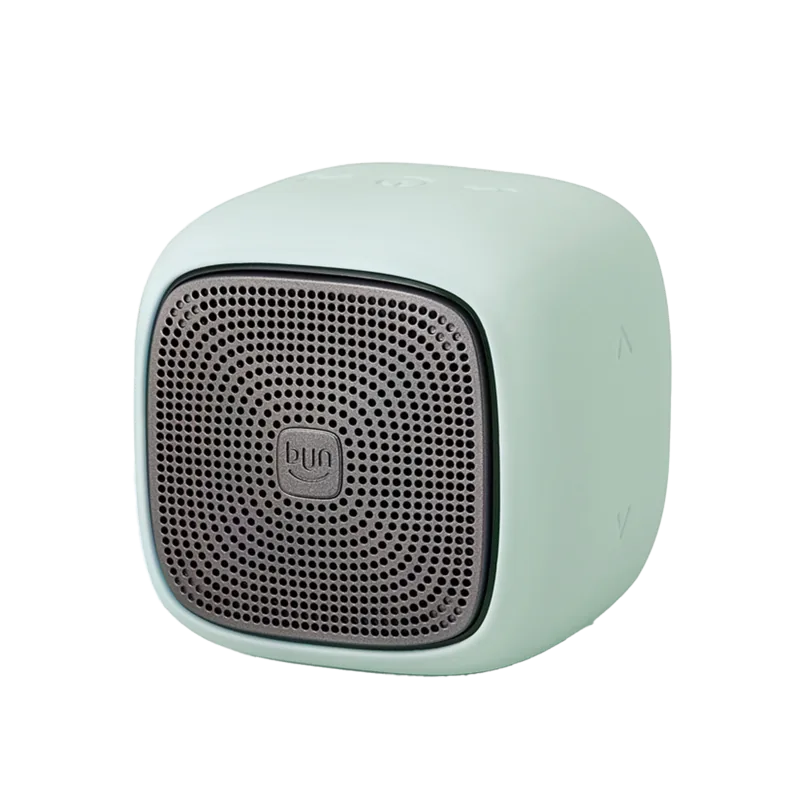
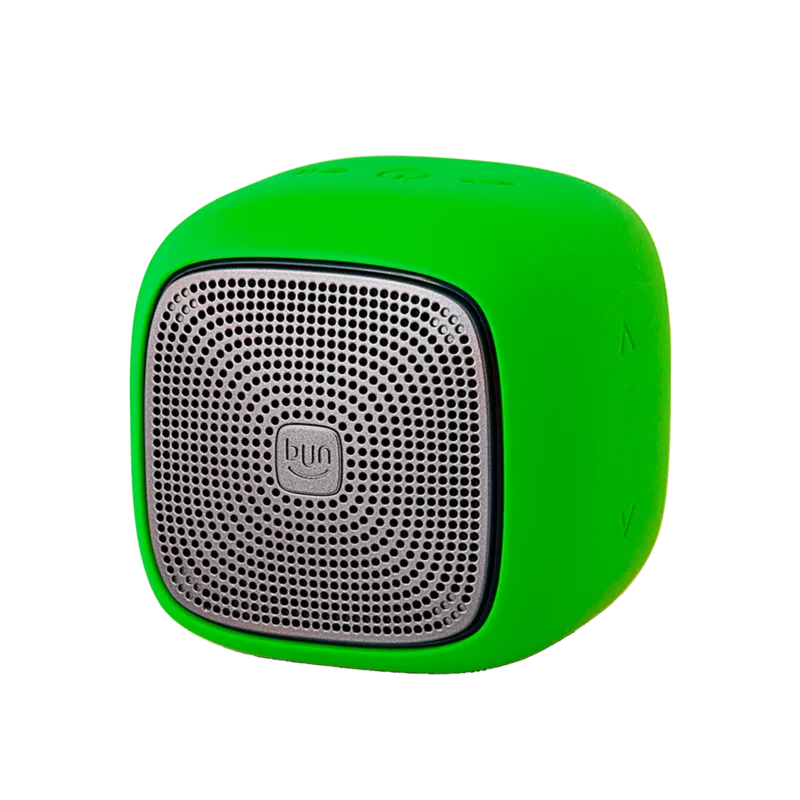
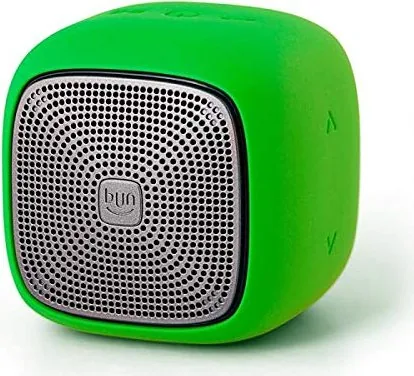
Finding the perfect companion for music on the go requires a reliable device with long lasting power. The Edifier MP200 stands out in the crowded portable speaker market for good reason. It delivers clear audio and robust connectivity options for users everywhere who value quality sound. This device integrates seamlessly with smartphones and tablets providing a consistent and immersive listening experience for daily use.

One of the standout features is the built-in rechargeable lithium-ion battery inside the unit. It offers up to 12 hours of continuous playback during normal Bluetooth input usage. This ensures your music plays all day without interruption while you travel or work outdoors. Proper charging habits are recommended to maintain battery health over the years.

Connectivity remains a key focus for this versatile unit designed for modern lifestyles. It supports simultaneous connection to two Bluetooth devices ensuring the music never stops. This allows you to share music between friends without skipping a beat or pausing tracks. Switching between inputs is intuitive with single presses and holds on the control panel. USB audio streaming is also supported for direct PC connection if needed.

Safety instructions are vital for longevity and user protection during operation. Avoid exposing the unit to rain or humidity to prevent electrical damage to internal components. Keep it away from heat sources like radiators to ensure safe operation at all times. The maximum ambient temperature should not exceed 40 degrees Celsius to protect the battery.

For those seeking detailed configuration steps and specifications, the related guidance is essential for optimal setup. It covers pairing procedures and LED indicator meanings thoroughly including color codes for input status. Troubleshooting tips help resolve common connection issues quickly if they arise during use. Whether for home use or outdoor events, this speaker remains a strong choice for audiophiles on a budget. Enjoy high quality sound wherever you travel with this versatile product today. The Edifier MP200 Manual contains further technical details for advanced users.

Important Notes

Ensure the device is fully charged before first use for best performance. Keep the manual handy for reference regarding button functions and troubleshooting. Always follow the safety instructions to maximize the lifespan of your speaker unit.

M: qwen/qwen3.5-flash-20260224

© Copyright 2026 Manual.ly