
Edifier M201BT Manual
PDF manual · 51 Pages
English



Quick check
Incorrect answer, please try again.
Chat with your Edifier M201BT manual using AI
Get instant AI answers from your Edifier M201BT manual
Ask anything about the Edifier M201BT. Answers come from this manual, with the pages they are based on.
Ask a Question
Do you recommend M201BT?
Yes NoFrequently Asked Questions
Press the volume control button to toggle between input modes. The light will turn green for AUX and blue for Bluetooth.
Is this answer helpful?
The effective transmission range is ten meters from the source device to the speaker.
Is this answer helpful?
No, the product is designed for indoor use only and must avoid rain and moisture.
Is this answer helpful?
Noise usually comes from background interference of audio devices. Check cables and volume settings.
Is this answer helpful?
Power on, press input button until blue light flashes, search for EDIFIER M201BT on your phone.
Is this answer helpful?
It is safe but unplug during storms or long periods of non use for safety.
Is this answer helpful?
Visit the Edifier website and select your country page for specific warranty terms online.
Is this answer helpful?
Advantages and Disadvantages
Advantages

- High peak power output delivers rich bass and clear highs for home audio entertainment needs.
- Flexible connectivity options with both Bluetooth wireless streaming and standard AUX wired input support.
- Clear indicator lights for input modes help users quickly identify connection status without confusion.
- Dedicated volume and bass controls allow for easy sound adjustment without external software.
- Comprehensive safety instructions included ensure long term safe usage and proper handling.
Disadvantages

- Bluetooth range is limited to ten meters which may restrict placement options in large rooms.
- Product cannot be opened for repairs by users due to dangerous internal voltage risks.
- Requires careful placement near power outlets to manage cable length and power access easily.
- Background noise issues may occur if external audio devices have high interference levels.
- Not suitable for outdoor use as it must stay protected from rain and excessive moisture.
Product Specification
Type
Speaker Set
Channels
2.1
Total Power
34W RMS, 68W Peak
Frequency Range
63Hz-20kHz
Audio Connections
AUX In (3.5mm Jack), Stereo Line Out (RCA)
Wireless
Bluetooth 5.0
Color
Black
Dimensions
3.31x6.02x4.06in (WxHxD)
Subwoofer Dimensions
6.34x7.87x11.02in (WxHxD)
Includes
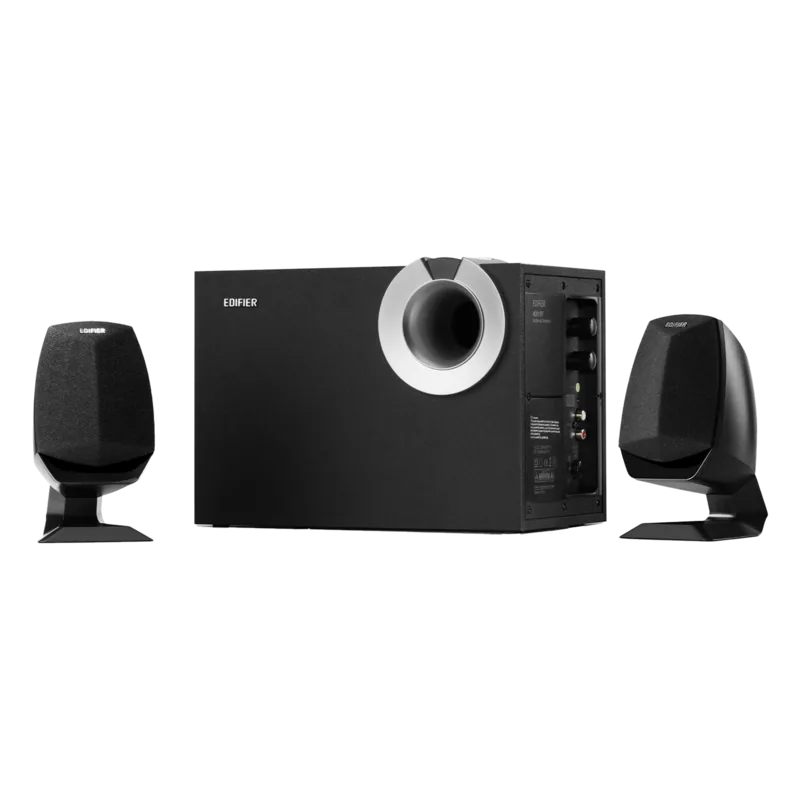
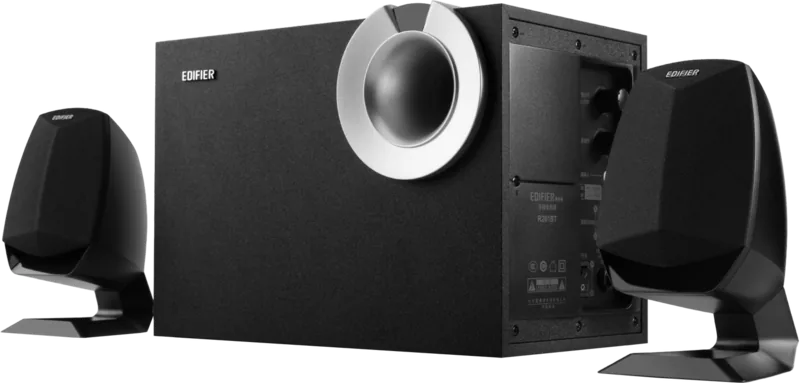
1x Subwoofer, 2x Compact Speakers
Product Description
Discover Superior Audio with the Edifier M201BT Manual
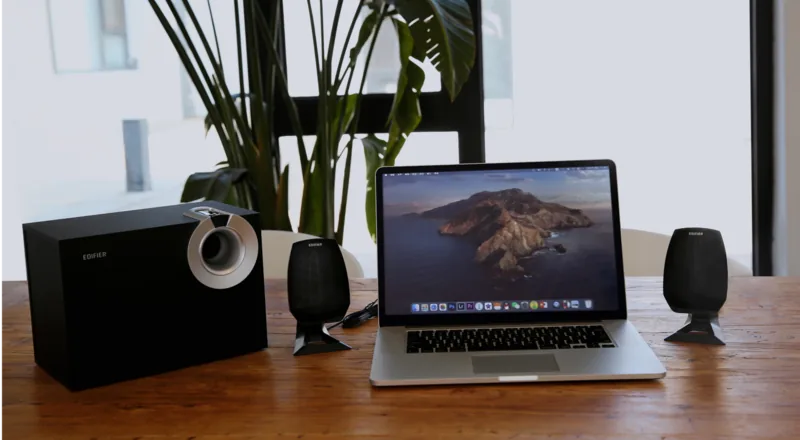
Experience high quality soundscapes aligned with the Edifier M201BT Manual. This multimedia speaker system is designed for users seeking immersive audio without complex setups. The total peak power reaches sixty eight watts, while the RMS power settles at thirty four watts. This combination ensures that your music sounds dynamic and full of life. The subwoofer handles low frequencies down to sixty three hertz, adding depth to your favorite tracks. The satellite speakers cover the mids and highs effectively from two hundred hertz up to twenty kilohertz.
Seamless Connectivity Options
Connectivity is flexible for modern devices. You can utilize the Bluetooth input mode to stream wirelessly from smartphones or tablets. The effective transmission range stands at ten meters, allowing freedom of movement within a room. Alternatively, the AUX input supports wired connections for stable audio without latency. Switching between modes is simple using the volume control button. Press once to toggle inputs and hold to disconnect Bluetooth pairing. The indicator lights show status clearly with green for AUX and blue for Bluetooth connections.
Physical Controls and Setup
Adjusting sound is easy with dedicated buttons. A bass adjustment knob allows you to fine tune low end output. Power switch controls the main unit, while satellite speakers connect to the subwoofer easily. Place the subwoofer near a power outlet for easy cable management. Ensure operating voltage matches your local supply before plugging in. Unplug during lightning storms for safety. This guide helps you set up the connection between left and right satellites efficiently.
Safety and Installation Guidelines
Safe operation is critical for longevity. The product should remain in an environment between zero and thirty five degrees Celsius. Avoid placing the unit near water, radiators, or flammable materials. Do not insert objects into ventilation slots to prevent electric shock risks. Keep at least five centimeters of clearance around the device for cooling. Never open the housing yourself as insulated voltage remains inside. Clean only with a dry cloth and neutral solvent. Watch out for pacemakers as radio waves might interfere within twenty centimeters.
Troubleshooting Common Issues
If no sound occurs, verify power connection and output settings. Check if the audio source has signal output enabled. Bluetooth connection failures often result from incorrect input mode selection. Ensure the device is in Bluetooth mode before searching. Hold the input button to reset pairing memory if problems persist. Background noise is minimal in this system, so hearing hums suggests external interference rather than unit failure. Contact support services if issues continue with the unit.
Environmental Responsibility and Support
Proper disposal protects the ecosystem effectively. This product should not be discarded with standard household trash in the EU region. Return used devices to collection systems for sustainable material reuse and environmental care. Contact local retailers for recycling support information. Your satisfaction is supported by official warranty terms found online via their official portal. Visit the Edifier website for detailed service policies specific regions. This guide ensures you maximize your investment responsibly and safely today.
Search for 67,706 Manuals online


Type-in Brand or Model