
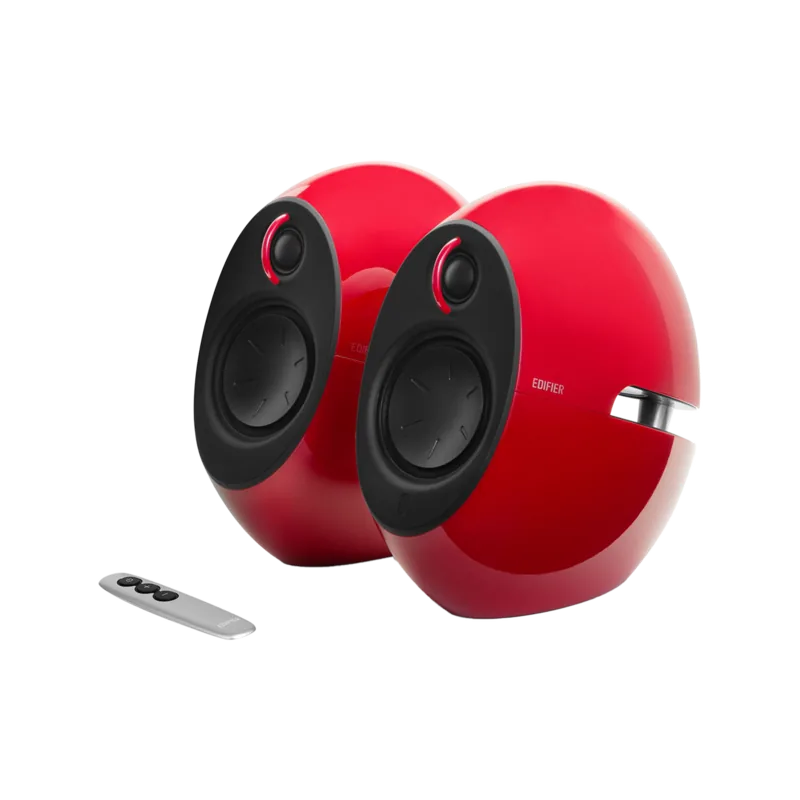

Edifier Luna Eclipse e25 Manual
PDF manual · 16 Pages
English



Quick check
Incorrect answer, please try again.
Chat with your Edifier Luna Eclipse e25 manual using AI
Get instant AI answers from your Edifier Luna Eclipse e25 manual
Ask anything about the Edifier Luna Eclipse e25. Answers come from this manual, with the pages they are based on.
Luna Eclipse e25 Maintenance Schedule
Clean only with a dry cloth. Do not use liquids or cleaning agents.
Remove the CR 2025 batteries when the remote is not used for a long period of time.
Ask a Question
Do you recommend Luna Eclipse e25?
Yes NoFrequently Asked Questions
Set your mobile device to search for EDIFIER Luna Eclipse. Select the name in the list to pair. When connected the input indicator will change to blue. Play audio on your device and adjust the volume to a desired level. The system is now ready for wireless streaming.
Is this answer helpful?
The system requires a DC nineteen volt adapter which is included in the box. Ensure the connection is secure at the Spk In port. Using a different voltage can damage internal components. Always unplug during lightning storms for safety.
Is this answer helpful?
To skip to the next track slide your thumb across the touch area on the remote. Slide from left to right to advance. Slide from right to left to revert to the previous track. The active unit responds immediately to these gestures for convenient playback.
Is this answer helpful?
When Bluetooth is disconnected the system automatically switches to AUX mode. You should reconnect via Bluetooth to resume wireless playback. Check if the device is in standby mode if connection issues persist.
Is this answer helpful?
No, do not use this apparatus near water or moisture. The lightning flash symbol warns of electric shock risk inside. To reduce fire risk avoid rain exposure. Clean only with a dry cloth to maintain safety.
Is this answer helpful?
Do not install near heat sources such as radiators or stoves. Do not place in hot and humid areas. Ensure ventilation openings are never blocked. Excessive heat can damage internal circuitry and safety components.
Is this answer helpful?
Refer to the EDIFIER website for warranty terms applicable to your region. Contact support via email or toll free numbers for assistance. Keep proof of purchase for any claims made regarding defects.
Is this answer helpful?
Advantages and Disadvantages
Advantages

- Wireless Bluetooth connectivity supports A2DP and AVRCP profiles for seamless streaming
- Powerful sound output with 15W treble and 22W bass channels for dynamic music
- Intuitive touch keys on the active speaker for easy play and pause control
- Remote control allows volume adjustment and track skipping from a distance
- Shielded treble units minimize magnetic interference near monitors and screens
Disadvantages

- Power adapter requires eighteen volts which limits universal compatibility without adapter
- Remote control battery must be replaced manually using a coin and screw mechanism
- Magnetic interference may occur if placed too close to monitors or TV sets
- AUX input cable length may not be sufficient for larger room setups without extension
- No dedicated USB audio input port available for direct computer connection
Product Specification
Type
Compact Speaker
Design
2-Way
Tweeter
1x 0.75"
Woofer
1x 3"
Frequency Range
50Hz-20kHz (+/-6dB)
Power
74W RMS
Features
Active, Bluetooth
Dimensions (WxHxD)
4.80 x 8.35 x 8.74 in
Weight per unit
6.97 lbs
Product Description
Exploring the Edifier Luna Eclipse e25 Audio Experience
The Edifier Luna Eclipse e25 offers an immersive audio experience for modern listening environments. Designed for home entertainment and multimedia setups, this speaker system combines sleek aesthetics with robust performance capabilities. Users seeking high fidelity sound will appreciate the dual channel configuration that delivers clear treble and punchy bass. The system integrates wireless Bluetooth streaming for convenient access to mobile devices while maintaining an auxiliary input for traditional connections.
To ensure optimal performance, users should consult the Edifier Luna Eclipse e25 Manual during initial setup. This resource highlights important safety protocols and connectivity procedures for a seamless experience. The speaker units feature protected treble drivers that reduce magnetic interference with nearby electronics like monitors. Bass output is handled by three inch cones dedicated to low frequency reproduction. A remote control manages volume skipping without touching the active unit directly. Power delivery requires a specific eighteen volt adapter which must be handled with care to avoid electrical hazards.
Safety notices emphasize keeping the device dry and protected from excessive heat sources near ventilation openings. The design supports multiple playback sources while maintaining signal integrity through proper grounding and isolation techniques. Troubleshooting common connection issues often resolves after a simple power cycle. Wireless range extends effectively within typical living room dimensions provided obstacles are minimized. Battery replacement for the remote requires a standard coin cell which can be accessed carefully near the rear casing. Overall, this multimedia solution balances cost effectiveness with functional reliability for casual and serious listeners alike.
Furthermore, the frequency response spans from fifty hertz to twenty kilohertz ensuring a wide audible range for music genres. The touch keys on the active unit offer intuitive control over play and pause functions simultaneously. FCC compliance guarantees low interference levels in residential settings while supporting international usage standards. Regular maintenance involves using a dry cloth to clean surfaces without introducing moisture into openings. The system creates an engaging sonic landscape suitable for compact desks or wider entertainment centers. Support channels remain available online and via telephone for extended warranty assistance when needed.
The input sensitivity is calibrated at six hundred millivolts allowing strong signal transfer. Distance between units and TV sets should remain above twenty centimeters to prevent magnetic disruption. Unplugging during storms is recommended to prevent voltage spikes damaging internal components. The packaging contains audio cables and power cords necessary for immediate operation upon arrival. This comprehensive approach ensures customers maximize their enjoyment of high quality audio throughout daily use. Indicators provide visual feedback for active sources with blue denoting Bluetooth and red for AUX. Standby modes save energy while keeping units ready for instant playback activation via touch gesture. Weight distribution ensures stability on standard surfaces without tipping hazards. Connect the passive speaker for extra space filling sound that complements the main active unit perfectly. Enjoy long listening sessions without fatigue thanks to the comfortable volume scaling provided by the touch interface.
Important Notes
Always verify your local power compatibility before connecting. Keep the remote dry. Ensure sufficient airflow around the ventilation slots.
Search for 67,706 Manuals online


Type-in Brand or Model