Manual.ly Logo

Edifier GX07 Manual

0.0 · 0 Ratings

PDF manual · 7 Pages

English

M: QW-35-FL
page

/ 7

Loading...
e6fe65caf7dd0ae34a96ec4173f528477cbe page 1
4. User guide
5. FAQs
3. Charge
Input:
5V 200mA (earbuds)
5V 1A (charging case)
Battery level indicator (on both sides)
• Place the earbuds in the case and close the case for charging.
Charge the earbuds
• Connect the case to power source with the included charging cable
for charging.
Charge the charging case
Battery level indicator on the charging case
• Open the charging case to show its battery level:
the ice blue light flashes three times at a normal speed: 66%~100%
the ice blue light flashes twic at a normal speed: 33%~66%
the ice blue light flashes once at a normal speed: 10%~33%
the red light flashes rapidly: low battery level, please charge the case
in time.
• Red light steady lit = charging
Red light off = fully charged
2. Power on/off
The earbuds will power on
when the case is opened.
The earbuds will power
off when placed in the
case and the case is closed.
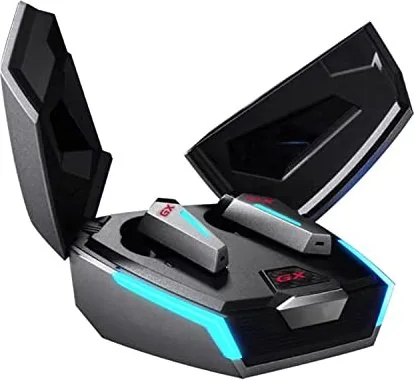
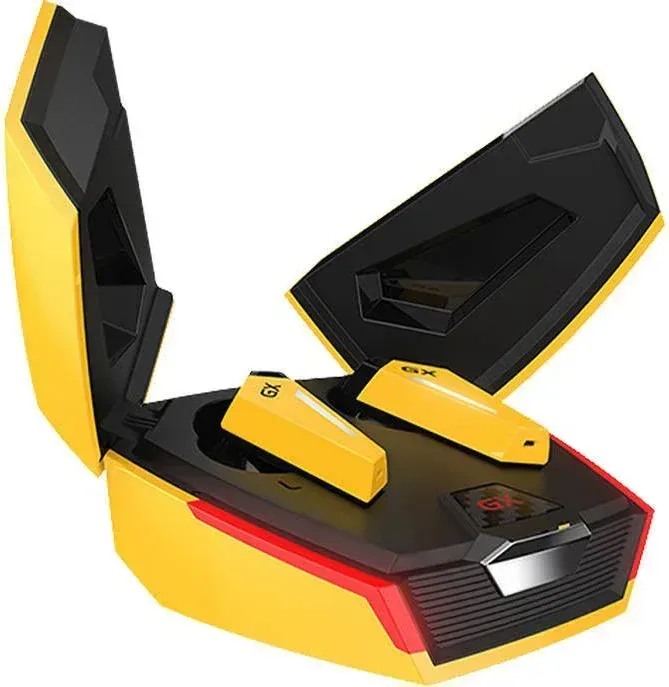
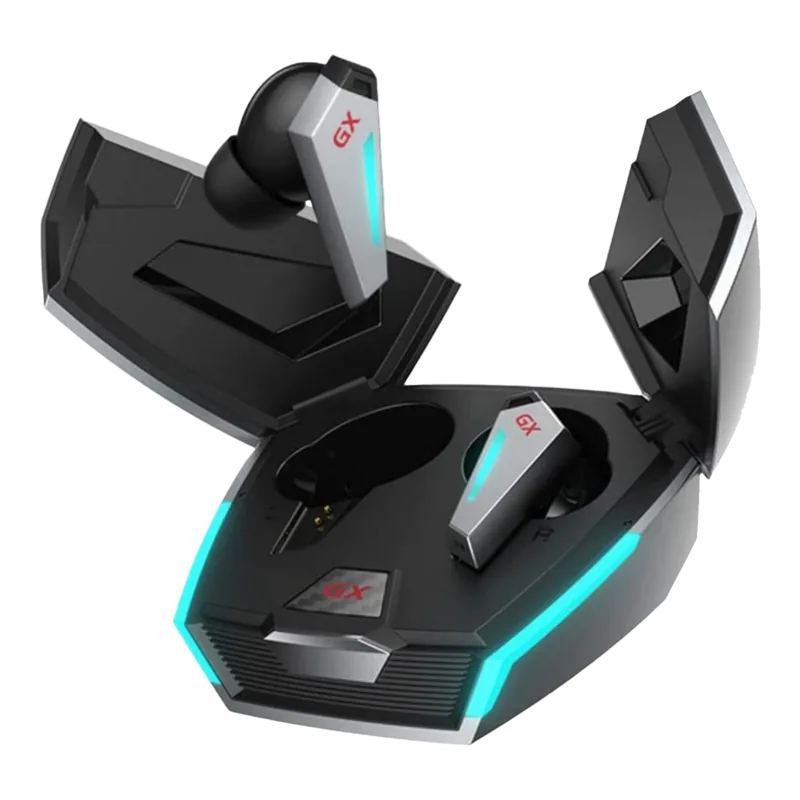
HECATE GX07
Bluetooth connection
TWS pairing of the left and right earbuds & clear pairing records
Functional operation
Wearing detection function
Note:
• There are different size of ear tips attached in the package, please select
the suitable ones to wear.
• Images are for illustrative purposes only and may differ from the actual
product.
Warning: The rechargeable batteries that provide power for this product
must be disposed properly for recycling. Do not dispose of batteries in fire
to prevent an explosion.
Note:
• Noise cancellation mode switch: noise cancellation mode(not available
when only one earbud is used), normal mode, ambient sound mode.
• Sound mode switch: music mode, game mode.
Tap zone
Button on the
charging case
Indicator
• Place the earbuds in the case, press and hold the button on the case for
around 3 seconds to enter Bluetooth pairing, and the ice blue light and
white light of the earbuds will flash alternately;
• Set mobile phone to search for and connect to "HECATE GX07", after
pairing is successful, the white light will be steady lit in music mode and
the ice blue light will be steady lit in game mode.
Place the earbuds in the case, double click the button on the case to enter
the TWS pairing of the left and right earbuds and to clear pairing records,
and the white light will flash rapidly; After pairing is successful, the earbuds
will auto-enter Bluetooth pairing, and the ice blue light and white light of
the earbuds will flash alternately.
Accessories:
Ear tips x 2 pairs, Storage bag x1, Brand sticker x1, Brand card x1,
Charging cable x1
• Music control: Remove one earbud from ear to pause music; there will
be no action when insert earbud to ear (default state, the users can
customize settings through the EDIFIER CONNECT APP);
• Noise cancellation control: Insert the two earbuds to ears to enable noise
cancellation mode and remove to disable noise cancellation mode;
• You can also set or close the wearing detection function through the
EDIFIER CONNECT APP.
The ice blue light flashes.
TRUE WIRELESS GAMING EARBUDS WITH ACTIVE NOISE CANCELLATION
Download EDIFIER CONNECT APP from the APP store/Google Play Store
Pause/play: double click the right earbud
Accept/end a call: double click the left or right earbud
Noise cancellation mode switch: double click the left earbud
Next track: triple click the right earbud
Sound mode switch: triple click the left earbud
1. Product description and accessories
6. Maintenance
Model: EDF700012
Edifier International Limited
P.O. Box 6264
General Post Office
Hong Kong
www.hecategaming.com
Designed by DONGGUAN EDIFIER ESPORTS TECHNOLOGY CO., LTD.
www.edifier.com
2021 Edifier International Limited. All rights reserved.
Printed in China
NOTICE:
For the need of technical improvement and system upgrade, information
contained herein may be subject to change from time to time without
prior notice.
Products of EDIFIER will be customized for different applications. Pictures
and illustrations shown on this manual may be slightly different from actual
product. If any difference is found, the actual product prevails.
• If it is not used for long periods of time, please charge the product with
lithium battery every three months.
• Keep the product away from humid places to avoid affecting internal
circuit. Do not use the product during intense exercise or with much
sweat to prevent sweat from dropping into the product to make damage.
• Do not put the product in places exposed to sun or with high temperature.
High temperature will shorten service life of electronic components,
damage battery and make plastic components deformed.
• Do not put the product in cold places to avoid damaging internal circuit
board.
• Do not dismantle the product. Non-professional personnel may damage
the product.
• Do not drop, strongly vibrate, strike the product with hard object to avoid
damaging internal circuit.
• Do not use drastic chemicals or cleaner to clean the product.
• Do not use sharp objects to scratch product surface to avoid damaging
shell and affecting facade.
• Please ensure the charging case is correctly connected with power source.
• Check if the earbuds are operating.
• Check if the earbuds volume are at an appropriate level.
• Check if the earbuds are correctly connected with mobile phone.
• Check if the earbuds are operating within a normal working range.
No sound
• Check if mobile phone is in an area with strong signal.
• Please ensure the earbuds are within effective distance (10m) and no
obstacle between the earbuds and mobile phone.
The call quality of the earbuds are not good.
• Please ensure the paired device support AVRCP (Audio/Video Remote
Control Profile) profile.
When playing music, cannot control pause/play/next track via the
earbuds.
• Please ensure you are tapping within the effective area with a moderate
intensity or at an appropriate angle. You can also adjust to a desired
tapping sensitivity through the EDIFIER CONNECT APP.
The tapping function is too sensitive or not sensitive.
• When one earbud alone is connected to another mobile phone, the
interconnection between the left and right earbuds may have been
disconnected. To restore the two earbuds mode, double click the
button on the case to resume interconnection between the left and
right earbuds. Then try again.
After one earbud alone is connected to another mobile phone,
there is no sound from the other earbud when used again.
• Please triple click the left earbud to switch to game mode and then
start playing game.
There is a delay problem when playing game.
• To ensure every wearing of the earbuds by user can be recognized, the
recognition of wearing detection have been slightly raised. If they are
not used, please place the earbuds back into the case for charging and
storage; it is better not to place the earbuds alone in the pocket or on
the desk for long periods of time, so as to avoid interference with the
wearing detection function or missing of the earbuds. You can also set
the wearing detection function to other functions or close it through
the EDIFIER CONNECT APP.
Wearing detection function is not sensitive or too sensitive.
When charging the charging case, the indicator is off .
EN

Chat with your Edifier GX07 manual using AI

Get instant AI answers from your Edifier GX07 manual

Ask anything about the Edifier GX07. Answers come from this manual, with the pages they are based on.

Ask a Question

0/1000

Do you recommend GX07?

Yes No

Frequently Asked Questions

A

To activate Game Mode, triple-click the left earbud. This switches the audio profile to prioritize low latency, ensuring your gameplay sounds match the visual actions perfectly.

Is this answer helpful?

A

No, the Active Noise Cancellation feature is not available when using only a single earbud. It requires both earbuds to be worn simultaneously to function correctly.

Is this answer helpful?

A

A rapidly flashing red light on the charging case indicates a low battery level. You should connect the case to a power source immediately to ensure the earbuds remain charged.

Is this answer helpful?

A

Place the earbuds in the case, press and hold the button on the case for three seconds until lights flash alternately. Then search for 'HECATE GX07' on your mobile device to connect.

Is this answer helpful?

A

This usually happens if one earbud was previously connected to another device, breaking the link between them. Double-click the case button to restore the TWS connection between the left and right buds.

Is this answer helpful?

A

While the earbuds are designed for gaming, the manual advises against using them during intense exercise or heavy sweating. Sweat can damage internal circuits, so keep them dry.

Is this answer helpful?

M: QW-35-FL

Advantages and Disadvantages

Advantages

  • Dedicated Game Mode significantly reduces audio latency for competitive play
  • Active Noise Cancellation effectively blocks background distractions
  • Irregular automatic power-on/off triggered by opening and closing the case
  • Customizable touch controls and wearing detection via the EDIFIER CONNECT app
  • Clear LED battery indicators on both earbuds and charging case
VS

Disadvantages

  • Noise cancellation is disabled when only one earbud is used
  • Wearing detection sensitivity may require frequent adjustment for some users
  • Touch controls can be overly sensitive if not calibrated correctly in the app
  • Charging case indicator turns off while the case itself is being charged
  • Requires specific AVRCP profile support on paired devices for full control
M: QW-35-FL

Product Specification

Type

In-Ear Headphones

Form Factor

True Wireless, Ear-hook Free

Principle

Closed-back

Microphone

Integrated

Wireless

Bluetooth 5.0, AAC, LHDC

Controls

Touch Control

Battery Life

5h (with ANC), 6.5h (without ANC), 15h (with charging case)

Battery

USB-C Charging Port, Charging Case (500mAh), 1h Charge Time, Fast Charging (15min for 2h Usage)

Frequency Range

20Hz-20kHz

Impedance

24 Ohm

Sensitivity

94dB

Drivers

8mm

Device Features

Active Noise Cancellation (ANC), Ambient Mode, RGB Lighting, Water Resistant (IP54)

Software Features

Equalizer Presets, Custom Equalizer, App Control

M: QW-35-FL

Product Description

Discover the Edifier GX07: Your Ultimate Gaming Companion

The Edifier GX07 represents a significant leap in true wireless gaming audio, designed specifically for players who demand precision and performance. These earbuds are not just about listening; they are about immersing yourself completely in the game world with active noise cancellation that blocks out distractions. Whether you are competing in fast-paced shooters or enjoying immersive RPGs, the HECATE GX07 delivers a sound profile tuned for competitive advantage.

One of the standout features is the dedicated Game Mode. By triple-clicking the left earbud, users can instantly switch to a low-latency mode, ensuring that every footstep and gunshot syncs perfectly with the on-screen action. This eliminates the frustrating delay often found in standard Bluetooth headphones. The device also supports Active Noise Cancellation (ANC), which can be toggled via double-clicks on the left earbud, creating a quiet bubble even in noisy environments. For those who need situational awareness, an ambient sound mode allows external noises to pass through without removing the earbuds.

Power management is seamless with the intelligent charging case. The case features a clear LED indicator system where ice blue flashes denote battery levels between 10% and 100%, while a rapid red flash warns of a low charge. Simply opening the lid powers the earbuds on, and closing it puts them into standby or charges them automatically. The touch controls are intuitive, allowing for music playback, call management, and mode switching with simple taps. The wearing detection sensor ensures music pauses when you remove an earbud, though this can be customized via the EDIFIER CONNECT app.

Comfort is prioritized with multiple ear tip sizes included in the box, ensuring a secure fit for various ear shapes during long gaming sessions. The build quality is robust, yet lightweight, making them suitable for extended use. With a range of up to 10 meters and support for TWS pairing, connectivity remains stable and reliable. The package includes essential accessories like a storage bag and extra tips, making the Edifier GX07 a complete solution for gamers ready to elevate their audio experience.

M: QW-35-FL

© Copyright 2026 Manual.ly
