
Edifier G33BT Manual
PDF manual · 36 Pages
English



Quick check
Incorrect answer, please try again.
Chat with your Edifier G33BT manual using AI
Get instant AI answers from your Edifier G33BT manual
Ask anything about the Edifier G33BT. Answers come from this manual, with the pages they are based on.
Ask a Question
Do you recommend G33BT?
Yes NoFrequently Asked Questions
When powered off, hold the button for five seconds until red and blue lights flash. Search for HECATE G33BT on your device to connect. The blue light will flash slowly upon success.
Is this answer helpful?
A warning tone sounds and the red light flashes. Connect the included charging cable to restore power. The red light stays steady while charging and turns off when full.
Is this answer helpful?
Power off the headset. Hold the button for ten seconds until the blue light flashes six times rapidly. This restores all factory configurations.
Is this answer helpful?
Yes, the headset can be charged via the Type-C port. A steady red light confirms charging is in progress. Full charge is indicated when the red light turns off.
Is this answer helpful?
The microphone is enabled by default when powered on. You can mute it using the dedicated control. It remains effective during conversations by default.
Is this answer helpful?
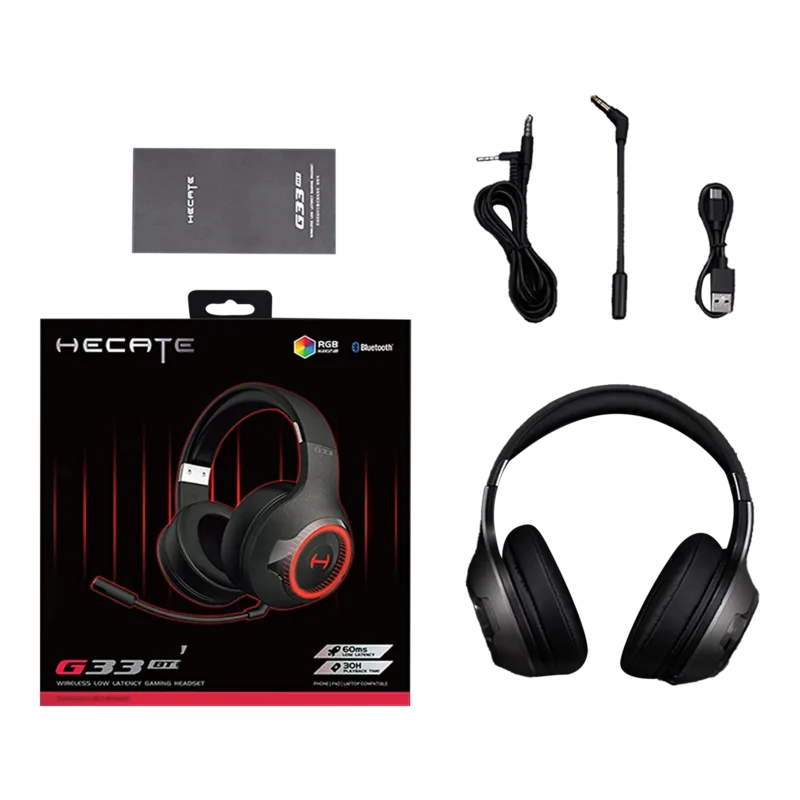
The package includes the headset, a user manual, a 3.5mm audio cable, a charging cable, and a microphone. These ensure versatile connectivity options.
Is this answer helpful?
No. Keep the product away from humidity to avoid circuit damage. Do not use it during intense exercise or with much sweat to prevent internal damage.
Is this answer helpful?
Advantages and Disadvantages
Advantages

- RGB lighting with customizable modes for visual enhancement.
- Efficient Bluetooth auto-connection to last paired device.
- Type-C charging port with clear LED battery indicators.
- Built-in microphone enabled by default for clear communication.
- Includes 3.5mm audio cable for wired fallback usage.
Disadvantages

- Sensitive to sweat and moisture during intense exercise.
- Requires specific button holds to enter pairing mode.
- No detailed battery life hours specified in documentation.
- Cannot be disassembled by users without risk of damage.
- High temperatures may deform plastic components over time.
Product Specification
Type
Headphones (Over-Ear)
Form
Headband
Design
Closed-back
Microphone
Boom Microphone (detachable)
Connection
3.5mm Jack
Wireless
Bluetooth 5.0
Cable
Single-sided, detachable
Controls
Volume control, Mute button
Battery Life
24h (with RGB), 48h (without RGB)
Battery
USB-C Charging Port, 2h Charging Time
Frequency Range
20Hz-20kHz
Impedance
32 Ohm
Sensitivity
100 dB
Drivers
40mm
Device Features
RGB Lighting
Product Description
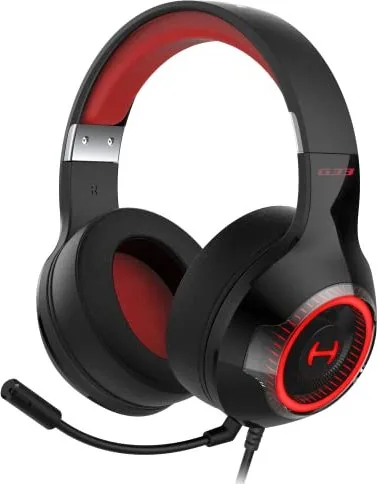
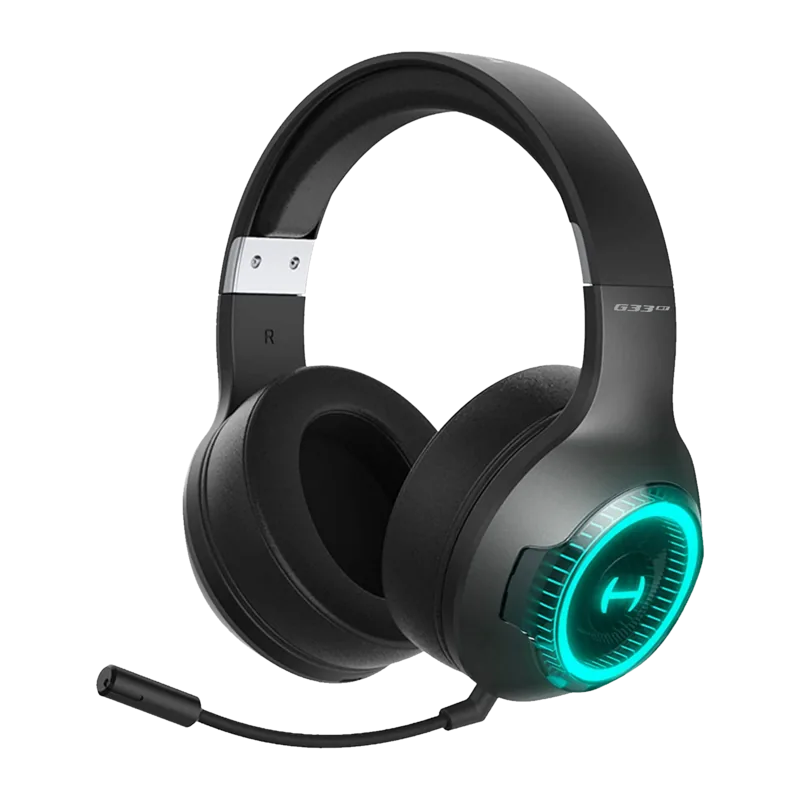
The Edifier G33BT headset stands out in the gaming audio landscape. Designed for immersive experiences, it combines style with functionality. One of its key features is the customizable RGB lighting system. Users can switch between music and game modes to enhance their environment. This lighting is activated directly from the headset controls.
Power and Connectivity
Setting up the device is straightforward. Powering on requires holding the button for three seconds. To turn it off, the hold duration extends to six seconds. Bluetooth pairing is efficient. When powered off, holding the button for five seconds initiates the pairing process. The LED indicators flash red and blue alternately. Users should search for HECATE G33BT on their device. Once connected, the blue light flashes slowly. Auto-connectivity is supported for the last paired device. The first power-on enters pairing mode by default. It is compatible with iOS, Android, and PC for versatile use.
Charging and Battery
Power management is critical for gaming sessions. A low battery warning tone sounds with the red light flashing. Use the included Type-C charging port to recharge. A steady red light indicates charging is in progress. When the light turns off, the battery is fully charged. The charger cable is included in the box. Proper maintenance ensures longevity.
Microphone and Controls
Communication is vital in multiplayer games. The built-in microphone is enabled by default when the headset is active. It remains effective during conversations. Users can mute the microphone by pressing the dedicated control. Answering and rejecting calls are managed through simple clicks. Double clicks handle music playback or pause functions. These controls allow seamless interaction without looking at your device. The microphone port is also available for wired connection via 3.5mm.
Maintenance and Care
Protecting your investment is important. Keep the product away from humid places. High temperatures can damage electronic components and deform plastic parts. Avoid using the product during intense exercise to prevent sweat damage. Do not use sharp objects to clean the surface. Chemical cleaners should also be avoided to preserve the finish. The unit should not be disassembled by non-professionals. For detailed setup instructions and safety info, the Edifier G33BT Manual offers guidance on best practices. Factory settings restore by holding the button for ten seconds when powered off. This resets the device to its original state.
This headset offers a robust solution for gamers seeking comfort and quality sound. The combination of wireless freedom and reliable performance makes it a strong choice for modern entertainment needs. The accessories provided ensure wired options are always available if Bluetooth fails. The headset features specific button presses for pairing and resetting. For resetting, hold the button for ten seconds when off until blue lights flash six times rapidly. The model EDF700011 ensures quality manufacturing standards. The product is designed by Dongguan Edifier Esports Technology Co Ltd. They ensure components last longer under normal use. Regular cleaning with soft cloths is recommended over harsh scrubbing. This prevents surface scratches and ensures the shell looks new. The red light steady lit means charging. The red light off means fully charged.
Search for 67,706 Manuals online


Type-in Brand or Model