
Ective RC Series Manual
PDF manual · 24 Pages
English



Quick check
Incorrect answer, please try again.
Chat with your Ective RC Series manual using AI
Get instant AI answers from your Ective RC Series manual
Ask anything about the Ective RC Series. Answers come from this manual, with the pages they are based on.
Ask a Question
Do you recommend RC Series?
Yes NoFrequently Asked Questions
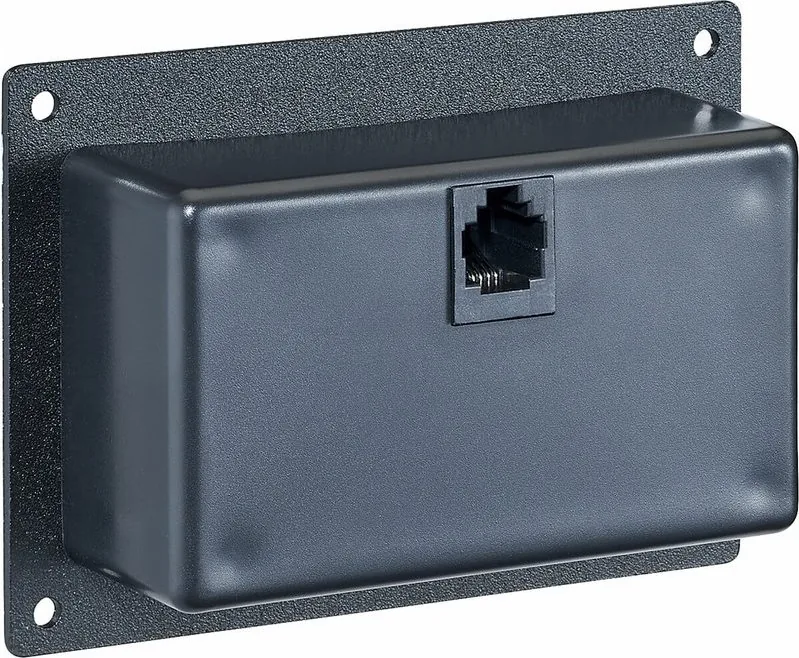
The remote connects to the inverter using a 3-meter RJ12 (ISDN) cable. Use only original ECTIVE accessories and ensure the RJ12 cable is routed separately from live mains cables to avoid interference.
Is this answer helpful?
No. The remote is wired in parallel with the inverter's on/off switch and requires the inverter to be switched off beforehand to toggle power effectively.
Is this answer helpful?
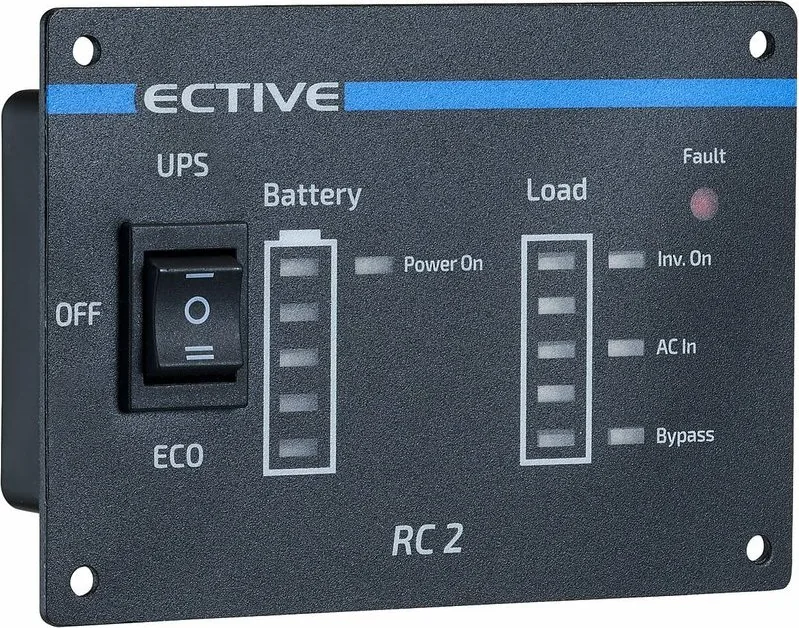
LEDs display battery capacity (20% steps), instantaneous load, power-on state, inverter operation, and fault status. RC2–RC4 add AC IN and bypass indicators; RC3–RC4 show AC charge; RC4 also shows solar (MPPT) charging.
Is this answer helpful?
Installation and maintenance must be performed by trained and authorized personnel in compliance with applicable safety standards (e.g., VDE). For marine use, qualified boat electricians are recommended to prevent corrosion issues.
Is this answer helpful?
Avoid pulling cables, protect against heat, moisture, dust and corrosive substances, do not place objects on the remote, use conduits or cable bushings at sharp edges, and never run the RJ12 cable in the same duct as mains power.
Is this answer helpful?
The statutory warranty applies. For claims submit a copy of the invoice and a fault description. Liability is excluded for damage from overvoltage, mechanical impact, mounting/connection errors, improper use, or unauthorized modifications.
Is this answer helpful?
Recycle or dispose of packaging and the device per local electronic waste regulations (e.g., Germany's ElektroG). Contact your local recycling center or point of sale for current disposal instructions.
Is this answer helpful?
Advantages and Disadvantages
Advantages

- Simple wired connection using a 3 m RJ12 cable for reliable switching.
- Available in multiple models (RC1–RC4) with progressive functionality (ECO/UPS, charging indicators).
- Clear LED indicators for battery, load, inverter state and fault notifications.
- Robust safety guidance and industry-standard installation requirements (VDE compliance).
- Compact, user-friendly remote that enables convenient off-board inverter control.
Disadvantages

- Wired connection limits placement flexibility compared to wireless remotes.
- Must be installed and serviced by trained personnel to meet safety regulations.
- RJ12 cable must be routed separately from live power cables to avoid interference.
- Remote is ineffective if the inverter is already switched on (requires inverter off to toggle).
- Liability excluded for damage from misuse, overvoltage, incorrect installation or unauthorized modifications.
Product Specification
Type
Electronics
Product Description
Ective RC Manual — Remote Control for ECTIVE Inverters
The Ective RC remote is a compact wired controller designed to switch ECTIVE power inverters on and off from a distance using a 3-meter RJ12 (ISDN) cable. Available in several variants (RC1–RC4), the remotes offer basic on/off control or additional modes such as ECO and UPS, plus multi-LED status indicators to monitor battery, load, power source and charging. The remote is wired in parallel with the inverter's onboard switch, so the inverter must be off for the remote to toggle power effectively. Only original ECTIVE accessories are recommended.
Key features and usage
The remotes include clear LED readouts for battery capacity (in 20% steps), instantaneous load, power-on state, inverter operation, fault alerts and—on higher models—AC input, bypass, AC charge and solar charge indicators. RC1 focuses on simple on/off control, while RC2–RC4 add ECO/UPS selection and expanded status LEDs. The unit is intended for indoor, protected installations and requires correct routing: the RJ12 cable should be kept separate from live power cables to avoid interference and malfunctions.
Installation and maintenance must be performed by trained personnel following applicable safety standards (e.g., VDE). Special care is advised for marine installations to prevent corrosion—installation by qualified boat electricians is recommended. Users with limited physical, mental or sensory capabilities, and children under 12, should only operate the remote under supervision.
Safety and care
Do not pull or stress cables, avoid direct sunlight, heat, dust, moisture, corrosive or flammable substances, and protect the remote from shocks and impacts. Do not open the device; cleaning should be with dry cloths only and with the unit switched off. Use cable conduits or bushings where sharp edges are present and never run the RJ12 cable in the same conduit as mains power.
Warranty and disposal
Standard statutory warranty conditions apply. For warranty claims provide a copy of the invoice and a description of the fault. Liability is excluded for damage caused by overvoltage, mechanical impact, incorrect installation, improper use or unauthorized modifications. Dispose of packaging and end-of-life equipment according to local electronic waste regulations (e.g., Germany's ElektroG) and consult local recycling centers or sellers for guidance.
Notes
- The remote is wired in parallel with the inverter's on/off switch; the inverter must be off for remote switching to work.
- Keep RJ12 cable separate from power cables to avoid interference.
- Models RC2–RC4 provide extended status LEDs (AC IN, Bypass, AC Charge, Solar Charge).
Search for 67,706 Manuals online


Type-in Brand or Model