
ECS Elitegroup LIVA Z2 Manual
PDF manual · 76 Pages
English



Quick check
Incorrect answer, please try again.
Chat with your ECS Elitegroup LIVA Z2 manual using AI
Get instant AI answers from your ECS Elitegroup LIVA Z2 manual
Ask anything about the ECS Elitegroup LIVA Z2. Answers come from this manual, with the pages they are based on.
Ask a Question
Do you recommend LIVA Z2?
Yes NoFrequently Asked Questions
The LIVA Z2 is designed for compact everyday computing, including office work, web browsing, media playback, home learning, lightweight business tasks, and space-saving desktop installations.
Is this answer helpful?
The platform supports Intel Celeron N4000, N4100, or N5000 processor configurations. Actual processor availability depends on the specific model purchased.
Is this answer helpful?
It supports up to 8 GB of dual-channel DDR4 SO-DIMM memory. This capacity is suitable for common productivity software, browsers, streaming, and routine multitasking.
Is this answer helpful?
Yes. It includes one HDMI 2.0 port and one HDMI 1.4 port, allowing compatible display connections for expanded workspaces or signage setups.
Is this answer helpful?
No. The USB 3.0 Type-C port is for data transmission only. It cannot be used for DC power input or video output.
Is this answer helpful?
The system supports 32 GB or 64 GB eMMC configurations and provides support for a 2.5-inch HDD or SATA SSD. Storage availability depends on the selected model and installed components.
Is this answer helpful?
Advantages and Disadvantages
Advantages

- Compact 132 x 118 x 56.4 mm chassis with 100 x 100 mm VESA mounting support.
- Supports up to 8 GB dual-channel DDR4 memory for capable everyday multitasking.
- Offers HDMI 2.0, HDMI 1.4, Gigabit LAN, USB 3.0 Type-A, and USB Type-C connectivity.
- Flexible storage options include eMMC support and a bay for a 2.5-inch HDD or SATA SSD.
- Includes BIOS options for TPM 2.0, Secure Boot, virtualization, boot control, and hardware monitoring.
Disadvantages

- Intel Celeron N4000, N4100, and N5000 platforms are intended for basic workloads, not demanding creative or gaming tasks.
- The USB Type-C port supports data transfer only, with no video output or power input.
- Maximum memory capacity is limited to 8 GB DDR4.
- Audio combo-jack microphone compatibility may be limited with the specified codec.
- Configuration details may differ between individual LIVA Z2 models.
Product Specification
Wireless
Wi-Fi 5 (WLAN 802.11a/b/g/n/ac, 2x2, Intel), Bluetooth 4.2
Product Description
ECS Elitegroup LIVA Z2 - Read, Download & Print Free
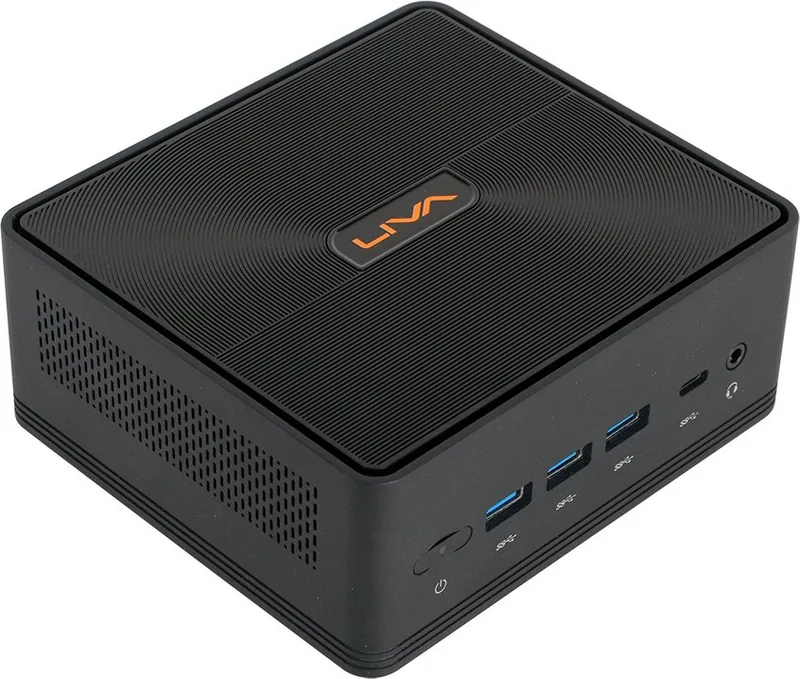
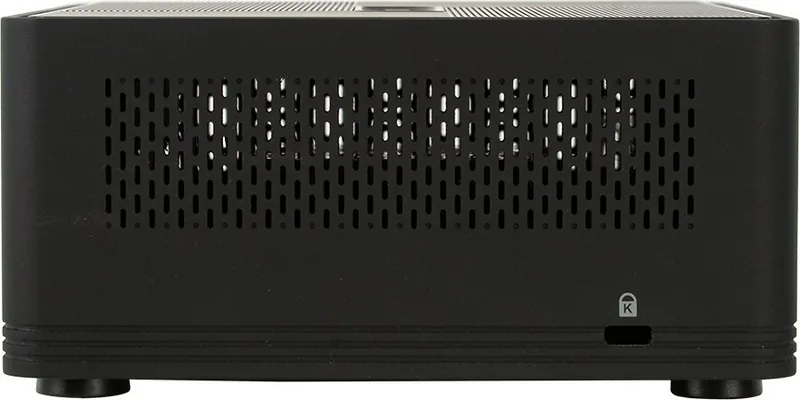
The ECS Elitegroup LIVA Z2 is a compact small form factor PC designed for everyday computing in spaces where a traditional desktop would be impractical. Its understated chassis measures just 132 x 118 x 56.4 mm, making it a practical choice for home offices, study areas, reception desks, digital signage, and entertainment setups. A VESA mounting option also allows the system to be positioned neatly behind a compatible display.
Compact Hardware for Daily Tasks
Built around Intel Celeron N4000, N4100, or N5000 platform options, the LIVA Z2 balances low power consumption with responsive performance for web browsing, office applications, media playback, and light multitasking. It supports up to 8 GB of dual-channel DDR4 SO-DIMM memory, helping users configure the system around their daily workload.
Storage flexibility is another useful feature. Depending on the configuration, the PC supports 32 GB or 64 GB eMMC storage and includes a bay for a 2.5-inch hard drive or SATA SSD. An M.2 2230 slot can be used for a Wi-Fi card, while integrated wireless support covers 802.11 a/b/g/n/ac and Bluetooth 4.2 capabilities.
Versatile Connections
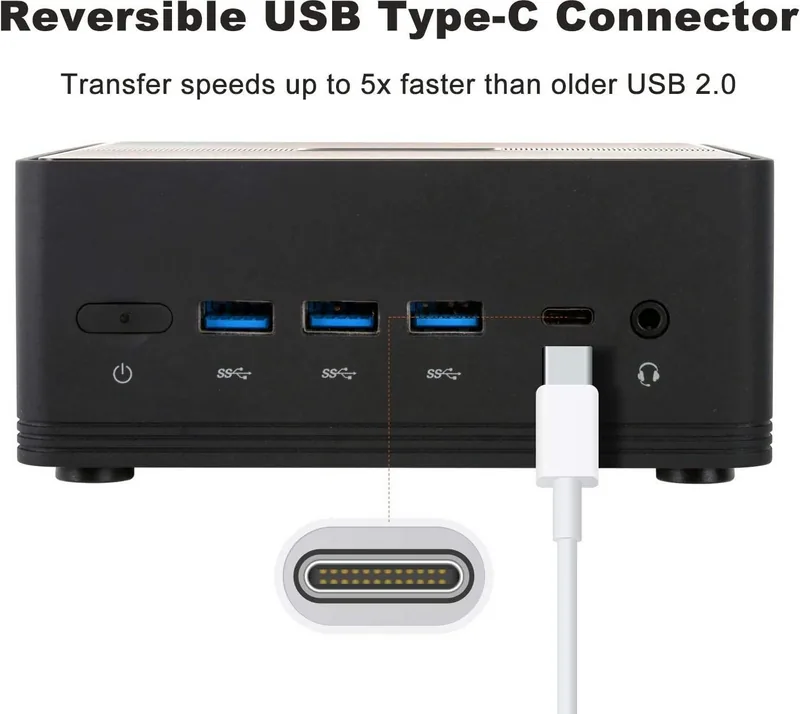
Despite its small footprint, the LIVA Z2 provides a generous range of connectivity. The front section includes three USB 3.0 Type-A ports, a USB 3.0 Type-C port, and a combined audio jack for speakers or compatible headsets. The rear panel adds two USB 2.0 ports, Gigabit Ethernet, and two HDMI outputs: HDMI 2.0 and HDMI 1.4. This combination is useful for wired networking, multiple display arrangements, and connecting common peripherals.
The USB Type-C connector is intended for data transfer only. It does not provide video output or accept DC input power. Power is supplied through the dedicated 19V DC input and 65W adapter.
Configuration and Maintenance Features
The LIVA Z2 offers UEFI BIOS controls for boot order, storage mode, USB support, power behavior, security settings, and hardware monitoring. Users can also access options for TPM 2.0, Secure Boot, Intel virtualization, and system recovery functions in Windows 10. These features make the device suitable for organized personal use and managed business environments.
Notes
- Keep ventilation openings clear and use the system in environments between 0 C and 40 C.
- Specifications and included components can vary by purchased configuration.
- BIOS changes should be made carefully because incorrect settings can affect stability.
Search for 67,732 Manuals online


Type-in Brand or Model