
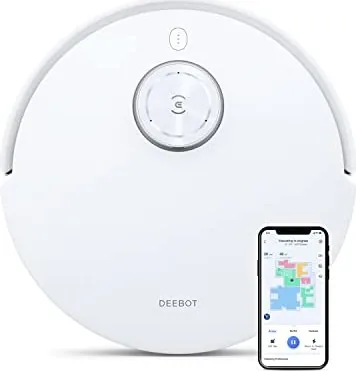
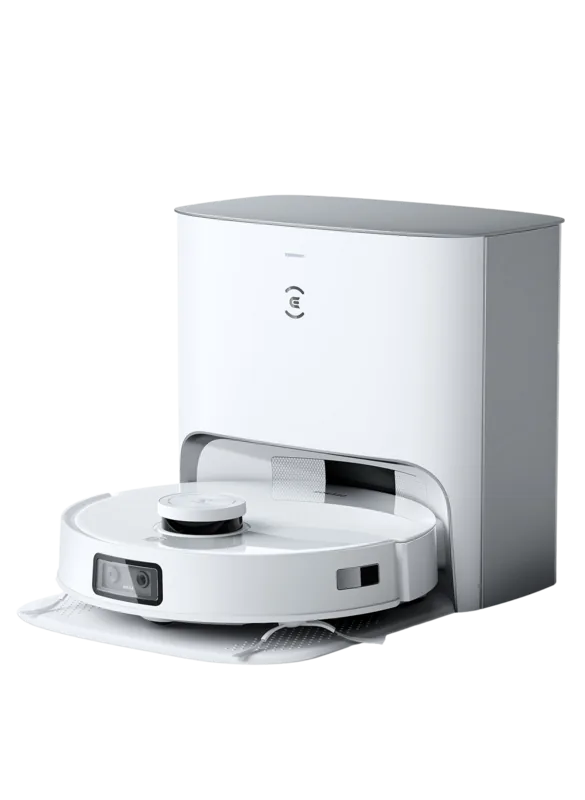
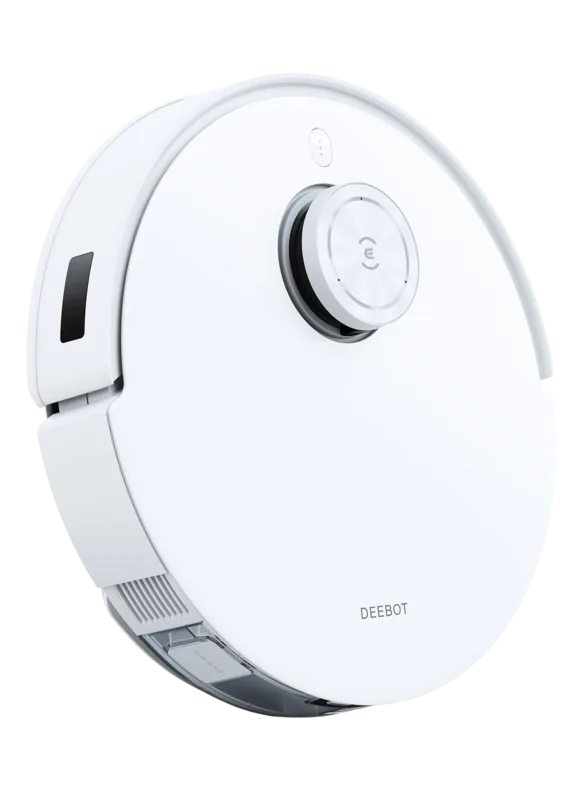
Ecovacs Deebot T10 Manual
PDF manual · 25 Pages
English



Quick check
Incorrect answer, please try again.
Chat with your Ecovacs Deebot T10 manual using AI
Get instant AI answers from your Ecovacs Deebot T10 manual
Ask anything about the Ecovacs Deebot T10. Answers come from this manual, with the pages they are based on.
Deebot T10 Maintenance Schedule
Replace the capsule every two months for optimal fragrance.
Clean the washable mopping pad every one to two months.
Replace the floating main brush every six to twelve months.
Replace sponge and high efficiency filters every three to six months.
Replace dual side brushes every three to six months or sooner if worn.
Free maintenance reminders
Timed to your purchase date. Always free, unsubscribe anytime.
Ask a Question
Do you recommend Deebot T10?
Yes NoFrequently Asked Questions
Ensure you are using a 2.4GHz network. Place the robot near the router. Press the Reset button on the Docking Station to set it to pairing mode. Enter the correct password in the app.
Is this answer helpful?
No, anti-drop sensors detect stairs. It will turn around to prevent falling over the edge. Do not leave the robot near stairs without supervision.
Is this answer helpful?
Clean the filter once per week. Rinse with water and let it dry completely before reinstalling. A blocked filter reduces suction.
Is this answer helpful?
Insert the capsule from the separate pack into the designated slot. Turn the release button to start dispensing fragrance during cleaning cycles.
Is this answer helpful?
Check for entangled wires or rugs. Remove obstacles manually. Restart the robot to resume cleaning. Check the drive wheels for debris.
Is this answer helpful?
Start cleaning from the station. Ensure the area is well-lit for the camera. Remove cables and small objects that cause confusion.
Is this answer helpful?
No, this model requires manual battery charging. Dust bin requires manual emptying after cleaning cycles.
Is this answer helpful?
Advantages and Disadvantages
Advantages

- AIVI camera recognizes objects to prevent collisions during cleaning cycles.
- OZMO Pro 3.0 system provides oscillating mop action for effective scrubbing.
- Wi-Fi connectivity allows remote control and scheduling via the ECOVACS HOME app.
- TrueMapping sensors create accurate digital maps for efficient navigation.
- Anti-drop sensors prevent falling over stairs or ledges automatically.
Disadvantages

- Requires 2.4GHz Wi-Fi network which may limit some router setups.
- Indoor use only prevents operation in outdoor or harsh environments.
- Water reservoir must be emptied manually after every mopping session.
- Battery disposal must follow specific local laws and regulations.
- User must clear small objects and cables before operation begins.
Product Specification
Robot Vacuum
Battery
1x Battery (14.8V, 5.2Ah, Li-ion)
Color
white
Capacity
400ml Dust, 240ml Fresh Water
Cleaning Modes
Vacuuming, Vacuuming & Mopping
Navigation
Obstacle Sensor, Bump Sensor, Laser Sensor, Camera (Room Mapping, Live Video Stream), Zones, No-Go Zones, Obstacle Detection, Carpet Detection, Virtual Wall (Software)
Filtration
yes
Display
no
Features
1x Floor Brush, 2x Side Brush, 1x Mopping Attachment, Programmable Cleaning Times, Room Fragrance Dispenser
Smart Home
App Control, Voice Assistant
Runtime
260 min
Charging Time
6.5 h
Charging System
Automatic
Noise Level
68dB(A)
Dimensions
13.90 x 4.06 in (Dia x H)
Package Contents
Docking Station, Side Brush, Mopping Cloth, 2x Disposable Mopping Cloth, Cleaning Tool
Charging Station
Station Display
no
Station Features
Automatic Charging Function
Product Description
Enhance Your Home Cleaning Routine
Achieving a spotless home becomes effortless with the Ecovacs Deebot T10 Vacuum/Mop Robot. This advanced device combines powerful suction with precise mopping capabilities. The Ecovacs Deebot T10 Vacuum/Mop Robot White Manual provides detailed guidance for optimal performance. It utilizes AIVI technology to identify objects, ensuring a safe cleaning path without collisions. Users appreciate the TrueMapping sensors that create accurate digital maps of their living spaces. This integration allows the unit to navigate complex layouts efficiently while avoiding furniture legs or cables. The device is quiet enough to operate while people are working in the same room. Electrical appliances require basic precautions.
Smart Cleaning Features
The OZMO Pro 3.0 system oscillates the mop pad for deep scrubbing action. It works seamlessly with the ECOVACS HOME app for remote control. You can schedule cleanings or start them on demand from your mobile device. The robot features an integrated Air Freshener system to leave your home smelling fresh. Safety is prioritized with anti-drop sensors and clear visual indicators. Battery life is sufficient for large home coverage in a single charge. The unit detects carpet automatically and increases suction power when needed. It also prevents running over standing water which protects the internal components. Suction is rated at 1000 Watts for deep cleaning capability. It does not operate on wet surfaces to prevent electrical hazards.
Setup and Maintenance
Initial setup requires a 2.4GHz Wi-Fi network and specific router protocols. The manual instructs users to place the docking station near a wall for better signal detection. Regular maintenance includes cleaning brushes and filters weekly. Water reservoirs should be emptied after mopping to prevent bacterial growth. The robot must start cleaning from the station to ensure accurate mapping data. Troubleshooting sections in the guide help resolve connectivity issues quickly. Users should also clean the drive wheels periodically if the robot skids. Proper disposal of the battery is required by local laws. Power switches must be turned off during manual cleaning procedures. Keep area clear of items like coins or cables for efficiency.
Final Thoughts
This robotic cleaner adapts to various floor types including carpets and hard surfaces. It is designed for indoor household use only. Following the Ecovacs Deebot T10 Vacuum/Mop Robot Manual instructions ensures longevity. Users report high satisfaction with navigation accuracy and suction power. The comprehensive warranty protects your investment. It represents a significant step forward in smart home automation. Clear safety instructions reduce the risk of accidents during operation. With proper care, this machine offers years of reliable service. Zone cleaning is available via the app for targeted results. Operate within safe temperature limits. Do not expose to rain or moisture. Contact service if damaged. This ensures long life.
Search for 67,706 Manuals online


Type-in Brand or Model
Mike Johnson
7 months ago
How often is the dustbin emptied and does the 400ml size work for pet owners?
Manual.ly
7 months ago
Users report emptying the 400ml dustbin every 3 to 4 cleaning sessions to maintain performance. In homes with pets, daily emptying is often recommended. While sufficient for average living spaces, large households may find it requires more frequent attention. Regular emptying ensures optimal suction power throughout the cleaning cycle.