
Ecovacs Deebot T10 Plus Manual
PDF manual · 29 Pages
English



Quick check
Incorrect answer, please try again.
Chat with your Ecovacs Deebot T10 Plus manual using AI
Get instant AI answers from your Ecovacs Deebot T10 Plus manual
Ask anything about the Ecovacs Deebot T10 Plus. Answers come from this manual, with the pages they are based on.
Deebot T10 Plus Maintenance Schedule
Clean the dual side brushes once every two weeks to maintain performance.
Clean the floating main brush once per week.
Clean both sponge and high efficiency filters once per week.
Wipe the AIVI camera, TrueMapping distance sensor, universal wheel, anti-drop sensors, bumper, and charging contacts with a clean cloth weekly.
Clean the washable mopping pad every one to two months.
Replace the air freshener capsule every two months.
Replace the disposable mopping pad after every cleaning session.
Clean the auto-empty dust bin and empty station components once per month.
Replace dual side brushes every three to six months depending on usage.
Replace the floating main brush every six to twelve months depending on usage.
Replace sponge and high efficiency filters every three to six months depending on usage.
Free maintenance reminders
Timed to your purchase date. Always free, unsubscribe anytime.
Ask a Question
Do you recommend Deebot T10 Plus?
Yes NoFrequently Asked Questions
No, you should not use the appliance on wet surfaces or surfaces with standing water. It is designed for dry cleaning primarily unless using the specific mopping feature with a dedicated pad.
Is this answer helpful?
You must use a 2.4GHz or 2.4/5GHz mixed network. The device does not support 5GHz networks directly for configuration.
Is this answer helpful?
You should maintain the dual side brushes once every 2 weeks and check the floating main brush once per week to ensure peak performance.
Is this answer helpful?
The battery must be removed and discarded according to local laws and regulations. It is recommended to contact customer service for replacement or disposal assistance.
Is this answer helpful?
Running very loud can happen if brushes are entangled or if it is in Strong Mode. You can switch to Standard Mode or clean the brushes regularly.
Is this answer helpful?
Turn off your phone mobile data. Ensure the device is in configuration state if the light is not flashing slowly. Use the reset button if necessary.
Is this answer helpful?
No, the Air Freshener Capsule is sold separately. It works with the air freshener feature but is not pre-installed with the main unit.
Is this answer helpful?
Advantages and Disadvantages
Advantages

- Self-Emptying Station reduces manual maintenance frequency
- OZMO Pro 3.0 system effectively scrubs floors
- AIVI camera identifies obstacles for safer navigation
- TrueMapping ensures accurate path planning and map creation
- Remote control via ECOVACS HOME App for convenience
Disadvantages

- Requires 2.4GHz Wi-Fi which may limit some users
- Air Freshener Capsule is sold separately and costs extra
- Battery disposal requires skilled persons or service contact
- Station must be on hard floor, not carpet
- Do not use on wet surfaces or standing water
Product Specification
Cleaning Robot
Battery
1x Battery (14.8V, 5.2Ah, Li-Ion)
Color
White
Capacity
13.53 fl oz Dust, 8.12 fl oz Fresh Water
Cleaning Modes
3 Cleaning Modes, Vacuum, Vacuum & Mop
Navigation
Obstacle Sensor, Camera (Room Recognition, Two-Way Audio, Mapping), Zones, Obstacle Detection
Filtration
Yes
Display
No
Features
1x Floor Brush (Rubber Brush), 2x Side Brushes, 1x Mop Attachment, Programmable Cleaning Times, Fragrance Dispenser
Smart Home
App Control, Voice Assistant
Runtime
260 min
Charging Time
6.5 h
Charging System
Automatic
Noise Level
68 dB(A)
Dimensions
13.90 x 4.06 in (Dia x H)
Package Contents
Base Station, 3x Cleaning Pads, Side Brush, Cleaning Tool
Base Station
Base Station Color
White
Base Station Display
No
Base Station Features
Automatic Charging Function, Automatic Dust Ejection
Base Station Capacity
3.38 qt (Dust)
Product Description
Revolutionize Your Floor Care With Robotics
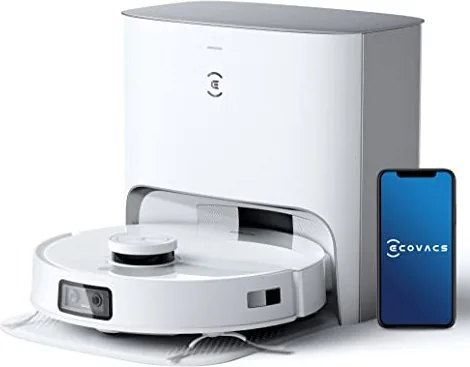
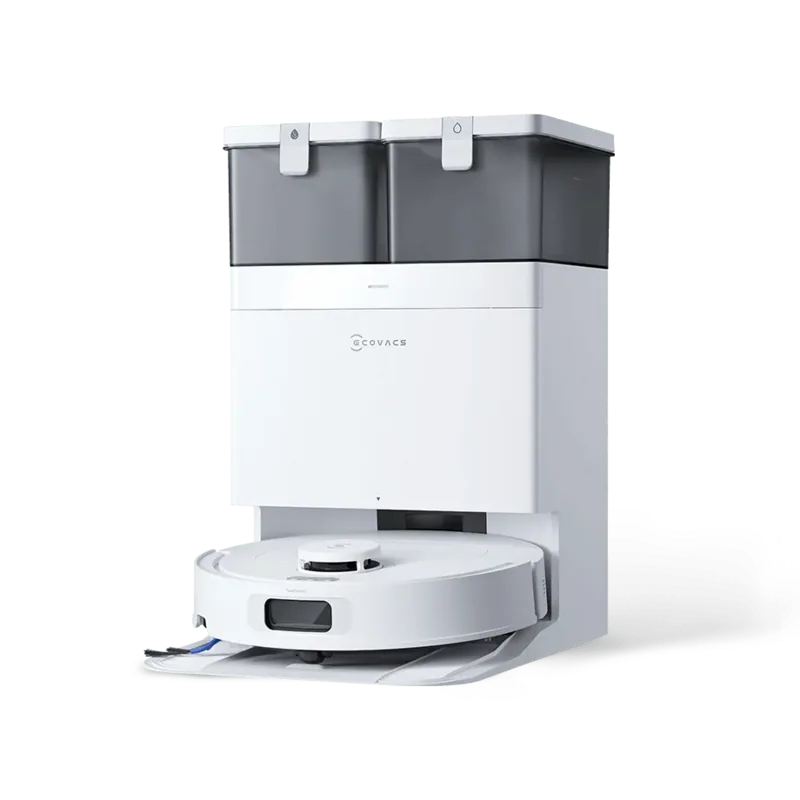
The modern home requires efficient tools to maintain hygiene without constant effort. Introducing the Ecovacs Deebot T10 PLUS Vacuum/Mop Robot with Self-Emptying Station White Manual into your daily routine transforms how you handle floor care. This robotic unit combines vacuuming and mopping capabilities with an automated emptying station to reduce maintenance frequency significantly.
Advanced Cleaning Technology Explained
Equipped with the innovative OZMO Pro 3.0 Oscillating Mopping System, this device scrubs floors rather than just dragging a cloth across the surface. The TrueMapping technology ensures accurate navigation throughout your house, while the AIVI camera helps identify obstacles like cables or furniture legs for smoother movement. Users can control the unit remotely through the ECOVACS HOME App, which also displays 2D or 3D maps of the home environment for precise targeting. The dual side brushes ensure corners are tackled effectively during the cleaning cycle. You can also utilize the voice interaction features through your smartphone to start or stop cleaning tasks easily from any location within your network range.
Safety and Maintenance Protocols
Proper usage is essential for longevity and personal safety. The instruction manual advises clearing the area of power cords and small objects before operation to prevent entanglement. Safety features include advanced anti-drop sensors to prevent falls down stairs or ledges. Maintenance involves regular cleaning of brushes and filters to maintain suction power. The dust bag in the station needs replacement when the device voice prompts the user, ensuring continuous operation. Users should also note that the Air Freshener Capsule is sold separately and enhances the experience by improving home air quality. You must keep hair and loose clothing away from openings. It is recommended to use purified water to prolong the service life of the oscillating mopping system.
Connectivity and Setup Essentials
Connecting the robot to home Wi-Fi allows for remote supervision and scheduled cleaning tasks. A 2.4GHz network is required for setup as 5GHz is not supported directly. Users must ensure the power supply voltage matches the Empty Station specifications to avoid electrical hazards. Proper placement of the station away from carpets and reflective surfaces helps with charging efficiency and reliable docking. The robot contains replaceable batteries that require skilled persons or customer service for safety during disposal. Ensure the mobile phone is connected to the same Wi-Fi network before initiating the setup process.
Troubleshooting and Support
If you encounter issues like inability to connect to the app or strange noises, refer to the support section. Common fixes include checking Wi-Fi signals or clearing blockages from brushes. By following the guidelines found in the Ecovacs Deebot T10 PLUS Vacuum/Mop Robot with Self-Emptying Station White Manual, owners can ensure optimal performance and safety for their device. This comprehensive guide covers installation, troubleshooting, and regular upkeep to keep your floors spotless with minimal human intervention. Regular updates via the app keep features current and secure for long-term use, ensuring your investment lasts years. Always charge the unit using the provided supply unit CH2117 for compliance with RF exposure requirements. Keep the robot away from lit candles or fragile objects to prevent accidents during operation. Never use it on wet surfaces with standing water. The device may stop charging if the battery is completely discharged, requiring customer care assistance.
Search for 67,706 Manuals online


Type-in Brand or Model
Emma Wilson
7 months ago
Does this cleaning robot handle stairs and tight spaces as well as flat floors?
Manual.ly
6 months ago
Based on customer feedback, this unit reduces time spent on vacuuming and mopping significantly. It is designed to navigate tight spaces and different levels in family households, helping to eliminate manual mopping tasks.