
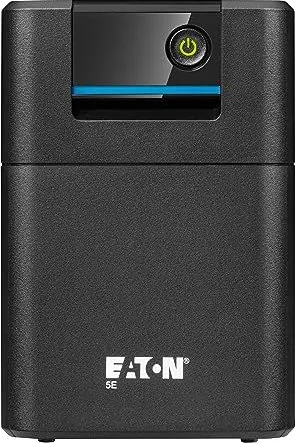
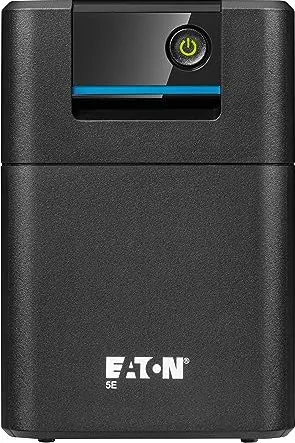
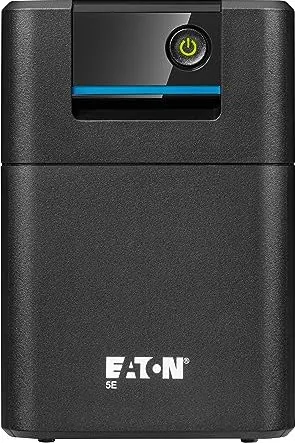
Eaton 5E Gen2 Manual
PDF manual · 19 Pages
English



Quick check
Incorrect answer, please try again.
Chat with your Eaton 5E Gen2 manual using AI
Get instant AI answers from your Eaton 5E Gen2 manual
Ask anything about the Eaton 5E Gen2. Answers come from this manual, with the pages they are based on.
5E Gen2 Maintenance Schedule
If storing the equipment for a long period, recharge the battery every 6 months by connecting the UPS to utility power. Charge for 48 hours after long-term storage.
Replace batteries at least every 4 years to keep units running at peak performance, as service life varies based on usage and ambient temperature.
Keep the area around the equipment clean and dust free. If the atmosphere is very dusty, clean the outside of the system with a vacuum cleaner.
Free maintenance reminders
Timed to your purchase date. Always free, unsubscribe anytime.
Ask a Question
Do you recommend 5E Gen2?
Yes NoFrequently Asked Questions
Press the ON/OFF button on the front panel for a few seconds until a buzzer sounds and the green LED illuminates indicating normal operation. Ensure all alarms are cleared first.
Is this answer helpful?
Lead-acid batteries typically last three to five years at twenty-five degrees Celsius. Replace them periodically to maintain performance and reliability.
Is this answer helpful?
Yes, most specific models include a USB communication port allowing connection to a computer for status monitoring and management via software tools.
Is this answer helpful?
The UPS will trigger alarms, beep, and eventually switch to fault mode if the connected loads exceed the rated capacity significantly.
Is this answer helpful?
Contact your local hazardous waste center for proper recycling. Do not discard in trash as they contain lead and toxic substances.
Is this answer helpful?
Register warranty at the official product registration website provided by the manufacturer to ensure coverage and support eligibility.
Is this answer helpful?
Advantages and Disadvantages
Advantages

- High efficiency over 95 percent in normal mode for significant energy savings and cost reduction.
- Automatic Voltage Regulation protects equipment from dangerous voltage surges and sags instantly.
- Multiple models available ranging from 550VA up to 2200VA for diverse load flexibility.
- USB communication port allows for convenient remote monitoring and management via software.
- Compact design with standard dimensions fits well on or under desks in tight spaces.
Disadvantages

- Battery service life is limited to three to five years requiring eventual replacement investment.
- Noise levels may increase slightly during battery switching modes or under heavy load.
- Limited runtime duration during extended power outages without larger capacity options selected.
- Requires specific ventilation space near openings for proper heat dissipation and safety.
- Fan operation generates audible sound that could be noticeable in quiet environments.
Product Specification
Type
Tower
Classification
VI (Line-Interactive)
Voltage
230V
Input
1x Type F Plug
Data Line Protection
N/A
Manufacturer Warranty
2 years
Product Description
Protecting Your Electronics with the Eaton 5E Generation
Power instability is a major threat to modern digital infrastructure every single day. Unexpected outages and dangerous voltage fluctuations can destroy sensitive data and expensive hardware components instantly without warning. The Eaton 5E Gen2 UPS provides a robust solution for maintaining uninterrupted operations in busy home offices and small business environments effectively. This Uninterruptible Power System ensures your critical devices remain operational even when utility power fails completely or becomes erratic.
Design and Feature Highlights
Engineers designed the Eaton 5E range with compact form factors suitable for various desk setups without taking up too much space. Automatic Voltage Regulation adjusts power levels to safe limits immediately, preventing damage from spikes and sags. Many specific models include a USB communication port allowing users to monitor status remotely via software. The internal lead-acid batteries charge quickly when mains power returns, ensuring readiness for the next event automatically. Performance ratings vary across the lineup to accommodate different load requirements from small electronics to larger server racks. Efficiency exceeds ninety-five percent in normal mode while maintaining strict safety standards globally certified.
Installation and Operation Guide
Setting up the system is straightforward for most users with basic technical skills. Simply connect the unit securely to a grounded wall outlet and plug your computer or router into the protected sockets. Standard installation instructions guide users through safe positioning and ventilation requirements effectively. It is highly recommended to reference the Eaton 5E Gen2 UPS Manual for specific wiring diagrams and safety protocols before powering on the device. The front panel displays status LEDs and audible alarms for easy troubleshooting during daily use. Different models offer varied input current ratings from five to fifteen amps depending on the total load capacity selected.
Maintenance and Safety Protocols
To ensure longevity, keep the surrounding area dust-free and well-ventilated at all times. Ambient temperature should remain around twenty-five degrees Celsius for optimal battery performance over years. Lead-acid batteries have a service life of three to five years depending on usage frequency. Users should replace them periodically to maintain backup efficiency and system reliability. Storing the unit requires periodic recharging every six months if not in active use for long durations. Do not expose batteries to fire or damage as toxic substances may be released.
Environmental Considerations
Eaton has implemented an environmental protection policy with eco-design approaches for all products. Substances used do not contain harmful materials like asbestos or halogens. Packaging includes over fifty percent recycled cardboard to reduce waste. Users should follow local regulations for disposal of packing materials to minimize environmental impact. Recycling centers are available for the unit at the end of its long service life.
Important Notes
Safety is paramount during all handling procedures. High voltage exists inside the unit even when unplugged. Always disconnect power before internal maintenance attempts. Consult local regulations for battery recycling and disposal methods to remain compliant. Always verify the shipping carton label to ensure batteries have not expired before initial use.
Search for 67,706 Manuals online


Type-in Brand or Model