
Dynatron L25-1 Manual
PDF manual · 6 Pages
English



Quick check
Incorrect answer, please try again.
Chat with your Dynatron L25-1 manual using AI
Get instant AI answers from your Dynatron L25-1 manual
Ask anything about the Dynatron L25-1. Answers come from this manual, with the pages they are based on.
Ask a Question
Do you recommend L25-1?
Yes NoFrequently Asked Questions
The unit supports a wide range of Intel sockets including LGA775, 115X, 1200, 1366, 1700, 2011, and 2066. AMD users are also supported through dedicated retention brackets found in the packaging.
Is this answer helpful?
The box contains the liquid cooler unit, Intel backplate, Intel retention bracket, AMD retention bracket, AMD screws, socket specific hardware sets, and connection cables for pump and fan headers.
Is this answer helpful?
You must peel off the 3M backing and affix the backplate to the back of the motherboard. Alignment is critical before proceeding to the next steps involving the retention ring and cold plate.
Is this answer helpful?
Place or mount the radiator and fan to the chassis based on your airflow strategy. Ensure there is adequate clearance within the case for proper ventilation and heat expulsion.
Is this answer helpful?
Yes, the hardware kit includes specific socket solutions for LGA775, allowing compatibility with older Intel platforms alongside newer generations like LGA1700.
Is this answer helpful?
Connect the power connectors to the motherboard's PUMP header and CPU fan header to ensure the circulation system activates and monitors temperature correctly.
Is this answer helpful?
Advantages and Disadvantages
Advantages

- Extensive socket support covering Intel and AMD platforms including LGA1700 and LGA2011
- Comprehensive kit includes necessary backplates, brackets, and screws for various mounts
- Clear step-by-step installation process reduces error risk during assembly
Disadvantages

- Requires specific chassis space to accommodate the radiator and fan dimensions
- Installation complexity may deter novice builders unfamiliar with liquid cooling
- Reference images show an L3 model which differs slightly from the L25-1 unit
Product Specification
Type
Internal (closed system)
Heatsink
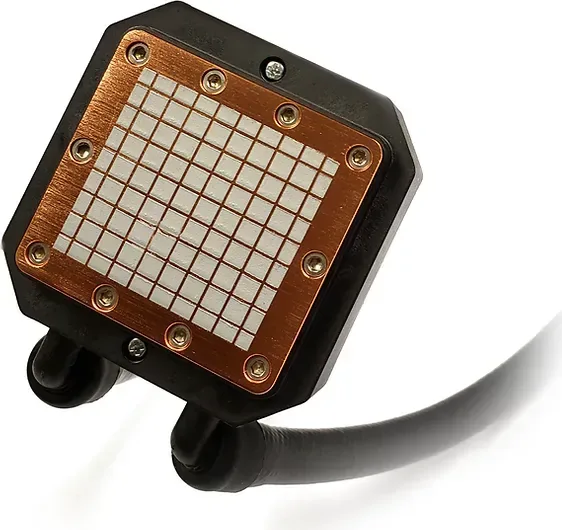
CPU, Copper
Compatibility
1150, 1151, 1155, 1156, 1200, 1700, 2011-0, 2011-1, 2011-3, 2066, AM2, AM2+, AM3, AM3+, AM4, AM5, FM1, FM2, FM2+
Radiator
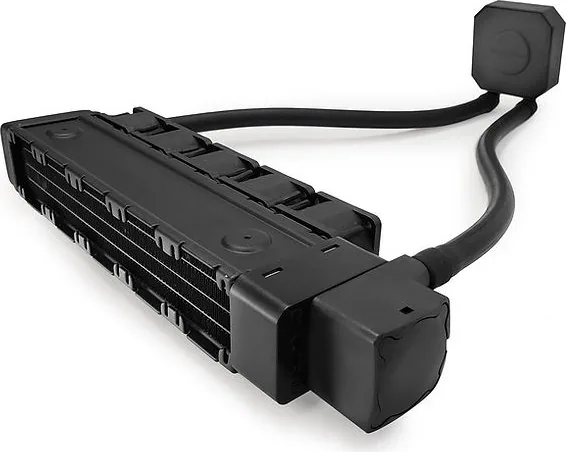
4.72 inches (Radiator Class)
Fan
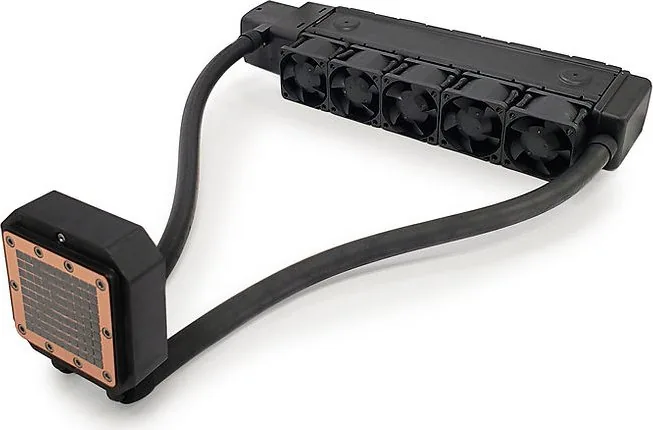
5x 1.57x1.57 inches, 2,500-12,000 rpm, 5.18-24.84 CFM, 18.7-52.8 dB(A), 0.05-1.26 inH2O
Expansion Tank
N/A
Pump
12 V, 26.95 gal/h
Connectors
G1/4"
Product Description
Comprehensive Review of High Efficiency Cooling Solutions
In the world of computer hardware optimization, managing heat is paramount for system stability. The Dynatron / Inter-Tech L25-1 5x 40mm, 1HE Manual provides essential insights into installing a high-performance liquid cooling unit designed for diverse computing needs. This all-in-one liquid cooler represents a significant upgrade over traditional air cooling methods, ensuring your central processing unit stays cool even under heavy loads. By following the guidelines outlined in the Dynatron / Inter-Tech L25-1 5x 40mm, 1HE Manual, enthusiasts can achieve peak thermal efficiency while avoiding common pitfalls associated with improper installation. Understanding the contents of the package is the first step toward a successful build.
Detailed Socket Support and Versatility
The primary advantage of this unit lies in its extensive hardware compatibility matrix. Users benefit from broad support across multiple processor architectures. Specifically, it accommodates Intel sockets such as LGA775, LGA115X, LGA1200, LGA1366, LGA1700, and high-end workstation sockets like LGA2011 and LGA2066. AMD platform owners are equally supported with dedicated retention brackets and screws included in the kit. This inclusivity means that upgrading your system does not require discarding your existing cooling solution entirely if you change CPUs, provided the socket matches the bracket configuration. The design allows for seamless transitions between generations. The box contents explicitly list various retention mechanisms to handle different screw patterns effectively.
Assembly and Configuration Steps
Setting up the hardware involves several precise stages to guarantee integrity. First, select the proper Intel socket backplate from the provided kit. Peel off the 3M backing adhesive and affix the backplate securely to the rear of the motherboard. Alignment is critical at this stage to ensure future components fit correctly. Next, slide the retention ring onto the cold plate which sits directly atop the CPU. Position the radiator and fan assembly within the chassis enclosure according to your airflow strategy. Finally, connect power cables to both the motherboard pump header and the CPU fan header to activate the circulation system. Tightening the cold plate screws requires steady hands to maintain pressure without damaging the silicon die. Step by step visuals assist in identifying the correct orientation for every component involved.
Operational Considerations
While the L3 model is displayed in some diagrams for reference, the L25-1 offers distinct benefits tailored to specific builds. The 1HE form factor suggests compactness suitable for smaller cases where airflow might otherwise struggle. Proper mounting prevents leaks and vibration noise during high-speed operation. Always verify connections before powering on the system to prevent errors. The included documentation serves as a roadmap for success. With these steps completed, your machine gains the ability to sustain higher clock speeds and longer runtimes without overheating concerns. Adhering to the user guide ensures warranty validity and peace of mind regarding hardware safety. Trusting the manual instructions leads to a smooth integration experience for everyone involved in the build process.
Search for 67,732 Manuals online


Type-in Brand or Model