
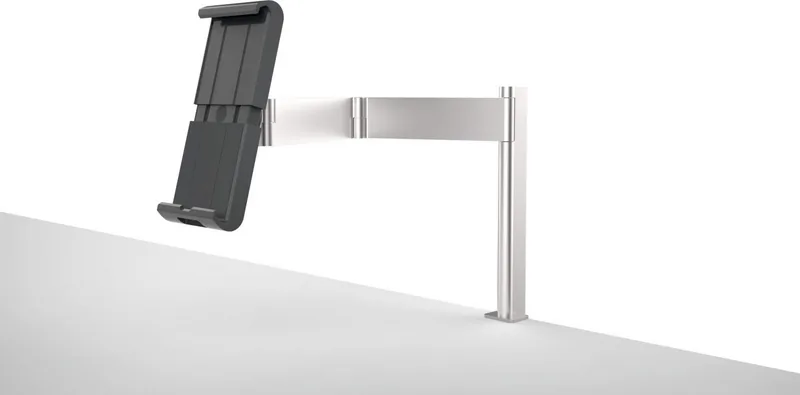
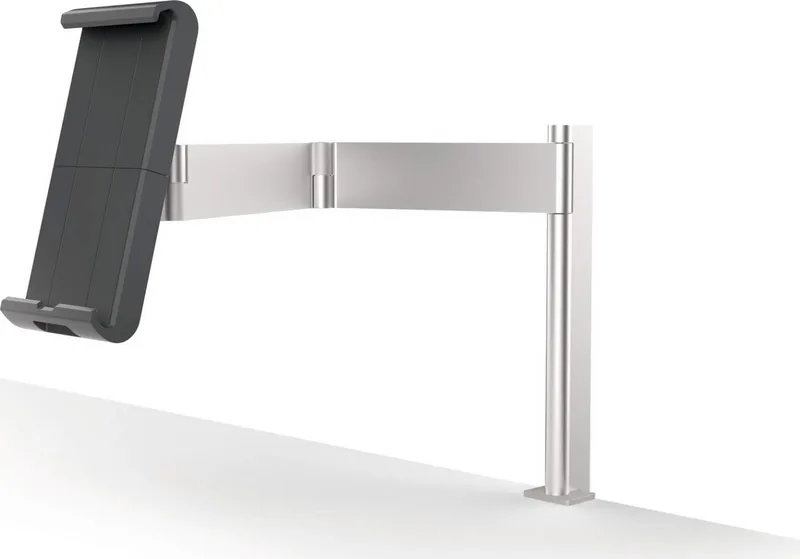
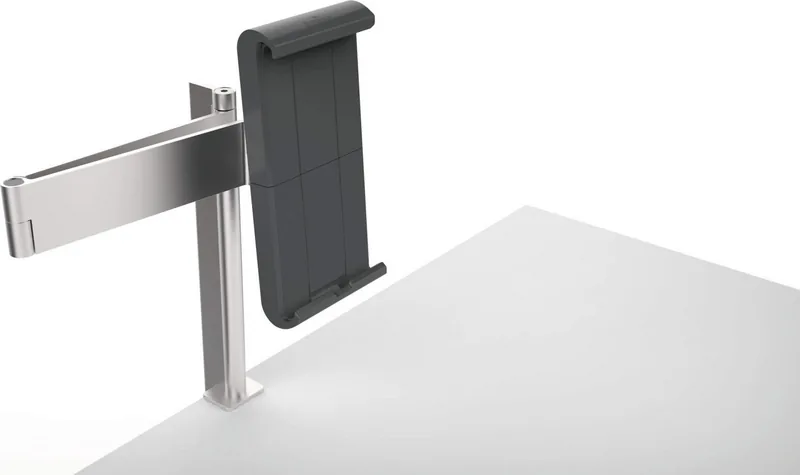
Durable Tablet Holder Table Manual
PDF manual · 12 Pages
English



Quick check
Incorrect answer, please try again.
Chat with your Durable Tablet Holder Table manual using AI
Get instant AI answers from your Durable Tablet Holder Table manual
Ask anything about the Durable Tablet Holder Table. Answers come from this manual, with the pages they are based on.
Ask a Question
Do you recommend Tablet Holder Table?
Yes NoFrequently Asked Questions
Yes, the adjustable clamps and wide base support most major tablet brands and sizes found in the market today.
Is this answer helpful?
Follow the included manual steps carefully. You will need to attach the base, insert the arm, and secure the tablet clamp using the provided tools.
Is this answer helpful?
Absolutely. The joint mechanism allows for full rotation, enabling you to switch between portrait and landscape orientations seamlessly.
Is this answer helpful?
The base is weighted for stability but has rubber feet to grip the surface, preventing unwanted sliding during normal use.
Is this answer helpful?
It is engineered to hold standard tablets securely without sagging or losing tension under typical usage conditions.
Is this answer helpful?
Yes, contact the manufacturer directly as they offer spare parts for long-term maintenance and repair needs.
Is this answer helpful?
While durable, it is best suited for indoor environments to protect the mechanical joints from dust and weather damage.
Is this answer helpful?
Advantages and Disadvantages
Advantages

- Highly durable construction suitable for heavy daily use
- Smooth manual adjustment for perfect viewing angles
- Stable base prevents accidental tipping during operation
- Universal fit accommodates most standard tablet sizes
- Easy assembly with clear step-by-step instructions
Disadvantages

- Requires manual tightening which may need periodic checking
- No automatic locking mechanism for hands-free positioning
- Base footprint is relatively large for very small desks
- Cable management slots are not included in the basic design
- Limited color options available in the standard range
Product Description
Elevate Your Workspace with the Durable Tablet Holder Manual
Transforming your desk into a productivity hub is easier than ever with the Durable Tablet Holder Manual. This versatile accessory is designed for professionals who demand reliability and flexibility in their daily workflow. Whether you are attending virtual meetings, following digital recipes, or managing inventory, this holder provides a stable platform that keeps your tablet secure and within easy view.
The product features a robust construction built to withstand the rigors of constant use. Its manual adjustment mechanism allows users to customize the viewing angle effortlessly, ensuring optimal ergonomics throughout the day. The design accommodates various tablet sizes, making it a universal solution for modern offices and home setups alike.
Why Choose This Holder?
Unlike flimsy competitors, this model emphasizes longevity and strength. The base is weighted to prevent tipping, while the adjustable arm offers smooth rotation. Users can switch between landscape and portrait modes with a simple twist. The included assembly guide ensures a quick setup process, allowing you to start using your device immediately without frustration.
Notes on Usage
Ensure the surface where you place the holder is flat and stable. Regularly check the tightening screws to maintain peak performance. Avoid exposing the device to extreme moisture or direct sunlight for prolonged periods to preserve the finish.
Pros and Cons
Pros
- Highly durable construction suitable for heavy daily use
- Smooth manual adjustment for perfect viewing angles
- Stable base prevents accidental tipping during operation
- Universal fit accommodates most standard tablet sizes
- Easy assembly with clear step-by-step instructions
Cons
- Requires manual tightening which may need periodic checking
- No automatic locking mechanism for hands-free positioning
- Base footprint is relatively large for very small desks
- Cable management slots are not included in the basic design
- Limited color options available in the standard range
Frequently Asked Questions
Q: Is this holder compatible with all tablet brands? A: Yes, the adjustable clamps and wide base support most major tablet brands and sizes found in the market today.
Q: How do I assemble the tablet holder? A: Follow the included manual steps carefully. You will need to attach the base, insert the arm, and secure the tablet clamp using the provided tools.
Q: Can I rotate the tablet 360 degrees? A: Absolutely. The joint mechanism allows for full rotation, enabling you to switch between portrait and landscape orientations seamlessly.
Q: Does the base slide easily on a desk? A: The base is weighted for stability but has rubber feet to grip the surface, preventing unwanted sliding during normal use.
Q: What is the maximum weight the holder can support? A: It is engineered to hold standard tablets securely without sagging or losing tension under typical usage conditions.
Q: Are replacement parts available if something breaks? A: Yes, contact the manufacturer directly as they offer spare parts for long-term maintenance and repair needs.
Q: Can I use this holder outdoors? A: While durable, it is best suited for indoor environments to protect the mechanical joints from dust and weather damage.
Search for 67,706 Manuals online


Type-in Brand or Model