
Dupla Marin P4 Smart Manual
PDF manual · 28 Pages
English



Quick check
Incorrect answer, please try again.
Chat with your Dupla Marin P4 Smart manual using AI
Get instant AI answers from your Dupla Marin P4 Smart manual
Ask anything about the Dupla Marin P4 Smart. Answers come from this manual, with the pages they are based on.
Marin P4 Smart Maintenance Schedule
Hoses must be vented prior to each calibration process to prevent volume differences of up to 20 ml depending on hose length.
When the red LED flashes, check which solution is depleted and refill it. Program the new total level including remaining quantity.
Ask a Question
Do you recommend Marin P4 Smart?
Yes NoFrequently Asked Questions
Press the Menu button to access programming levels. Use the arrow keys to navigate to Date and Time. Confirm with the Menu button and adjust values using the keypad buttons. Press Menu again to save and return to the basic function.
Is this answer helpful?
The dosing pump has an internal memory that prevents loss of data over a longer period. Your settings and programs are saved so you do not lose your dosing schedule after a power outage.
Is this answer helpful?
The recommended maximum flow rate is approximately 9,999 milliliters per day. However, for best longevity, a maximum of 1,000 ml per dosing unit per cycle should not be exceeded without a pause.
Is this answer helpful?
The manufacturer Dohse Aquaristik GmbH grants a warranty of 24 months from the date of purchase. This covers defects but does not apply to wear parts like hoses or pumps.
Is this answer helpful?
Access the calibration process menu. Select the pump to calibrate and press the arrow button to start the pump. Stop it at 100 milliliters delivered. Press Menu to confirm the rotation count and update the calibration value.
Is this answer helpful?
The pumps are self-priming and should be placed above the liquids to be dosed. This prevents draining during leaks. Do not exceed a vertical lift of 2 meters for proper operation.
Is this answer helpful?
Yes. You can operate pumps manually by holding the Menu button or using specific keys for venting. This allows you to check function or clear air bubbles from the tubing lines easily.
Is this answer helpful?
Advantages and Disadvantages
Advantages

- Four independent dosing channels allow separate control
- Internal memory protects data during power failures
- High precision flow rate adjustable to 1 milliliter
- Visual LED alerts indicate low fluid levels
- Intuitive keypad programming for schedules
Disadvantages

- Maximum daily dose limited to 1,000 ml per unit
- Requires installation above solution containers
- Wear parts like hoses not covered by warranty
- Maximum vertical lift height is 2 meters
- Manual venting required before calibration
Product Specification
Application
Plant fertilization, water parameters, water conditioning
Type
Dosing pump (4 channel)
Specifications
4 Pumps (24 dosing events per day each), Interval function (daily, every 2 days, weekly, monthly), 0.16/0.24 inch hose connection
Compatibility
Freshwater, Saltwater, Aquariums, Terrariums
Product Description
Revolutionizing Reef Care with the Dupla Marin Dosing Pump P4 Smart
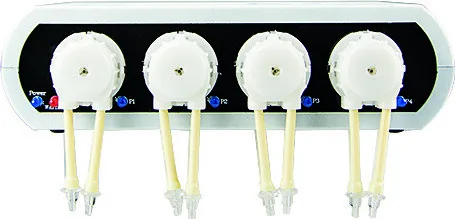
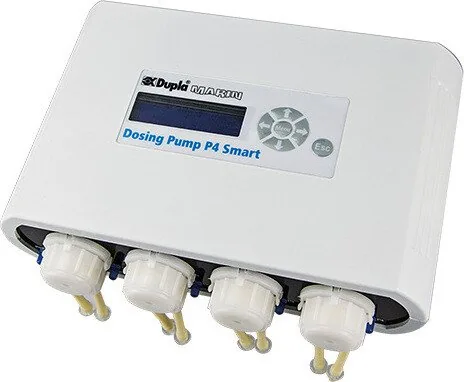
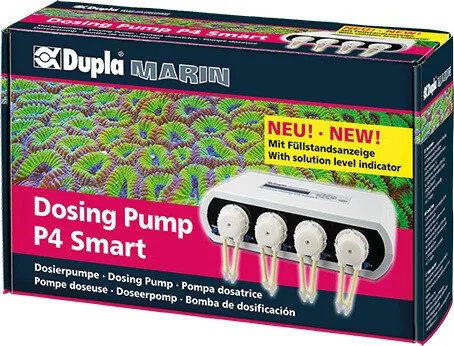
Maintaining a stable marine aquarium requires extreme precision. The Dupla Marin Dosing Pump P4 Smart Fully Automatic Dosing Pump, 4 Channel Manual provides exactly that for advanced hobbyists. Whether you feed calcium, magnesium, or trace elements, this device manages it all automatically. It replaces manual dosing with intelligent programming that keeps your tank balanced 24 hours a day. Understanding the interface is key to success with this sophisticated marine equipment.
Key Features and Capabilities
This unit includes an integrated control system that remembers your settings even during power failures. You can program up to 24 separate dosing events daily across four distinct channels. The minimum flow rate allows for extremely precise adjustments down to 1 milliliter. For larger needs, the pump handles up to 9,999 milliliters per day safely, though exceeding this may impact longevity. A notable benefit is the visual monitoring system. Red LED lights alert you when fluid levels are low, ensuring you never run dry unexpectedly.
Installation and Maintenance
Correct placement ensures optimal performance. These pumps are self-priming and must sit above the solution containers to prevent draining during leaks. The maximum vertical lift should not exceed two meters. To secure tubing, we recommend using the Dupla Marin Tube Holder for stability. Maintenance is simple with available replacement hoses and heads. Calibration is essential for accuracy and involves a specific 100 milliliter pump cycle to update rotation counts. If a hose becomes squeezed over time, opening the head often fixes the issue immediately.
Programming and Manual Control
Programming is intuitive using the six keypad buttons and display. You can set date and time, interval days ranging from zero to thirty, and specific dosing volumes. Sometimes automatic modes need adjustment. The device allows manual operation for checking function or venting air from lines easily by holding the menu key. This ensures the system stays clear of blockages. The manufacturer offers a warranty of two years from purchase, excluding wear parts like hoses. By following the provided guide regarding fill level programming, you guarantee accurate dosing. This system is a reliable investment for serious reef keepers seeking consistency without manual intervention. Proper care extends the life of the motor and pump head significantly over years of operation. We suggest checking levels weekly to avoid sudden depletion. Regular maintenance checks are vital for long-term success and stability in your home aquarium environment.
Important Note: Always add remaining solution volume to the new amount when refilling. For example, 50 ml left plus 500 ml added equals 550 ml program total.
Search for 67,706 Manuals online


Type-in Brand or Model