
Ducky One 3 Manual
PDF manual · 44 Pages
English



Quick check
Incorrect answer, please try again.
Chat with your Ducky One 3 manual using AI
Get instant AI answers from your Ducky One 3 manual
Ask anything about the Ducky One 3. Answers come from this manual, with the pages they are based on.
Ask a Question
Do you recommend One 3?
Yes NoFrequently Asked Questions
The full-size version weighs 1250 grams to ensure stability during use.
Is this answer helpful?
Yes, the keyboard features hot-swappable sockets that allow safe switch replacement.
Is this answer helpful?
There are twelve preset lighting modes including breathing, rainbow wave, and reactive modes.
Is this answer helpful?
Yes, Ducky Macro V2.0 technology supports up to six separate profile slots for scripting.
Is this answer helpful?
Yes, you can enable the Windows key lock using a DIP switch or specific key combination.
Is this answer helpful?
It uses Cherry MX mechanical switches which provide a consistent tactile feel.
Is this answer helpful?
Hold Fn plus Windows and Alt keys together to reset the settings.
Is this answer helpful?
Advantages and Disadvantages
Advantages

- Hot-swappable sockets allow easy switch replacement without soldering.
- Multiple lighting profiles include twelve preset RGB modes and zone customization.
- Onboard memory saves macro and lighting settings for portability.
- Built-in DIP switches offer hardware configuration like NKRO and Win lock.
- Durable PBT or ABS keycaps feature double-shot or dye-sublimation printing.
Disadvantages

- No dedicated software mentioned for macro editing outside manual steps.
- DIP switches require physical access to the underside of the device.
- RGB zones have limitations compared to per-key individual control in some modes.
- Recording macros requires specific key combinations and memory management.
- Full-size version is heavier at 1250g which limits portability slightly.
Product Specification
Keyboard Layout
DE
Type
Mechanical
Keycap Level
Regular, with Frame
Keycap Format
Regular
Keycap Profile
Concave
Numpad
Standard
Cursor Keys
Standard
Control Keys
Standard
F Keys
Standard (Top row, with gap below, in groups of 4)
Enter Key
Standard
Delete Key
Standard
Status Indicators
Capslock, Num, Scroll
Wrist Rest
N/A
Housing
Plastic
Connection
Wired, USB-A 2.0, Detachable cable (USB-C Port)
Power Supply
USB
Dimensions (WxHxD)
17.72 x 1.57 x 5.51 inches
Weight
2.47 lbs
Product Description
Introducing the Ducky One 3 Mechanical Keyboard
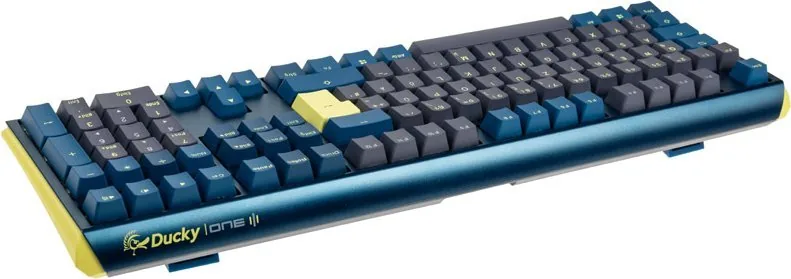
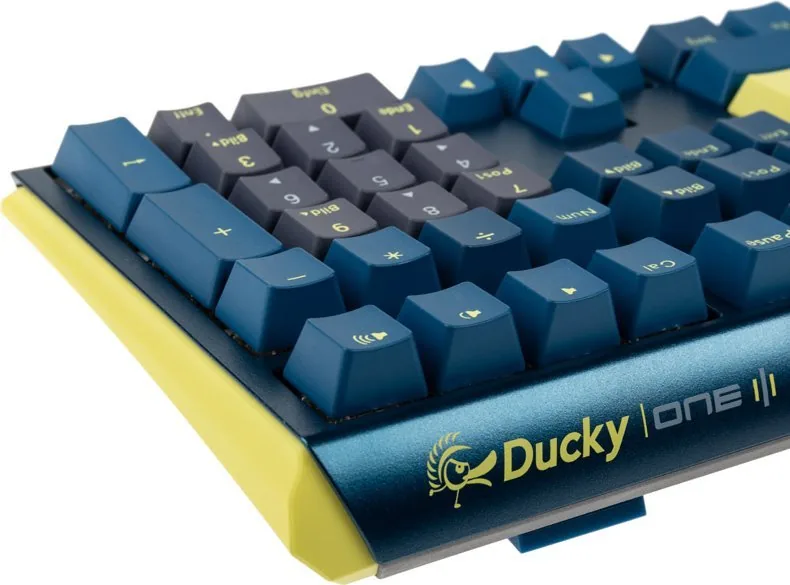
The Ducky One 3 brings a highly refined experience to enthusiasts seeking precision and durability in every keystroke. Available in both tenkeyless and full-size layouts, this keyboard caters to diverse desk setups without compromising on performance or build quality. The chassis is incredibly sturdy and compact, designed specifically for optimal ergonomics during long gaming sessions or demanding typing tasks. Users can choose between the sleek non-backlit version or the vibrant RGB LED version depending on their specific aesthetic preferences and workspace needs. Both models feature premium Cherry MX switches that provide a tactile response unmatched by standard membrane alternatives found in office peripherals.
Advanced Lighting Capabilities and Customization
The RGB LED version allows for extensive customization through twelve distinct lighting modes accessible via simple key combinations. From the rhythmic breathing pattern to the dynamic rainbow wave effect, each mode can be adjusted directly on the hardware. The zone customization feature lets users assign specific colors to individual keys, perfect for highlighting WASD keys or custom macro buttons. Lighting profiles can be saved directly to the onboard memory, ensuring your settings persist across different systems without needing third-party software installation. Speed and brightness levels can be tuned to match your environment perfectly. You can also cycle through various modes to find the best lighting style for your specific room conditions.
Programmable Macros and Switch Logic
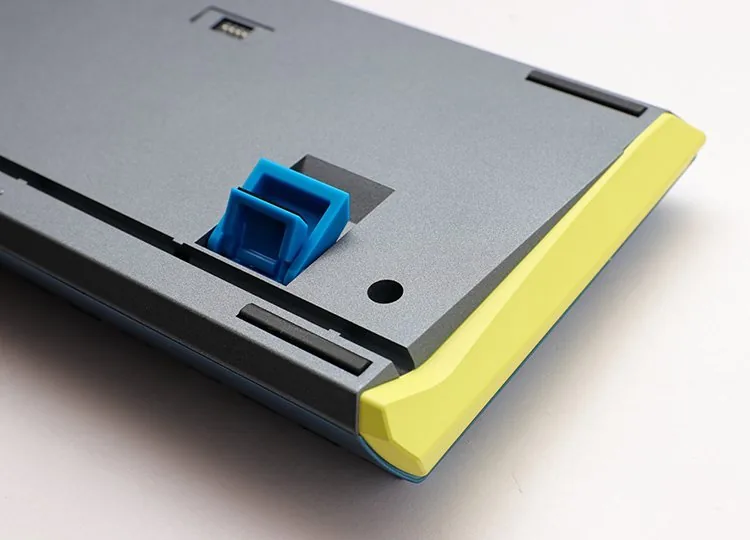
Ducky Macro V2.0 technology empowers users to create powerful scripts with up to six separate profile slots for different tasks. This flexibility extends to multimedia controls, Windows shortcuts, and complex key swaps without limitations. The DIP switches located on the underside offer additional hardware-level configuration options such as enabling or disabling the Windows key lock or changing the right Windows key behavior to the Menu key. Hot-swappable sockets make maintenance and switch swapping incredibly easy for hobbyists who want to modify the feel without soldering. You can also record custom sequences for repetitive actions to improve workflow efficiency significantly during work hours.
Build Quality and Design Specifications
Constructed in Taiwan, the keyboard features PBT or ABS keycaps with durable printing techniques like double-shot injection or dye sublimation. The weight distribution ensures the keyboard remains stable during intense input without sliding. Full-size options measure 450 x 140 x 40 mm and weigh 1250g, while tenkeyless models are 370 x 140 x 40 mm at 950g. Whether you are looking for a dedicated gaming tool or a professional workstation keyboard, the Ducky One 3 delivers consistency and reliability. Its minimalist design hides complex functionality behind simple key combinations for a clean look. This mechanical workhorse stands ready to elevate your typing experience with every press on this durable machine.
Notes:
- Please contact distributors for exact regional availability and specs.
- Ensure proper switch alignment during hot-swap procedures to prevent damage.
Search for 67,706 Manuals online


Type-in Brand or Model