
Ducky One 2 Skyline Manual
PDF manual · 56 Pages
English



Quick check
Incorrect answer, please try again.
Ask a Question
Do you recommend One 2 Skyline?
Yes NoFrequently Asked Questions
It uses high quality PBT material which resists shine and wear over time.
Is this answer helpful?
Yes Ducky Macro V2.0 allows programming of complex commands.
Is this answer helpful?
Multiple types exist including Single Color and RGB LED Backlit Modes.
Is this answer helpful?
Yes to prevent accidental triggers during gaming sessions.
Is this answer helpful?
Use the factory defaults function available in the settings.
Is this answer helpful?
DE German layout is available for local users requiring specific keys.
Is this answer helpful?
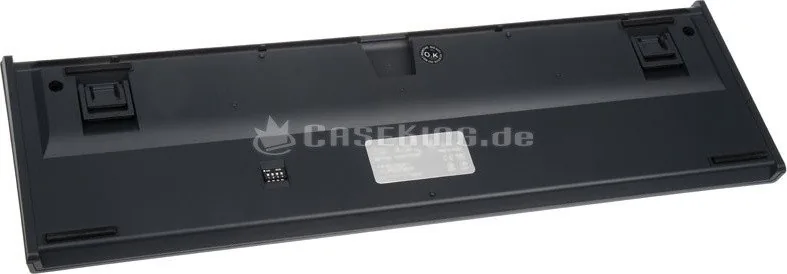
Yes via DIP switch functions allow hardware level adjustments.
Is this answer helpful?
Advantages and Disadvantages
Advantages

- Durable PBT keycap material resists wear and shine.
- Advanced Ducky Macro V2.0 support enables complex commands.
- RGB LED Backlit Modes offer extensive lighting customization.
- USB Repeat Acceleration ensures rapid key press recognition.
- Windows Key Lock Feature prevents accidental triggering.
Disadvantages

- Setup process for macros requires time and learning.
- DIP switch adjustments require physical access to hardware.
- Factory reset erases all user custom configurations.
- Wired connections limit cable management flexibility.
- German layout options may not suit all regions.
Product Specification
Layout
German
Type
Mechanical
Backlighting
None
Keycap Level
Standard, with frame
Keycap Format
Standard
Keycap Dome
Concave
Numpad
Standard
Cursor Block
Standard
Control Keys
Standard
F-Keys
Standard (top row, spaced, in groups of 4)
Enter Key
Standard
Delete Key
Standard
Status Indicator
Capslock (Lock), Scroll
Wrist Rest
None
Housing
Plastic
Housing Color
Solid, gray
Keycap Finish
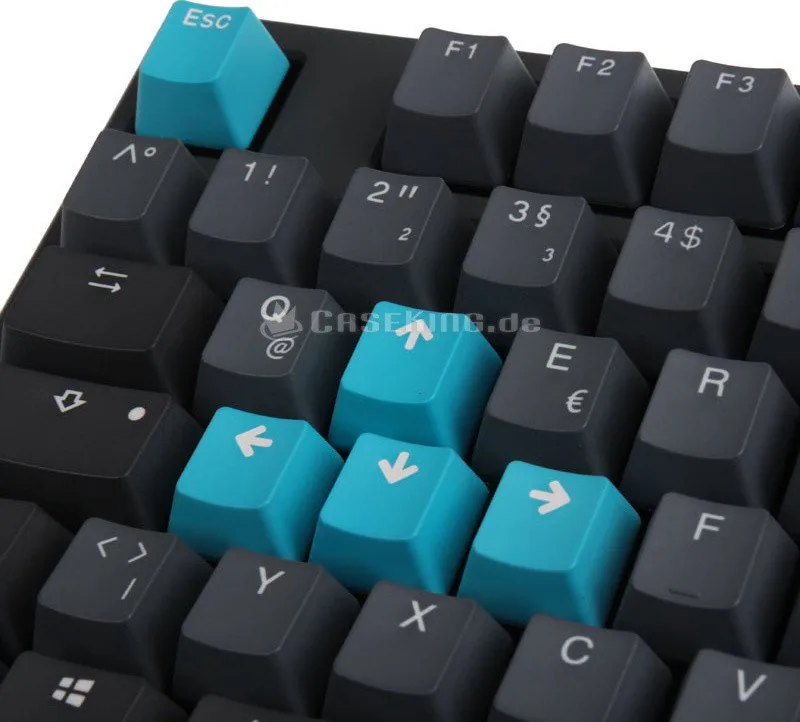
PBT, multi-color, black/gray (9 extra keycaps different color)
Key Legend
Double-Shot, solid, white (translucent)
Connection
Wired, USB-A 2.0, detachable cable (USB-C port)
Power Supply
USB
Dimensions (WxHxD)
17.32x1.57x5.31 inches
Weight
2.43 lbs
Features
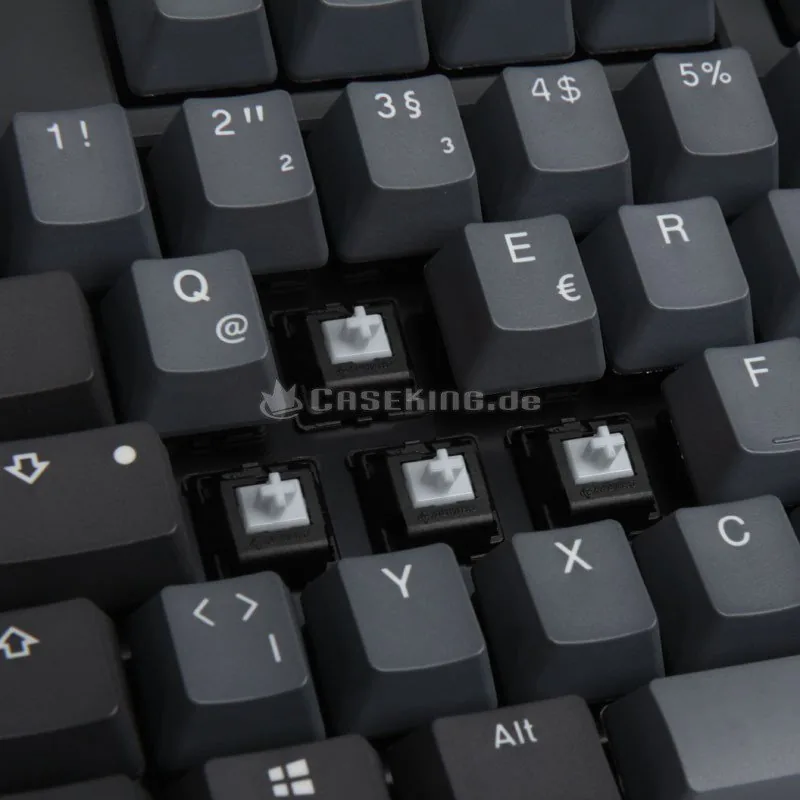
4 Multimedia keys, Anti-Ghosting (N-Key-Rollover), 9 extra keycaps included, FN key, swapable WASD keys
Switch Manufacturer
Cherry
Switch Module
MX
Damping
None
Lifespan
50 million
Product Description
The Ducky One 2 Skyline PBT Experience
The Ducky One 2 Skyline PBT keyboard stands as a premier choice for mechanical typing enthusiasts everywhere. This unit features specific German layout options that cater directly to local users requiring precise character placement. PBT keycaps provide a durable surface resistant to shininess over prolonged usage periods. The lighting system remains a significant highlight with RGB LED Backlit Modes available for extensive customization efforts. Users can enjoy Single Color LED modes for a cleaner aesthetic preference. Zone customization allows specific areas to glow based on specific input requirements.
Functionality extends far beyond simple typing with Ducky Macro V2.0 support included fully. Hotkeys function seamlessly to execute complex commands instantly without delay. Setting up macros requires attention but offers significant workflow improvements for power users. Demo Mode helps newcomers understand available features quickly and easily. Display Mode gives feedback on current configurations without needing to open external applications. Keyboard Power Mode optimizes energy consumption during periods of idle use. Reset Back to Factory Defaults is accessible immediately if settings cause issues.
Windows Key Lock Feature prevents accidental triggering during intense gaming sessions effectively. Mouse Function DIP Switch Functions allow hardware level adjustments for specific peripherals. USB Repeat Acceleration ensures rapid key press recognition rates for gaming speeds. Reset Back to Factory Defaults protects against corruption in advanced settings. The Ducky One 2 Skyline PBT, DE Manual remains a key reference for exploring these capabilities thoroughly. Its design emphasizes mechanical stability without any wobbling during use. Build quality ensures consistent performance under heavy daily loads and stress.
Notes on maintenance suggest cleaning keycaps regularly to preserve texture and color vibrancy. Software updates can enhance compatibility with newer operating systems released recently. The interface remains intuitive despite the depth of advanced options available. Many users find the balance of aesthetic appeal and utility unmatched in its broad class category.
Additional maintenance tips include avoiding liquids. Firmware stability is generally high across all models. Support groups share experiences regarding macro scripting efficiency. Single Color LED Zone Customization Modes allow users to split regions into distinct patterns. RGB LED Zone Customization Modes expand this further with full spectrum control. These modes define the visual personality of the keyboard setup. Users often mix styles for unique looks. The Ducky One 2 Skyline PBT, DE Manual keyword helps locate specific technical details. Connectivity remains stable with wired connections. Durability is tested under rigorous conditions. Warranty information varies by region.
Search for 67,706 Manuals online


Type-in Brand or Model