
Ducky One 2 Pro Manual
PDF manual · 13 Pages
English



Quick check
Incorrect answer, please try again.
Chat with your Ducky One 2 Pro manual using AI
Get instant AI answers from your Ducky One 2 Pro manual
Ask anything about the Ducky One 2 Pro. Answers come from this manual, with the pages they are based on.
Ask a Question
Do you recommend One 2 Pro?
Yes NoFrequently Asked Questions
Hold Fn + Esc for three seconds. The Caps Lock indicator flashes three times to confirm that the keyboard has returned to its factory defaults.
Is this answer helpful?
The keyboard offers a breathing mode and a full backlit mode. Use the specified Fn shortcut to move between the available lighting modes.
Is this answer helpful?
In full backlit mode, use Fn + Down Arrow to decrease brightness and Fn + Up Arrow to increase it. In breathing mode, these controls adjust effect speed instead.
Is this answer helpful?
Yes. Press Fn + X to turn off the backlight. This is useful when you want a darker workspace or do not need lighting.
Is this answer helpful?
Press Fn + Alt + Number Lock to toggle the mouse function. The M indicator at the right side lights up when the function is active.
Is this answer helpful?
DIP switch 2 selects rollover behavior. OFF uses N-key rollover, while ON enables 6-key rollover, an option noted as useful for Mac and Linux devices.
Is this answer helpful?
DIP switch 4 changes the right Windows key. OFF keeps its default right Windows key behavior, while ON changes it to a Menu key.
Is this answer helpful?
Advantages and Disadvantages
Advantages

- Two backlight modes support breathing effects or steady illumination with quick brightness and speed controls.
- Independent indicator-light brightness settings help maintain visible keyboard status information.
- Factory reset is available through a simple Fn + Esc shortcut with a clear Caps Lock confirmation.
- Four DIP switches provide Windows lock, rollover, vendor ID, and Menu key configuration options.
- Optional 6-key rollover offers useful compatibility for Mac and Linux devices.
Disadvantages

- Lighting options described are limited to breathing and full backlit modes.
- Mouse control requires keyboard shortcuts and may not replace a dedicated mouse for detailed tasks.
- DIP switches are located underneath the keyboard, making frequent changes less convenient.
- Indicator lights do not participate in the main lighting effects.
- Some advanced options, such as vendor ID changes, may be unnecessary for typical users.
Product Specification
Layout
US
Type
mechanical
Lighting
white
Keycap profile
standard, with frame
Keycap format
standard
Keycap shape
concave
Numeric keypad
standard
Arrow key cluster
standard
Control keys
standard
Enter key
standard
Delete key
standard
Status indicators
Caps Lock, Num Lock, Scroll Lock
Wrist rest
N/A
Case
plastic
Key legends
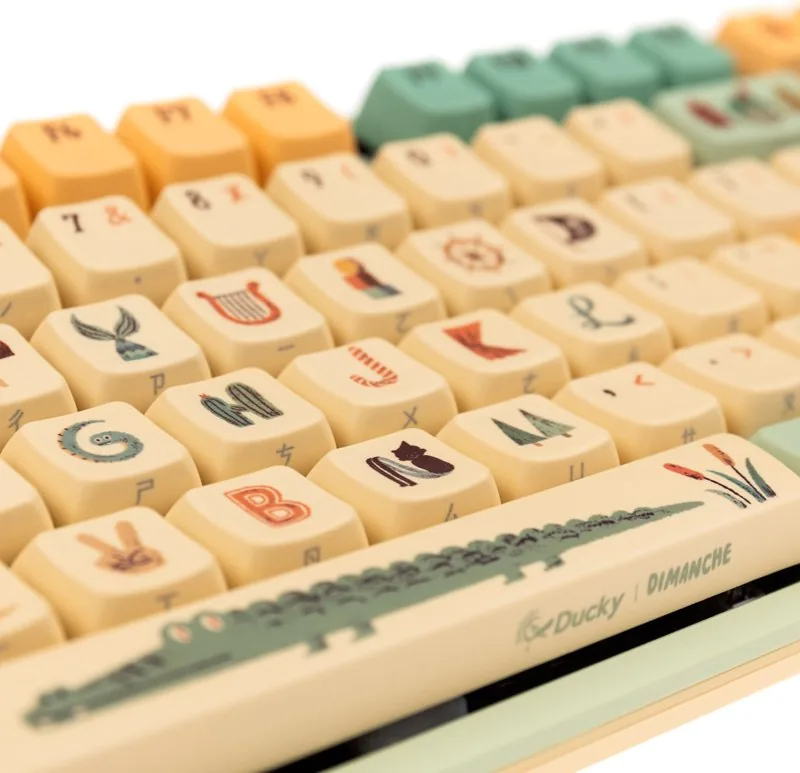
multicolored, colorful, motif
Connection
wired, USB-A 2.0, detachable cable (USB-C port)
Power supply
USB
Dimensions (W x H x D)
17.32 x 1.57 x 5.31 in
Weight
3.09 lb
Special features
4 multimedia keys, anti-ghosting (N-key rollover), Fn key, sound-dampened (foam)
Switch manufacturer
Varmilo
Switch model
EC V2
Tactile feedback
none
Damping
none
Actuation force
0.10 lbf (+/-0.03 lbf tolerance) ~ 45.89 gf (+/-15.30 gf tolerance)
Key travel
0.16 in (+/-0.02 in tolerance)
Pre-travel
0.08 in (+/-0.02 in tolerance)
Lifespan
50 million
Product Description
Ducky x Dimanche One 2 Pro, US - Read, Download & Print Free
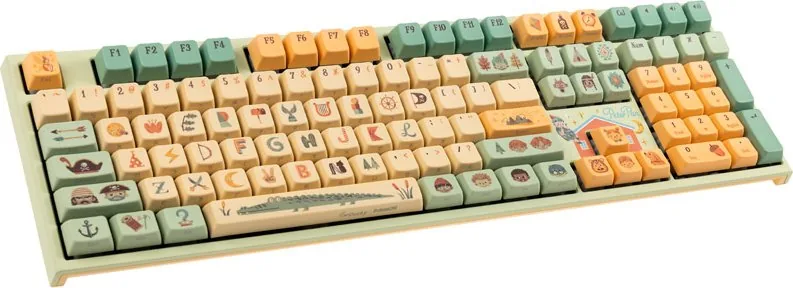
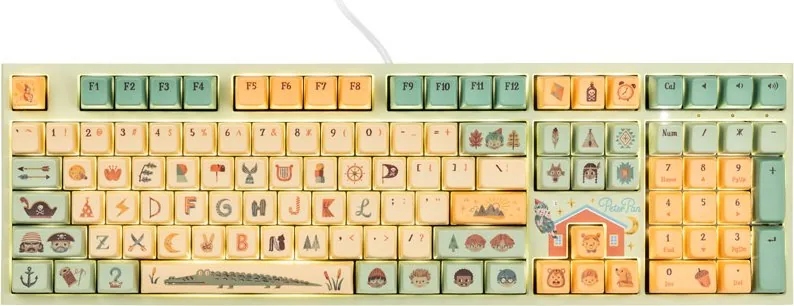
The Ducky x Dimanche One 2 Pro, US is a compact keyboard designed for users who value direct control, flexible lighting, and practical system-level options. Its US layout keeps familiar key placement within an efficient form factor, making it suitable for desk setups where space and responsiveness matter. The keyboard combines everyday usability with configurable functions that can be adjusted directly from the keys and underside switches.
Lighting controls made simple
Two primary backlight modes are available: a smooth breathing effect and a full backlit mode. In breathing mode, keyboard shortcuts adjust the animation speed, while the full backlit mode uses the same controls to raise or lower brightness. This gives users a quick way to tailor the visual intensity for daytime work, low-light gaming, or a calmer desktop appearance.
Indicator lighting can also be adjusted independently. Using the relevant Fn and Alt shortcuts, users can reduce or increase the brightness of status indicators without changing the main lighting level. For a completely dark setup, the backlight can be switched off with a dedicated key combination. Indicator lights remain separate from the selected lighting effects, helping important keyboard status information stay visible.
Built-in mouse function and recovery option
The Ducky x Dimanche One 2 Pro, US includes a mouse control function that can be toggled with an Fn shortcut. When active, the keyboard's right-side M indicator illuminates, providing a clear visual confirmation. This feature can be useful when a mouse is unavailable or when quick pointer control is needed without leaving the keyboard.
A factory reset shortcut is also included for straightforward recovery. Holding Fn and Esc for three seconds restores the default configuration, confirmed by three flashes from the Caps Lock indicator. It is a useful safeguard for users who experiment with settings and want an easy return to the original behavior.
DIP switch customization
Four DIP switches on the underside provide hardware-level configuration. Users can enable Windows key lock, choose between N-key rollover and 6-key rollover, select a Ducky or user-defined vendor ID, and change the right Windows key into a Menu key. The 6-key rollover option is especially useful for Mac and Linux compatibility.
Notes
- DIP switches are set to OFF by default.
- Changes are designed around convenient keyboard-level control.
- The combination of lighting, rollover, and key behavior options supports both focused work and gaming setups.
For users seeking a configurable compact keyboard, the Ducky x Dimanche One 2 Pro, US offers practical controls without requiring complicated setup steps.
Search for 67,706 Manuals online


Type-in Brand or Model