
Dual DTJ 301.1 USB Manual
PDF manual · 104 Pages
English


Quick check
Incorrect answer, please try again.
Chat with your Dual DTJ 301.1 USB manual using AI
Get instant AI answers from your Dual DTJ 301.1 USB manual
Ask anything about the Dual DTJ 301.1 USB. Answers come from this manual, with the pages they are based on.
DTJ 301.1 USB Maintenance Schedule
Brush the stylus from back to front with a cleaning brush. Wipe the record lightly and diagonally with a record cloth to prevent premature wear.
Check the stylus for wear after at least 1000 playing hours. Replace worn or damaged styluses immediately to avoid ruining records.
Ask a Question
Do you recommend DTJ 301.1 USB?
Yes NoFrequently Asked Questions
It plays records at 33 1/3 RPM and 45 RPM. Separate speed buttons make selection simple, and a center adapter is supplied for 45 RPM singles with large center holes.
Is this answer helpful?
Yes, if the speakers have a line-level RCA or AUX input. Set the PHONO/LINE selector to LINE when using a line-level input. Use PHONO only when connecting to a dedicated phono input.
Is this answer helpful?
Yes. Connect the turntable directly to a Windows PC or Mac through USB and use compatible recording software. Audacity is mentioned as an option, but other computer audio recording programs may also be used.
Is this answer helpful?
Yes. The PITCH ADJ. slider adjusts playback speed by approximately minus 10 percent to plus 10 percent. The strobe markings help users check whether the selected speed is accurate.
Is this answer helpful?
The turntable is supplied with an Audio-Technica AT3600 magnetic cartridge and stylus. The stated recommended tracking force is 3.0 to 3.5 grams for the included system.
Is this answer helpful?
Use suitable antistatic cleaning products. Brush the stylus gently from back to front, and wipe records with an appropriate record cloth. Avoid abrasive materials, solvents, alcohol, and benzine.
Is this answer helpful?
Advantages and Disadvantages
Advantages

- Direct-drive motor delivers fast start and stop performance in under one second.
- Supports 33 1/3 and 45 RPM records, including large-hole singles with the supplied adapter.
- Built-in preamplifier and PHONO/LINE switch support flexible amplifier and speaker connections.
- USB output allows vinyl recording to a Windows PC or Mac using compatible audio software.
- Pitch control, strobe markings, stylus light, and adjustable feet support DJ-style operation.
Disadvantages

- Manual tonearm balancing, tracking-force setup, and anti-skating adjustment are required before use.
- USB connection is intended only for direct connection to a computer, not other USB devices.
- The supplied cartridge has a relatively high recommended tracking force of 3.0 to 3.5 grams.
- The turntable must be placed on a stable, level surface to avoid skipping and vibration issues.
Product Specification
Drive type
direct
Speed
33 RPM, 45 RPM
Tonearm
S-shaped
Effective tonearm length
9.07 in
Overhang
0.63 in
Wow and flutter
0.15%
Platter
13.11 in
Cartridge
Audio-Technica AT-3600
Audio connections
Stereo Line Out
Additional connections
USB-B
Special features
Phono preamp, dust cover
Color
black
Dimensions
17.72 x 5.91 x 13.78 in (W x H x D)
Weight
11.82 lb
Product Description
Dual DTJ 301.1 USB - Read, Download & Print Free
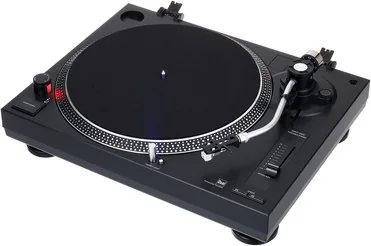
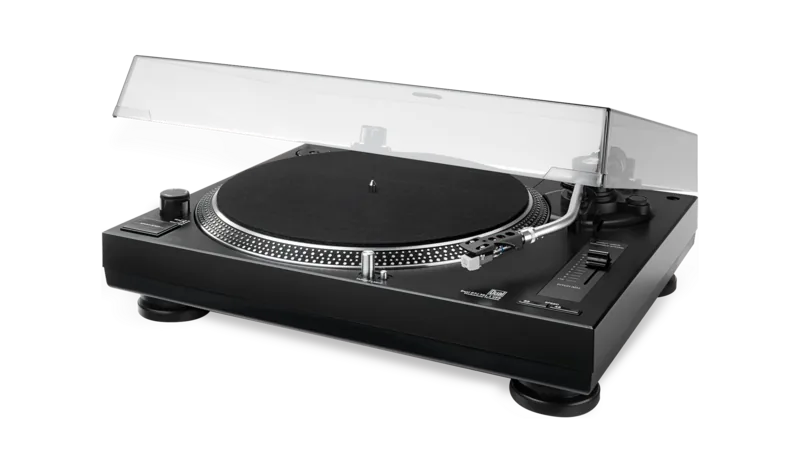
The Dual DTJ 301.1 USB is a versatile DJ-style turntable designed for listeners who want to enjoy vinyl records and bring their collections into a digital music library. Combining direct-drive performance, flexible audio connections, and USB recording capability, it offers a practical bridge between classic analog playback and computer-based audio.
Built for Vinyl Playback and DJ Control
This model supports both 33 1/3 and 45 RPM records, making it suitable for LPs, singles, and many everyday vinyl collections. Its 8-pole, two-phase direct-drive DC motor provides fast start and stop operation in less than one second. This responsive behavior is useful for cueing, beat matching, and scratch-oriented use.
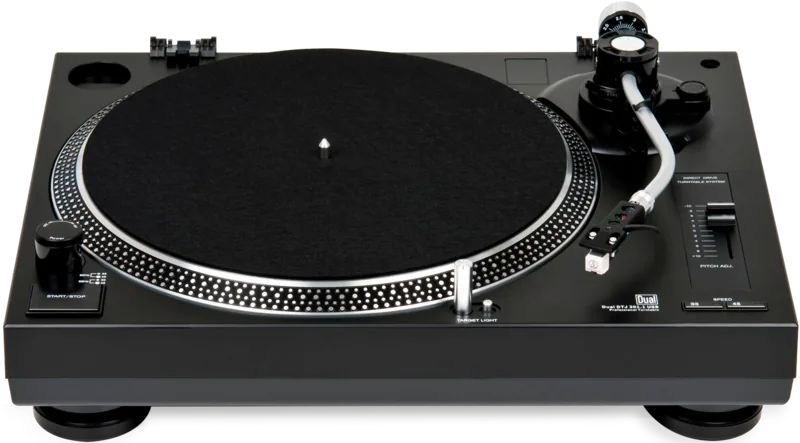
A dedicated pitch control lets users adjust playback speed over a range of approximately minus 10 percent to plus 10 percent. The strobe display helps confirm speed accuracy, while separate speed buttons make switching between record formats straightforward. A removable center adapter is included for 45 RPM singles with large center holes.
Flexible Connections for Modern Systems
The Dual DTJ 301.1 USB includes an integrated equalizer preamplifier and a PHONO/LINE selector. This allows connection to a traditional phono input or directly to a line-level AUX or audio input on an amplifier, receiver, or powered speaker system. RCA outputs provide left and right channel connections.
The USB port supports direct connection to a Windows PC or Mac for recording vinyl audio. Users can capture music with compatible recording software, including Audacity, then save and organize recordings in their preferred audio format. USB 2.0 is recommended, although the unit also supports USB 1.1 or later.
Adjustable Setup for Better Tracking
Careful tonearm setup helps protect records and improve sound quality. The turntable includes a removable headshell with an Audio-Technica AT3600 magnetic cartridge, a counterweight, anti-skating adjustment, and a cueing lever. The recommended tracking force for the supplied cartridge is 3.0 to 3.5 grams, with anti-skating set to the same value.
Adjustable feet help level the turntable and reduce unwanted vibration. The included dust cover, felt mat, stylus light, and electronic brake add useful everyday convenience. Regular cleaning of records and the stylus is recommended, and the stylus should be checked for wear after about 1,000 hours of playback.
Notes
- Place the turntable on a stable, level, low-vibration surface.
- Keep it away from moisture, heat sources, and strong magnetic fields.
- Select PHONO or LINE correctly before connecting to an amplifier.
- Use the USB connection only for a direct computer connection.
Search for 67,732 Manuals online


Type-in Brand or Model
Maya Chen
5 months ago
Is this turntable easy to set up and suitable for beginners who want to play and digitize old vinyl records?
Manual.ly
5 months ago
Yes. Reviews commonly describe the DTJ 301.1 as easy to assemble and operate, with clear instructions and good value for playing records and USB digitization. It is a manual turntable, however: the tonearm does not automatically return or lift at the end of a record. Sound quality can also depend on your amplifier, settings, and cartridge, so careful setup is recommended.