
Dual CS 329 Manual
PDF manual · 22 Pages
English


Quick check
Incorrect answer, please try again.
Chat with your Dual CS 329 manual using AI
Get instant AI answers from your Dual CS 329 manual
Ask anything about the Dual CS 329. Answers come from this manual, with the pages they are based on.
CS 329 Maintenance Schedule
Clean the stylus with a brush from back to front and wipe the record with a carbon fiber brush before playing to prevent wear.
Check the stylus for wear or damage regularly. Replace it if worn or splintered to avoid destroying records.
If the sound drones or pitch is inconsistent, the drive belt may be loose and needs replacement.
Ask a Question
Do you recommend CS 329?
Yes NoFrequently Asked Questions
Yes, this unit features a built-in phono pre-amplifier. You can switch the rear panel setting to LINE mode and connect directly to any standard auxiliary or line input using the included RCA cables.
Is this answer helpful?
You should clean the stylus regularly using a carbon fiber brush. Gently wipe from back to front under the needle before playing a record. Avoid using solvent or wet cloths on the cartridge itself.
Is this answer helpful?
The turntable supports standard 12-inch (30cm) and 7-inch (17cm) singles using the included spindle adapter. Note that the automatic return function is not available for 10-inch (25cm) records.
Is this answer helpful?
Yes, you can fine-tune the rotation speed using a small screwdriver. There are two adjustment holes in the base plate for setting the exact speed to ensure accurate pitch and timing.
Is this answer helpful?
Yes, secure the tonearm on its rest using tape or the transport clip to prevent movement. Remove the platter before transporting to avoid damaging the motor or bearings inside the unit.
Is this answer helpful?
Advantages and Disadvantages
Advantages

- Built-in phono pre-amplifier allows flexible connections to line or phono inputs without external gear
- Belt drive system operates quietly to minimize interference with music playback quality
- Dual playback modes offer both manual control and fully automatic operation for convenience
- Includes high quality Audio-Technica AT91 cartridge for reliable stylus tracking
Disadvantages

- No digital audio output option available for direct connection to digital systems
- Manual stylus replacement requires careful handling to prevent damage to the tonearm
- Automatic playback mode does not function with 25 centimeter diameter records
Product Specification
Drive Type
Belt
Operation
Fully Automatic
Speed
33 RPM, 45 RPM
Tonearm
Straight
Effective Tonearm Length
8.72 in
Overhang
0.75 in
Speed Variation
0.12%
Platter
11.69 in
Cartridge
Audio-Technica AT91
Audio Connections
Phono Out (RCA), Stereo Line Out (RCA)
Features
Phono Preamp, Dust Cover
Color
Black
Dimensions
17.13x5.20x14.65 in (WxHxD)
Weight
11.02 lbs
Product Description
Dual CS 329 Turntable Overview and Experience
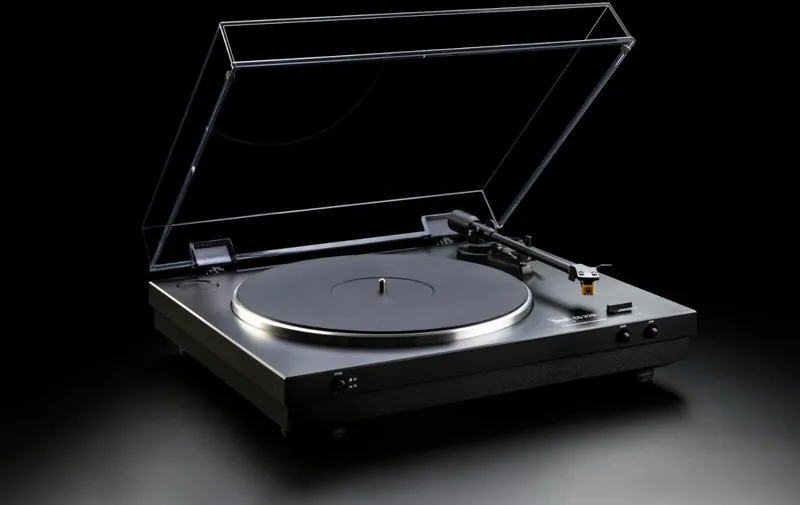
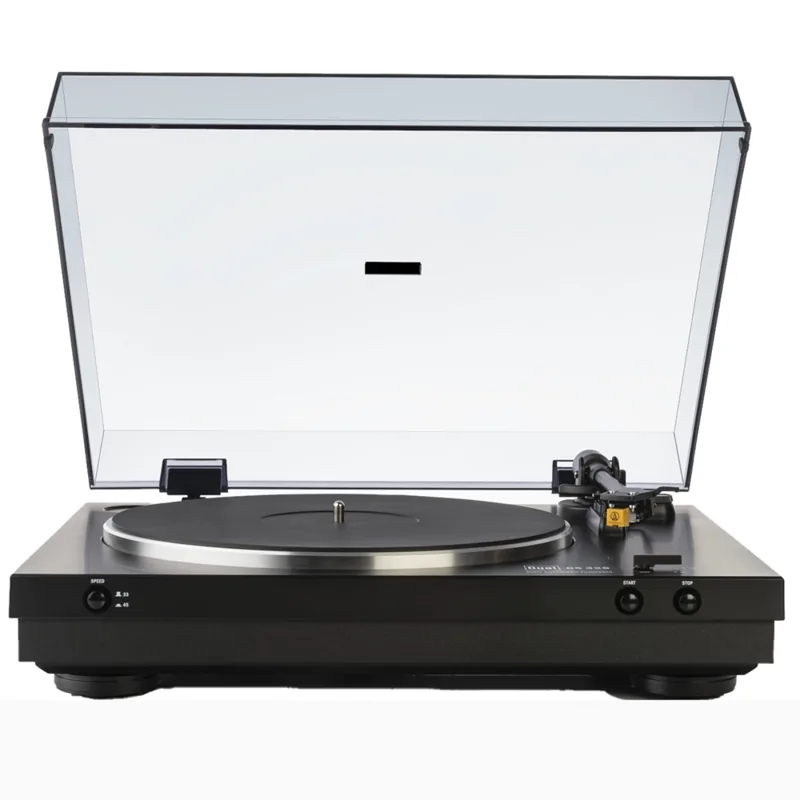
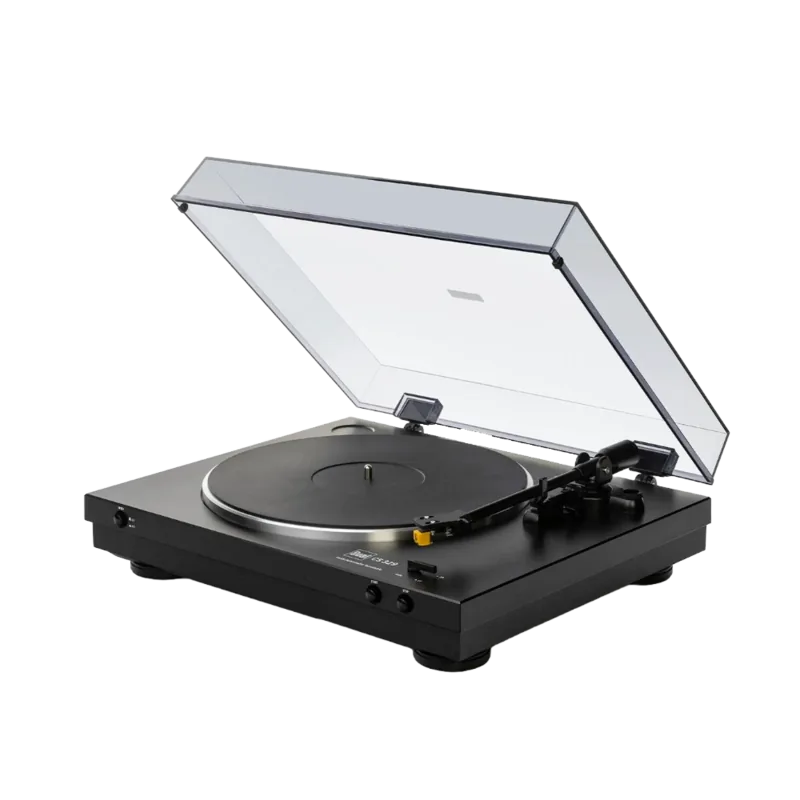
The Dual CS 329 is a highly versatile record player designed for audiophiles seeking quality sound without excessive complexity. This belt-drive turntable combines reliable mechanical engineering with modern connectivity options. It features a robust aluminum die-cast platter and a sturdy casing constructed from plastic and MDF materials. Whether you are spinning your favorite vinyl collection or introducing someone new to music, this unit offers a premium audio experience that respects traditional formats while accommodating modern setups. The design focuses on durability, with footpads that include elastomer damping elements to reduce vibrations effectively during operation.
Operational Flexibility and Sound Quality
One of the standout features is its dual playback capability. You can operate the device manually by lifting the tonearm and carefully placing it on the record. Alternatively, you can utilize the fully automatic function where the motor starts and the arm lowers itself upon pressing the start button. The built-in phono pre-amplifier adds significant convenience, allowing connections to standard line inputs in addition to dedicated phono inputs. This flexibility ensures compatibility with a wide range of existing audio amplifiers and receivers without needing external equalization equipment. The belt drive system minimizes motor noise, ensuring your records play with clarity and minimal interference across all frequencies.
Setup and Connectivity Details
Installation is straightforward for most users. The turntable comes with a solid platter mat and an Audio-Technica AT91 cartridge pre-installed on the tonearm. Powering the unit requires a standard 12 V DC adapter that is included in the package. Connecting to your amplifier is seamless using the fixed RCA cables which are color-coded for left and right channels. You simply select the PHONO or LINE switch on the rear panel depending on your amplifier configuration. A ground wire connection is recommended to minimize hum and noise for the optimal sound quality during playback sessions. The unit also includes a spindle adapter for playing smaller 7-inch singles conveniently without needing extra hardware. The dust cover hinges are pre-installed for quick assembly.
Maintenance and Troubleshooting Guidance
Proper upkeep is essential for the longevity of the unit and your vinyl records. The stylus needs regular cleaning using a suitable brush to remove dust and prevent wear on the groove walls. While the Dual CS 329 Manual provides detailed instructions for maintenance, general care involves wiping the platter and using antistatic cleaning agents. Avoid using harsh solvents on the chassis to prevent cosmetic damage. If you encounter issues like skipping or speed variations, refer to the troubleshooting section to adjust speed or check belt tension. Safety is also paramount, so always unplug the power supply before cleaning or servicing the device to prevent electric shock during any maintenance work. Ensure the tonearm is secured during transport to prevent damage to the stylus.
Environmental Standards and Safety Compliance
This device adheres to various safety standards including low-voltage and EMC directives. It ensures safe disposal and eco-friendly recycling in compliance with international regulations. The power supply is highly efficient, consuming minimal energy even when idle. Users should ensure the device is placed in a dry area away from moisture to maintain performance. All packaging materials are environmentally safe and can be recycled, though children must be kept away from plastic bags due to suffocation risks. Regular inspection of the power cable is advised to avoid trip hazards.
Search for 67,732 Manuals online


Type-in Brand or Model