
DJI Osmo+ Manual
PDF manual · 26 Pages
English



Advantages and Disadvantages
Advantages

- 3-axis stabilization with SmoothTrack for buttery-smooth footage in handheld operation.
- 3.5x optical zoom plus 2x lossless digital zoom at 1080p for versatile framing without swapping lenses.
- Shoots 12MP stills and up to 4K video; supports RAW (DNG) and high-bitrate recording.
- Intelligent battery with cell balancing and multiple protections, ~114 minutes runtime per charge.
- Deep DJI GO app integration with motion timelapse, panoramas, manual controls and firmware updates.
Disadvantages

- Not water resistant; requires care around sand and moisture.
- Limited microSD support (recommended up to 64 GB, Class 10/UHS-1) may constrain long 4K sessions.
- Battery capacity is modest compared with larger rigs, requiring spares for extended shoots.
- Gimbal must be unlocked/locked manually and can beep if locked when powered on.
- Some advanced features and calibration rely on the DJI GO app and Wi‑Fi connectivity.
Ask a Question
Frequently Asked Questions
The Osmo+ features a 3.5x optical zoom lens and supports up to 2x lossless digital zoom when shooting at 1080p, enabling a wide range of framing options without changing lenses.
Is this answer helpful?
The 1225 mAh intelligent battery provides approximately 114 minutes of runtime. Using the provided charger, a full charge takes around 110 minutes. Follow DJI’s battery safety and charging guidelines.
Is this answer helpful?
Yes. The DJI GO app provides live HD monitoring, camera and gimbal settings, shooting modes (motion timelapse, panoramas, slow motion), firmware upgrades, and tools for editing, exporting and livestreaming.
Is this answer helpful?
To unlock, rotate the roll motor until free and slide the Pan Axis Lock upwards; unlocking before power on is recommended. To lock, pull the pan axis lock down, rotate to locked position and adjust roll motor. Always lock before transporting.
Is this answer helpful?
Check your phone’s Wi‑Fi settings and ensure connection to the OSMO_XXXXXX network (default password 12341234). Use 2.4GHz or compatible 5 GHz channel, restart the Osmo+, or reset Wi‑Fi via the Trigger+Shutter key combination if necessary.
Is this answer helpful?
Do not remove the microSD card. Recharge or replace the battery, power on the Osmo+, and the device will attempt to automatically recover and finalize the video file upon restart.
Is this answer helpful?
Keep the gimbal locked during transport, avoid water and fine dust, wipe with a soft dry cloth after use, and never spray liquids. Perform calibration in the DJI GO app if you notice horizon drift.
Is this answer helpful?
Product Description

DJI Osmo+ — Powerful Handheld Zoom Gimbal
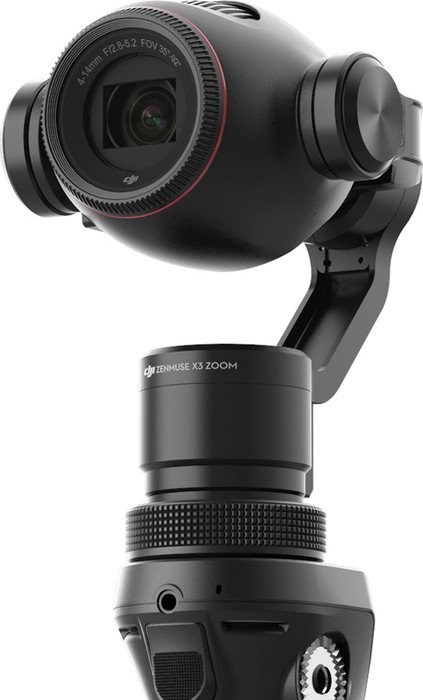
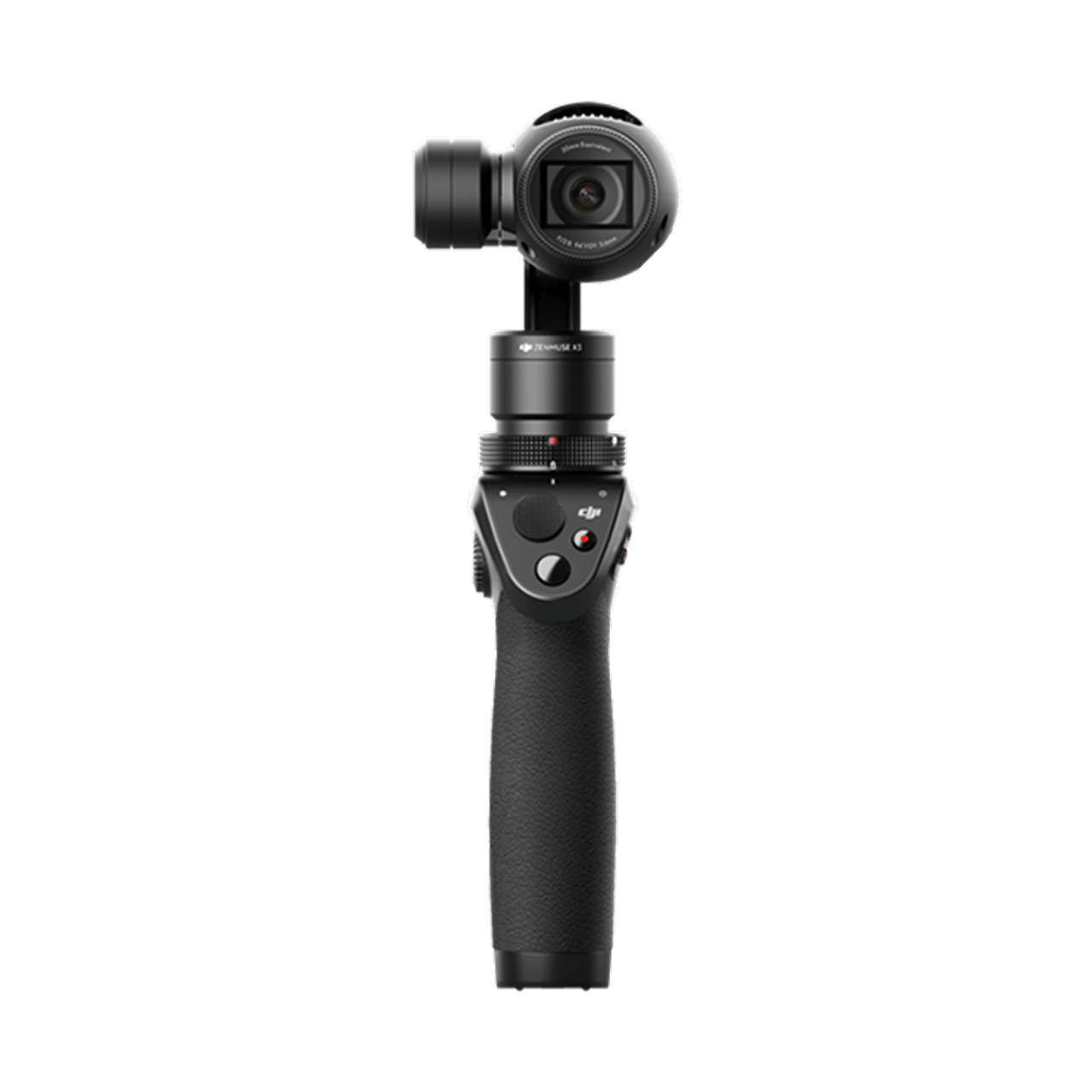
The DJI Osmo+ is a one-handed, professional handheld gimbal camera that combines 3-axis stabilization with a 3.5x optical zoom and up to 2x lossless digital zoom (when shooting 1080p). Designed for filmmakers and content creators who need mobility and smooth footage, the Osmo+ pairs a compact Zenmuse X3 Zoom camera with DJI’s SmoothTrack technology, letting you capture stable 12MP stills and up to 4K video with responsive control.
Ergonomic controls place the joystick, shutter and record buttons, trigger and power switch within easy reach so you can operate the gimbal and camera with one hand. The camera offers flexible shooting modes via the DJI GO app, including motion timelapse, panoramas (including 9-shot matrix), slow motion at 1080p/100fps, burst and bracketed shots, and manual exposure options for long exposures. The Osmo+ supports microSD storage (up to 64 GB recommended, Class 10/UHS-1) and saves video in MP4/MOV (H.264) and photos in JPEG/DNG (RAW).
Power comes from a 1225 mAh intelligent LiPo battery giving around 114 minutes runtime. DJI’s battery system provides balancing, overcharge/discharge, short-circuit and temperature protections. The included charger fully charges the battery in roughly 110 minutes. LED indicators on both the battery and camera provide clear status cues for charging, recording, errors and firmware updates.
A detachable mobile device mount and the DJI Rosette Mount enable live HD monitoring through the DJI GO app and support accessories like external mics, tripods, extension rods, bike and vehicle mounts. The Osmo+ offers multiple operation modes — Upright, Underslung, Flashlight and Portrait — and a trigger-based Lock Mode for fixed framing. Key gimbal adjustments (SmoothTrack speed, deadband, acceleration, joystick smoothing/inversion and calibration) are customizable in the app to match shooting style.
Maintenance is straightforward: keep the gimbal locked during transport, protect it from water, sand and dust, and clean with a soft dry cloth. Firmware upgrades are handled via the DJI GO app or microSD method; ensure battery level is sufficient and follow on-screen guidance. The Osmo+ remains a versatile tool for run-and-gun filmmakers seeking stabilized zoom capabilities in a compact form.
Notes:
- Lossless digital zoom applies only at 1080p.
- Always use the provided charger and follow battery safety guidelines.
- Lock the gimbal for transport to avoid damage.
Search for 370 Manuals online


Type-in Brand or Model