
Digitus USB-C to HDMI Multiport Adapter black Manual
PDF manual · 4 Pages
English



Advantages and Disadvantages
Advantages

- Supports HDMI output up to 4K@60Hz with HDCP 2.2 for high-quality video and protected content
- USB-C PD pass-through (up to 60W) lets you charge the host while using HDMI output
- Plug-and-play, hot-swap compatible with Windows, macOS and Chrome OS—no drivers needed
- Compact, lightweight design (42x40x12 mm, 20.4 g) fits easily in bags for travel
- DisplayPort 1.2 Alt Mode support ensures reliable video transmission from USB-C sources
Disadvantages

- PD pass-through limited to 60W, which may be insufficient for high-power laptops
- Single HDMI output—no multi-monitor chaining from the adapter itself
- No additional USB or Ethernet ports for broader connectivity needs
- Relies on host device supporting DisplayPort Alt Mode; older devices may be incompatible
- No bundled HDMI cable; an external HDMI cable is required for connection
Ask a Question
Frequently Asked Questions
The adapter supports HDMI output up to 4K (3840x2160) at 60Hz using DisplayPort 1.2 Alt Mode and includes HDCP 2.2 content protection for protected streams.
Is this answer helpful?
Yes. The USB-C female PD port supports up to 60W (20V/3A) pass-through, allowing you to charge many laptops and mobile devices while the HDMI output is active. Very high-power laptops requiring greater than 60W may not charge at full speed.
Is this answer helpful?
No. The Digitus adapter is plug-and-play and supports hot-swapping. It works with major operating systems (Windows, macOS, Chrome OS) as long as the host device’s USB-C port supports DisplayPort Alt Mode.
Is this answer helpful?
It will work if your device’s USB-C port supports DisplayPort Alt Mode for video output. If the port only supports USB data and power without Alt Mode, HDMI output will not be available.
Is this answer helpful?
The typical package includes the main Digitus USB-C to HDMI Multiport Adapter and a user manual. If you need the Declaration of Conformity, it can be requested from the manufacturer (Assmann Electronic GmbH).
Is this answer helpful?
Yes. Its small size, light weight and single-cable HDMI output make it ideal for business presentations, classroom use and on-the-go connectivity when you need to link a laptop to a projector or TV.
Is this answer helpful?
Operate the adapter within 0°C to +45°C and 10% to 85% relative humidity (no condensation). Storage ranges are -10°C to +70°C and 5% to 90% RH without condensation.
Is this answer helpful?
Product Description

Digitus USB-C to HDMI Multiport Adapter black Manual
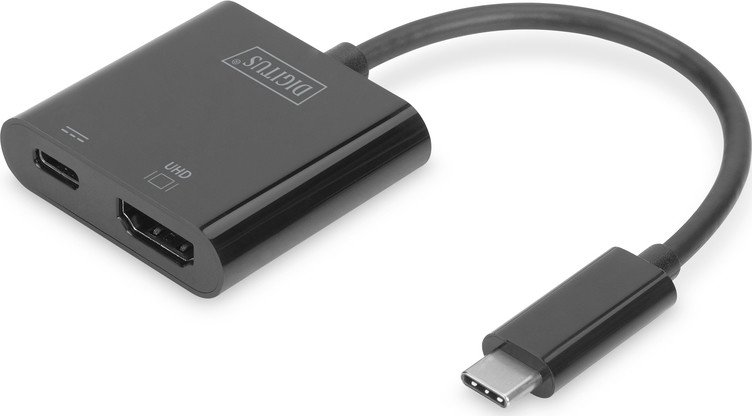
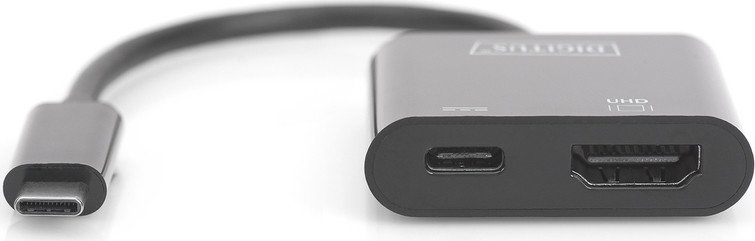
The Digitus USB-C to HDMI Multiport Adapter in black is a compact, travel-friendly hub designed to expand a USB-C device’s connectivity with an HDMI display and pass-through power. Built to support DisplayPort 1.2 Alt Mode and HDCP 2.2, it enables UHD output up to 4K@60Hz, making it suitable for crisp presentations, video playback and extended desktop use. Its lightweight aluminum housing and pocketable dimensions make it convenient for professionals and students who need a reliable single-cable solution when connecting laptops, tablets or phones to TVs, monitors or projectors.
This adapter includes a dedicated USB-C female PD (Power Delivery) port that supports up to 60W (20V/3A) to charge a host device while the HDMI output is in use. That means you can keep a MacBook, Chromebook Pixel or other USB-C equipped devices powered during meetings or media playback without occupying additional ports. Plug-and-play functionality ensures compatibility across major operating systems (Windows, macOS, Chrome OS) with no drivers required, and hot-swap support lets you connect or disconnect devices without rebooting.
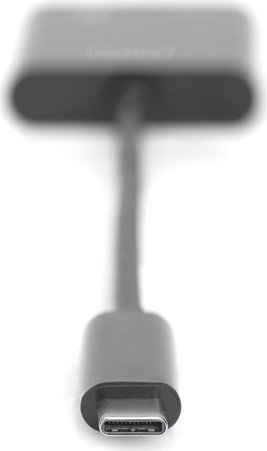
Physically, the adapter is small and lightweight — roughly 42 x 40 x 12 mm and about 20.4 g — making it easy to stow in a laptop bag. Environmental tolerances cover typical consumer use (0°C to +45°C operating temperature and moderate humidity ranges). The package normally includes the main unit and a user manual; a Declaration of Conformity can be requested from the manufacturer if needed.
Practical uses span from business presentations with projectors to home entertainment setups connecting laptops to 4K TVs. The adapter is especially useful for users of thin laptops with single USB-C ports who need simultaneous video output and charging. Note the limited PD rating — 60W is sufficient for many laptops and most mobile devices but may be below requirements for very high-power workstations.
Notes:
- Supports HDMI up to 4K@60Hz with HDCP 2.2 for protected content
- USB-C PD pass-through up to 60W (20V/3A)
- Plug-and-play across Windows, macOS and Chrome OS
- Compact, lightweight and portable
Search for 370 Manuals online


Type-in Brand or Model