
Digitus USB-C to HDMI Adapter black Manual
PDF manual · 3 Pages
English



Advantages and Disadvantages
Advantages

- Supports UHD 4K at 30 Hz for high-resolution displays
- Plug-and-play compatibility with Windows, macOS and Chrome OS
- Compact, lightweight design with short integrated cable
- USB bus powered—no external power adapter needed
- Reliable AG9310 chipset with multi-rate video channel support
Disadvantages

- Limited to HDMI 1.4 — no native 4K at 60 Hz support
- Single HDMI output may require a switch for multi-monitor setups
- Cable length (150 mm) may be short for some desktop arrangements
- Operating and storage temperature specs in the manual appear unrealistic
- No remote or extra features like Ethernet or USB passthrough
Ask a Question
Frequently Asked Questions
The adapter supports 4K x 2K at 24/25/30 Hz, 1080p at 24/50/60 Hz, 720p and various SD formats (480p, 576i, 480i) depending on source device capabilities.
Is this answer helpful?
No. The adapter is powered via the USB-C bus and does not require an external power supply. Ensure your host device provides sufficient bus power for reliable operation.
Is this answer helpful?
Yes. The adapter is designed to be compatible with macOS, Windows and Chrome OS devices that have a USB-C (USB 3.1) video-capable port. Some devices may require enabling alternate mode or driver support—check your device specifications.
Is this answer helpful?
No. This adapter uses HDMI 1.4 and supports 4K up to 30 Hz. For 4K at 60 Hz you will need an adapter or dock that explicitly supports HDMI 2.0 or a DisplayPort alternate mode at higher bandwidth.
Is this answer helpful?
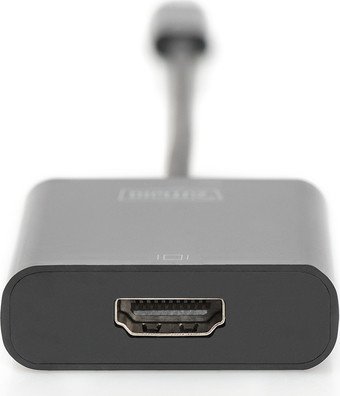
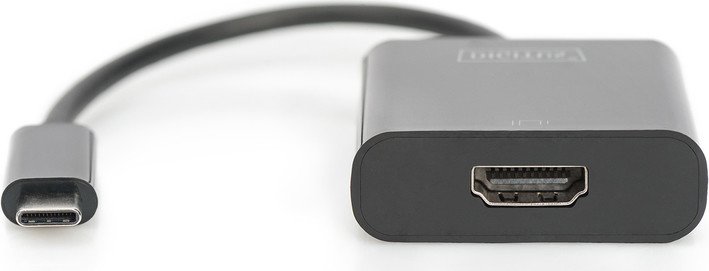
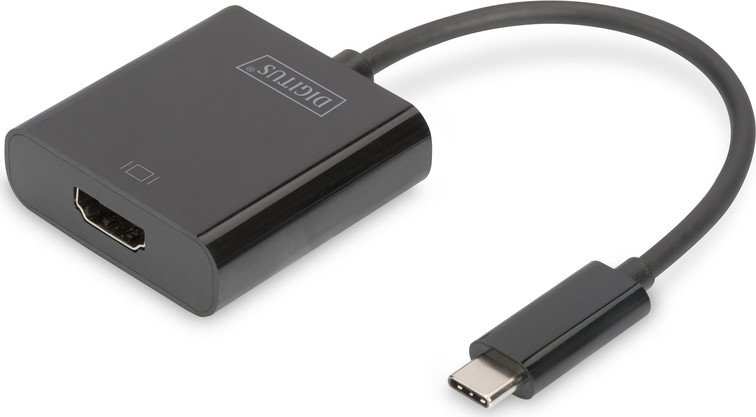
The adapter features one USB 3.1 Type-C male input and one HDMI 1.4 female output. The integrated cable length is approximately 150 mm and the main housing measures about 45 x 45 x 14.8 mm.
Is this answer helpful?
The adapter provides a single HDMI output. For multiple external displays you will need a multi-output dock or additional adapters/splitters compatible with your host device.
Is this answer helpful?
Assmann Electronic GmbH provides product and compliance information via www.assmann.com. The printed conformity declaration is included; if missing you can request it from the manufacturer at their address.
Is this answer helpful?
Product Description

Digitus USB-C to HDMI Adapter black Manual
The Digitus USB-C to HDMI Adapter in sleek black is a compact, reliable solution for connecting USB-C devices to HDMI displays. Equipped with the AG9310 chipset, this adapter supports UHD 4K at 30 Hz and a wide range of lower resolutions, making it ideal for presentations, streaming, and expanding your workspace. Compatible with Windows, macOS and Chrome OS, it turns laptops, tablets, and other USB-C–enabled devices into sources for TVs, monitors, or projectors without software hassles.
Measuring a compact 45 x 45 x 14.8 mm with a 150 mm cable, the adapter offers a single USB 3.1 Type-C input and one HDMI 1.4 output. It delivers data channels operating up to 5.4 Gbit/s (HBR2), ensuring stable transmission for common video modes: 4K at 24/25/30 Hz and 1080p at 24/50/60 Hz, as well as 720p and standard-definition formats. Power comes from the USB bus, so no external power supply or remote control is required.
Its plug-and-play nature makes it useful for both private and professional use: connect a notebook to a TV for media playback or hook a laptop to a projector for meetings. The adapter ships with a user manual and carries Assmann Electronic GmbH’s compliance documentation availability, with support details on www.assmann.com.
Practical considerations include operating conditions and durability: it is specified to work across typical humidity and temperature ranges. The compact form factor and universal OS compatibility make it a versatile, easy-to-carry accessory for anyone needing HDMI output from modern USB-C ports.
Notes:
- Supports common video resolutions up to UHD 4K/30 Hz.
- No external power required — draws power from the USB-C port.
- Single HDMI 1.4 port; consult device output capabilities for 4K/60 Hz needs.
Search for 370 Manuals online


Type-in Brand or Model